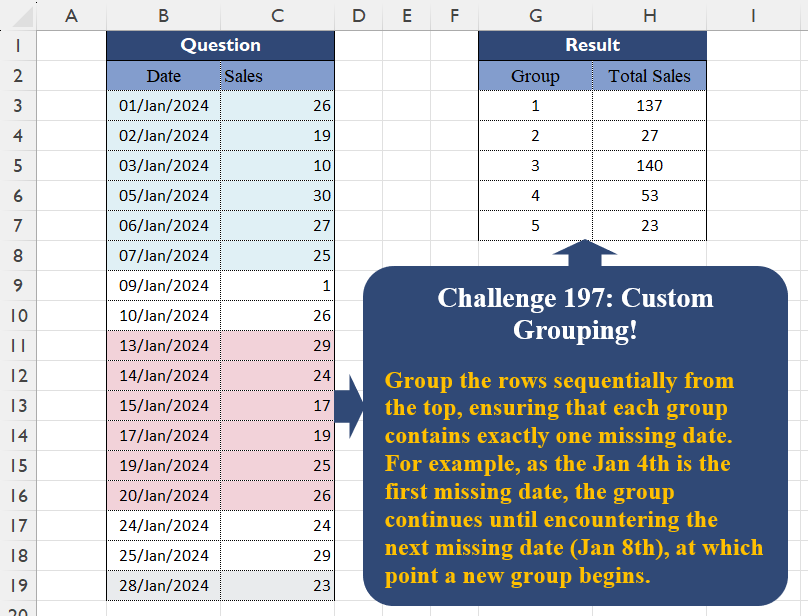
Challenge No. 197: Group the rows sequentially from the top, ensuring that each group contains exactly one missing date.
Solved using:Excel (IF, LET, SCAN), Google Sheets, Power Query (Table.Group, Table.AddIndexColumn), Python, Python in Excel, and R.
Custom Grouping
Grouping data based on custom logic
Custom Grouping! Part 18
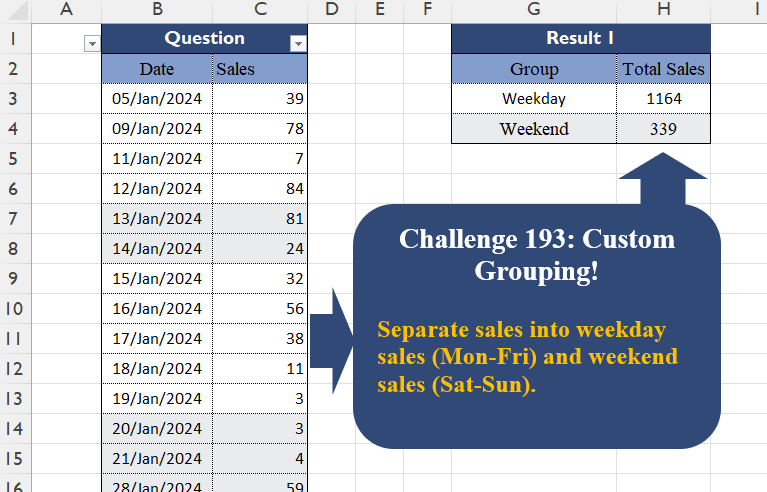
Challenge No. 193: Separate sales into weekday sales (Mon-Fri) and weekend sales (Sat-Sun).
Solved using:Excel (DAY, FILTER, GROUPBY), Google Sheets, Power Query (Table.Group, Date.DayOfWeek, Table.AddColumn), Python, Python in Excel, and R.
Custom Grouping! Part 17
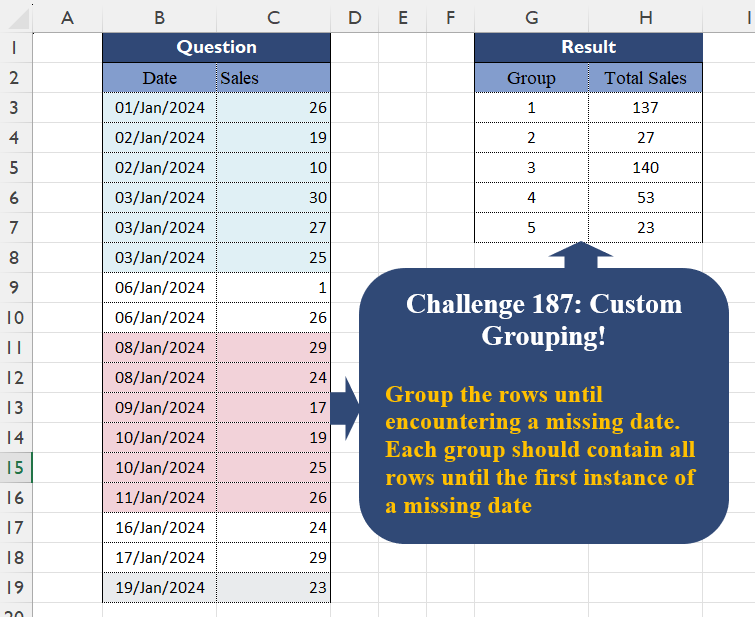
Challenge No. 187: Group the rows until encountering a missing date.
Solved using:Excel (DROP, GROUPBY, IF), Google Sheets, Power Query (Table.Group, Table.AddColumn, Table.AddIndexColumn), Python, Python in Excel, and R.
Custom Grouping! Part 16
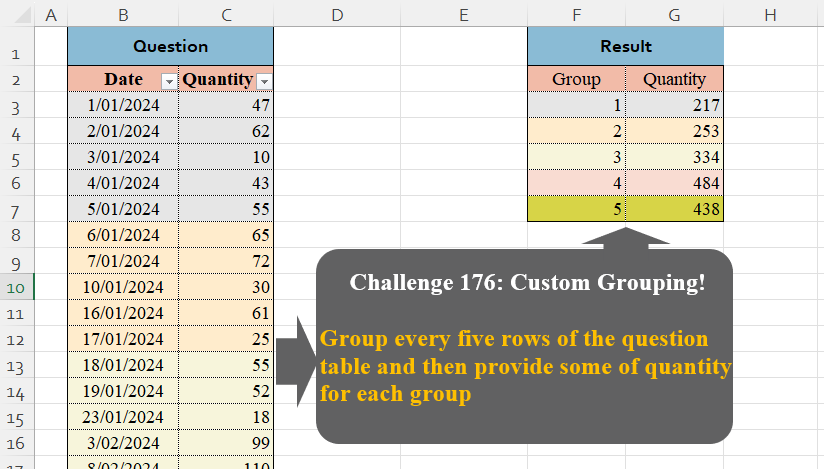
Challenge No. 176: Group every five rows of the question table and then provide some of quantity for each group.
Solved using:Excel (GROUPBY, HSTACK, LAMBDA), Google Sheets, Power Query (Table.Group, List.Transform, Table.AddIndexColumn), Python, Python in Excel, and R.
Custom Grouping! Part 15
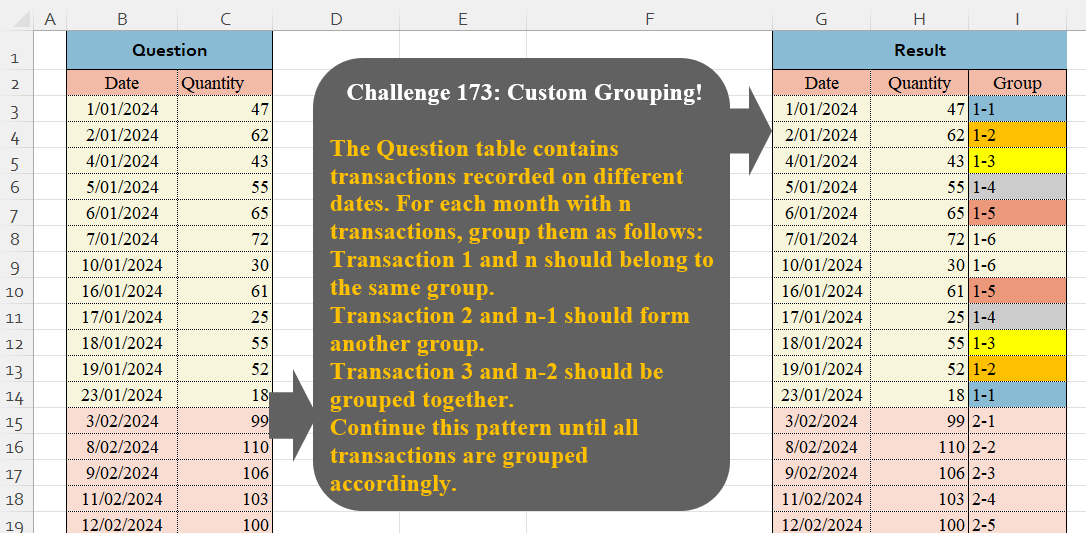
Challenge No. 173: The Question table contains transactions recorded on different dates.
Solved using:Excel (HSTACK, LAMBDA, LET), Google Sheets, Power Query (Table.Group, Date.Month, Table.AddIndexColumn), Python, Python in Excel, and R.
Custom Grouping! Part 14
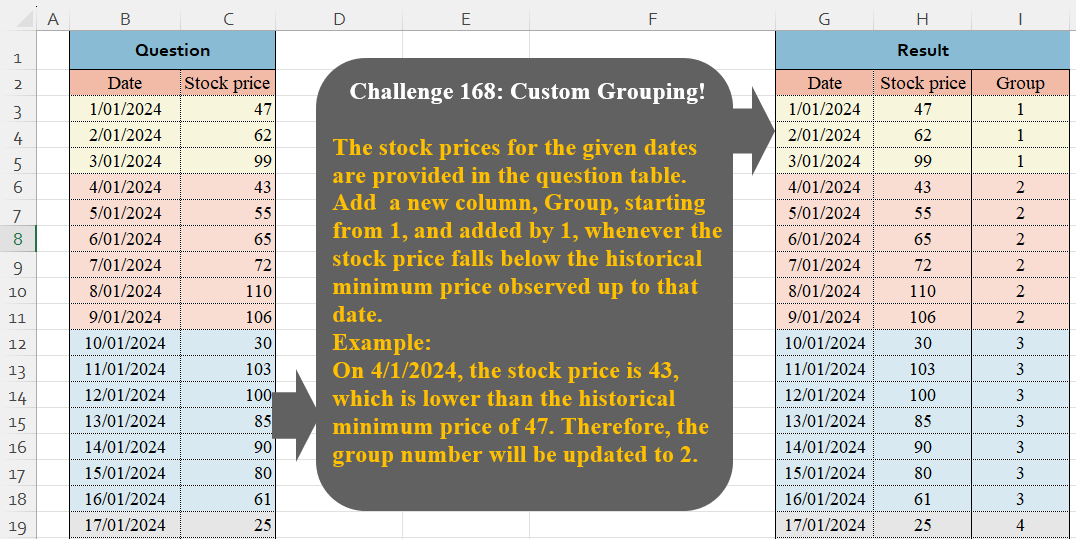
Challenge No. 168: The stock prices for the given dates are provided in the question table.
Solved using:Excel (IF, LAMBDA, LET), Google Sheets, Power Query (Table.Group, Table.AddIndexColumn, Table.ExpandTableColumn), Python, Python in Excel, and R.
Custom Grouping! Part 13
Challenge No. 165: Based on monthly transactions, categorize each customer for each month into one of the following groups:
New: A customer who has never made a purchase in previous months.
Solved using:Excel (FILTER, HSTACK, IF), Google Sheets, Power Query (Table.Group, List.Difference, List.Distinct), Python, and R.
Custom Grouping! Part 12
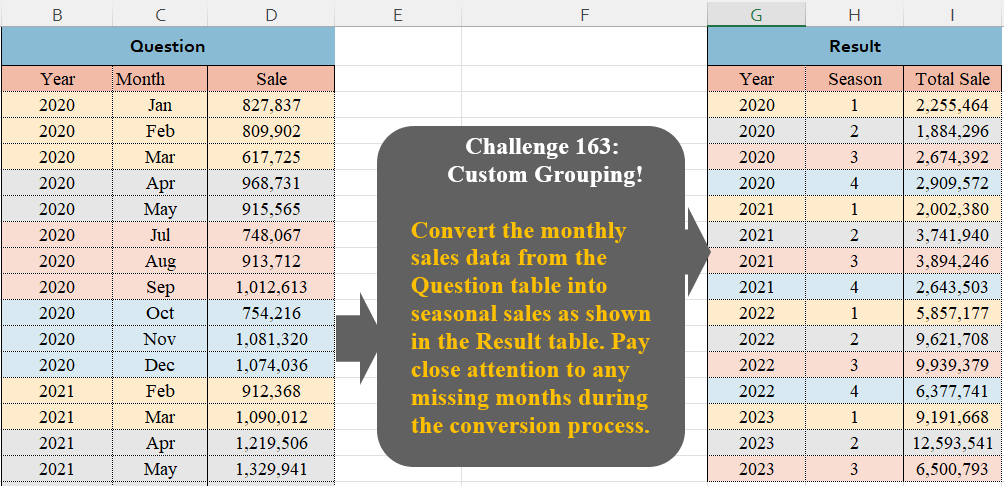
Challenge No. 163: Convert the monthly sales data from the Question table into seasonal sales as shown in the Result table.
Solved using:Excel (FILTER, GROUPBY, HSTACK), Google Sheets, Power Query (Table.Group, Table.AddColumn, Table.Group), Python, Python in Excel, and R.
Custom Grouping! Part 11
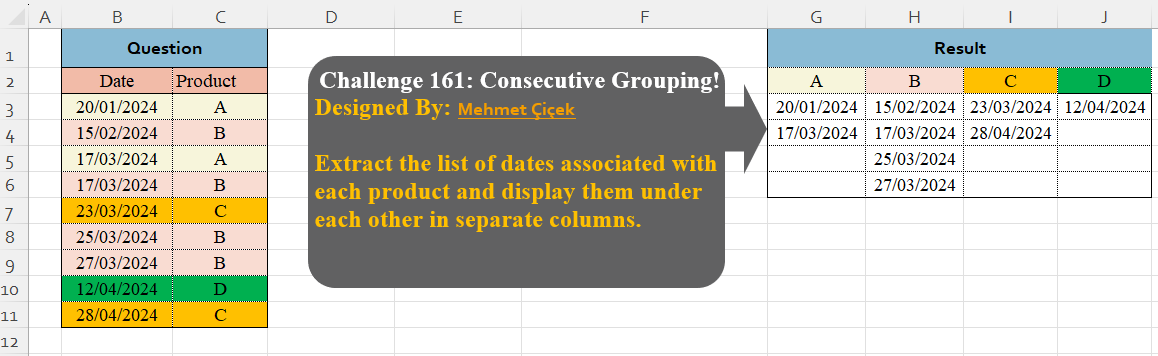
Challenge No. 161: Extract the list of dates associated with each product and display them under each other in separate columns.
Solved using:Excel (DROP, FILTER, HSTACK), Google Sheets, Power Query (Table.Group), Python, Python in Excel, and R.
Custom Grouping! Part 10
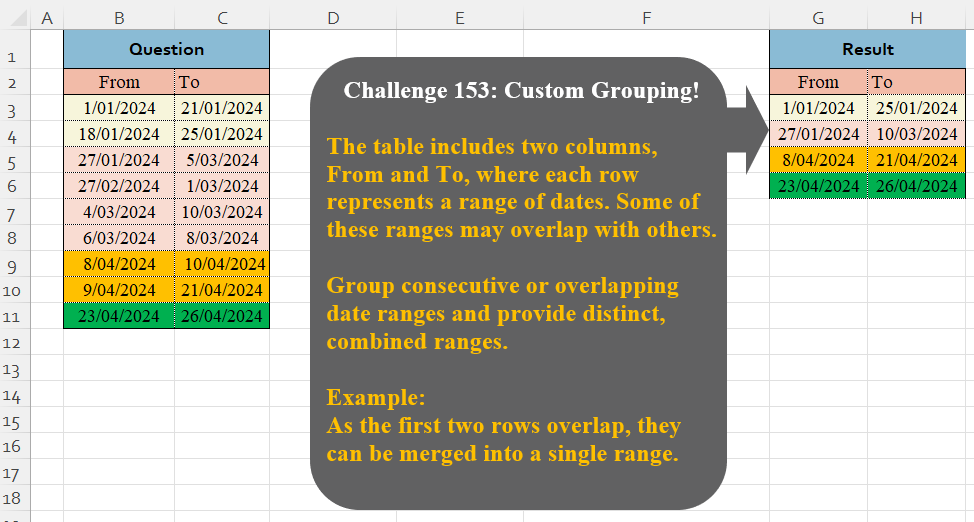
Challenge No. 153: The table includes two columns, From and To, where each row represents a range of dates.
Solved using:Excel (DROP, HSTACK, IF), Google Sheets, Power Query (Table.Group), Python, Python in Excel, and R.