
Challenge No. 74: Create Weekly Date Groups and Sum
A Week runs from Monday to Sunday
Dynamic array function allowed, but Extra marks for Legacy solutions or PowerQuery Solution.
Solved using: R.
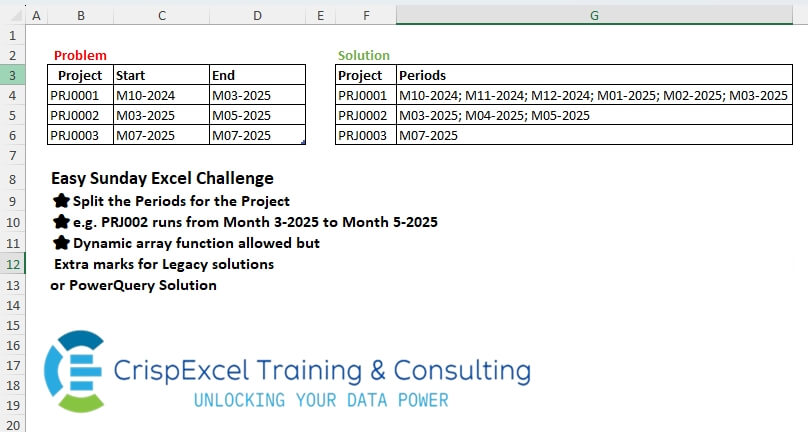
Including all the Excel Power BI Power Query Python R challenges designed by Crispo Mwangi.
Challenge No. 74: Create Weekly Date Groups and Sum
A Week runs from Monday to Sunday
Dynamic array function allowed, but Extra marks for Legacy solutions or PowerQuery Solution.
Solved using: R.
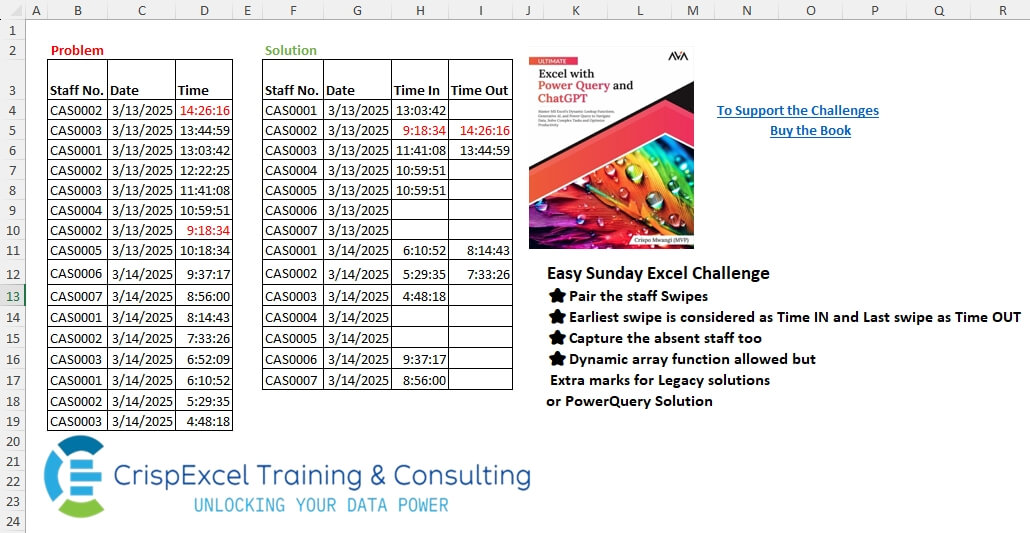
Challenge No. 73: Pair the staff Swipes.
Solved using: R.
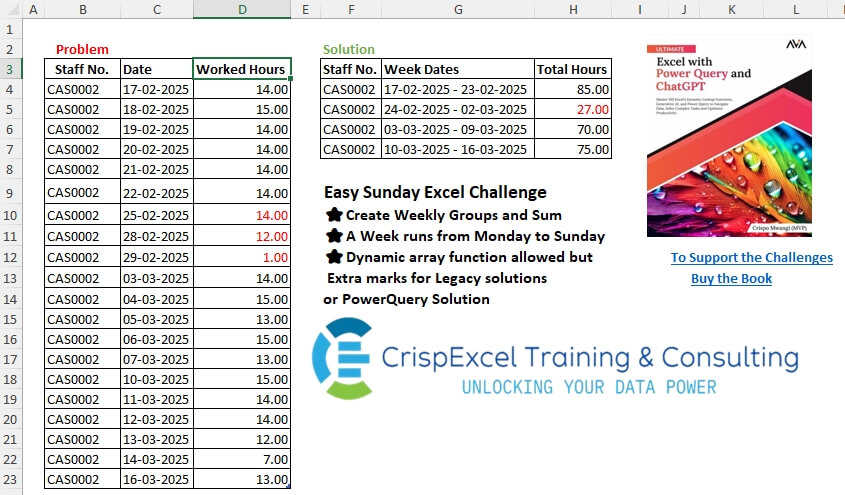
Challenge No. 72: Create Weekly Date Groups and Sum
A Week runs from Monday to Sunday
Dynamic array function allowed, but Extra marks for Legacy solutions or PowerQuery Solution.
Solved using: R.
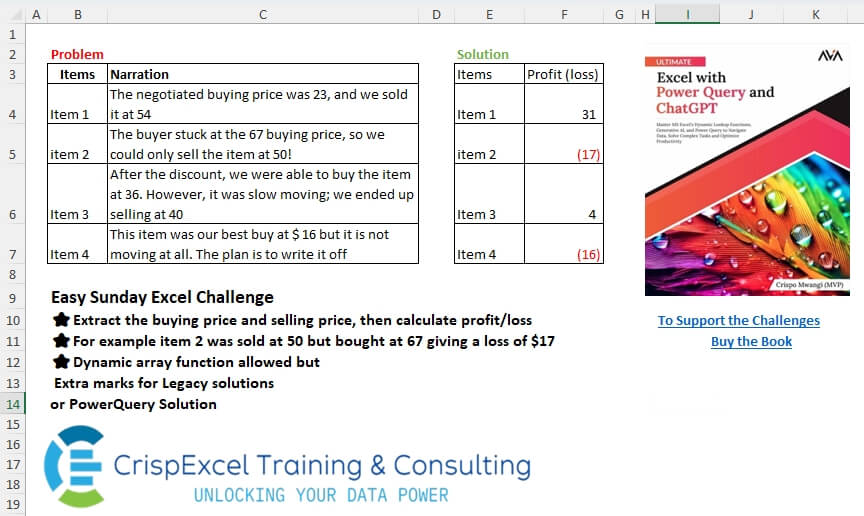
Challenge No. 71: Extract the buying and selling prices, then calculate profit/loss.
Solved using: R.

Challenge No. 70: Extract the Departments and their Sub-department
Department name is before the 1st hyphen
Solution should be in a Cross-tab as shown
Dynamic array function allowed but Extra marks for Legacy solutions or PowerQuery Solution.
Solved using: R.

Challenge No. 69: Create Qty Group and Sum the Amount
Dynamic array function allowed, but Extra marks for Legacy solutions or PowerQuery Solution.
Solved using: R.

Challenge No. 68: Extract the Date, Day of the Week and Time
Dynamic array function allowed, but Extra marks for Legacy solutions or PowerQuery Solutions.
Solved using: R.
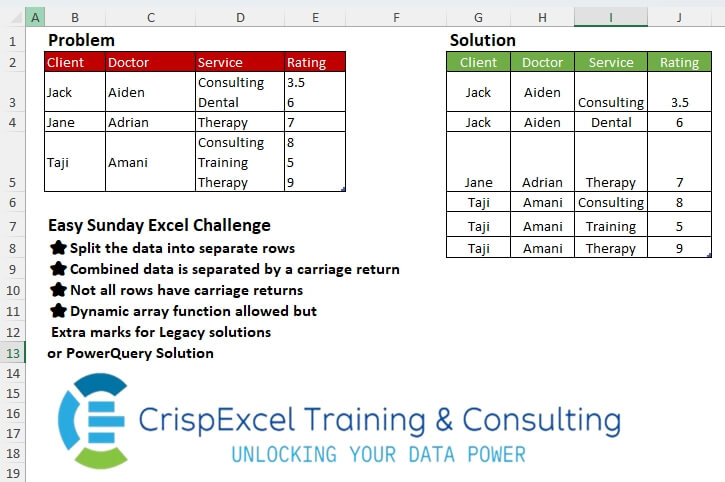
Challenge No. 67: Split the data into separate rows
Combined data is separated by a carriage return
Not all rows have carriage returns
Dynamic array function allowed but Extra marks for Legacy solutions or PowerQuery Solution.
Solved using: Python.

Challenge No. 66: Group the staff and insert the group name after the last count.
Solved using: Python.
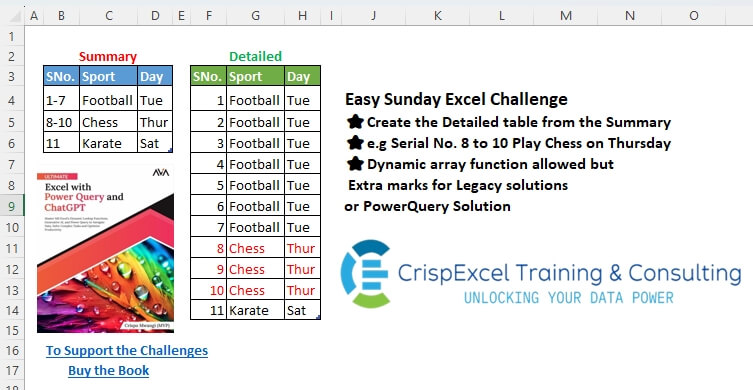
Challenge No. 65: Create the Detailed table from the Summary
e.
Solved using: Python.