
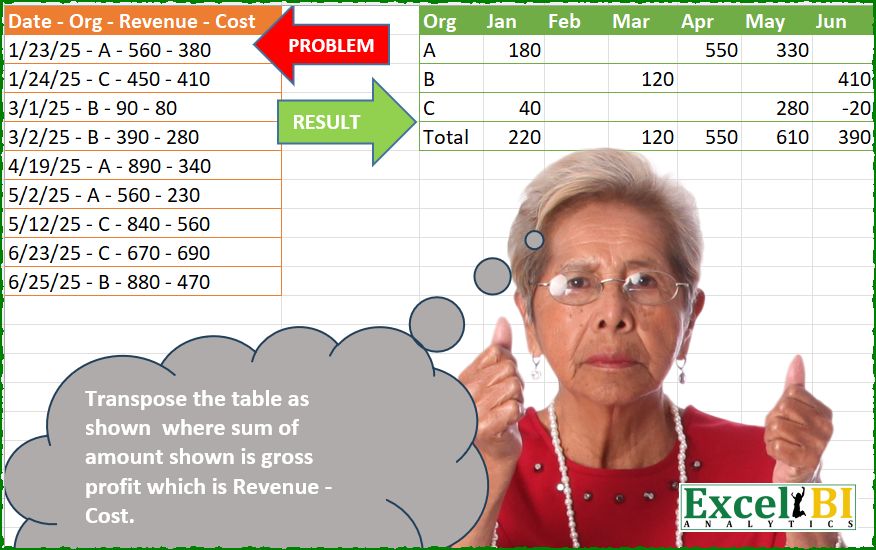
Challenge No. 278: Transpose the table as shown where sum of amount shown is gross profit which is Revenue – Cost.
Solved using: Python.
Including all the Power Querry challenges designed by Excel BI.
Challenge No. 278: Transpose the table as shown where sum of amount shown is gross profit which is Revenue – Cost.
Solved using: Python.
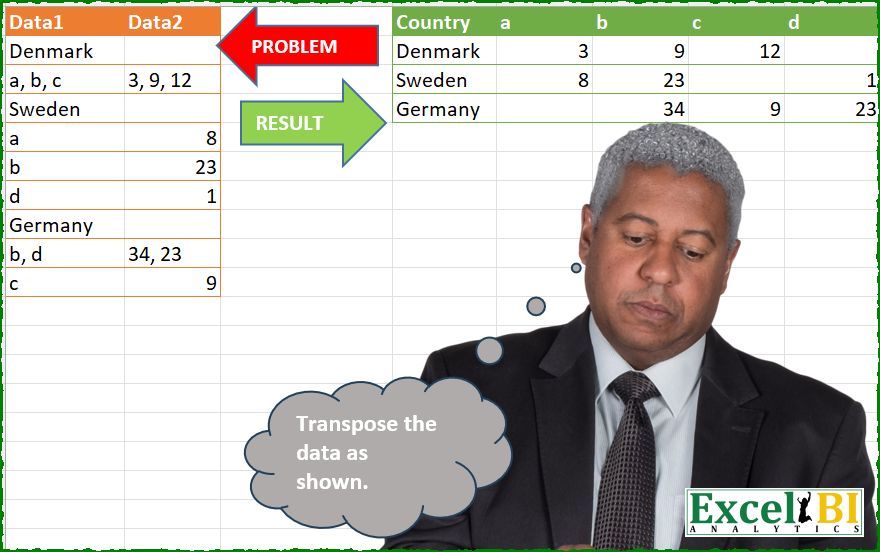
Challenge No. 277: Transpose the data as shown.
Solved using: Python.
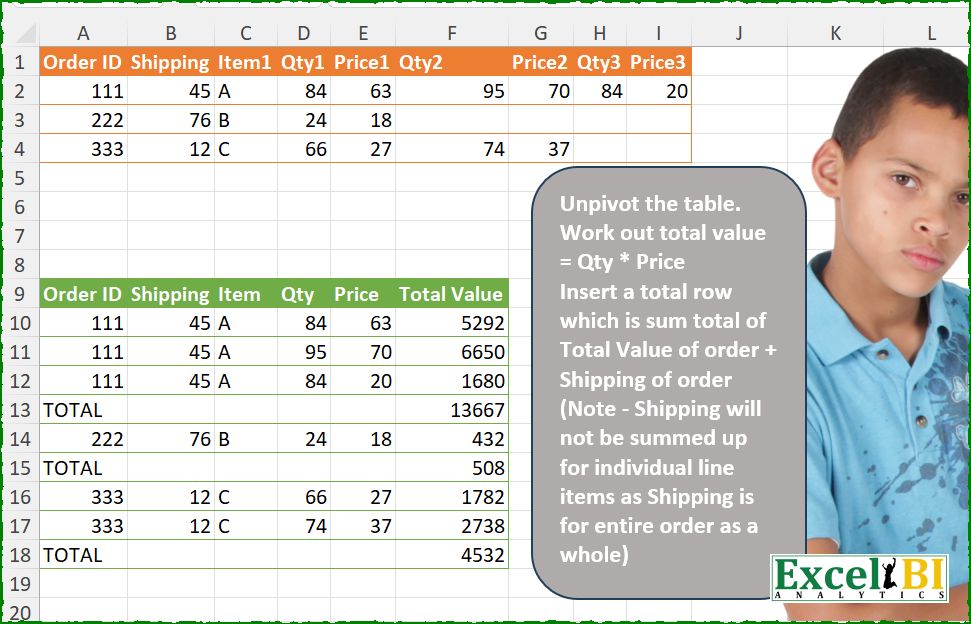
Challenge No. 276: Unpivot the table.
Solved using: Python in Excel.
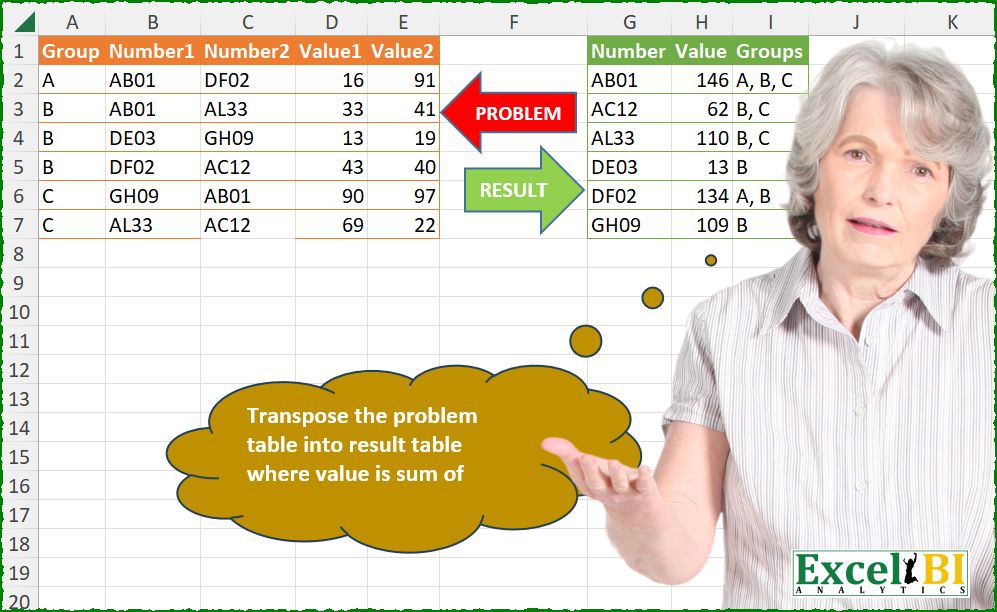
Challenge No. 275: Transpose the problem table into result table where value is sum of Values from problem table.
Solved using: Python.

Challenge No. 274: Problem Table1 contains the list of ingredients which can be used to prepare a dish.
Solved using: Python.

Challenge No. 273: Transpose the table as shown.
Solved using: Python.

Challenge No. 271: From first group, pick up top 1 on the basis of revenue, from second group, pick up top 2 and so on.
Solved using: Python in Excel.

Challenge No. 269: Find all possible routes from City1 to various other cities.
Solved using: Python.

Challenge No. 268: Transpose the given table as show.
Solved using: R.

Challenge No. 267: Work out the running total for first 10 entries, then next 9 entries, then next 8 entries till you reach 1 entry.
Solved using: Python.