
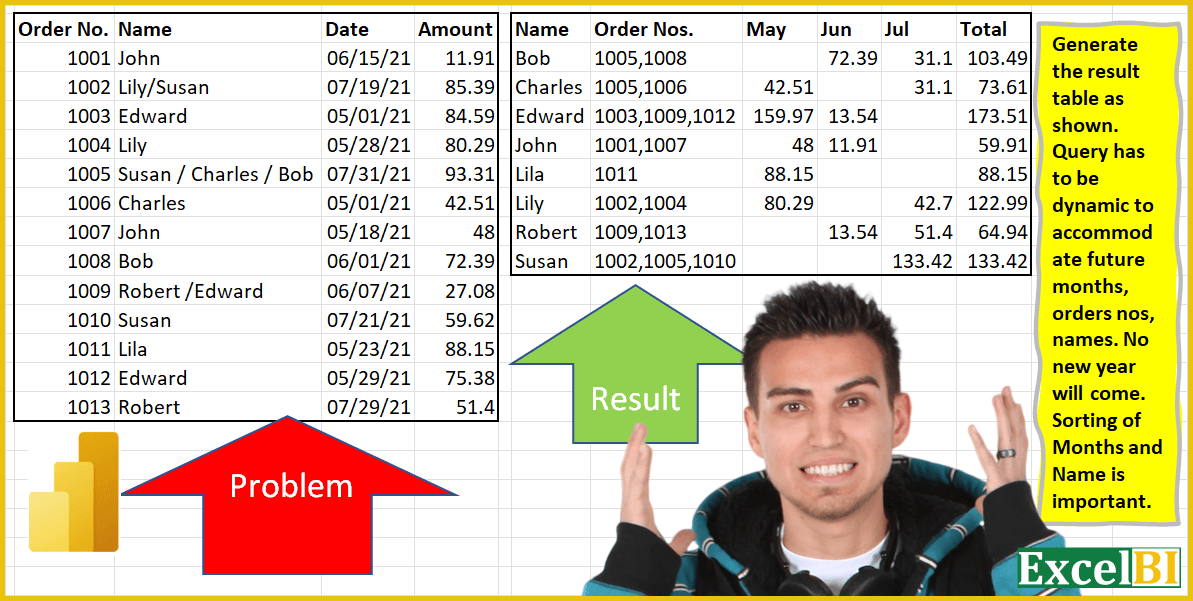
Challenge No. 4: Generate the result table as shown.
Solved using: Power Query.
Including all the Power Querry challenges designed by Excel BI.
Challenge No. 4: Generate the result table as shown.
Solved using: Power Query.
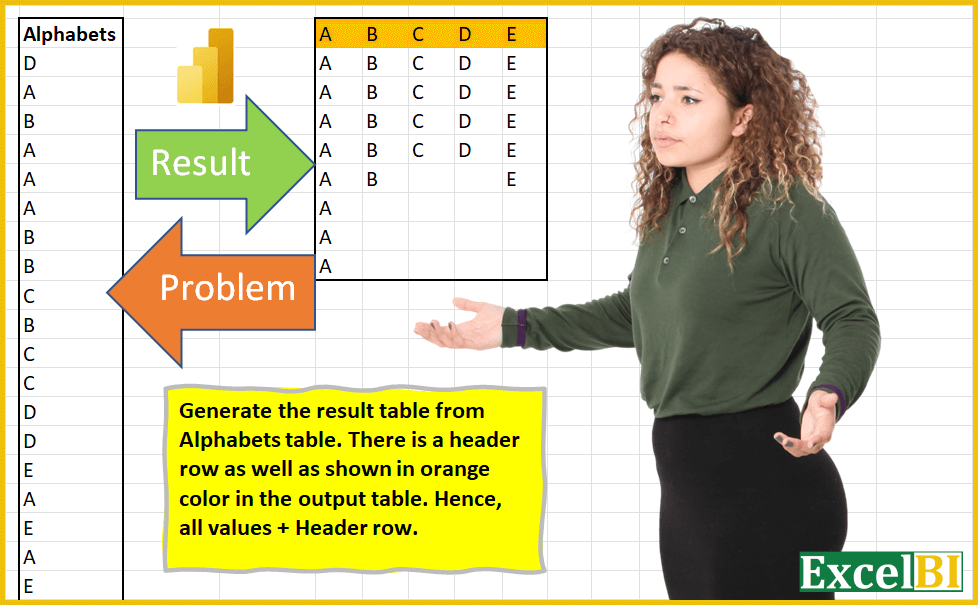
Challenge No. 3: (Excel formulas also welcome)
Generate the result table from Alphabets table.
Solved using: Power Query (List.Distinct).
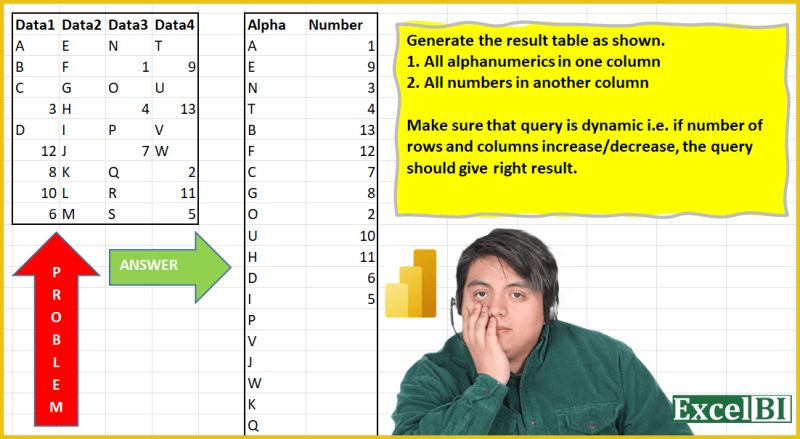
Challenge No. 2: (Excel formulas also welcome)
Extract all alphabets in one column and numbers in another column.
Solved using: Python in Excel.
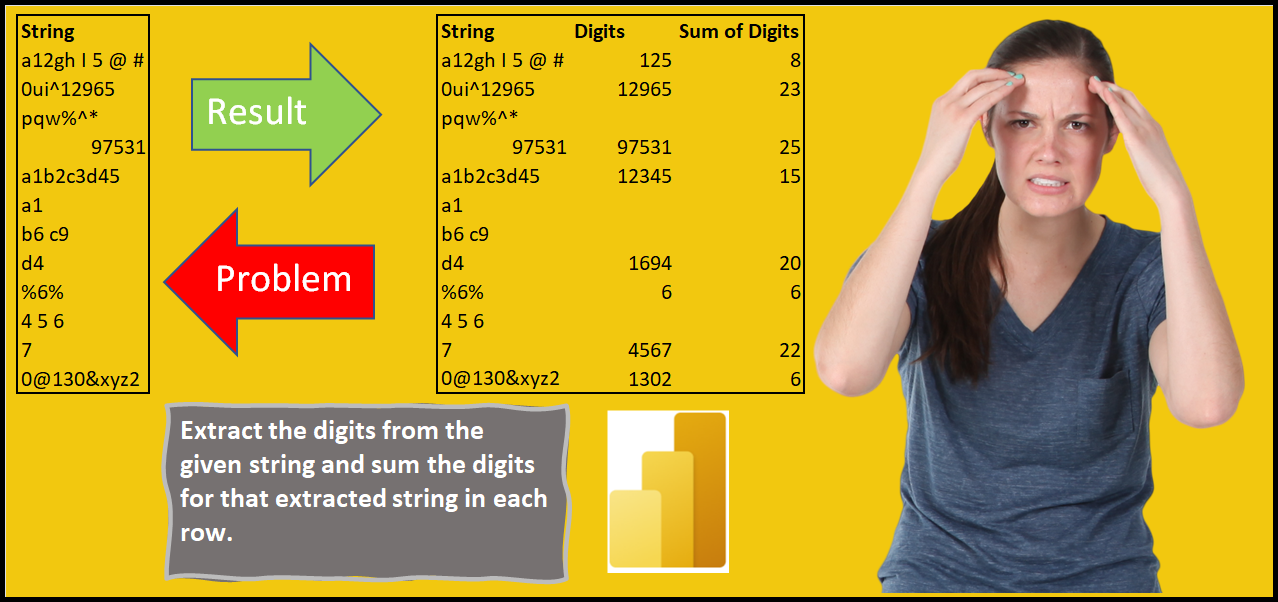
Challenge No. 1: Extract the numeric digits from the given strings in a column and sum the digits for those extracted strings in another column.
Solved using: Power Query (Table.AddColumn).