
Challenge No. 17: (Excel formulas also welcome)
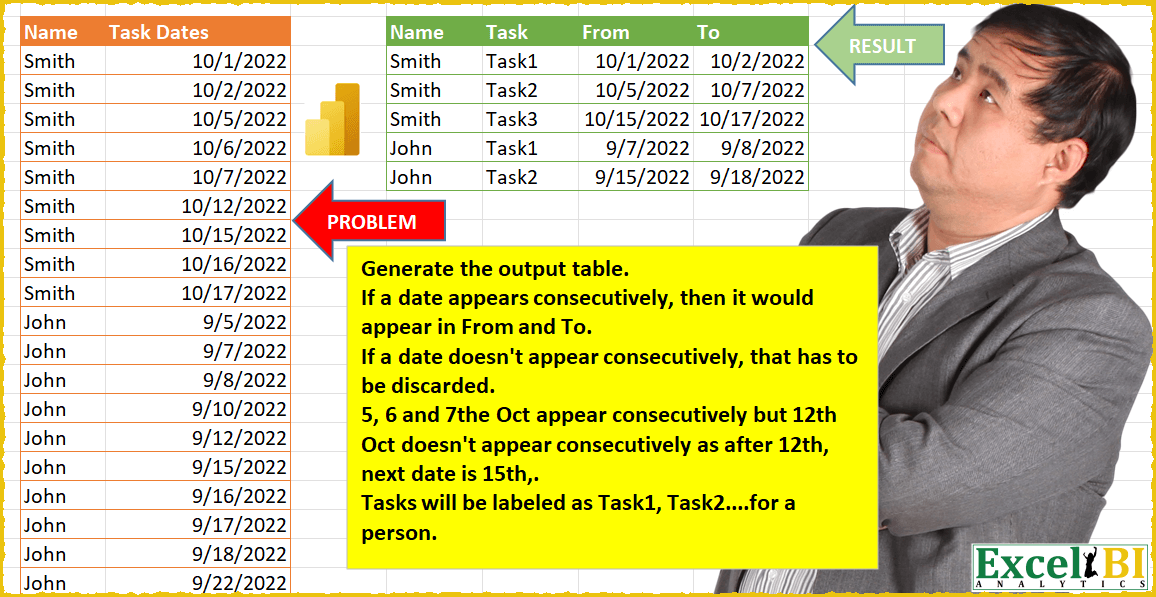
Generate the output table.
Solved using: Power Query.
Including all the Power Querry challenges designed by Excel BI.
Challenge No. 17: (Excel formulas also welcome)
Generate the output table.
Solved using: Power Query.
Challenge No. 16: (Excel formulas also welcome)
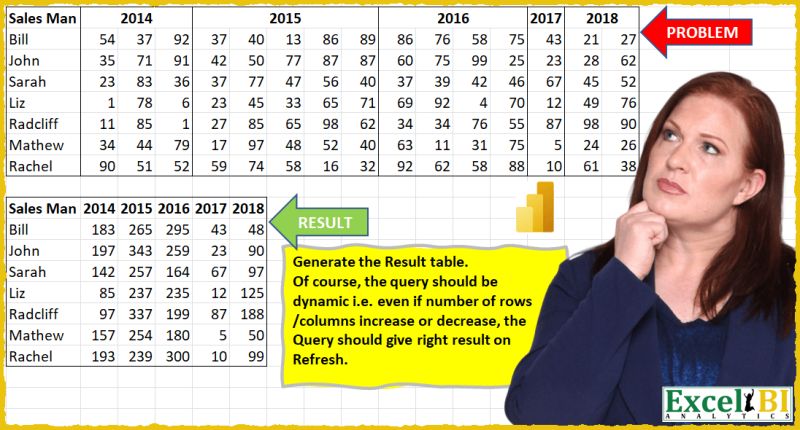
Generate the Result table shown.
Solved using: Power Query (List.Distinct, Table.Pivot, Table.PromoteHeaders).
Challenge No. 15: (Excel formulas also welcome)
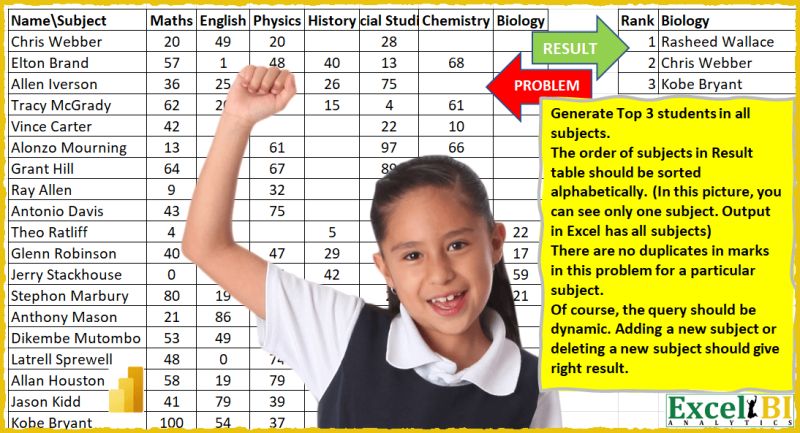
Generate Top 3 students in all subjects.
Solved using: Power Query.

Challenge No. 14: (Excel formulas also welcome)
A process gets executed in steps A through D in order (not all steps are necessary in the process but the order defines when the process has started and when it has ended.
Solved using: Power Query (Table.AddColumn, Table.AddIndexColumn).
Challenge No. 12: (Excel formulas also welcome)
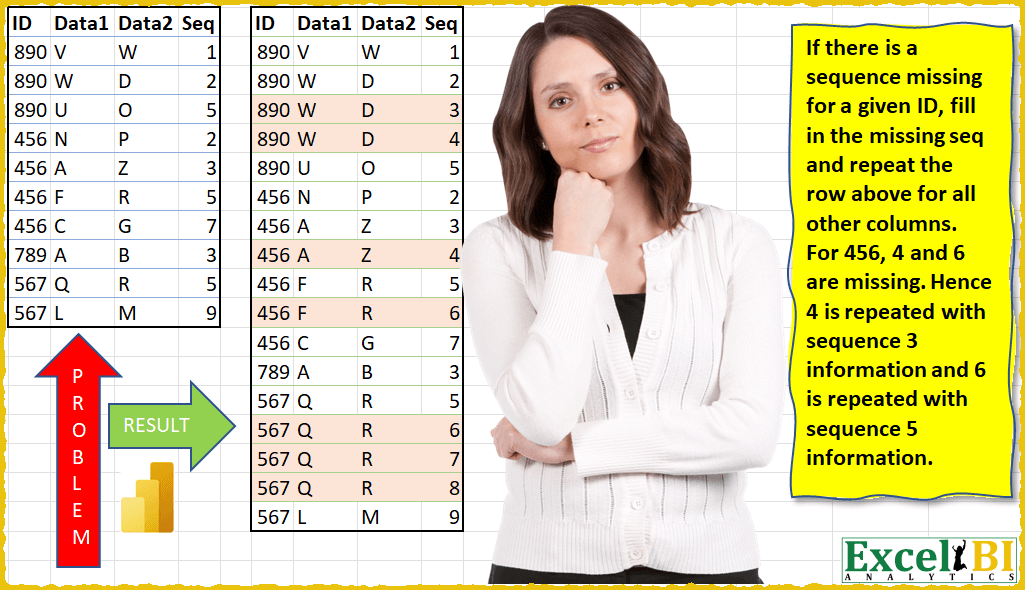
If there is a sequence missing for a given ID, fill in the missing sequence and repeat the row above for all other columns.
Solved using: Power Query (Table.AddColumn, Table.ExpandTableColumn, Table.Group).

Challenge No. 11: (Excel formulas also welcome)
Generate Result table as shown.
Solved using: Power Query (List.Distinct, Table.AddColumn, Table.Pivot).
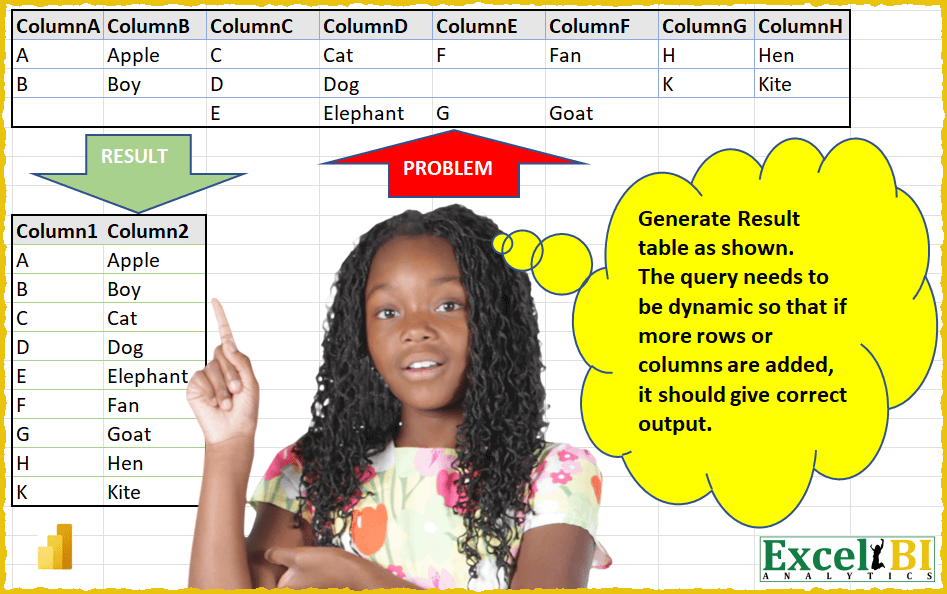
Challenge No. 10: (Excel formulas also welcome)
Generate Result table as shown.
Solved using: Power Query (Table.AddColumn, Table.SelectRows, Table.Sort).

Challenge No. 9: (Excel formulas also welcome)
There is a table which has Original Text and there is another table which contains the list of words which need to be replaced.
Solved using: Power Query (List.Transform, Table.AddColumn, Table.ReplaceValue).

Challenge No. 8: (Excel formulas also welcome)
Clean the data and generate the result table as shown.
Solved using: Power Query (Table.AddColumn, Table.TransformColumns).
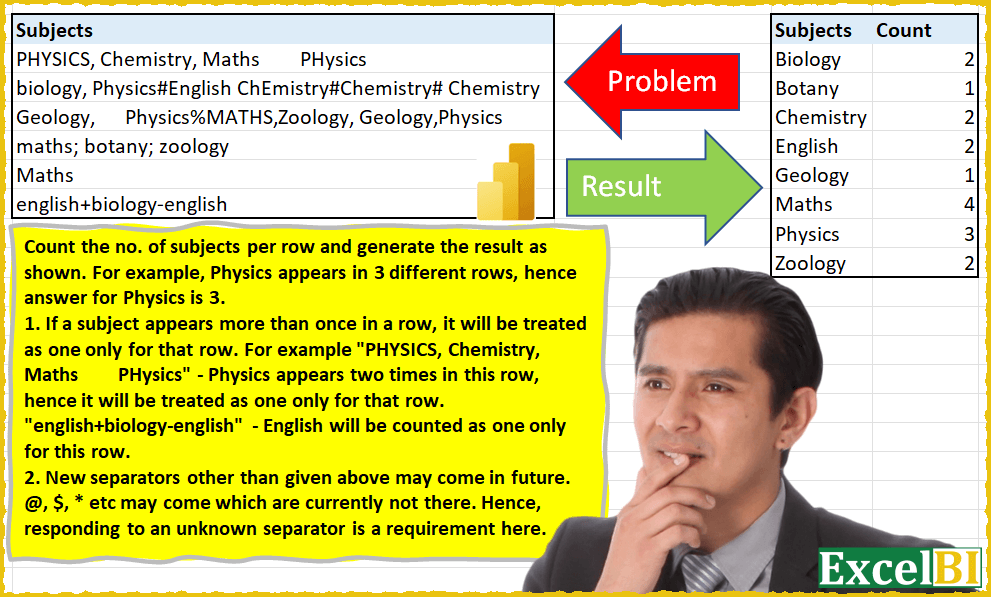
Challenge No. 6: (Excel formulas also welcome)
Count the no.
Solved using: Power Query (Table.TransformColumns).