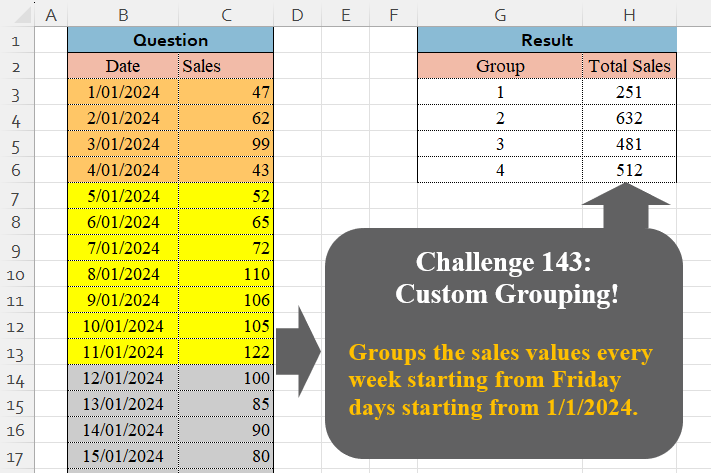
Challenge No. 143: Groups the sales values every week starting from Friday days starting from 1/1/2024.
Solved using:Excel (GROUPBY, LAMBDA, LET), Google Sheets, Power Query (Table.Group, Date.WeekOfYear, Table.AddColumn), Python, Python in Excel, and R.
Custom Grouping
Grouping data based on custom logic
Custom Grouping! Part 8
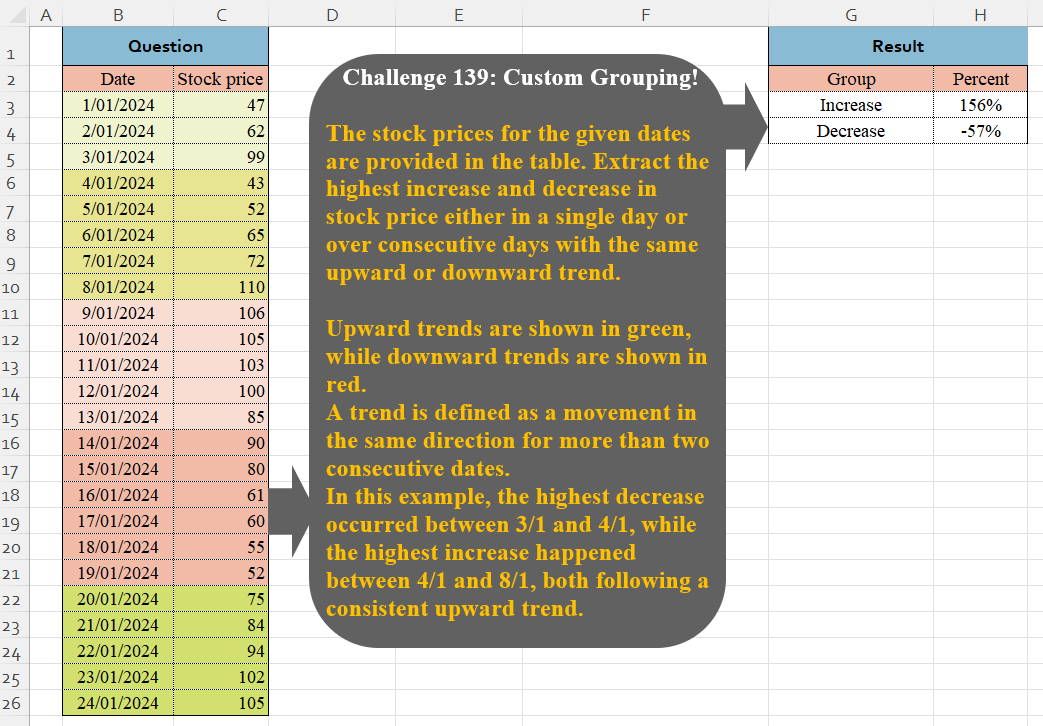
Challenge No. 139: The stock prices for the given dates are provided in the table.
Solved using:Excel (VSTACK), Google Sheets, Power Query (Table.Group, List.Combine, List.Transform), Python, and Python in Excel.
Custom Grouping! Part 7
Challenge No. 133: Group the monthly sales values into three categories based on the following logic and provide one of the result tables:
Group 1: 1st to 10th of the month
Group 2: 11th to 20th of the month
Group 3: 21st to the end of the month.
Solved using:Excel (DATE, DAY, DROP), Google Sheets, Power Query (Table.Group, Date.Month, Table.AddColumn), Python, Python in Excel, and R.
Custom Grouping! Part 6
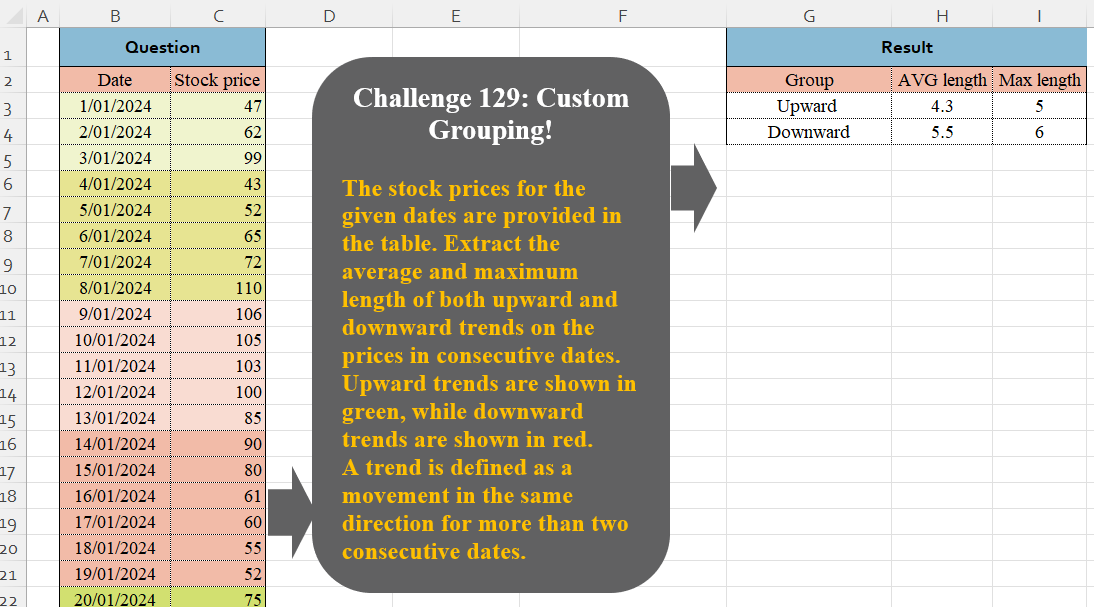
Challenge No. 129: The stock prices for the given dates are provided in the table.
Solved using:Excel (DROP, GROUPBY, HSTACK), Google Sheets, Power Query (Table.Group, Table.AddColumn, Table.Group), Python in Excel, and R.
Custom Grouping! Part 5
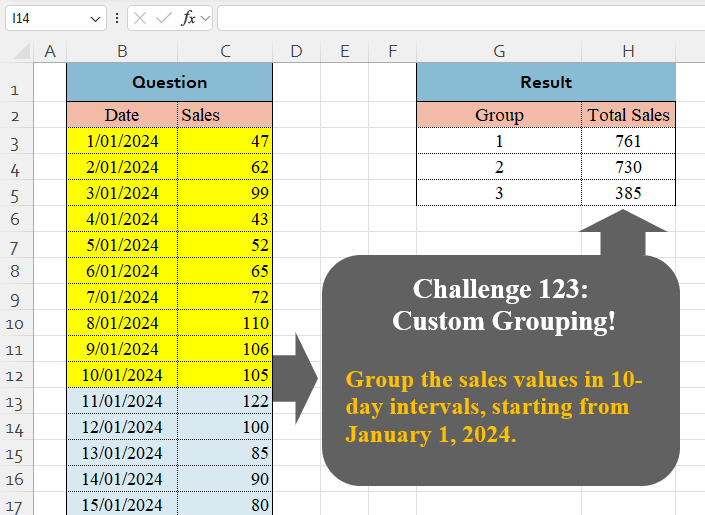
Challenge No. 123: Group the sales values in 10-day intervals, starting from January 1, 2024.
Solved using:Excel (BYROW, DAY, GROUPBY), Google Sheets, Power Query (Table.Group, List.Transform, Table.Group), Python, Python in Excel, and R.
Custom Grouping! Part 4
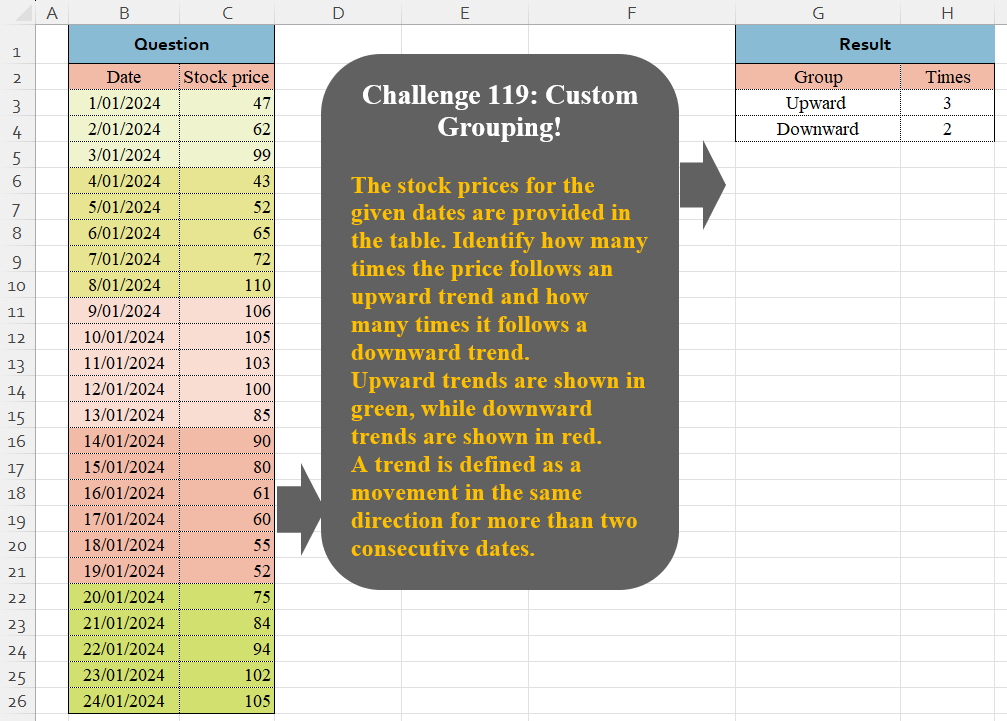
Challenge No. 119: The stock prices for the given dates are provided in the table.
Solved using:Excel (DROP, HSTACK, IF), Google Sheets, Power Query (Table.Group, Table.AddColumn, Table.Group), Python in Excel, and R.
Custom Grouping! Part 2
Challenge No. 46: The “Question” table provides a list of Product IDs.
Solved using:Excel (CHOOSECOLS, DROP, FILTER), Power Query (Table.Group, List.Transform, Text.End), Python, and R.
Custom Grouping! Part 1
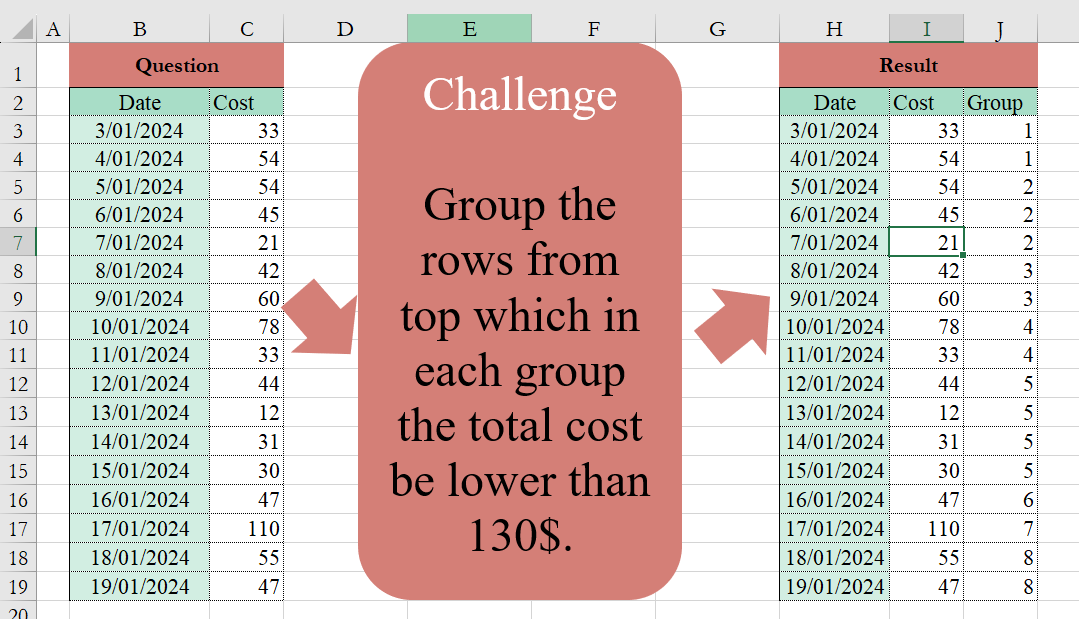
Challenge No. 2: Group the rows from the top, which in each group the total cost be lower than 130$.
Solved using:Excel (HSTACK, IF, LAMBDA), and Power Query (Table.Group).