
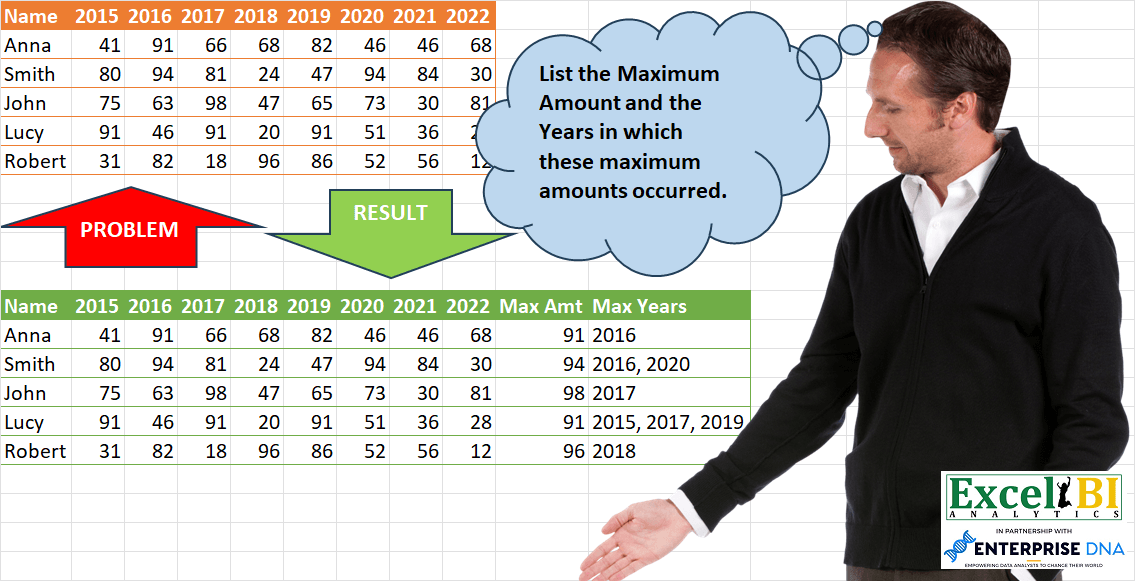
Challenge No. 93: List the Maximum Amount and the Years in which these maximum amounts occurred.
Solved using: Python in Excel.
Stacks arrays horizontally into a single row in Excel.
Challenge No. 93: List the Maximum Amount and the Years in which these maximum amounts occurred.
Solved using: Python in Excel.
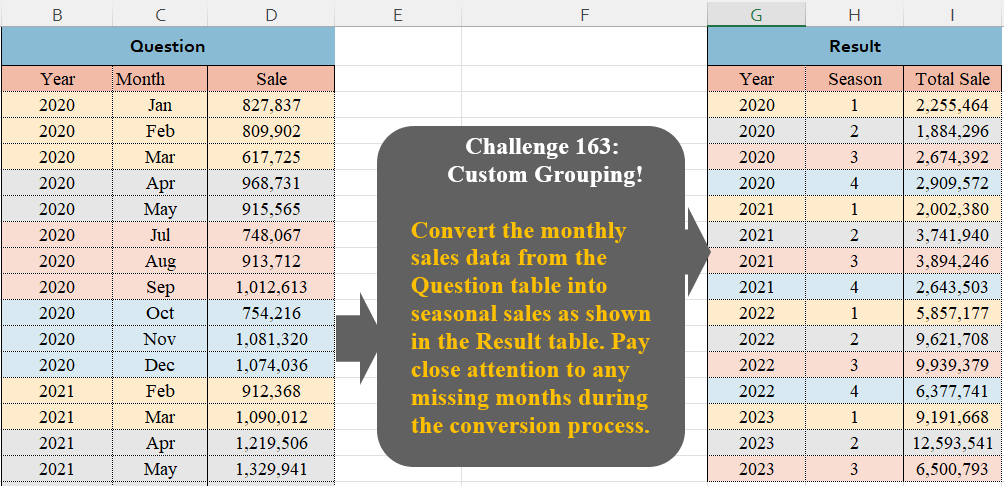
Challenge No. 163: Convert the monthly sales data from the Question table into seasonal sales as shown in the Result table.
Solved using:Excel (FILTER, GROUPBY, HSTACK), Google Sheets, Power Query (Table.Group, Table.AddColumn, Table.Group), Python, Python in Excel, and R.
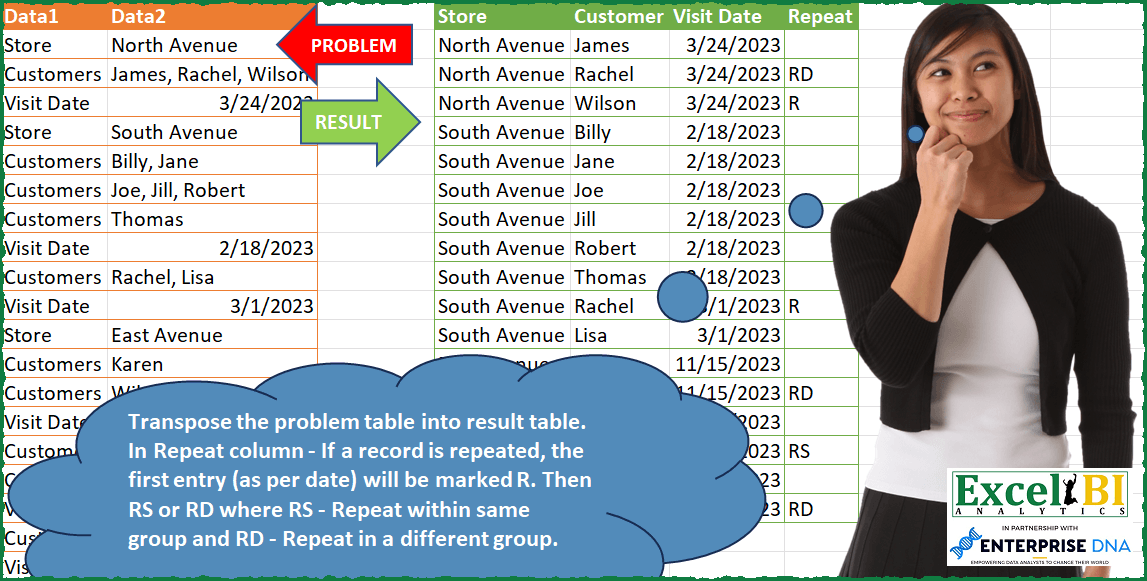
Challenge No. 91: Transpose the problem table into result table.
Solved using: Power Query (Table.AddColumn, Table.SelectRows).
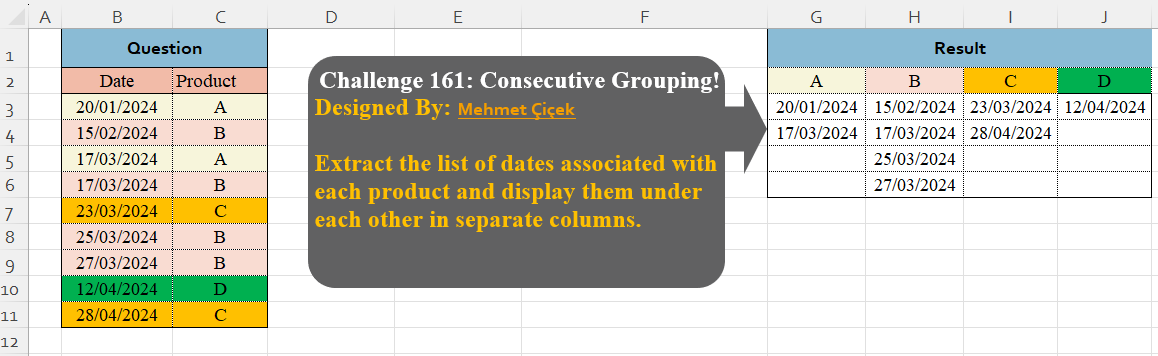
Challenge No. 161: Extract the list of dates associated with each product and display them under each other in separate columns.
Solved using:Excel (DROP, FILTER, HSTACK), Google Sheets, Power Query (Table.Group), Python, Python in Excel, and R.

Challenge No. 88: Add the indexes for Country, State and City.
Solved using: Python in Excel.

Challenge No. 158: From the question table, extract the last transaction per product for each month.
Solved using:Excel (DROP, FILTER, GROUPBY), Google Sheets, Power Query (Date.Month, Table.AddColumn, Table.Combine), Python, Python in Excel, and R.
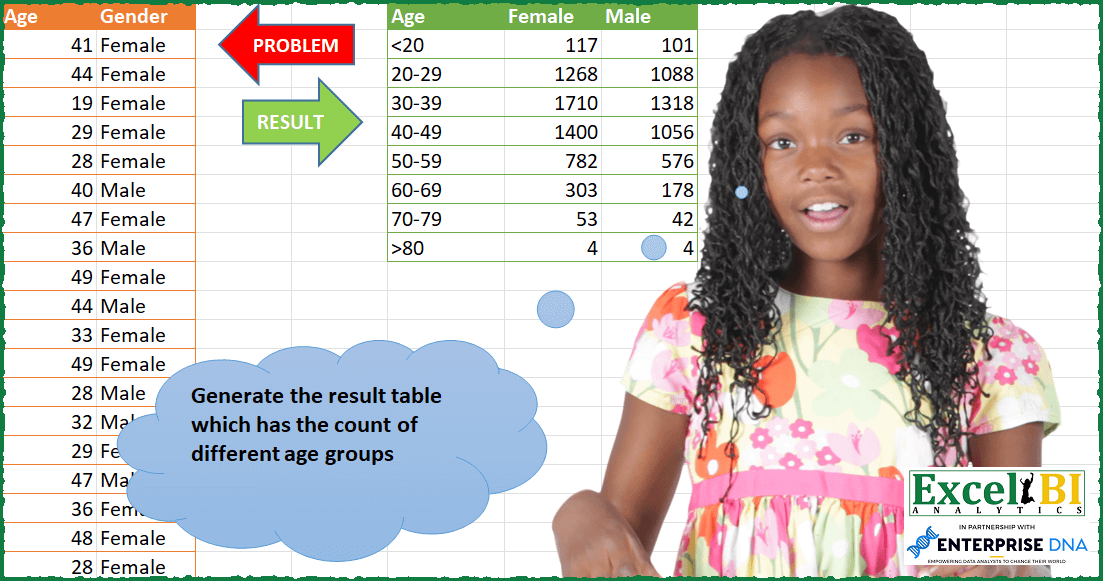
Challenge No. 87: Generate the result table which has the count of different age groups.
Solved using: Python in Excel.
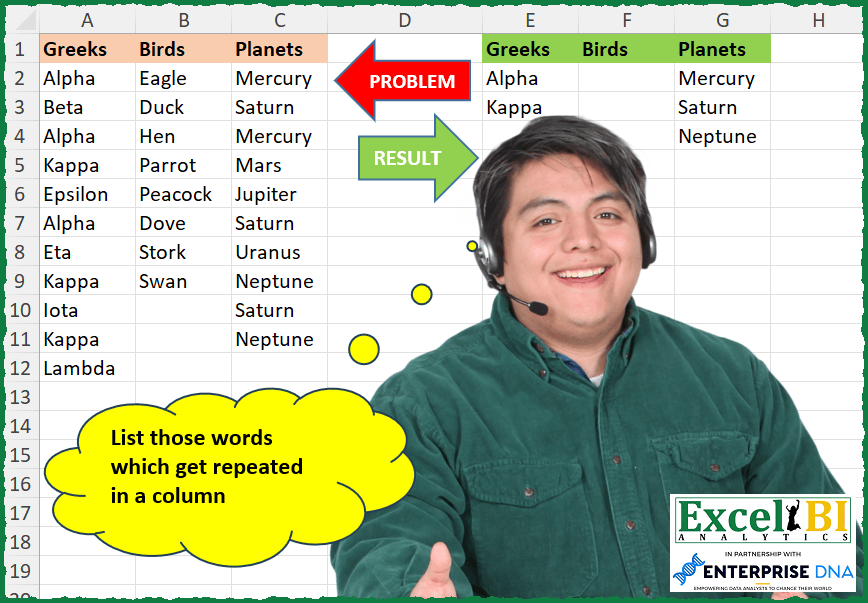
Challenge No. 257: List those words which get repeated in a column.
Solved using: Python in Excel.
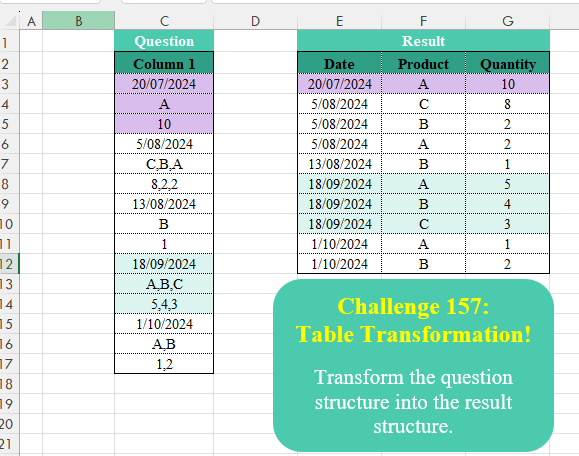
Challenge No. 157: Transform the question structure into the result structure.
Solved using:Excel (HSTACK, INDEX, LAMBDA), Google Sheets, Power Query (List.Split, List.Transform, Text.Split), Python, Python in Excel, and R.
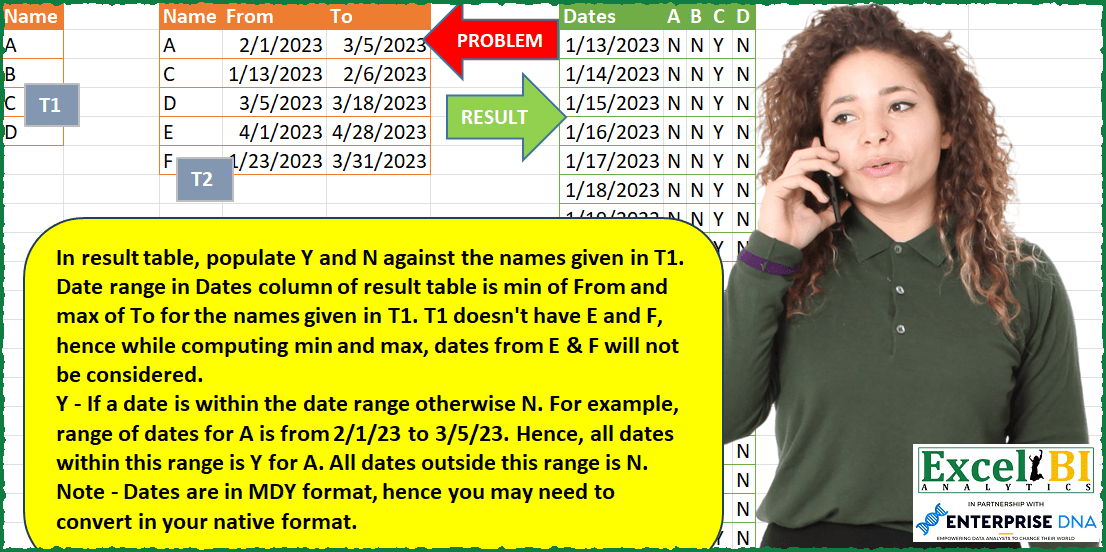
Challenge No. 86: In result table, populate Y and N against the names given in T1.
Solved using: Power Query (Table.SelectRows).