
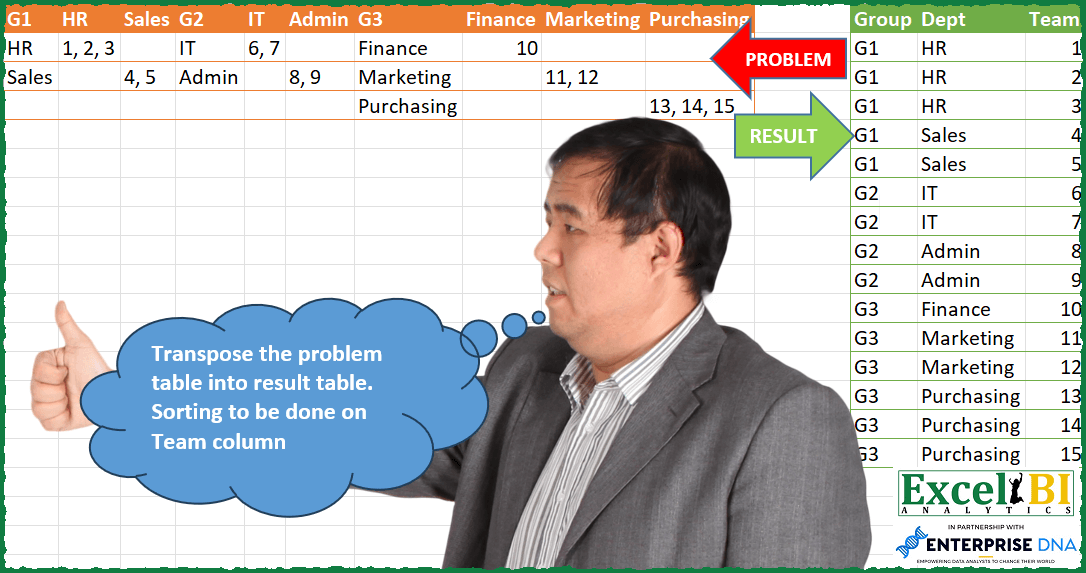
Challenge No. 103: Transpose the problem table into result table.
Solved using: Power Query (Table.SelectRows).
Stacks arrays horizontally into a single row in Excel.
Challenge No. 103: Transpose the problem table into result table.
Solved using: Power Query (Table.SelectRows).
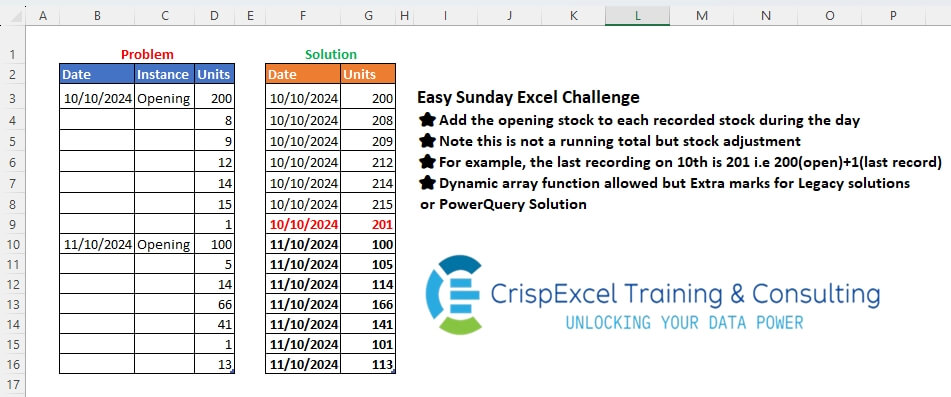
Challenge No. 47: Add the opening stock to each recorded stock during the day
Note that this is not a running total but a stock adjustment
For example, the last recording on the 10th is 201, i.
Solved using: Python in Excel.
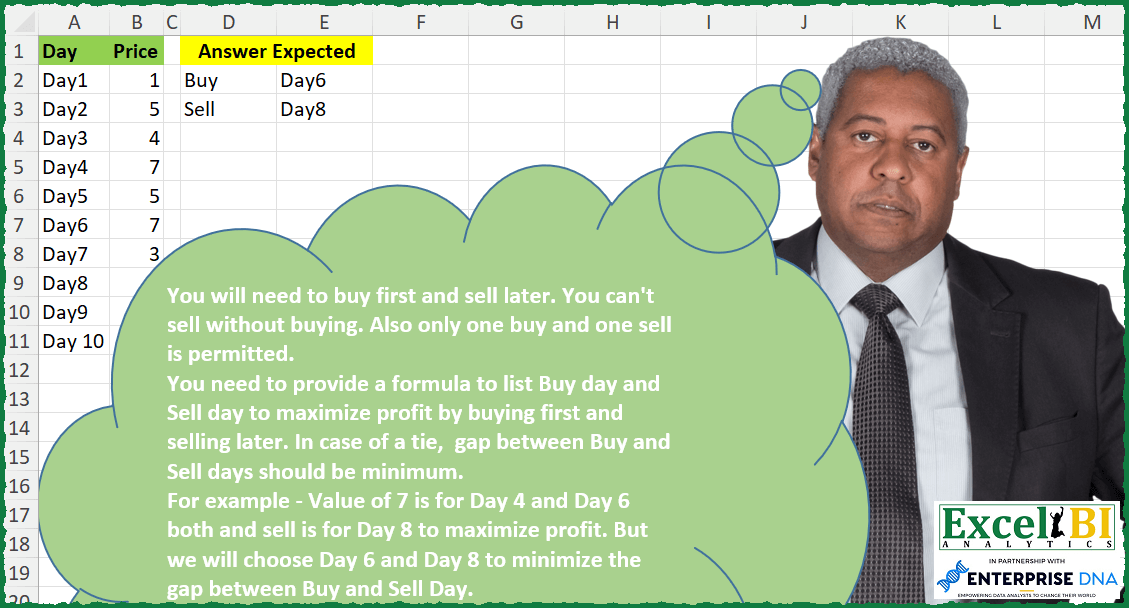
Challenge No. 287: You will need to buy first and sell later.
Solved using: Python in Excel.
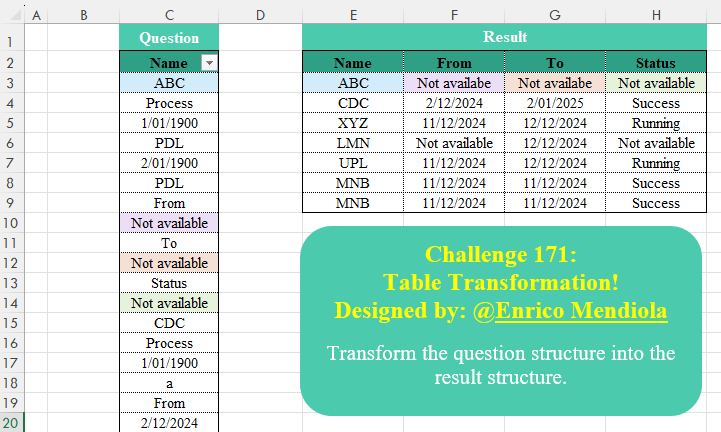
Challenge No. 171: Transform the question structure into the result structure.
Solved using:Excel (DROP, FILTER, HSTACK), Google Sheets, Power Query (List.Transform), Python, Python in Excel, and R.

Challenge No. 99: Find when the Min and Max occurred for various months and corresponding dates.
Solved using: Power Query (Text.Combine).
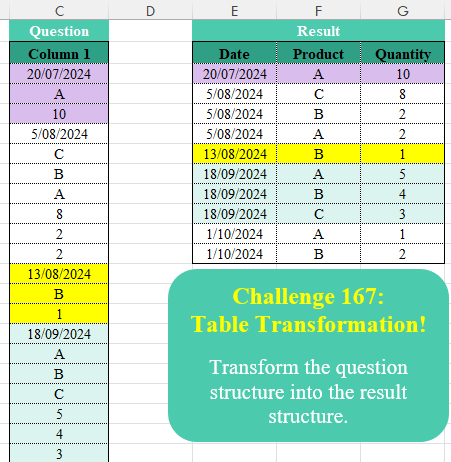
Challenge No. 167: Transform the question structure into the result structure.
Solved using:Excel (FILTER, HSTACK, IF), Google Sheets, Power Query (List.Skip, List.Split, Table.AddColumn), Python, Python in Excel, and R.
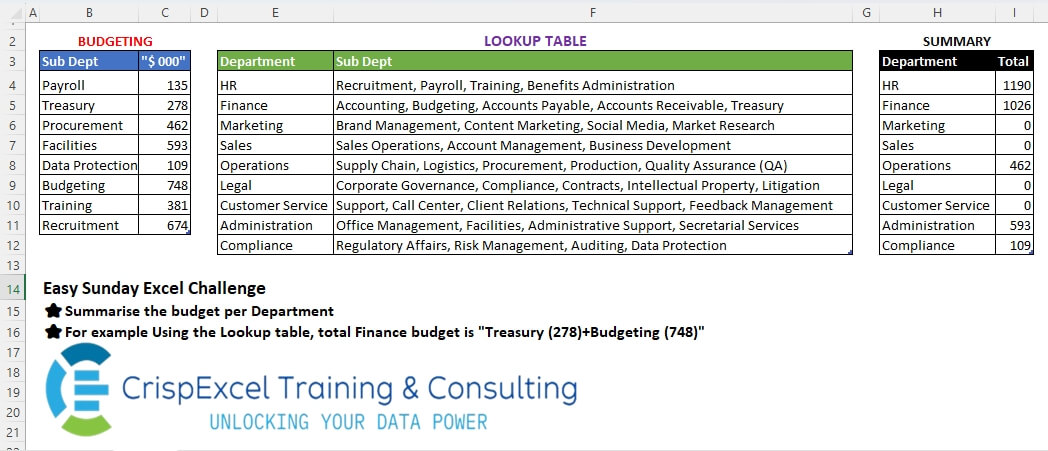
Challenge No. 44: Summarise the budget per Department
For example, Using the Lookup table, the total Finance budget is
“Treasury (278)+Budgeting (748)”.
Solved using: Python.
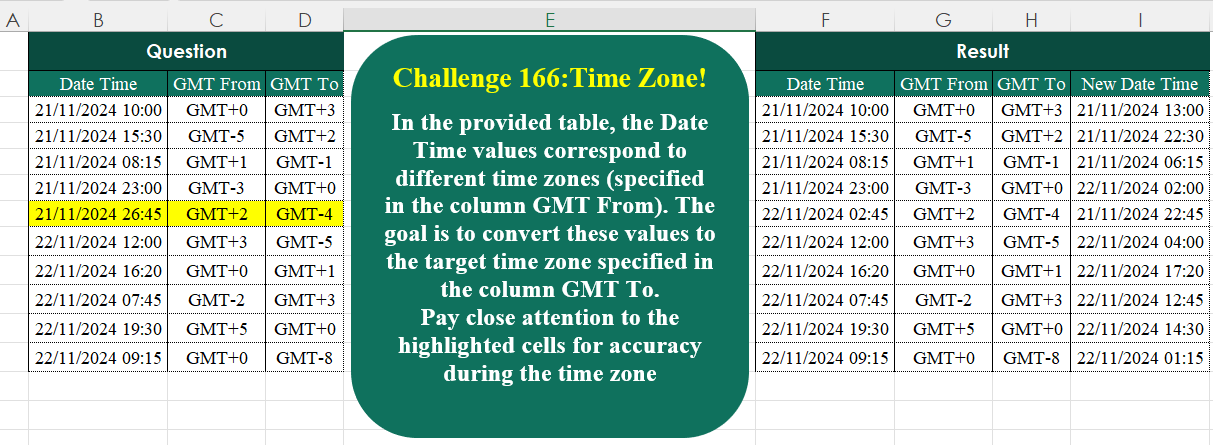
Challenge No. 166: In the provided table, the Date Time values correspond to different time zones (specified in the column GMT From).
Solved using:Excel (BYROW, HSTACK, LAMBDA), Google Sheets, Power Query (Text.End), Python, Python in Excel, and R.
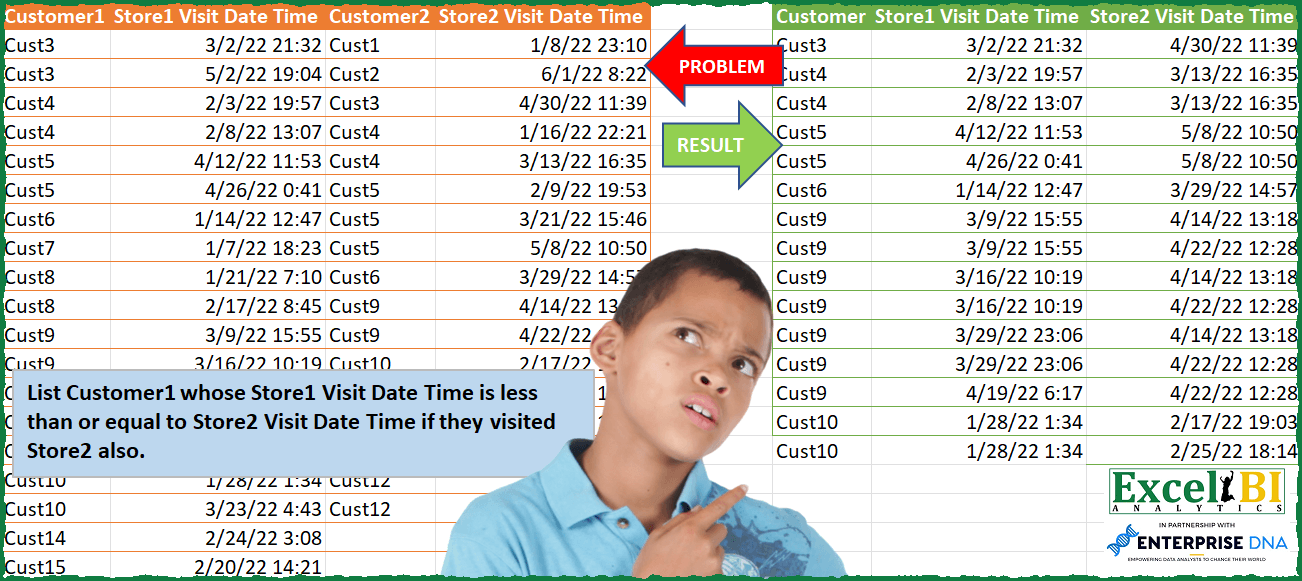
Challenge No. 96: List Customer1 whose Store1 Visit Date Time is less than or equal to Store2 Visit Date Time if they visited Store2 also.
Solved using: Power Query (Table.SelectRows).

Challenge No. 165: Based on monthly transactions, categorize each customer for each month into one of the following groups:
New: A customer who has never made a purchase in previous months.
Solved using:Excel (FILTER, HSTACK, IF), Google Sheets, Power Query (Table.Group, List.Difference, List.Distinct), Python, and R.