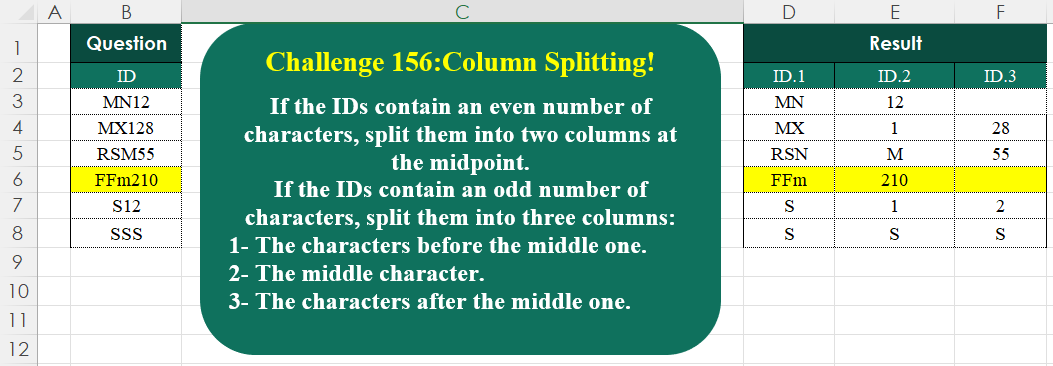
Challenge No. 156: If the IDs contain an even number of characters, split them into two columns at the midpoint.
Solved using:Excel (HSTACK, IF, IFNA), Google Sheets, Power Query (List.Transform, Text.End, Text.Start), Python, Python in Excel, and R.
HSTACK
Stacks arrays horizontally into a single row in Excel.
Extract Results From Input
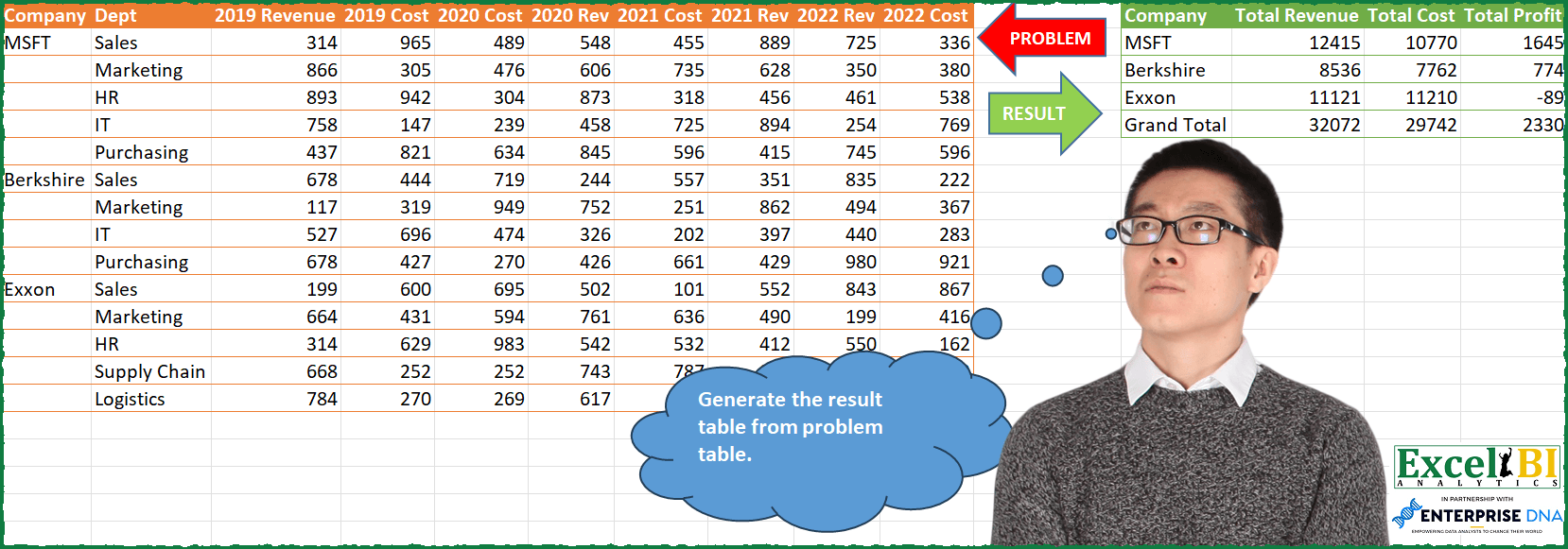
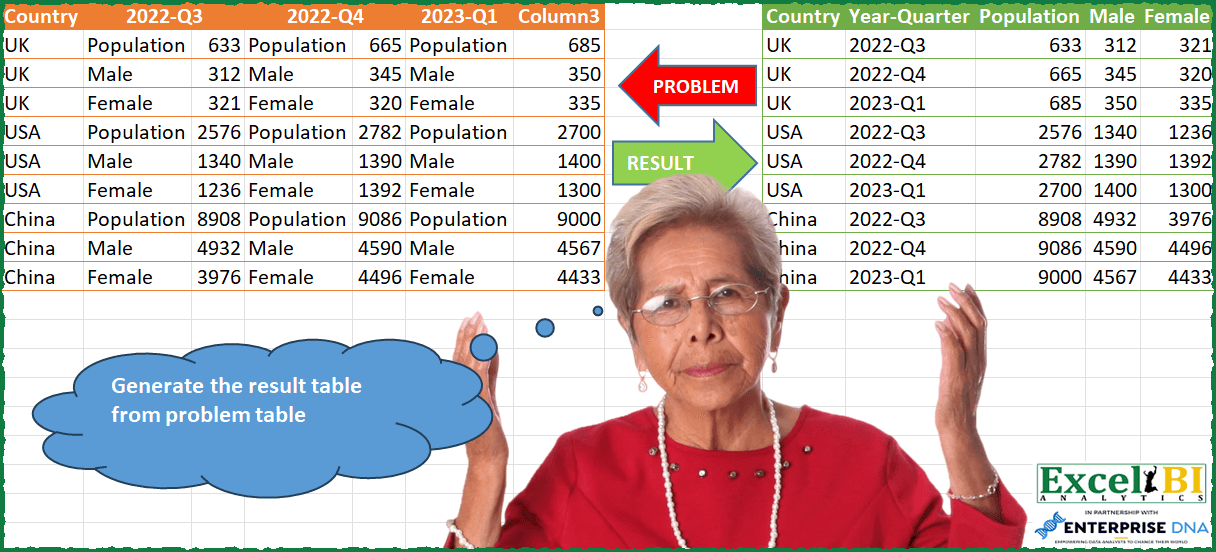
Challenge No. 85: Generate the result table from problem table.
Solved using: Python in Excel.
Table Transformation! Part 17
Challenge No. 155: Transform the question table into the result table format.
Solved using:Excel (DROP, FILTER, HSTACK), Google Sheets, Power Query (List.Skip, List.Transform, Table.AddColumn), Python, Python in Excel, and R.
Transpose to Desired Table Format
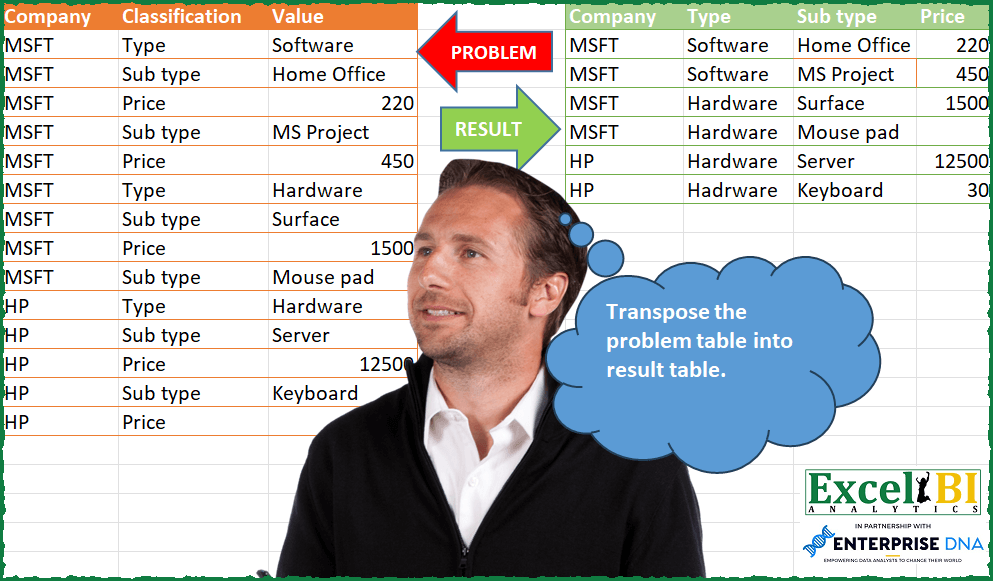
Challenge No. 84: Transpose the problem table into result table.
Solved using: Excel VBA.
Calculate Percentage of Correct Answers
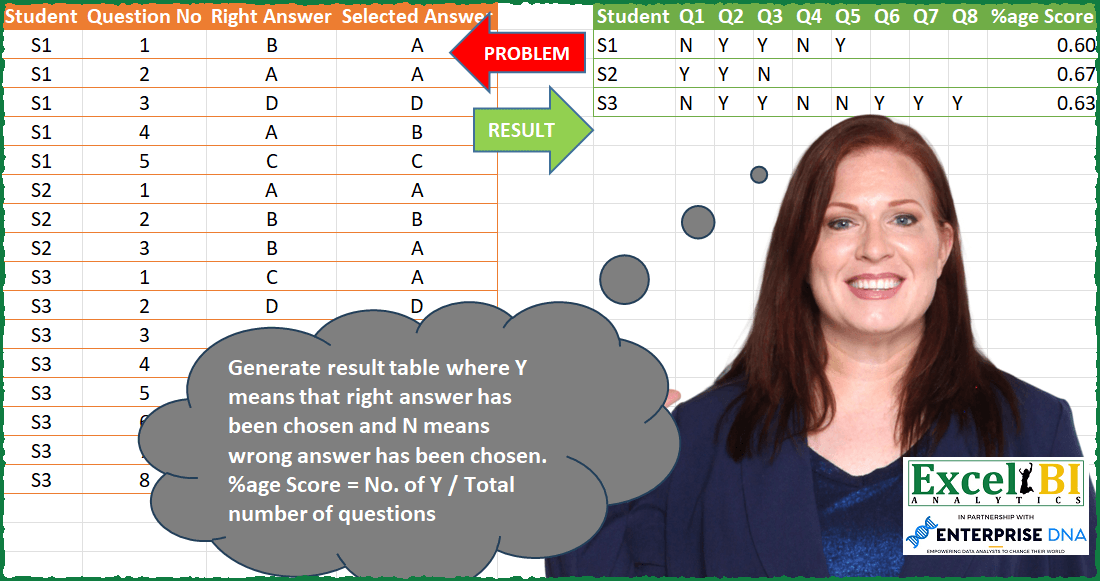
Challenge No. 83: Generate result table where Y means that right answer has been chosen and N means wrong answer has been chosen.
Solved using: Power Query (List.Distinct, Table.AddColumn).
Custom Grouping! Part 10
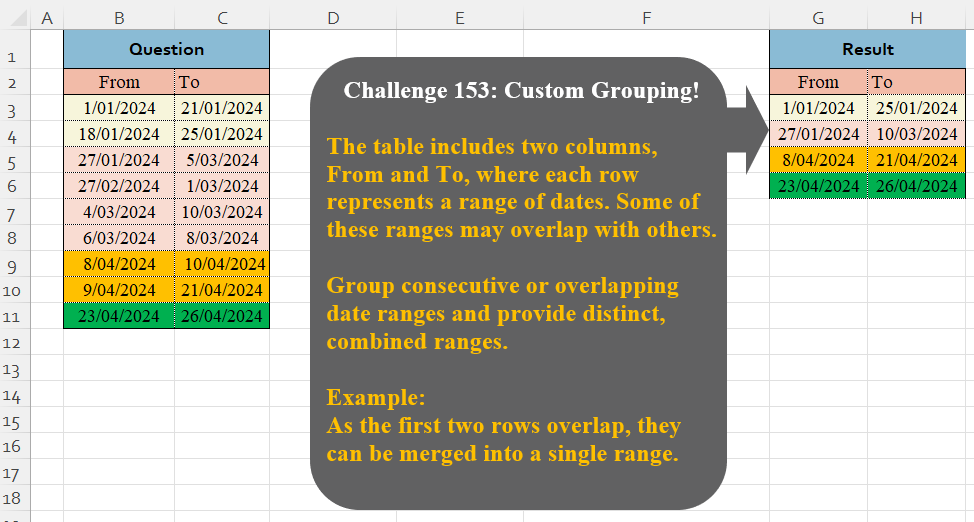
Challenge No. 153: The table includes two columns, From and To, where each row represents a range of dates.
Solved using:Excel (DROP, HSTACK, IF), Google Sheets, Power Query (Table.Group), Python, Python in Excel, and R.
Top 3 Students Per Subject
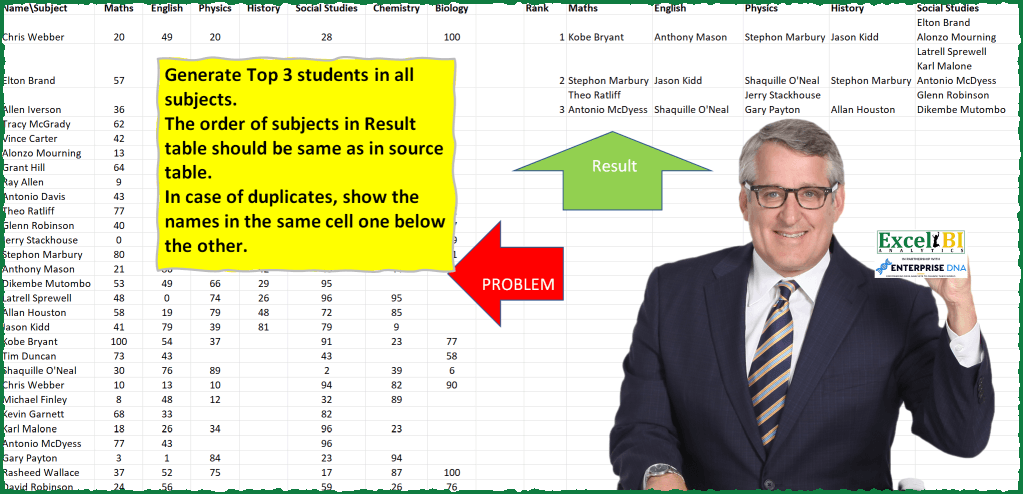
Challenge No. 81: Generate Top 3 students in all subjects.
Solved using: Power Query.
Sum Values by Letter Codes
Challenge No. 77: Generate the result table from problem table.
Solved using: Python in Excel.
Filter Dates!
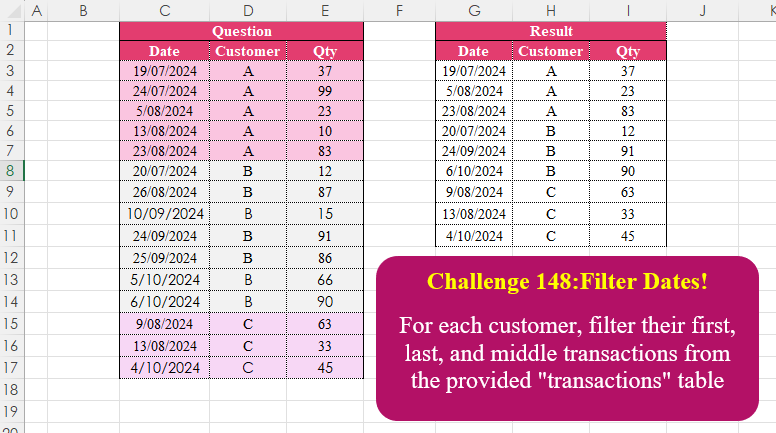
Challenge No. 148: For each customer, filter their first, last, and middle transactions from the provided “transactions” table.
Solved using:Excel (CHOOSEROWS, DROP, FILTER), Google Sheets, Power Query (Table.Combine, Table.Group), Python, Python in Excel, and R.
Create Simple Result Table
Challenge No. 76: Generate the result table from problem table.
Solved using: Power Query.