
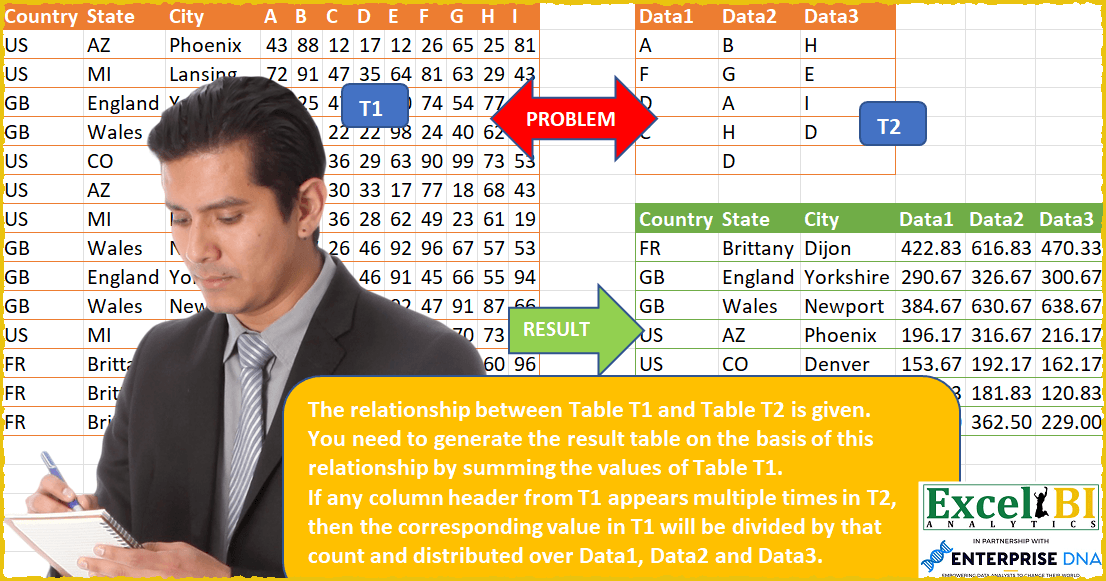
Challenge No. 53: The relationship between Table T1 and Table T2 is given.
Solved using: Power Query.
Stacks arrays horizontally into a single row in Excel.
Challenge No. 53: The relationship between Table T1 and Table T2 is given.
Solved using: Power Query.

Challenge No. 127: Add an index column to the question table, with a separate counter for each stock.
Solved using:Excel (DROP, FILTER, HSTACK), Google Sheets, Power Query (Table.AddColumn, Table.AddIndexColumn), Python, Python in Excel, and R.
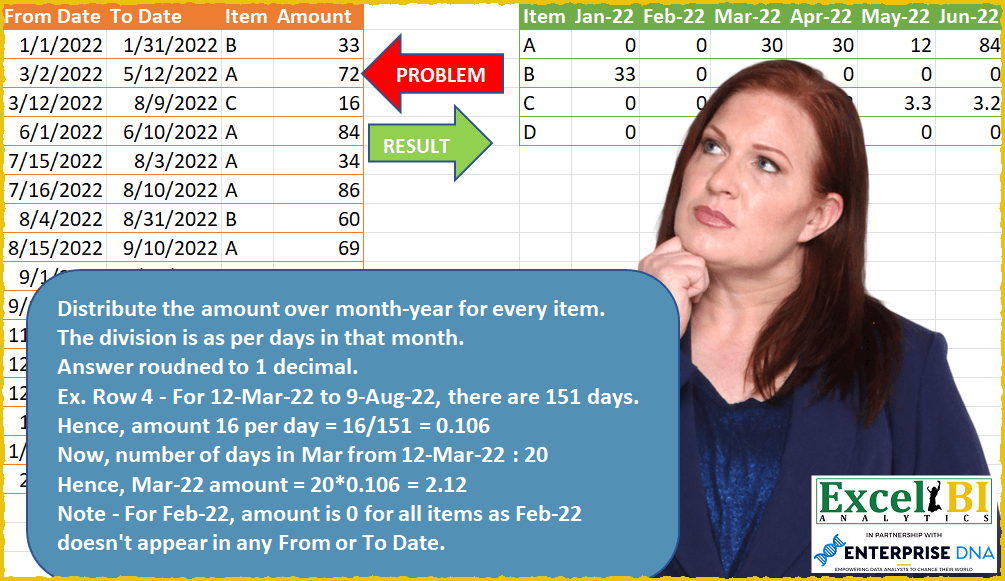
Challenge No. 51: Distribute the amount over month-year for every item.
Solved using: Power Query (List.Transform).
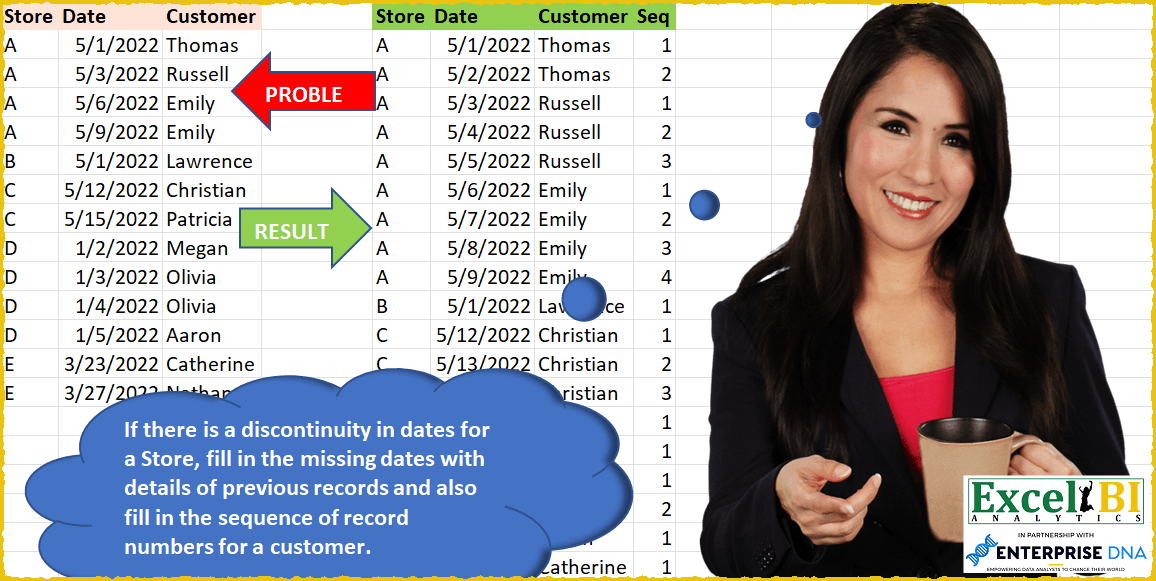
Challenge No. 50: If there is a discontinuity in dates for a Store, fill in the missing dates with details of previous records and also fill in the sequence of record numbers for a customer in that store.
Solved using: SQL.
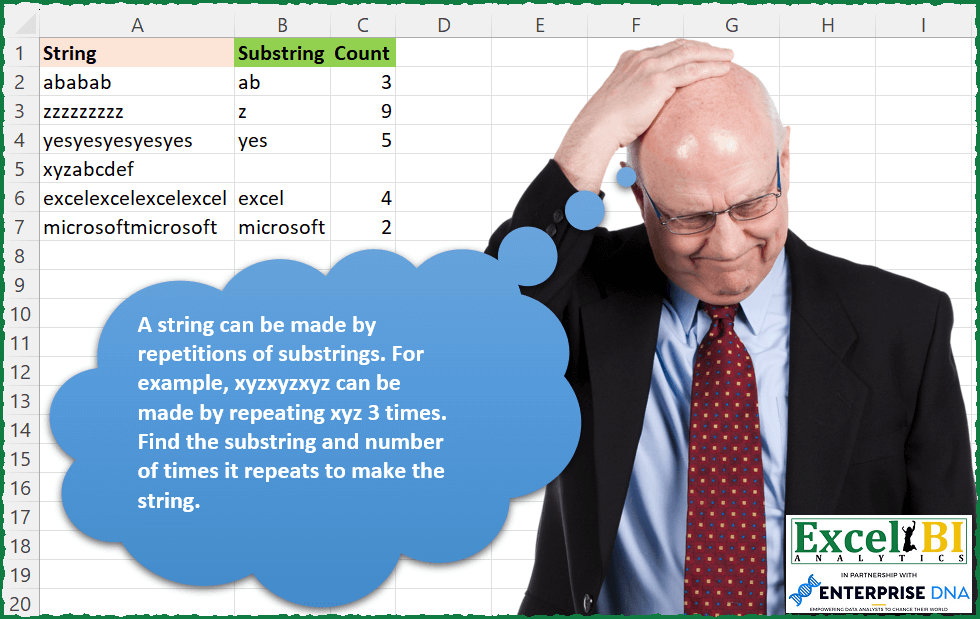
Challenge No. 171: A string can be made by repetitions of substrings.
Solved using: Excel VBA.
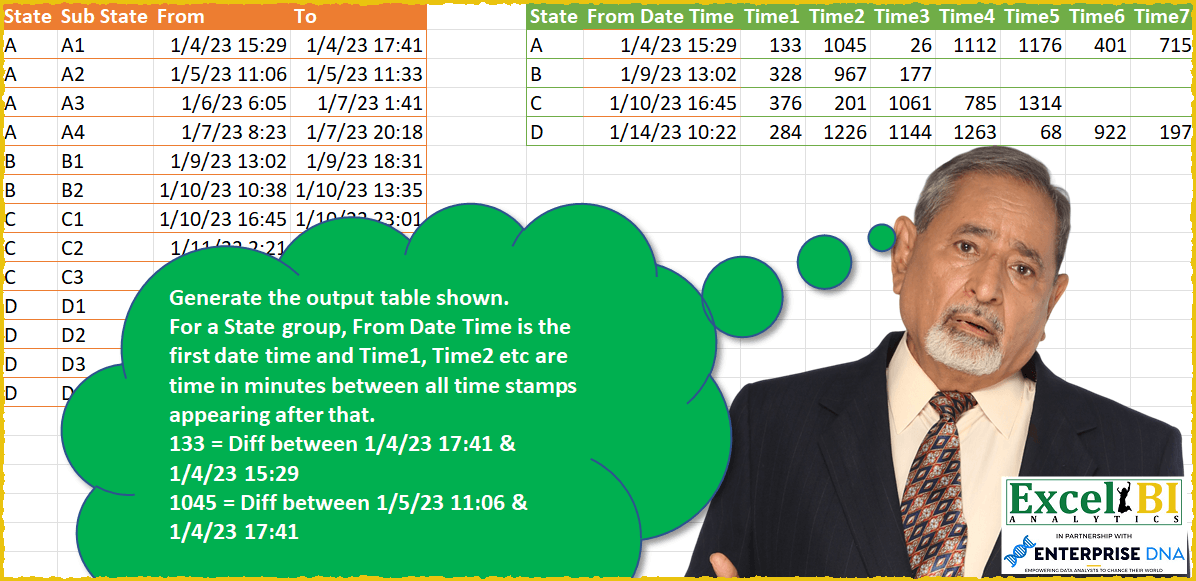
Challenge No. 49: Generate the output table shown.
Solved using: SQL.
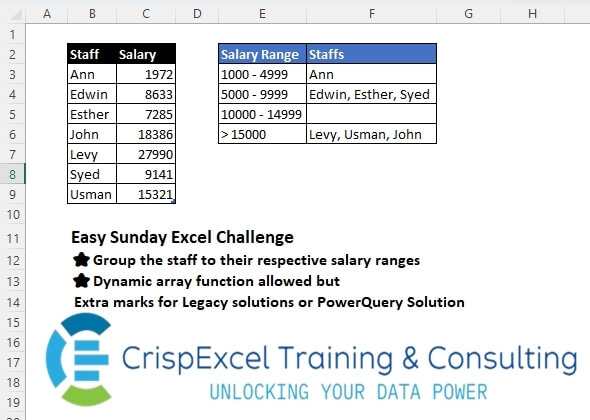
Challenge No. 43: Group the staff into their respective salary ranges
Dynamic array function allowed, but Extra marks for Legacy solutions or PowerQuery Solution.
Solved using: Python in Excel.
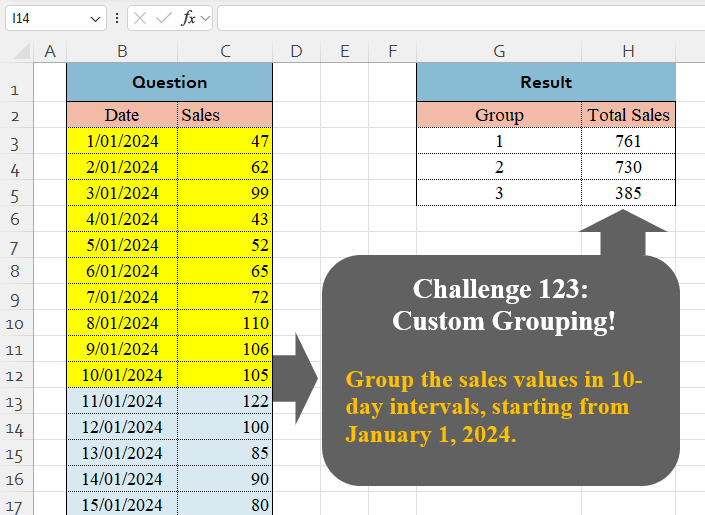
Challenge No. 123: Group the sales values in 10-day intervals, starting from January 1, 2024.
Solved using:Excel (BYROW, DAY, GROUPBY), Google Sheets, Power Query (Table.Group, List.Transform, Table.Group), Python, Python in Excel, and R.
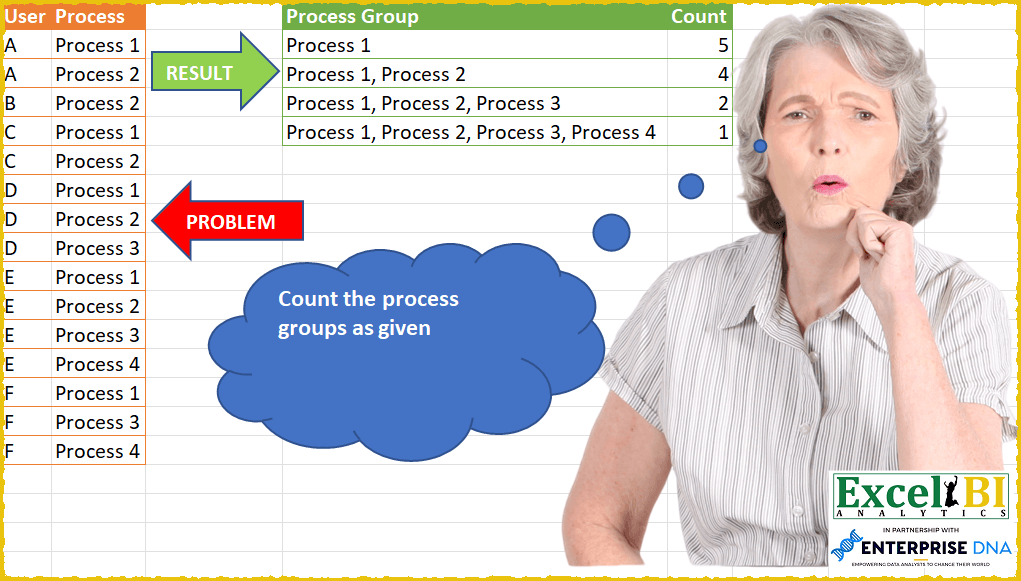
Challenge No. 47: Count the process groups as given.
Solved using: Power Query.
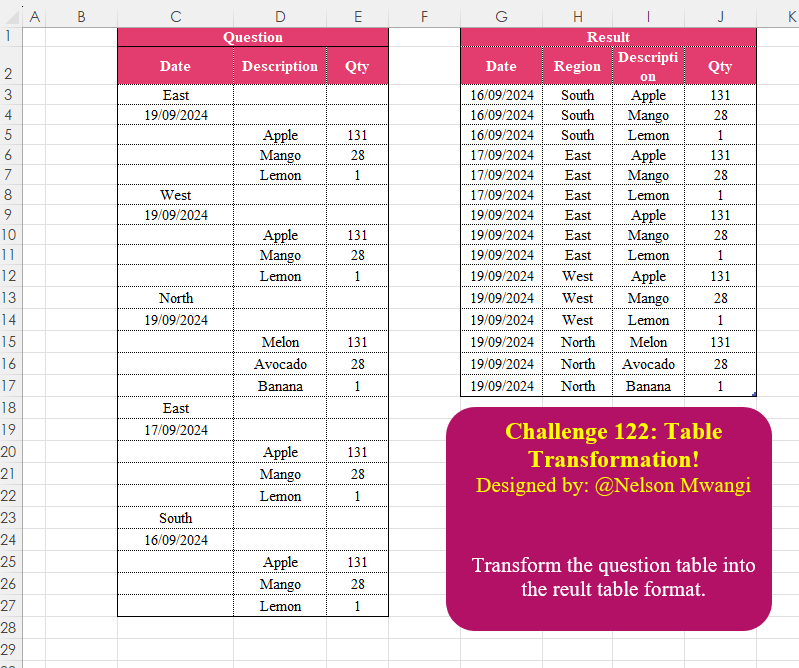
Challenge No. 122: Transform the question table into the reult table format.
Solved using:Excel (DROP, FILTER, HSTACK), Google Sheets, Power Query (List.Transform, Text.Contains, Table.AddColumn), Python, Python in Excel, and R.