
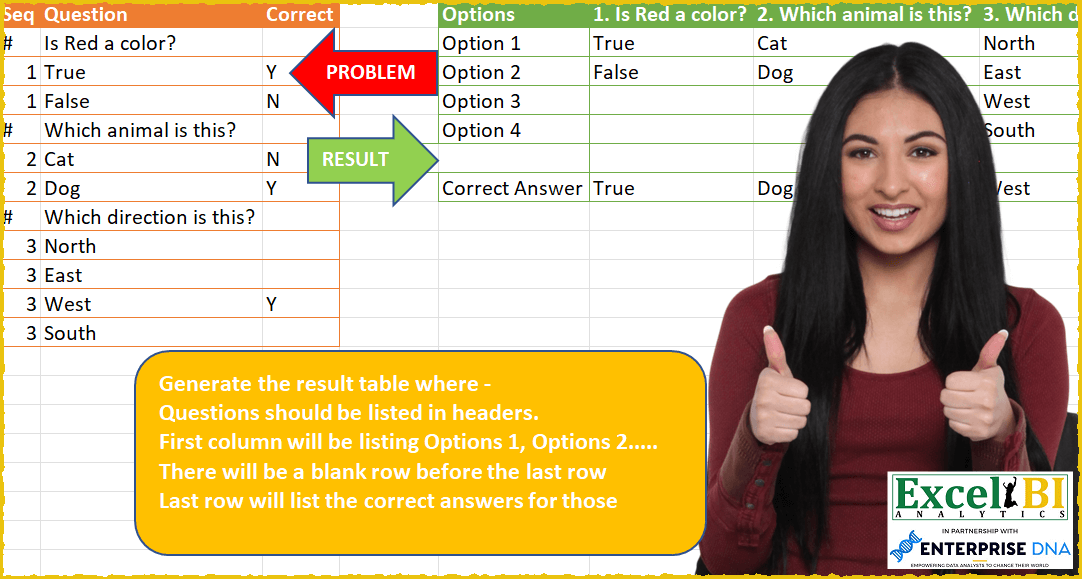
Challenge No. 59: Generate the result table where –
Questions should be listed in headers.
Solved using: Power Query (List.Transform, Table.SelectRows).
Stacks arrays horizontally into a single row in Excel.
Challenge No. 59: Generate the result table where –
Questions should be listed in headers.
Solved using: Power Query (List.Transform, Table.SelectRows).

Challenge No. 135: Find the number of occurrences of the “+-+” pattern across the test IDs for each product.
Solved using:Excel (BYROW, CONCAT, DROP), Google Sheets, Power Query (List.Range, Text.Combine, Table.AddColumn), Python, Python in Excel, and R.
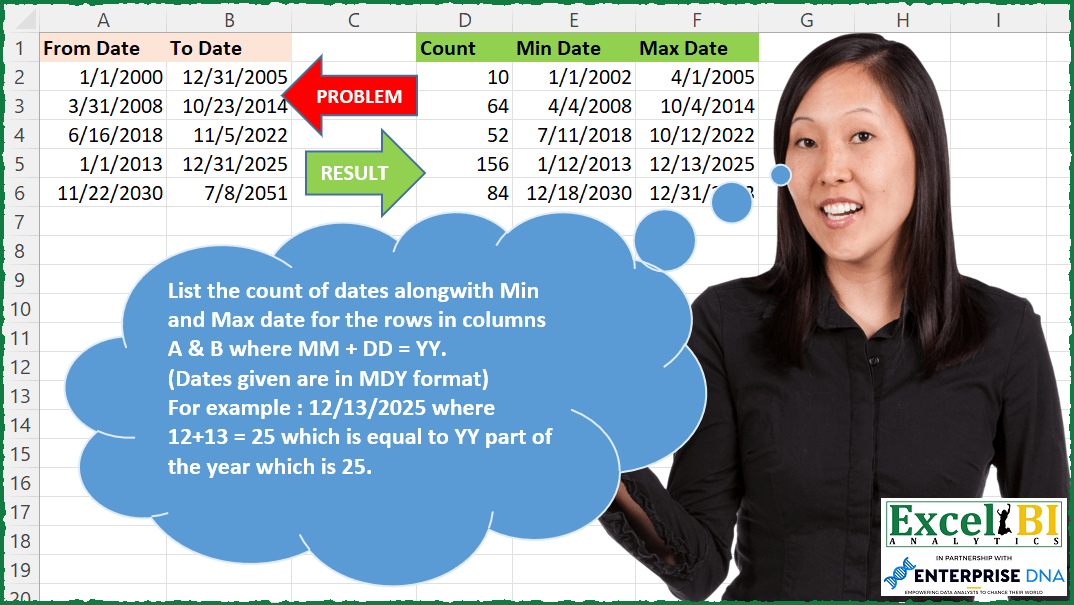
Challenge No. 199: List the count of dates along with Min and Max date for the rows in columns A & B where MM + DD = YY.
Solved using: Python in Excel.
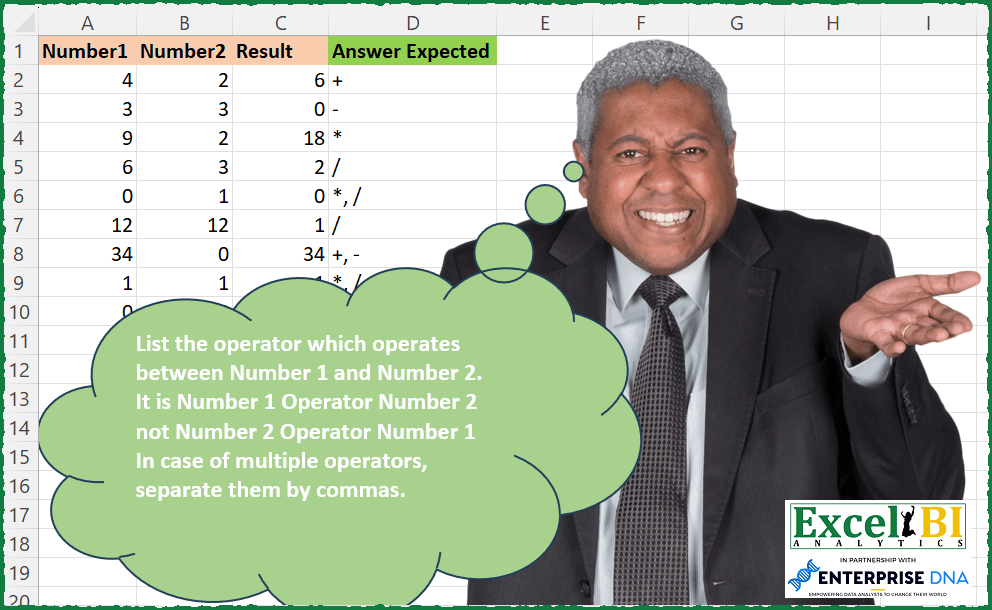
Challenge No. 198: List the operator which operates between Number 1 and Number 2.
Solved using: Python in Excel.
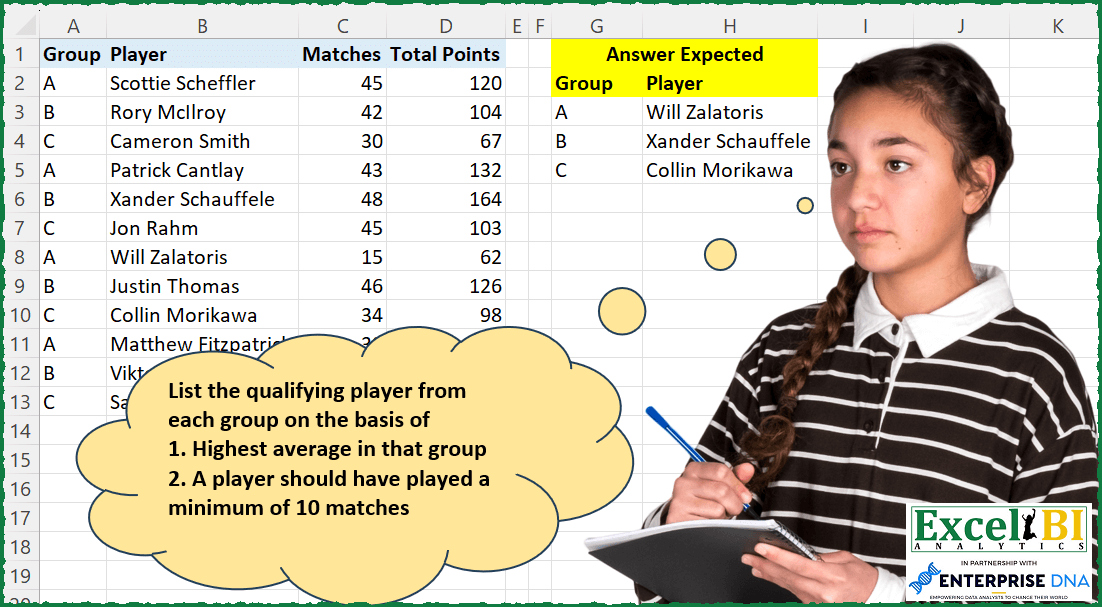
Challenge No. 197: List the qualifying player from each group on the basis of
1.
Solved using: Power Query (Table.AddColumn).

Challenge No. 133: Group the monthly sales values into three categories based on the following logic and provide one of the result tables:
Group 1: 1st to 10th of the month
Group 2: 11th to 20th of the month
Group 3: 21st to the end of the month.
Solved using:Excel (DATE, DAY, DROP), Google Sheets, Power Query (Table.Group, Date.Month, Table.AddColumn), Python, Python in Excel, and R.

Challenge No. 188: Sort Col 1 through 5 column wise on the basis of frequency.
Solved using: Power Query (List.Transform).
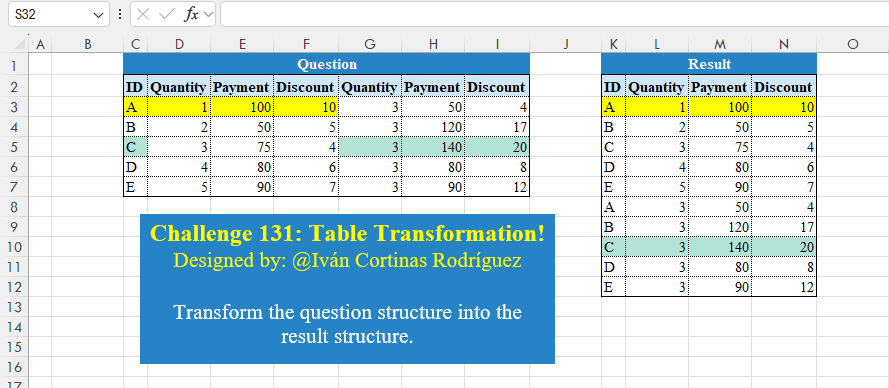
Challenge No. 131: Transform the question structure into the result structure.
Solved using:Excel (HSTACK, LET, ROWS), Google Sheets, Power Query (List.Skip, List.Split, List.Transform), Python, Python in Excel, and R.

Challenge No. 54: From the transaction table, generate output as shown.
Solved using: Power Query.
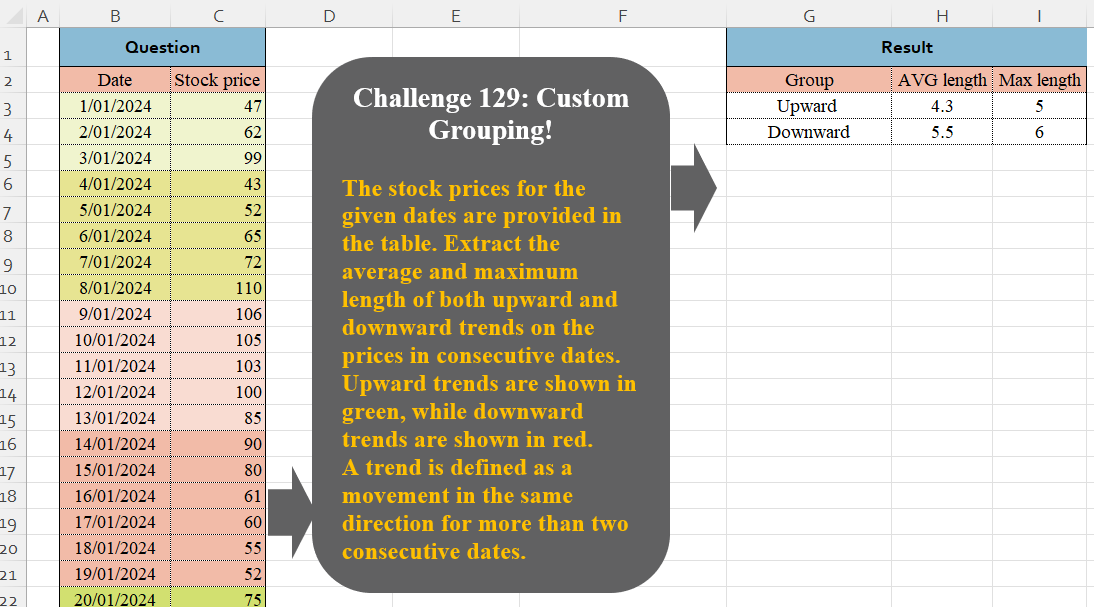
Challenge No. 129: The stock prices for the given dates are provided in the table.
Solved using:Excel (DROP, GROUPBY, HSTACK), Google Sheets, Power Query (Table.Group, Table.AddColumn, Table.Group), Python in Excel, and R.