
Challenge No. 159: Reverse all columns from Cities1 to Cities5.
Solved using: Power Query (List.RemoveNull, List.Reverse, List.Transform).

Stacks arrays horizontally into a single row in Excel.
Challenge No. 159: Reverse all columns from Cities1 to Cities5.
Solved using: Power Query (List.RemoveNull, List.Reverse, List.Transform).
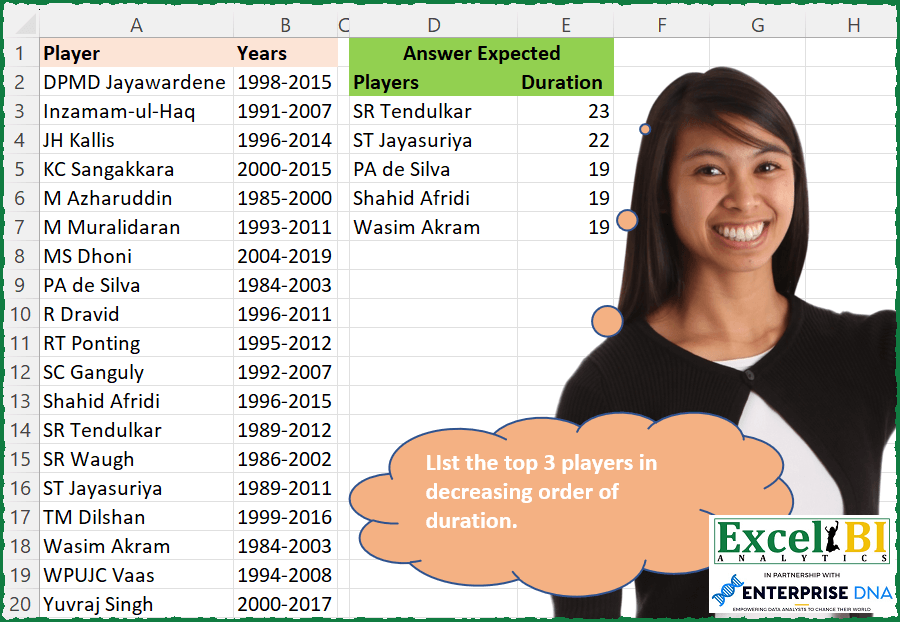
Challenge No. 158: List the top 3 players in decreasing order of duration.
Solved using: Python in Excel.

Challenge No. 44: Generate result table as shown.
Solved using: Python in Excel.

Challenge No. 43: Generate result table as shown.
Solved using: Excel VBA.
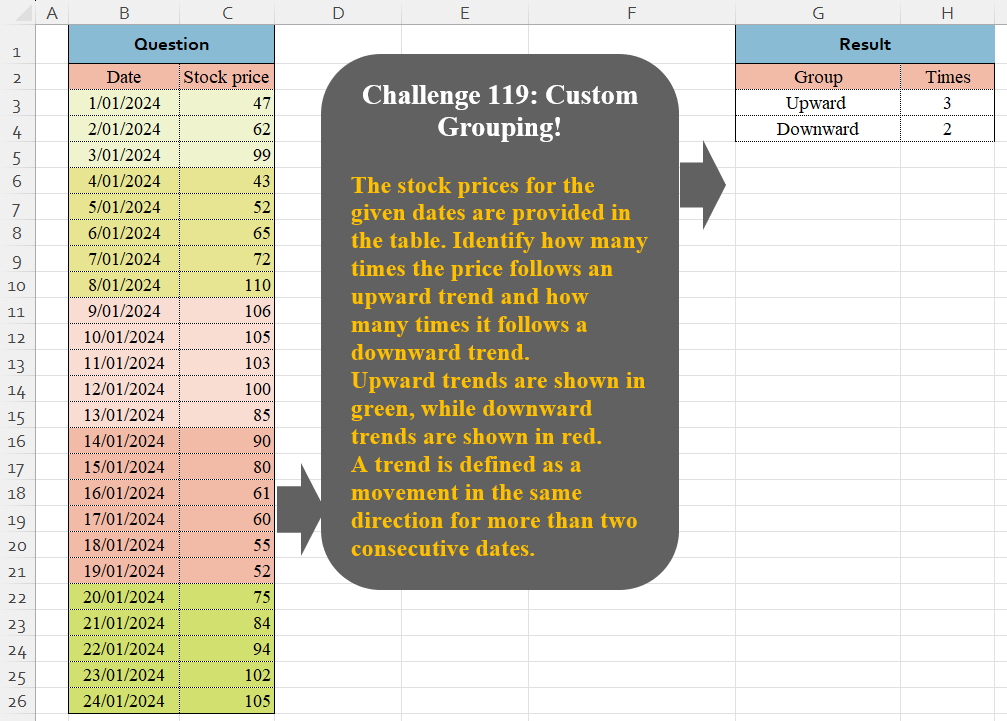
Challenge No. 119: The stock prices for the given dates are provided in the table.
Solved using:Excel (DROP, HSTACK, IF), Google Sheets, Power Query (Table.Group, Table.AddColumn, Table.Group), Python in Excel, and R.
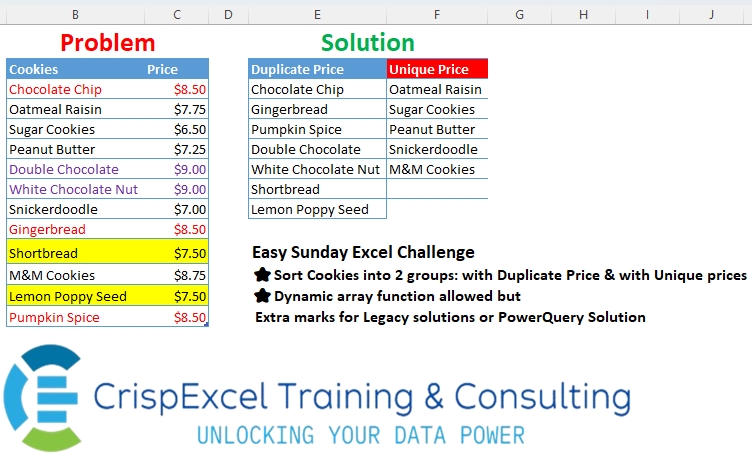
Challenge No. 38: Sort Cookies into 2 groups: with Duplicate Price & with Unique prices Dynamic array function allowed but
Extra marks for Legacy solutions or PowerQuery Solution.
Solved using: R.
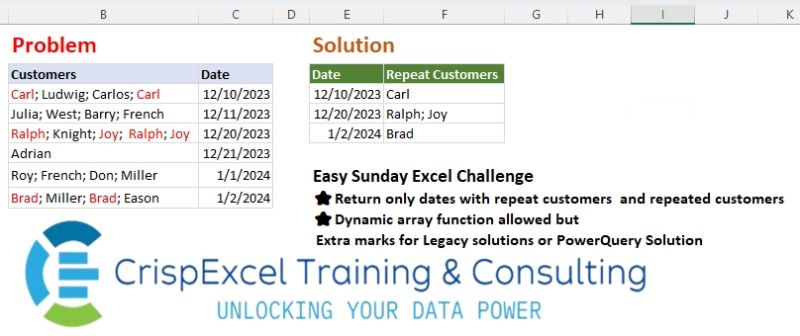
Challenge No. 37: Return only dates with repeat customers and repeated customers Dynamic array function allowed but Extra marks for Legacy solutions or PowerQuery Solution.
Solved using: Python in Excel.
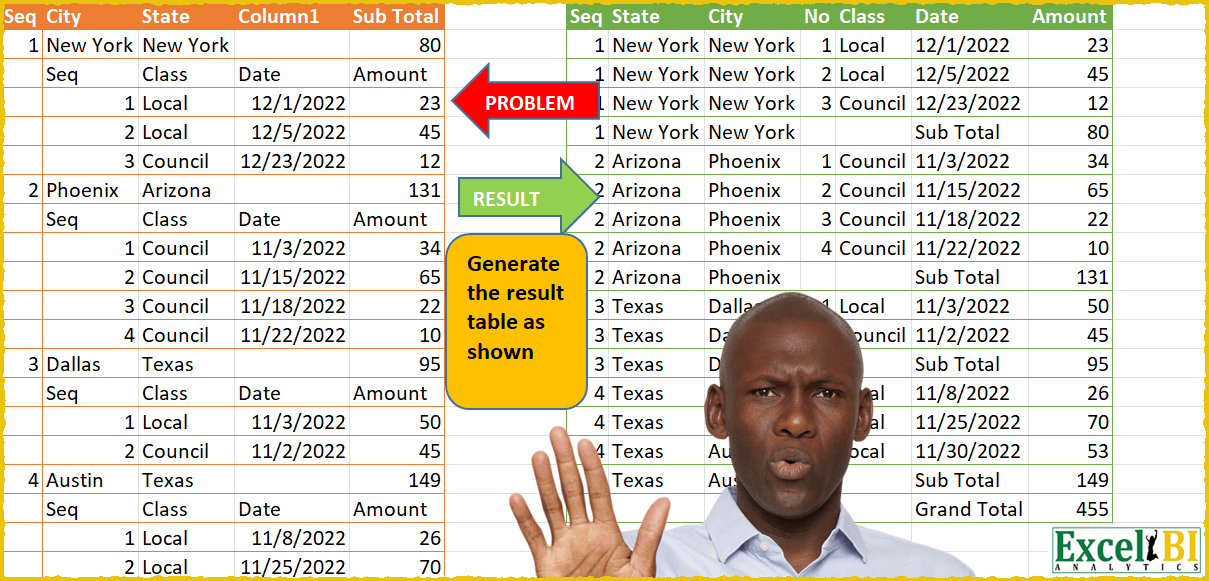
Challenge No. 41: Similar kind of problem appeared in MS Techcommunity and this is a variation of that.
Solved using: Excel VBA.

Challenge No. 117: Add an Index column for the Question table with a separate counter for each stock.
Solved using:Excel (COUNTIF, HSTACK, IF), Google Sheets, Power Query (Table.AddIndexColumn, Table.Group, Table.Sort), Python, Python in Excel, and R.
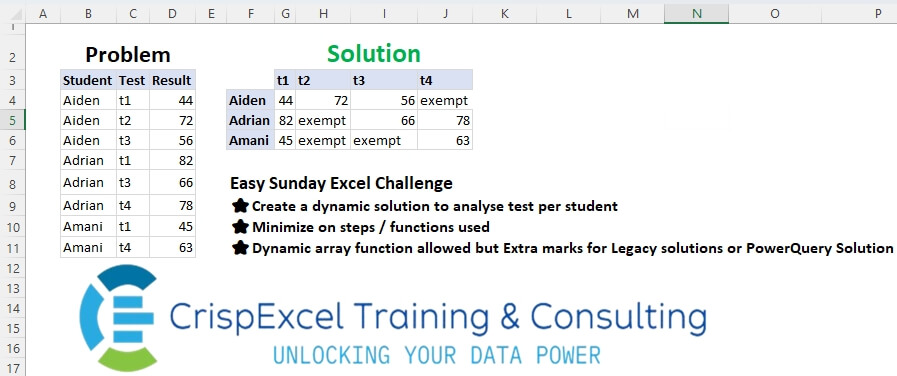
Challenge No. 36: Create a dynamic solution to analyse tests per student
Minimize the steps/functions used
Dynamic array function allowed, but Extra marks for Legacy solutions or PowerQuery Solution.
Solved using: Python in Excel.