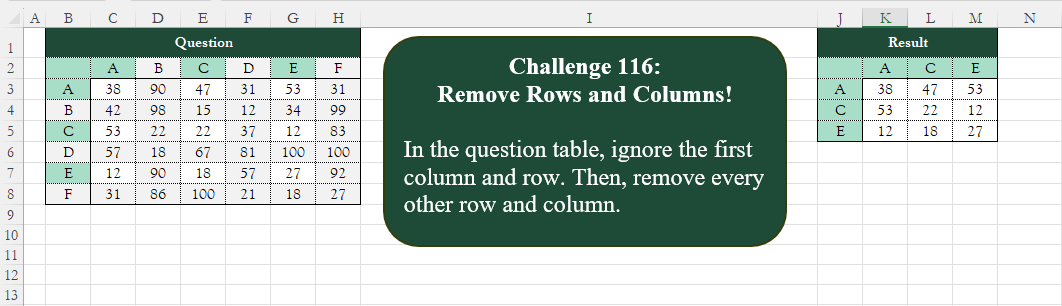
Challenge No. 116: Add an index column to the question table, with a separate counter for each stock.
Solved using:Excel (CHOOSECOLS, CHOOSEROWS, COLUMN), Google Sheets, Power Query (List.Alternate, Table.AlternateRows, Table.Column), Python, Python in Excel, and R.
HSTACK
Stacks arrays horizontally into a single row in Excel.
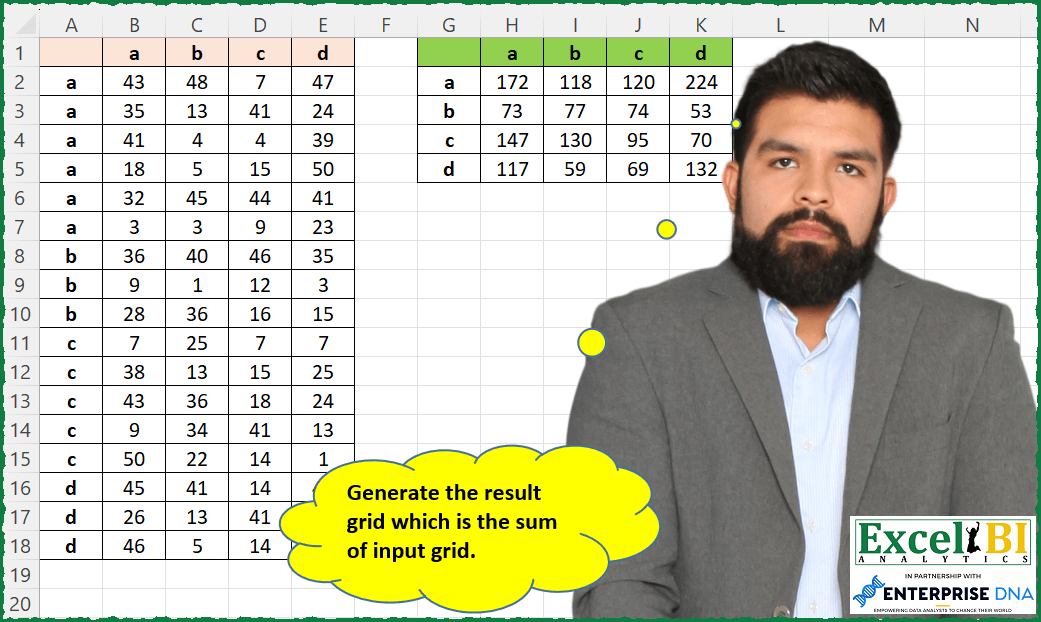
Grid Sum Generation
Challenge No. 142: Generate the result grid which is the sum of input grid.
Solved using: Python in Excel.
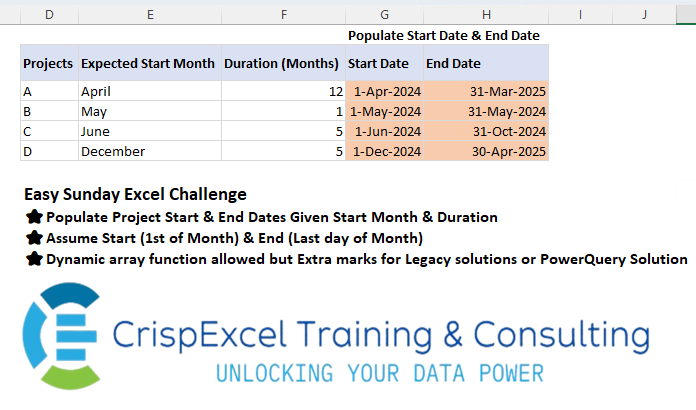
Populate Start & End Date from a month name
Challenge No. 35: Populate Project Start & End Dates Given Start Month & Duration Assume Start (1st of Month) & End (Last day of Month)
Dynamic array function allowed but Extra marks for Legacy solutions or PowerQuery Solution.
Solved using: R.
Multi Replacement!
Challenge No. 115:
Replace “q” and “000” in the Product ID and Customer ID columns with “-“.
Solved using:Excel (HSTACK, LAMBDA, LET), Google Sheets, Power Query (Text.Replace, Table.ReplaceValue, Table.TransformColumns), Python, Python in Excel, R, SQL, and VBA.
Top Initial Letters Count
Challenge No. 138: Find the top 5 highest occurring starting alphabets of words in US Presidents columns.
Solved using: Python in Excel.
Split and Pivot Data
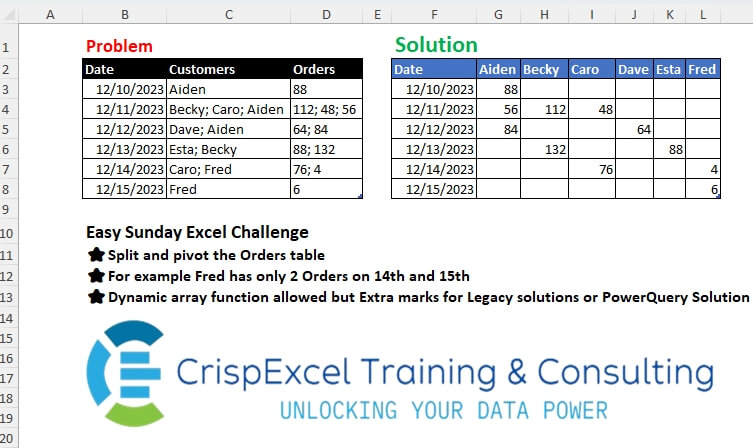
Challenge No. 34: Split and pivot the Orders table
For example, Fred has only 2 Orders on the 14th and 15th Dynamic array function allowed, but Extra marks for Legacy solutions or PowerQuery Solution.
Solved using: Python in Excel.
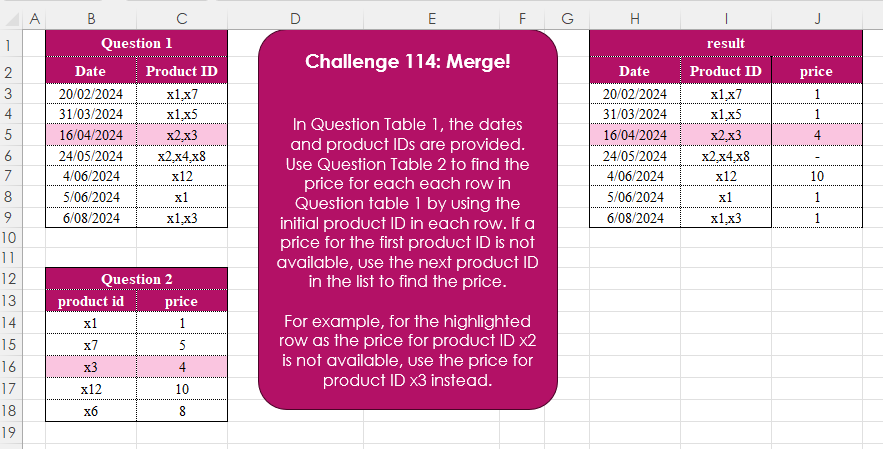
Merge! Part 1
Challenge No. 114: In Question Table 1, the dates and product IDs are provided.
Solved using:Excel (FILTER, HSTACK, IFERROR), Google Sheets, Power Query (Text.Split, Table.AddColumn), Python, Python in Excel, R, and SQL.
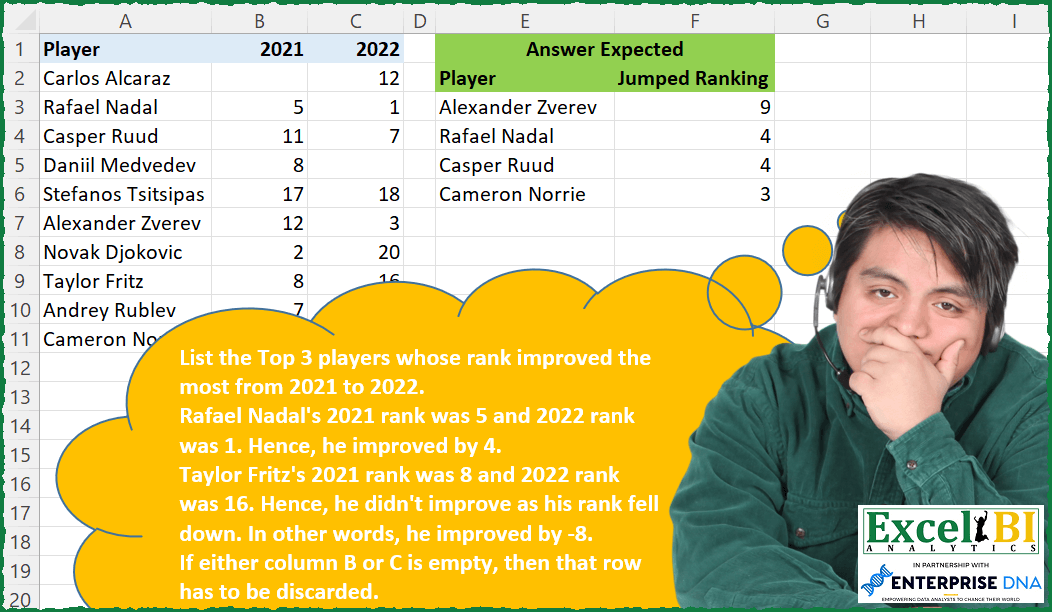
Top Rank Improvements
Challenge No. 132: List the Top 3 players whose rank improved the most from 2021 to 2022.
Solved using: Python in Excel.
Custom Rank! Part 2
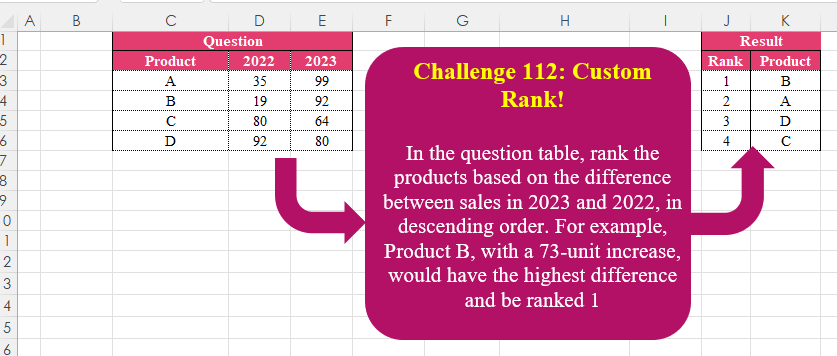
Challenge No. 112: In the question table, rank the products based on the difference between sales in 2023 and 2022, in descending order.
Solved using:Excel (HSTACK, LET, ROWS), Google Sheets, Power Query (Table.AddIndexColumn, Table.Sort), Python, Python in Excel, and R.
Get Last Order
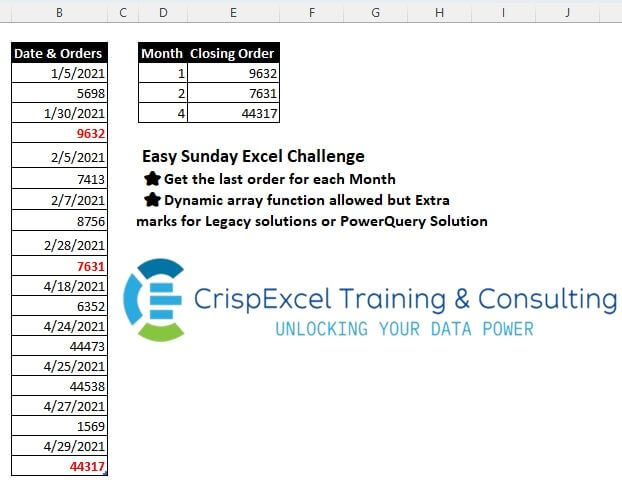
Challenge No. 31: Get the last order for each Month
Dynamic array function allowed, but Extra marks for Legacy solutions or PowerQuery Solution.
Solved using: Python.