
Challenge No. 187: Group the rows until encountering a missing date.
Solved using:Excel (DROP, GROUPBY, IF), Google Sheets, Power Query (Table.Group, Table.AddColumn, Table.AddIndexColumn), Python, Python in Excel, and R.
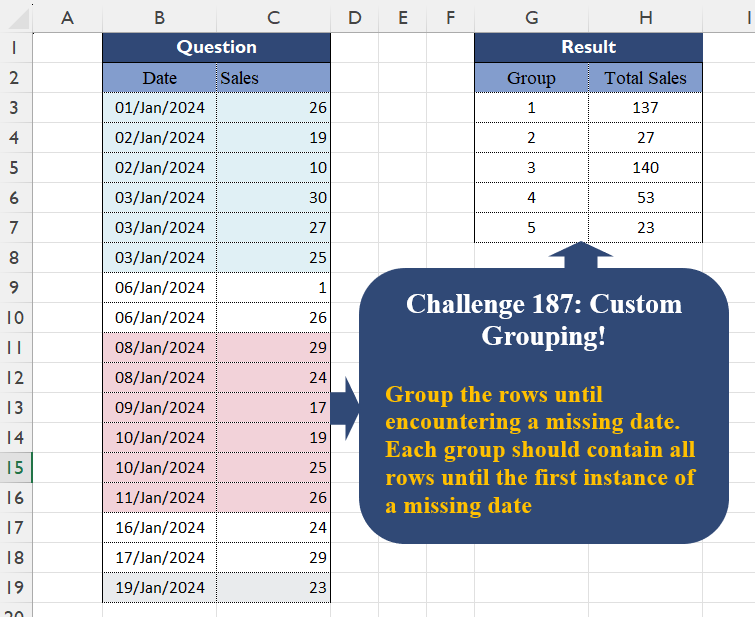
Groups rows in a table based on specified columns and applies aggregations in Power Query.
Challenge No. 187: Group the rows until encountering a missing date.
Solved using:Excel (DROP, GROUPBY, IF), Google Sheets, Power Query (Table.Group, Table.AddColumn, Table.AddIndexColumn), Python, Python in Excel, and R.
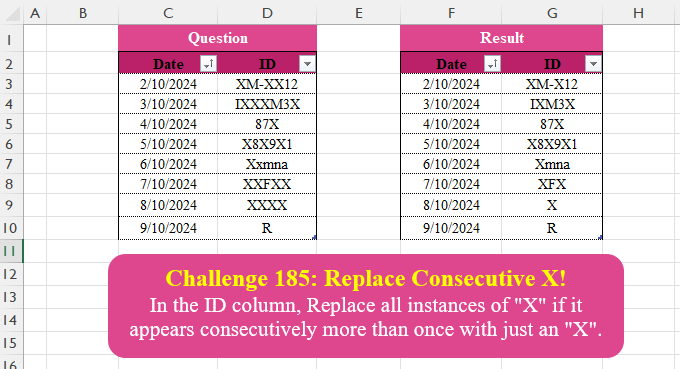
Challenge No. 185: In the ID column, Replace all instances of “X” if it appears consecutively more than once with just an “X”.
Solved using:Excel (DROP, HSTACK, IF), Google Sheets, Power Query (Text.Combine, Table.Group, Table.TransformColumns), Python, Python in Excel, and R.
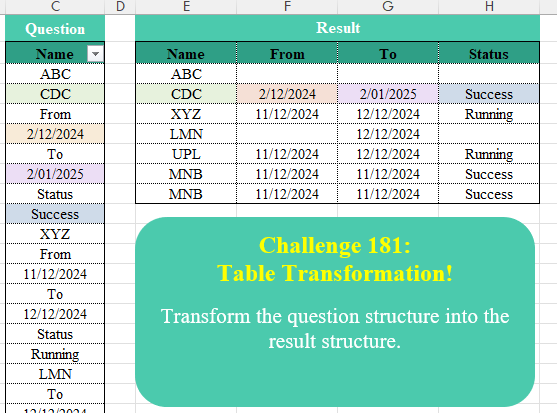
Challenge No. 181: Transform the question structure into the result structure.
Solved using:Excel (DROP, FILTER, HSTACK), Google Sheets, Power Query (List.Alternate, List.Transform, Table.Group), Python in Excel, and R.
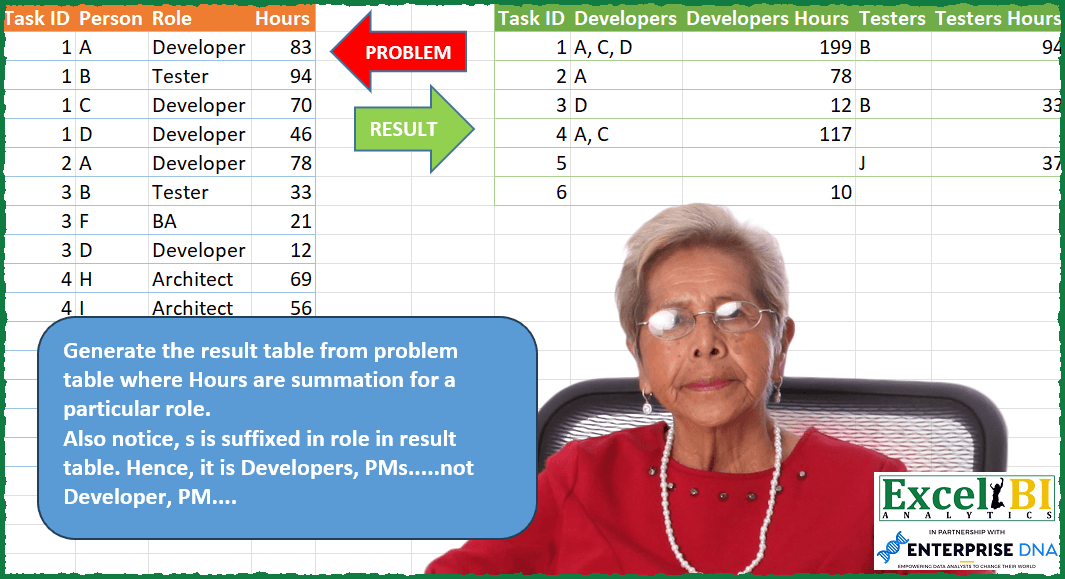
Challenge No. 112: Generate the result table from problem table where Hours are summation for a particular role.
Solved using: Python in Excel.

Challenge No. 177: Transform the question structure into the result structure.
Solved using:Excel (DROP, FILTER, HSTACK), Google Sheets, Power Query (Table.AddColumn, Table.ExpandTableColumn, Table.Group), Python, Python in Excel, and R.
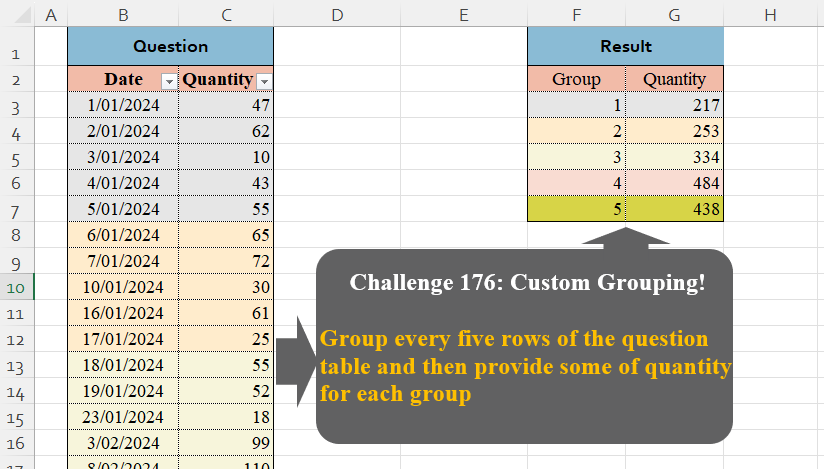
Challenge No. 176: Group every five rows of the question table and then provide some of quantity for each group.
Solved using:Excel (GROUPBY, HSTACK, LAMBDA), Google Sheets, Power Query (Table.Group, List.Transform, Table.AddIndexColumn), Python, Python in Excel, and R.
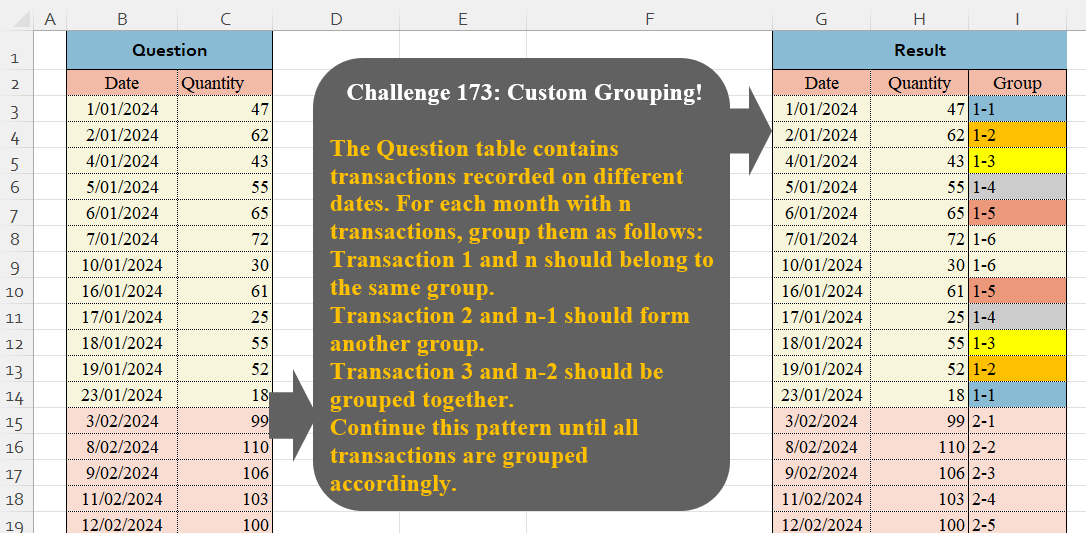
Challenge No. 173: The Question table contains transactions recorded on different dates.
Solved using:Excel (HSTACK, LAMBDA, LET), Google Sheets, Power Query (Table.Group, Date.Month, Table.AddIndexColumn), Python, Python in Excel, and R.
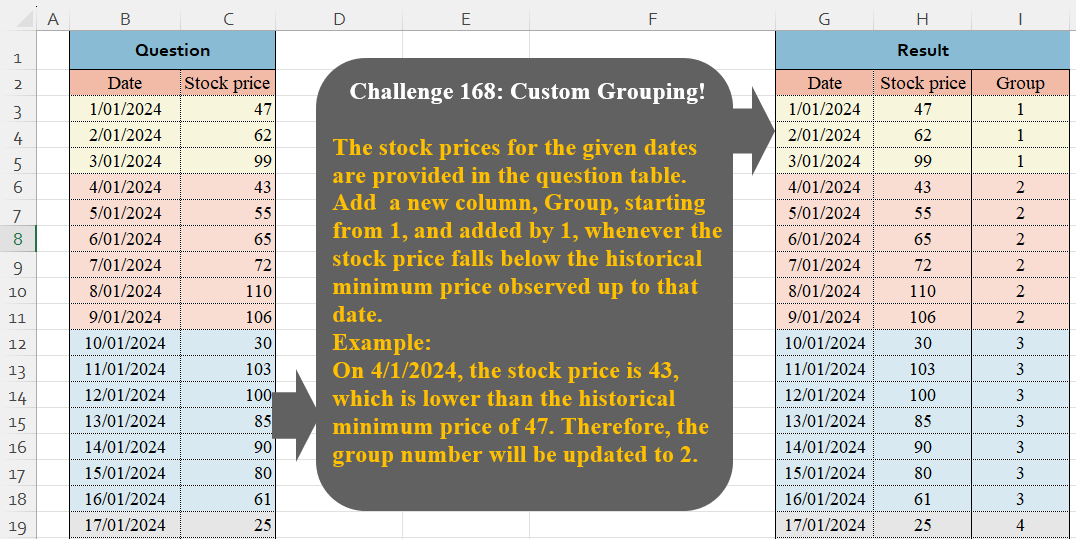
Challenge No. 168: The stock prices for the given dates are provided in the question table.
Solved using:Excel (IF, LAMBDA, LET), Google Sheets, Power Query (Table.Group, Table.AddIndexColumn, Table.ExpandTableColumn), Python, Python in Excel, and R.
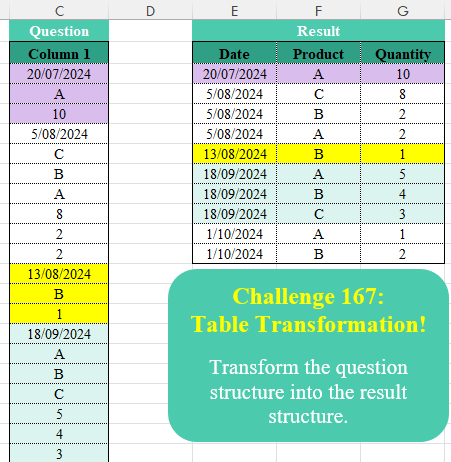
Challenge No. 167: Transform the question structure into the result structure.
Solved using:Excel (FILTER, HSTACK, IF), Google Sheets, Power Query (List.Skip, List.Split, Table.AddColumn), Python, Python in Excel, and R.

Challenge No. 165: Based on monthly transactions, categorize each customer for each month into one of the following groups:
New: A customer who has never made a purchase in previous months.
Solved using:Excel (FILTER, HSTACK, IF), Google Sheets, Power Query (Table.Group, List.Difference, List.Distinct), Python, and R.