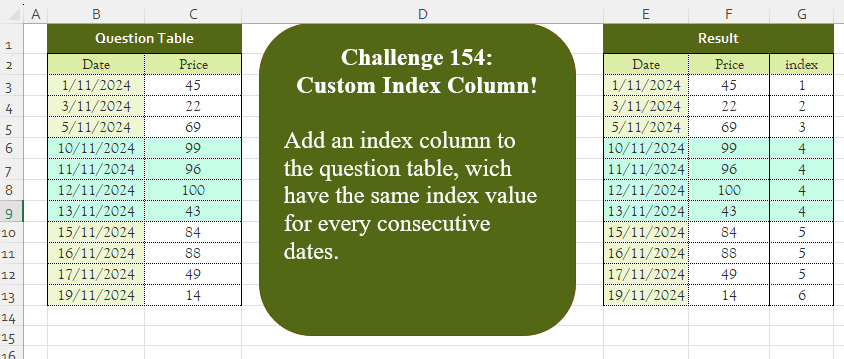
Challenge No. 154: Add an index column to the question table, which has the same index value for every consecutive date.
Solved using:Excel (DROP, IF, LAMBDA), Google Sheets, Power Query (Table.AddColumn, Table.AddIndexColumn, Table.Column), Python, Python in Excel, and R.
SCAN
Scans an array and applies a function cumulatively in Excel.
Custom Grouping! Part 10
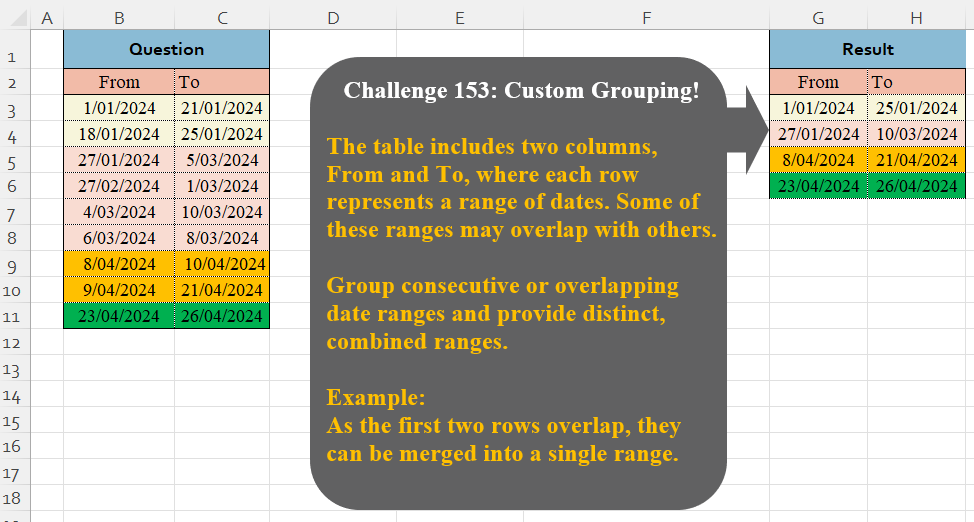
Challenge No. 153: The table includes two columns, From and To, where each row represents a range of dates.
Solved using:Excel (DROP, HSTACK, IF), Google Sheets, Power Query (Table.Group), Python, Python in Excel, and R.
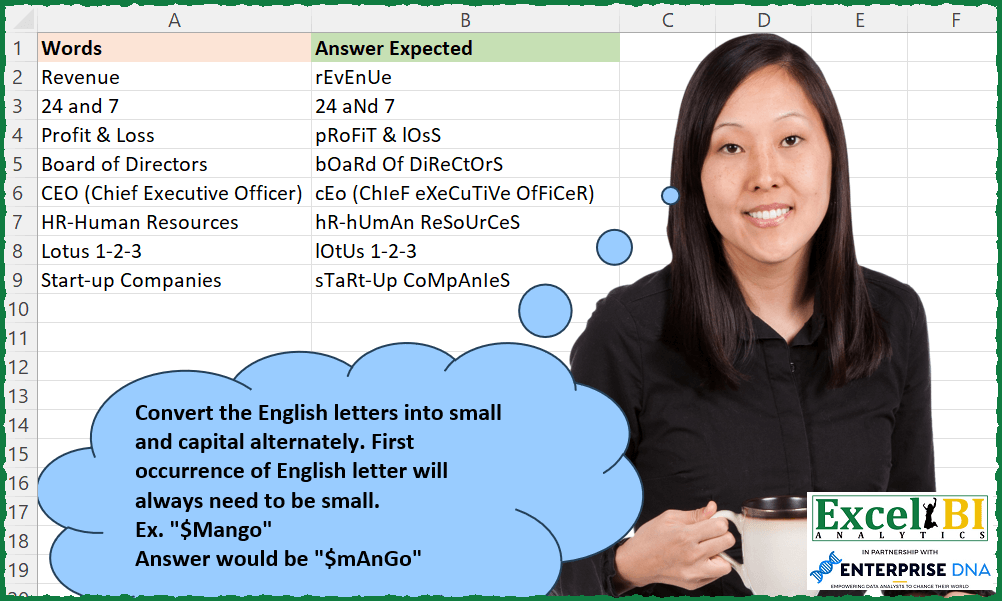
Alternate Letter Casing
Challenge No. 241: Convert the English letters into small and capital alternately.
Solved using: Excel VBA.
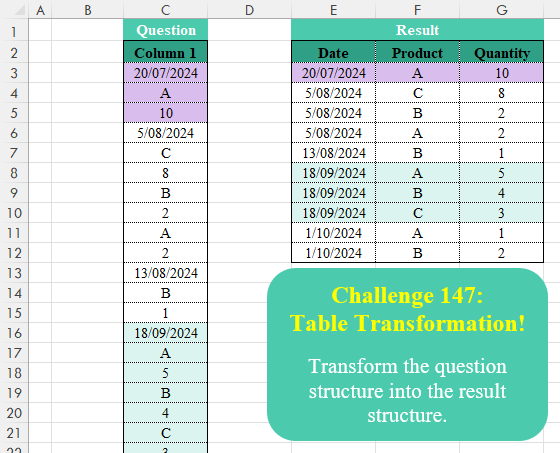
Table Transformation! Part 16
Challenge No. 147: Transform the question structure into the result structure.
Solved using:Excel (FILTER, HSTACK, IF), Google Sheets, Power Query (List.Skip, List.Split, Table.AddColumn), Python, Python in Excel, R, and VBA.
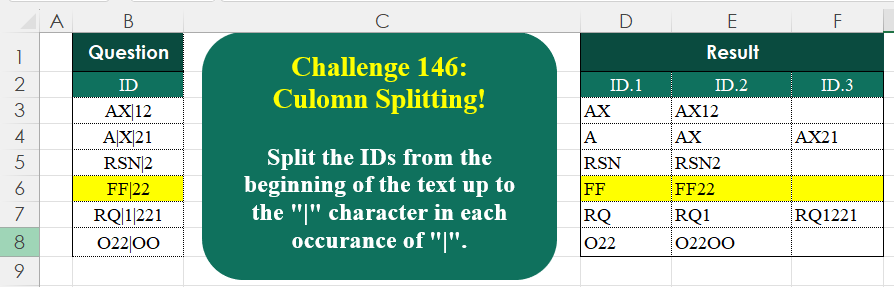
Column Splitting! Part 2
Challenge No. 146: Split the IDs from the beginning of the text up to the “|” character in each occurrence of “|”.
Solved using:Excel (IFNA, LAMBDA, LEN), Google Sheets, Power Query (List.Transform, Text.Combine, Text.Split), Python, Python in Excel, R, and VBA.
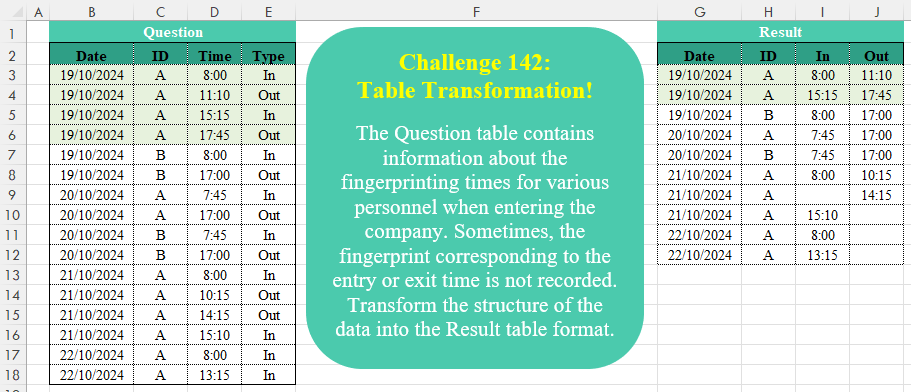
Table Transformation! Part 15
Challenge No. 142: The Question table contains information about the fingerprinting times for various personnel when entering the company.
Solved using:Excel (DROP, HSTACK, IF), Google Sheets, Power Query (Table.AddColumn, Table.Group, Table.Pivot), Python, Python in Excel, and R.
Max Items Within Budget
Challenge No. 180: Provide a formula to list the maximum number of items (one unit only of each item) which can be bought in $150 from A2:A10.
Solved using: Power Query (Table.Sort).
Add Index Column! Part 4
Challenge No. 127: Add an index column to the question table, with a separate counter for each stock.
Solved using:Excel (DROP, FILTER, HSTACK), Google Sheets, Power Query (Table.AddColumn, Table.AddIndexColumn), Python, Python in Excel, and R.
Determine Result Table Based on Rules
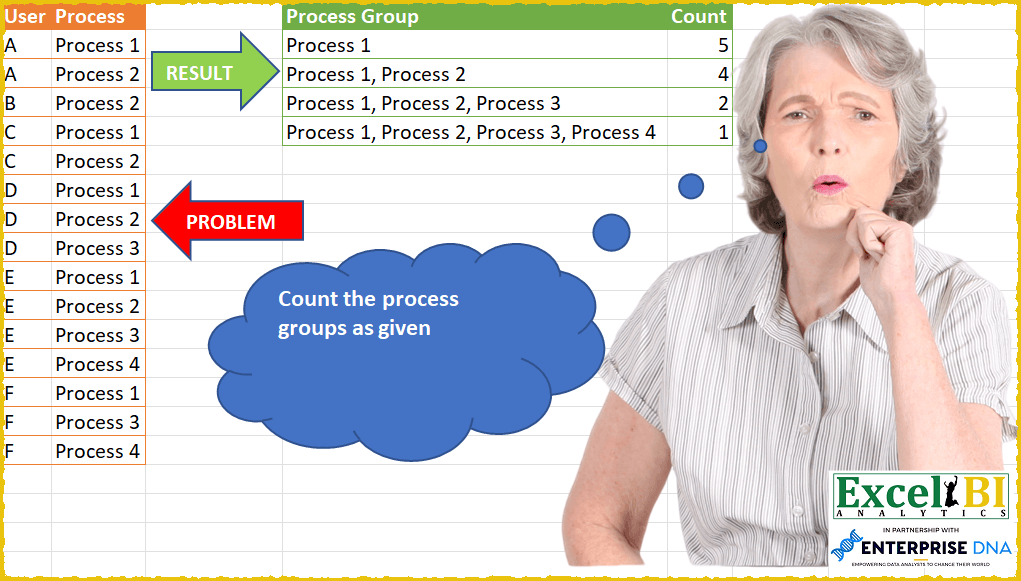
Challenge No. 47: Count the process groups as given.
Solved using: Power Query.
Table Transformation! Part 11
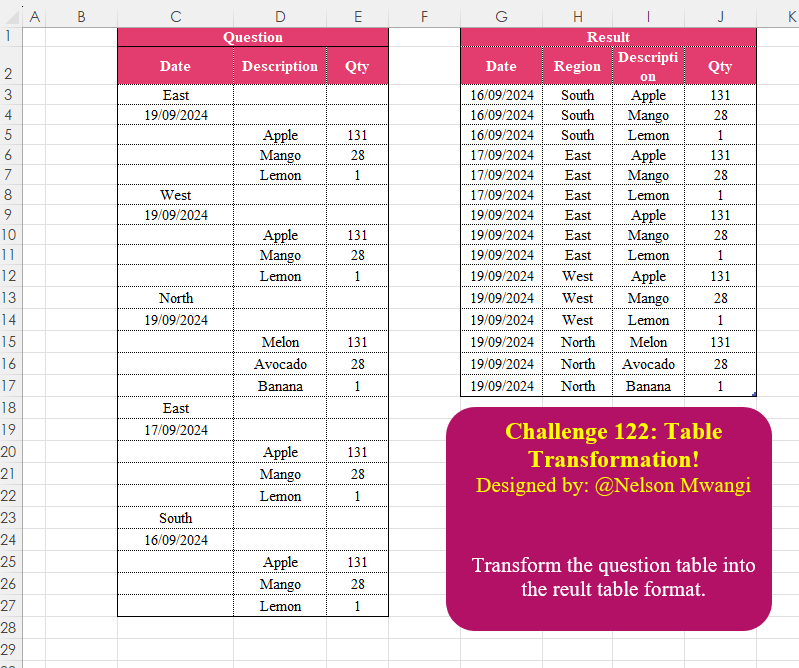
Challenge No. 122: Transform the question table into the reult table format.
Solved using:Excel (DROP, FILTER, HSTACK), Google Sheets, Power Query (List.Transform, Text.Contains, Table.AddColumn), Python, Python in Excel, and R.