
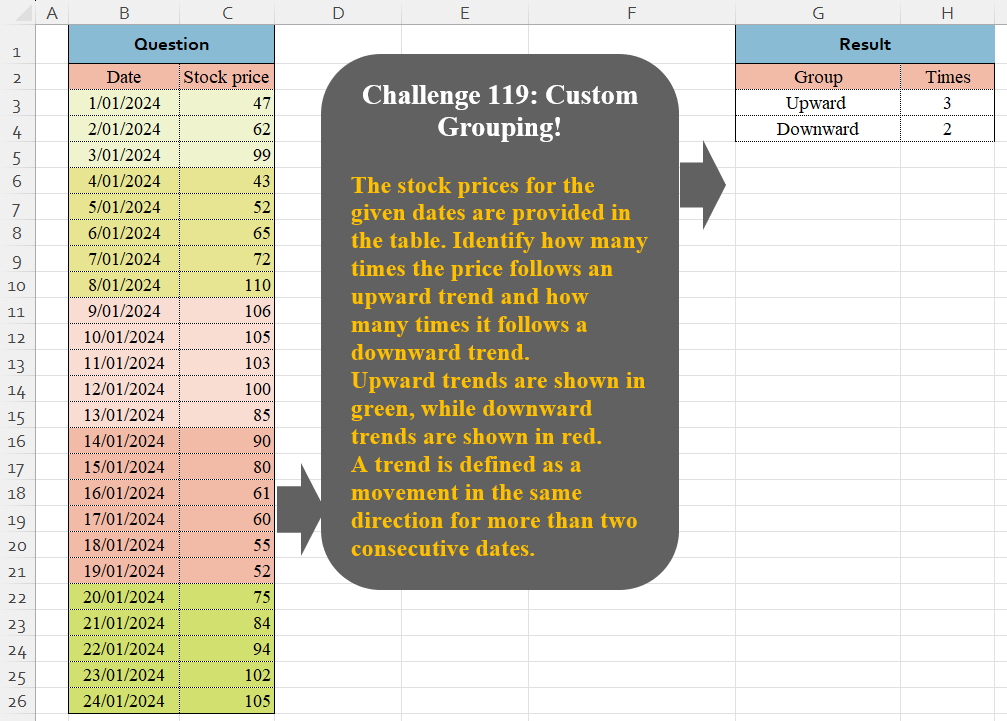
Challenge No. 119: The stock prices for the given dates are provided in the table.
Solved using:Excel (DROP, HSTACK, IF), Google Sheets, Power Query (Table.Group, Table.AddColumn, Table.Group), Python in Excel, and R.
Scans an array and applies a function cumulatively in Excel.
Challenge No. 119: The stock prices for the given dates are provided in the table.
Solved using:Excel (DROP, HSTACK, IF), Google Sheets, Power Query (Table.Group, Table.AddColumn, Table.Group), Python in Excel, and R.

Challenge No. 118: Using the sales transactions from the provided table and the account balance as of 31/08/2024, calculate the Daily Sales Outstanding (DSO) for each customer.
Solved using:Excel, Google Sheets, Power Query, Python, Python in Excel, and R.
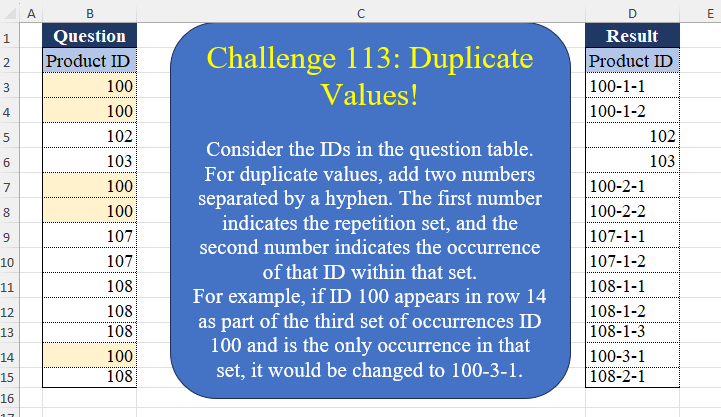
Challenge No. 113: Consider the IDs in the question table.
Solved using:Excel (DROP, IF, LAMBDA), Google Sheets, Power Query (List.Transform, Table.AddColumn, Table.AddIndexColumn), Python, Python in Excel, and R.
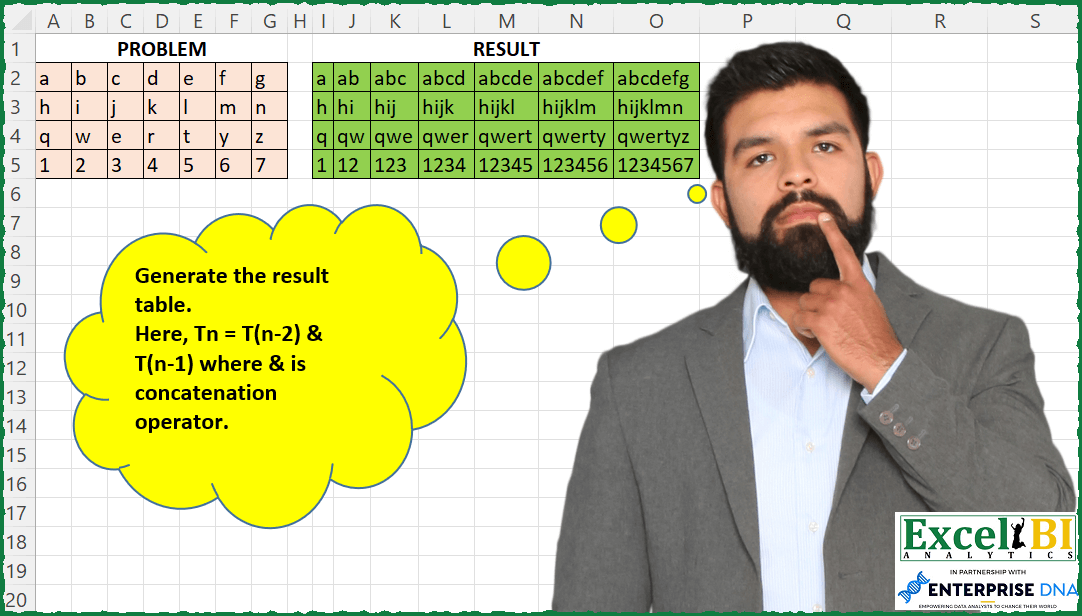
Challenge No. 110: Generate the result table.
Solved using: SQL.

Challenge No. 76: In challenge 58, we aimed to find an efficient way to calculate the stepped tax based on the tax rates presented in the question table.
Solved using:Excel (IFERROR, INDEX, LAMBDA), Power Query (Table.AddColumn), Python, Python in Excel, and R.
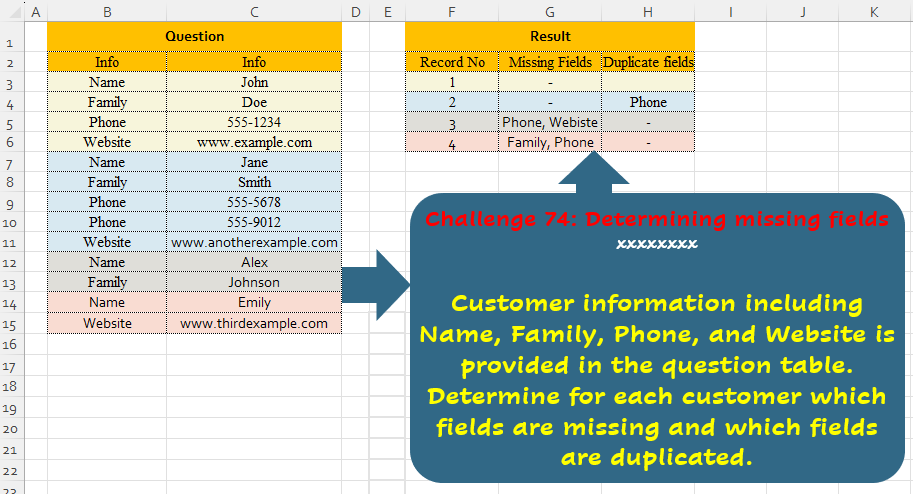
Challenge No. 74: Customer information including Name, Family, Phone, and Website is provided in the question table.
Solved using:Excel (ARRAYTOTEXT, FILTER, HSTACK), Power Query (List.Difference, List.Distinct, Text.Combine), Python, and R.
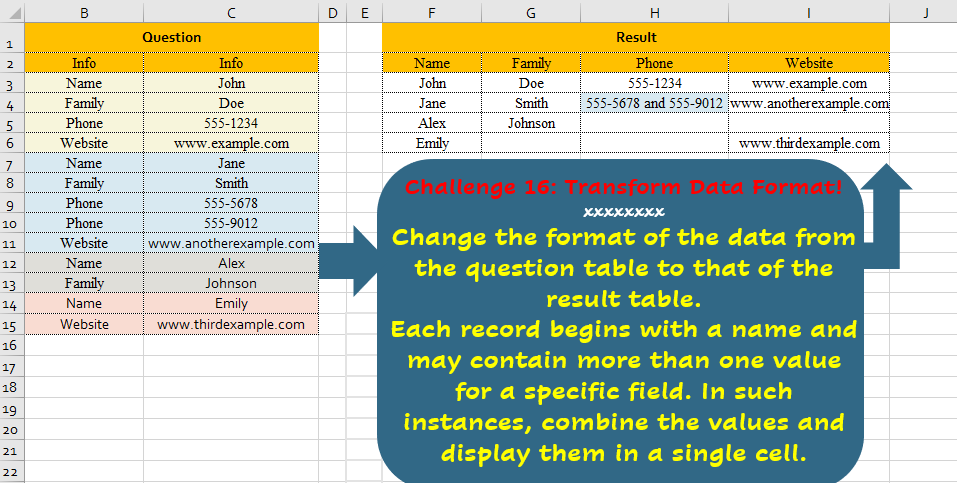
Challenge No. 16: Change the format of the data from the question table to that of the result table.
Solved using:Excel, Power Query, and R.
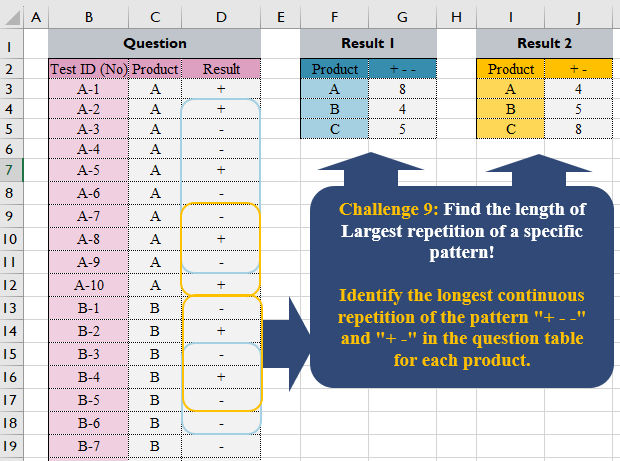
Challenge No. 9: repetition of a specific pattern!
Identify the longest continuous repetition of the
pattern “+ – -” and “+ -” in the question table for each product.
Solved using:Excel, Power Query, and R.
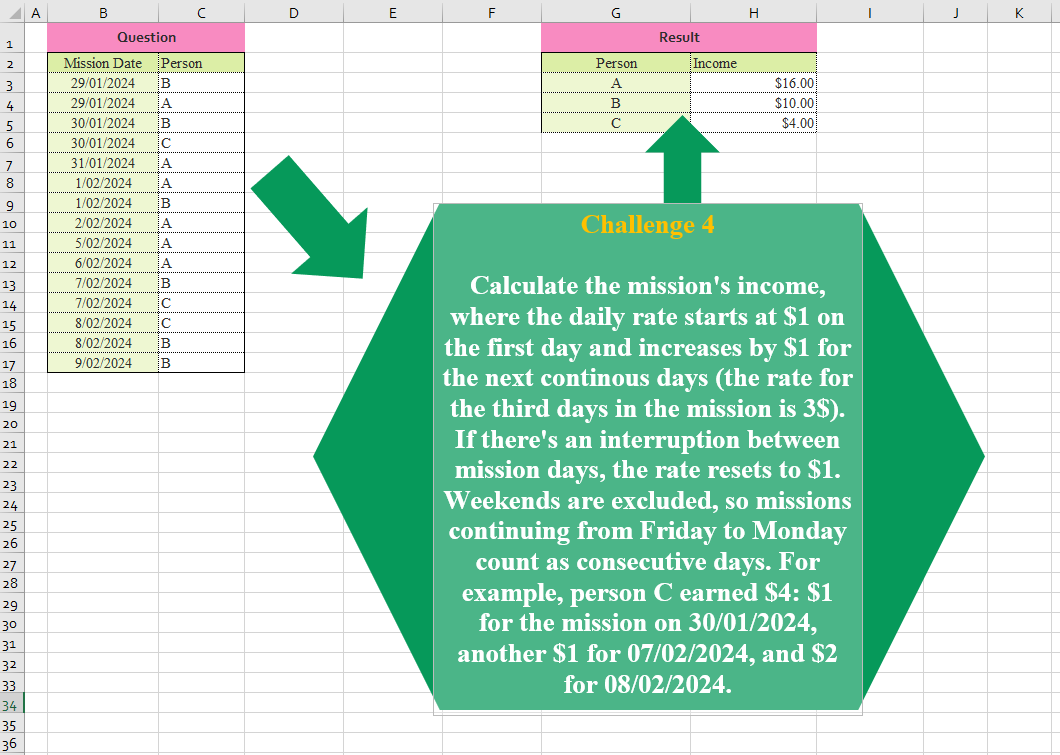
Challenge No. 4: Calculate the mission’s income, where the daily rate starts at $1 on the first day and increases by $1 for the next continuous days (the rate for the third day in the mission is 3$).
Solved using: Excel.
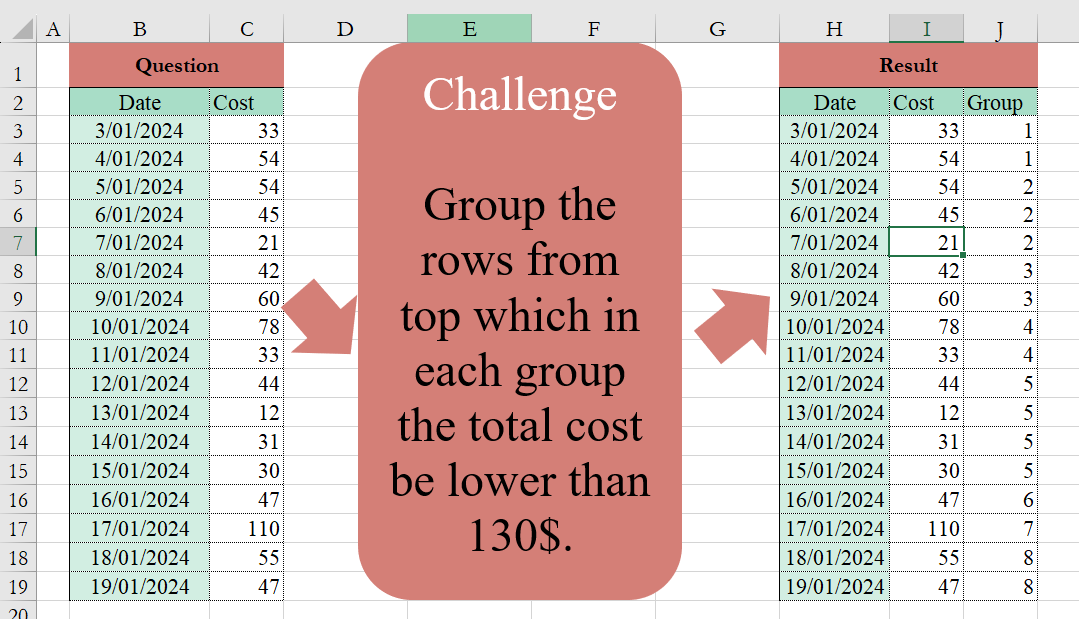
Challenge No. 2: Group the rows from the top, which in each group the total cost be lower than 130$.
Solved using:Excel (HSTACK, IF, LAMBDA), and Power Query (Table.Group).