
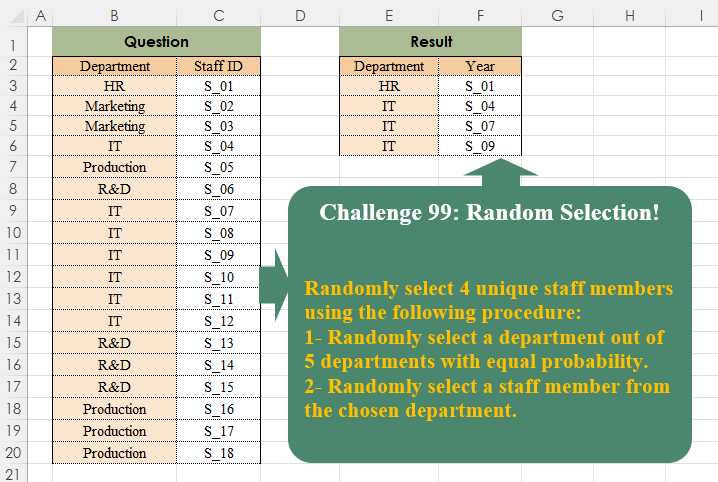
Challenge No. 99: Randomly select 4 unique staff members using the following procedure:
1- Randomly select a department out of 5 departments with equal probability.
Solved using:Excel, Power Query, and R.
Python programming for data analysis
Challenge No. 99: Randomly select 4 unique staff members using the following procedure:
1- Randomly select a department out of 5 departments with equal probability.
Solved using:Excel, Power Query, and R.
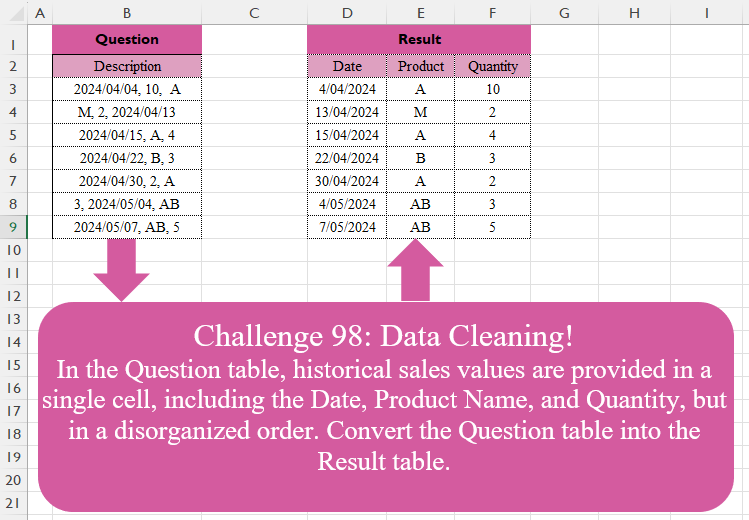
Challenge No. 98: In the Question table, historical sales values are provided in a single cell, including the Date, Product Name, and Quantity, but in a disorganized order.
Solved using:Excel (FILTER, HSTACK, IF), Google Sheets, Power Query (List.Transform, Text.Contains, Text.Split), Python, Python in Excel, and R.
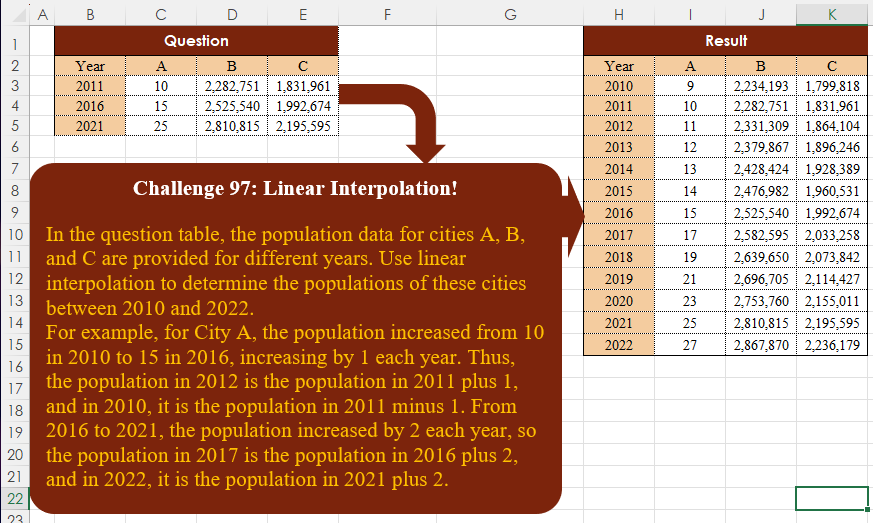
Challenge No. 97: In the question table, the population data for cities A, B, and C are provided for different years.
Solved using:Excel, Google Sheets, Power Query, Python, Python in Excel, and R.
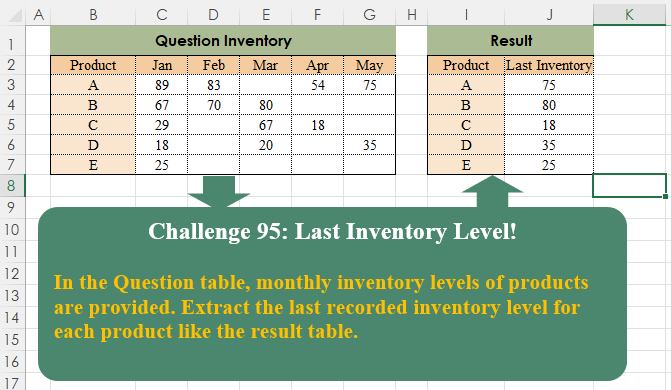
Challenge No. 95: In the Question table, monthly inventory levels of products are provided.
Solved using:Excel (BYROW, FILTER, HSTACK), Google Sheets, Power Query (List.RemoveNull, Table.AddColumn, Table.Group), Python, Python in Excel, and R.
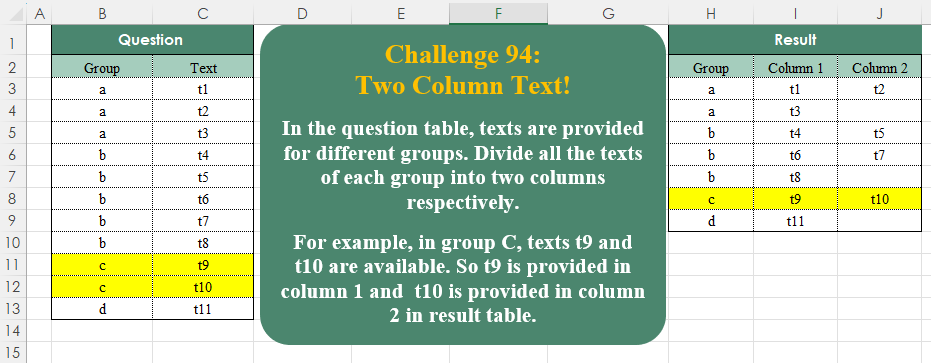
Challenge No. 94: In the question table, texts are provided for different groups.
Solved using:Excel (DROP, FILTER, HSTACK), Google Sheets, Power Query (List.Split, List.Transform, Table.ExpandTableColumn), Python, Python in Excel, and R.

Challenge No. 93: Randomly select a staff member from each department.
Solved using:Excel (FILTER, HSTACK, INDEX), Google Sheets, Power Query (Table.Group), Python, Python in Excel, and R.
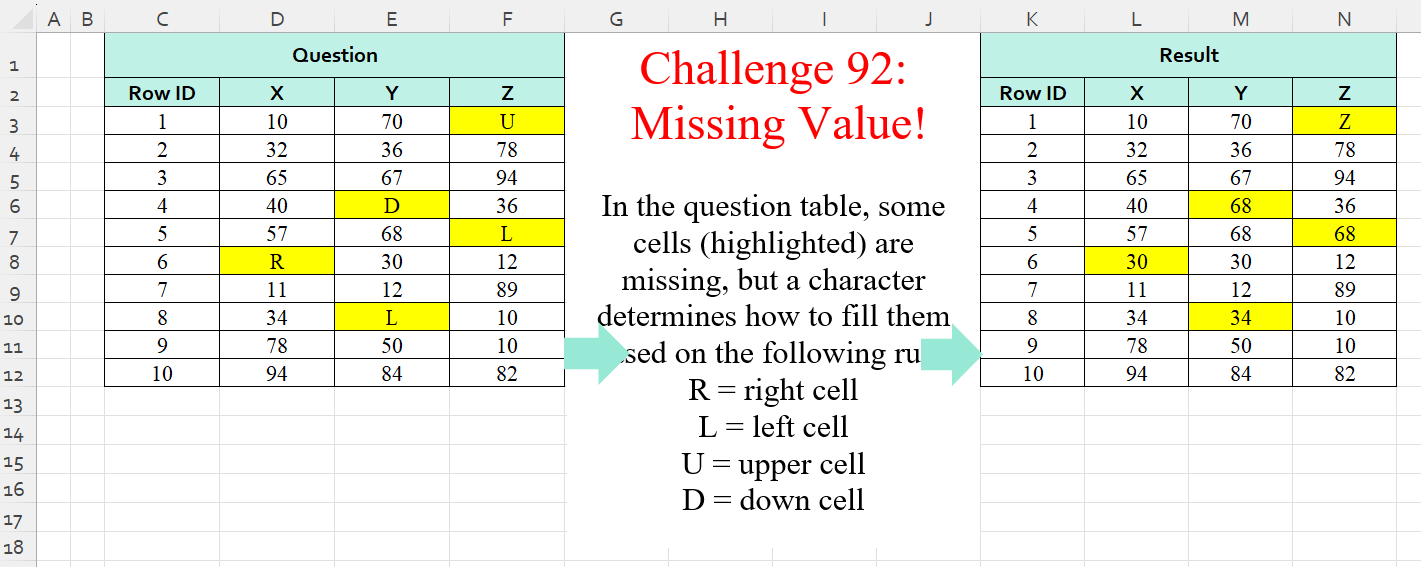
Challenge No. 92: In the question table, some cells (highlighted) are missing, but a character determines how to fill them based on the following rule:
R = right cell
L = left cell
U = upper cell
D = down cell.
Solved using:Excel (IF, IFS, INDEX), Power Query (List.PositionOf, List.Transform), Python, Python in Excel, and R.
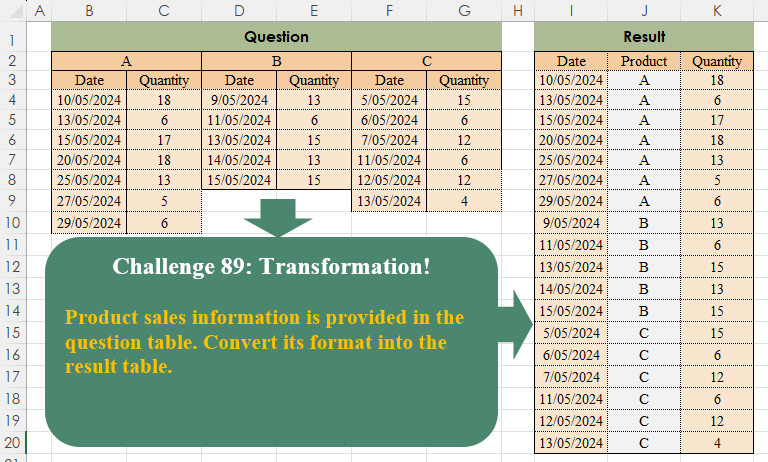
Challenge No. 89: Product sales information is provided in the question table.
Solved using:Excel (COUNTA, FILTER, HSTACK), Power Query (List.Transform, Table.SelectRows, Table.Skip), Python, Python in Excel, and R.
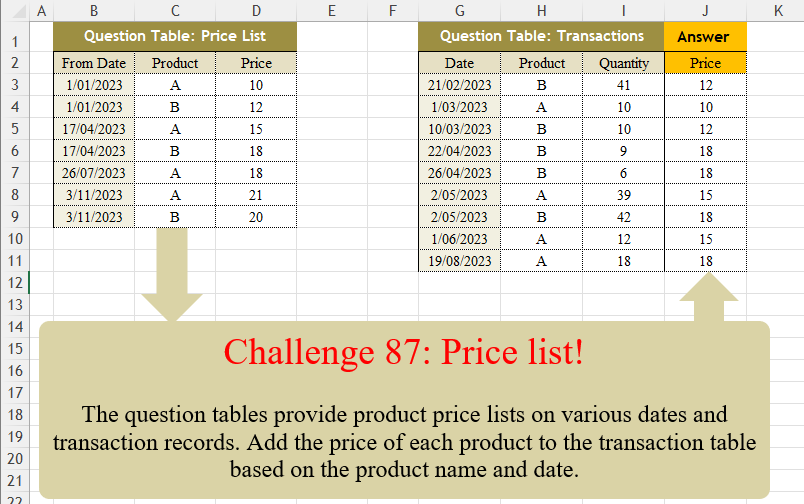
Challenge No. 87: The question tables provide product price lists on various dates and transaction records.
Solved using:Excel (FILTER, LAMBDA, LOOKUP), Power Query (Table.AddColumn, Table.SelectRows), Python, Python in Excel, R, and VBA.

Challenge No. 86: K-nearest neighbors (KNN) is a simple technique for replacing missing values with the average of the nearest values.
Solved using:Excel, Power Query, and VBA.