
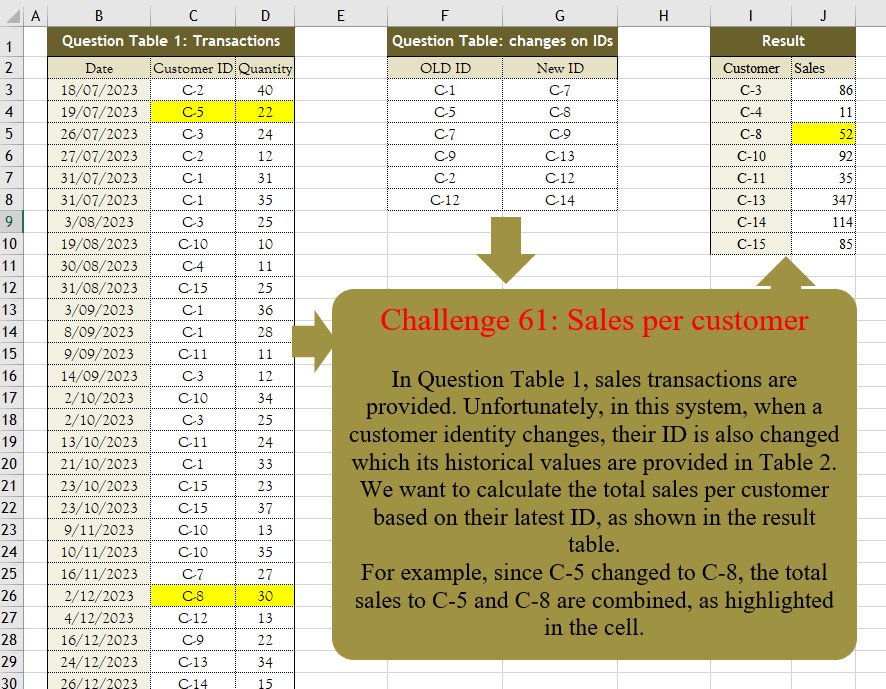
Challenge No. 61: In Question Table 1, sales transactions are provided.
Solved using:Excel (FILTER, HSTACK, IF), Power Query (Table.Group, Table.Sort), Python, R, and VBA.
Finds a value in a one-row or one-column range in Excel.
Challenge No. 61: In Question Table 1, sales transactions are provided.
Solved using:Excel (FILTER, HSTACK, IF), Power Query (Table.Group, Table.Sort), Python, R, and VBA.
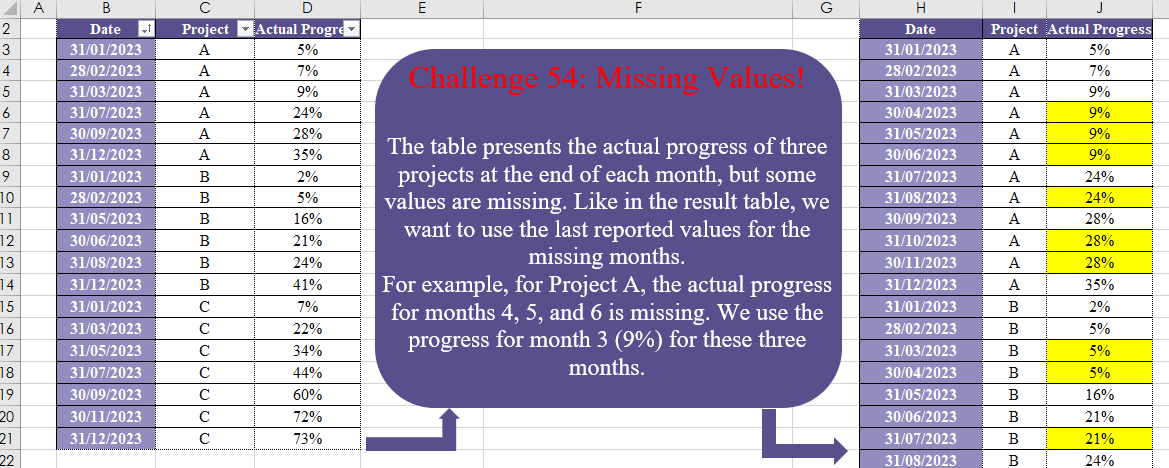
Challenge No. 54: The table presents the actual progress of three projects at the end of each month, but some values are missing.
Solved using:Excel (DATE, DROP, EOMONTH), Power Query (List.Transform, Table.Group, Table.TransformColumnTypes), Python, and R.
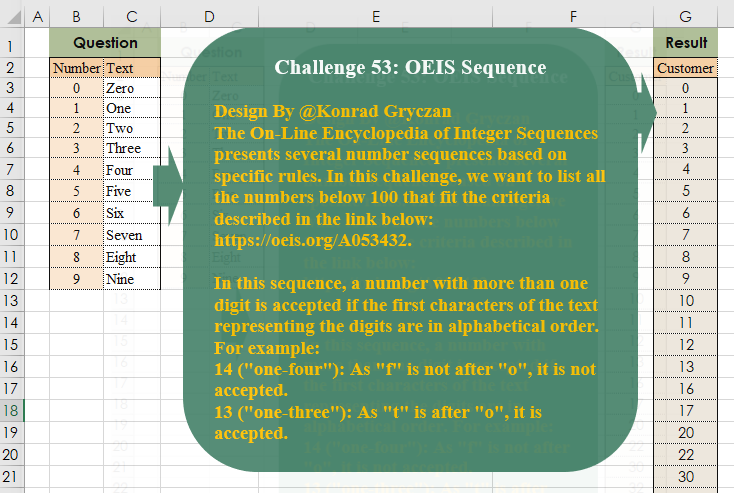
Challenge No. 53: The On-Line Encyclopedia of Integer Sequences presents several number sequences based on specific rules.
Solved using:Excel (FILTER, LAMBDA, LEFT), Power Query (List.Transform), Python, and R.
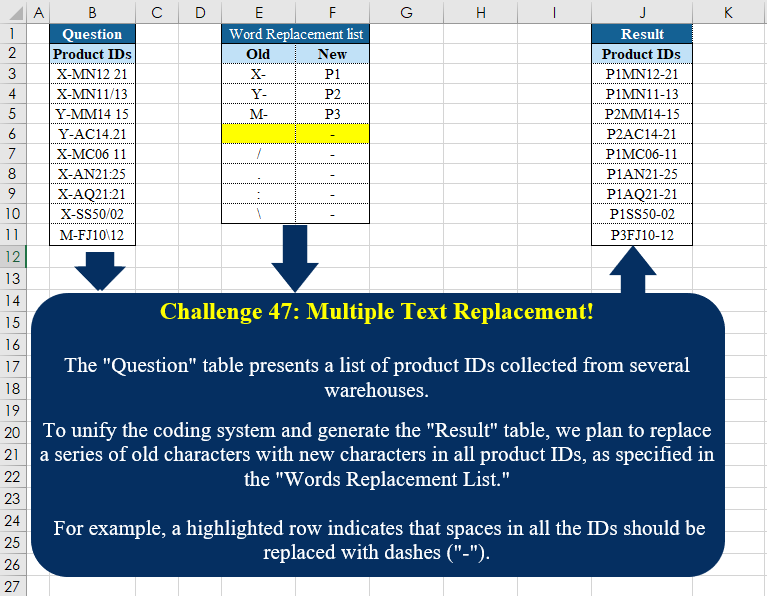
Challenge No. 47: The “Question” table presents a list of product IDs collected from several warehouses.
Solved using:Excel (INDEX, LAMBDA, LET), Power Query (Text.Replace), Python, Python in Excel, and R.
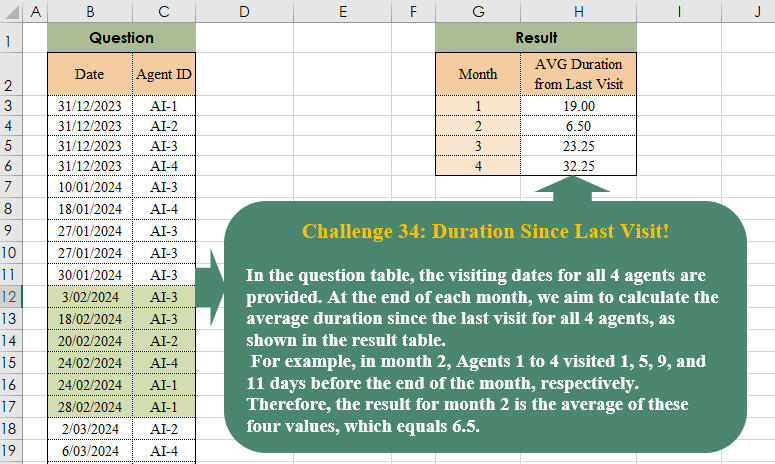
Challenge No. 38: In the question table, the visiting dates for all 4 agents are provided.
Solved using:Excel (AVERAGE, DROP, EOMONTH), Power Query (List.Transform, Table.AddColumn, Table.Group), Python, and R.

Challenge No. 35: In our company, we utilize a grading system to evaluate the technical performance of our agents, assigning grades of C, B, A, and A+.
Solved using:Excel (DROP, FILTER, HSTACK), Power Query (Table.AddColumn, Table.Group), and R.
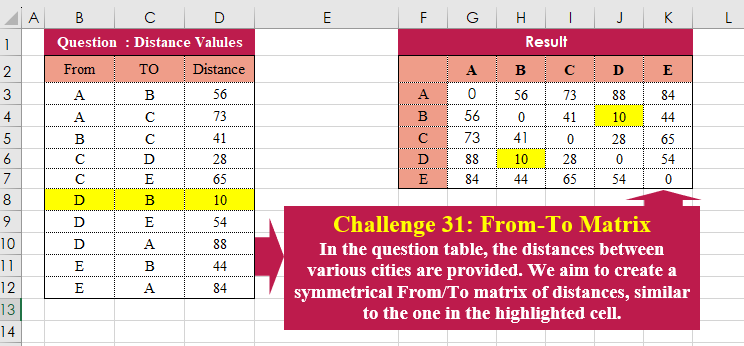
Challenge No. 31: In the question table, the distances between various cities are provided.
Solved using:Excel (HSTACK, LAMBDA, LET), Power Query (Table.Column, Table.ColumnNames), Python, and R.
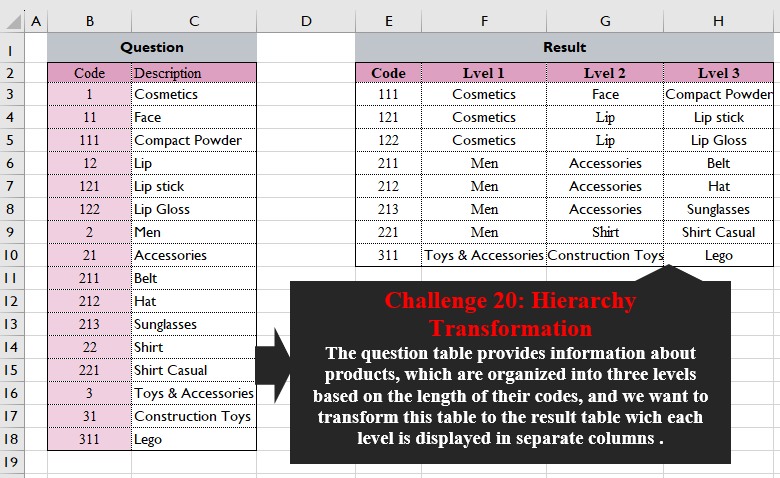
Challenge No. 20: The question table provides information about products, which are organized into three levels based on the length of their codes, and we want to transform this table into the result table wich each level is displayed in separate columns.
Solved using:Excel (FILTER, HSTACK, LEFT), Power Query (List.Transform), Python, and R.
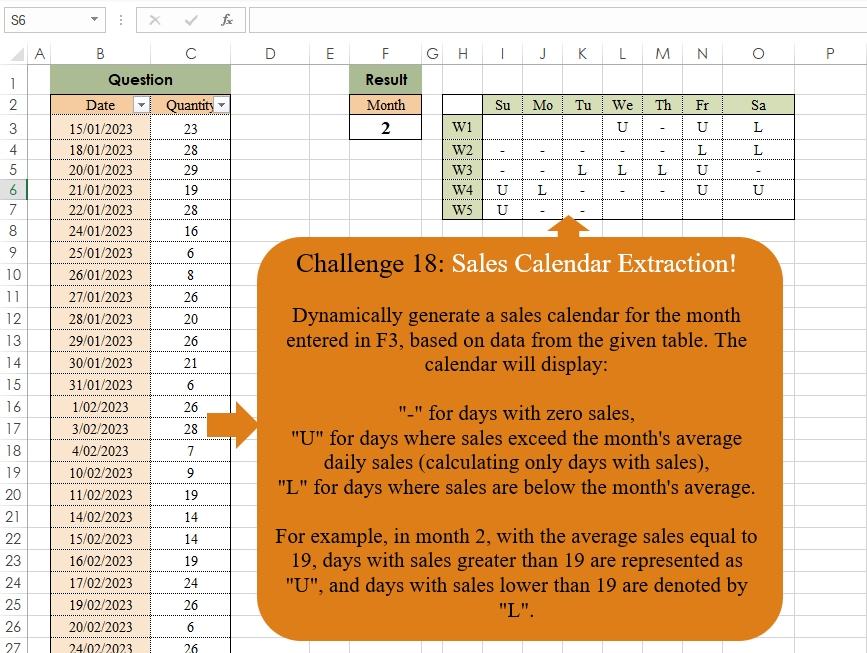
Challenge No. 18: Dynamically generate a sales calendar for the month entered in F3, based on data from the given table.
Solved using:Excel, Power Query, and R.
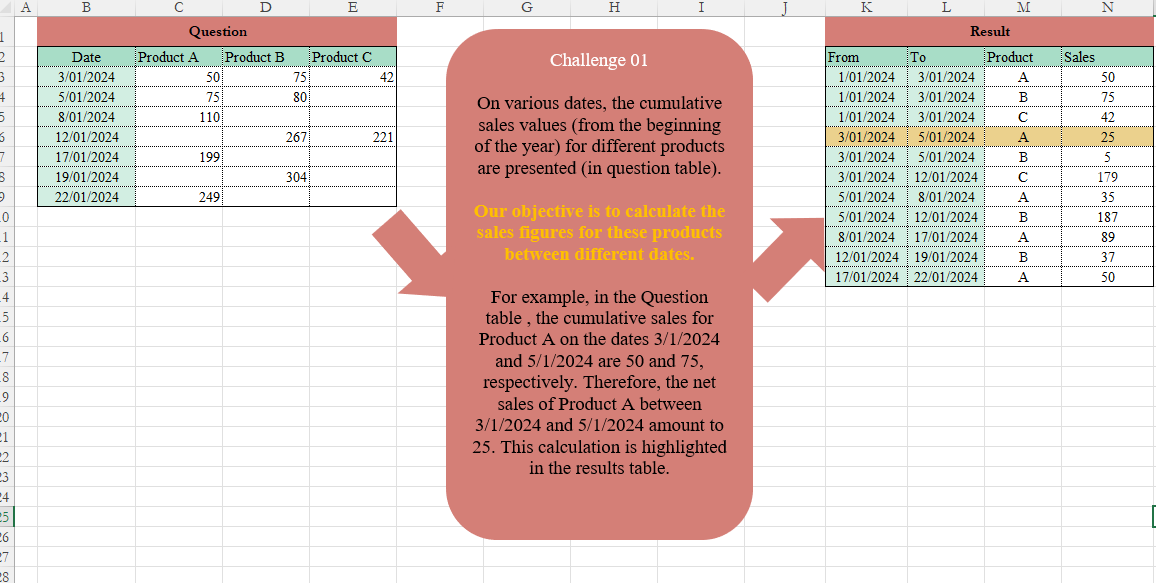
Challenge No. 1: On various dates, the cumulative sales values (from the beginning of the year) for different products are presented (in the Question table).
Solved using:Excel (DROP, FILTER, HSTACK), and Power Query (Table.AddColumn, Table.TransformColumnTypes).