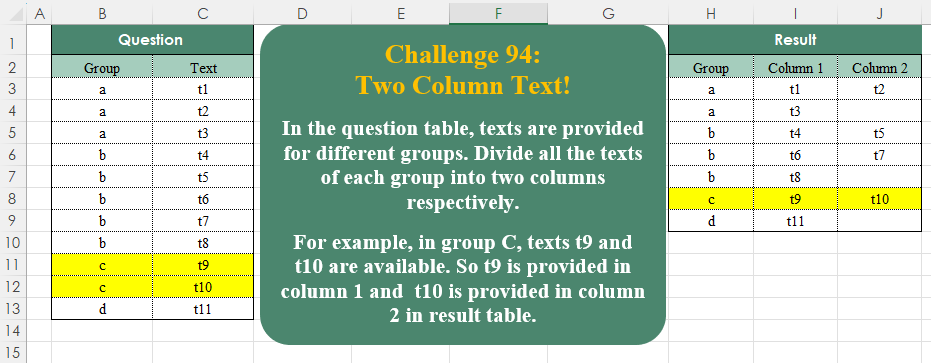
Challenge No. 103: Today is 20/08/2024, and we’re calculating the average delivery time per product in days.
Solved using:Excel (AVERAGE, CHOOSECOLS, FILTER), Google Sheets, Power Query (Table.AddColumn, Table.Group), Python, Python in Excel, and R.
Excel Challenges
Challenges related to Excel formulas.
Compare Rows! Part 1
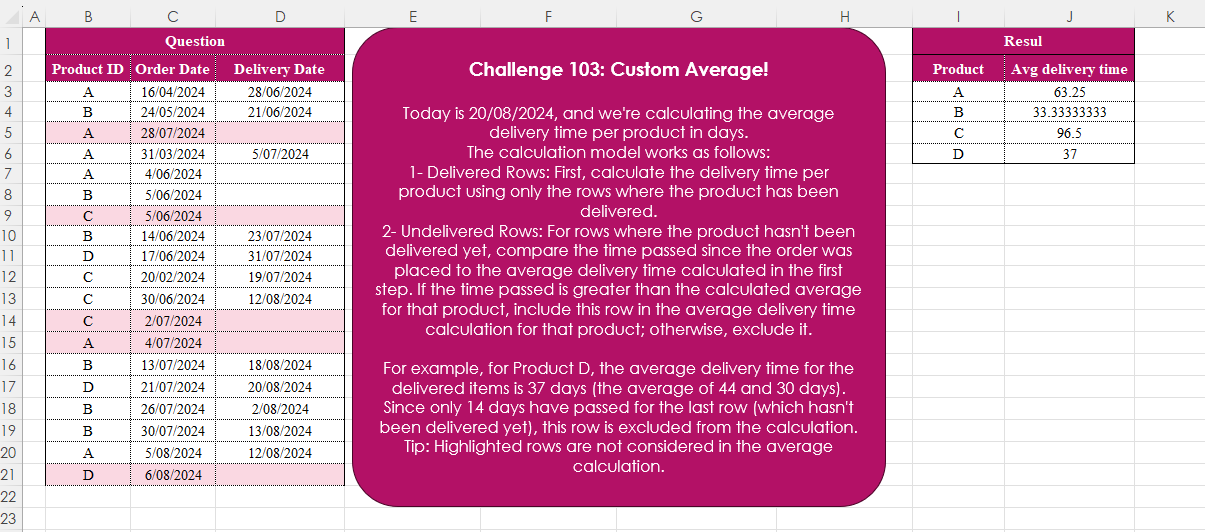
Challenge No. 102: In the historical sales table, identify and extract the dates where the sales value on that date is greater than the sales on the previous date.
Solved using:Excel (DROP, FILTER, IF), Google Sheets, Power Query (Table.AddColumn, Table.AddIndexColumn, Table.SelectColumns), Python, Python in Excel, R, and VBA.
Duplicate Values! Part 1
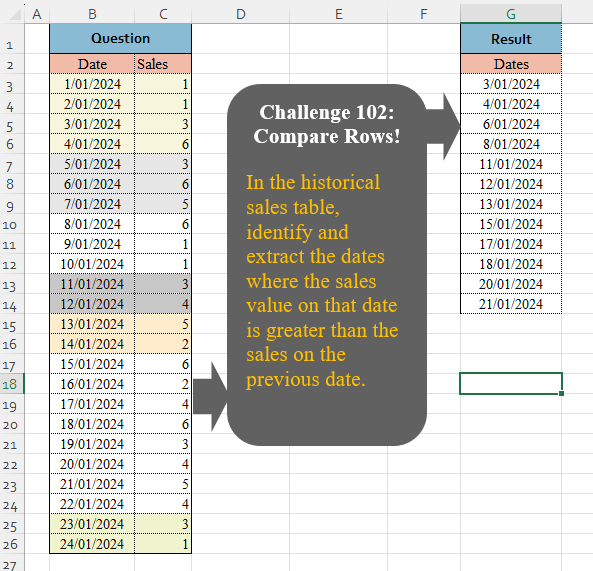
Challenge No. 100: Consider the IDs in the question table.
Solved using:Excel (CHAR, COUNTIF, COUNTIFS), Google Sheets, Power Query (List.Transform, Table.AddColumn, Table.Group), Python, Python in Excel, and R.
Random Selection! Part 2
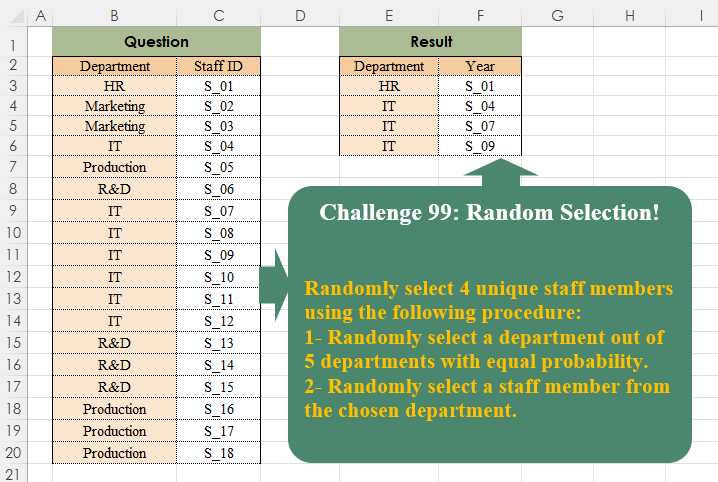
Challenge No. 99: Randomly select 4 unique staff members using the following procedure:
1- Randomly select a department out of 5 departments with equal probability.
Solved using:Excel, Power Query, and R.
Data Cleaning! Part 1
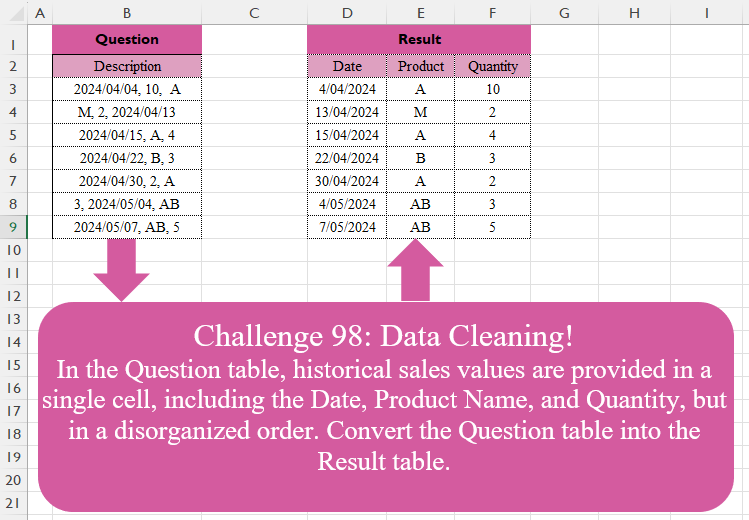
Challenge No. 98: In the Question table, historical sales values are provided in a single cell, including the Date, Product Name, and Quantity, but in a disorganized order.
Solved using:Excel (FILTER, HSTACK, IF), Google Sheets, Power Query (List.Transform, Text.Contains, Text.Split), Python, Python in Excel, and R.
Linear Interpolation!
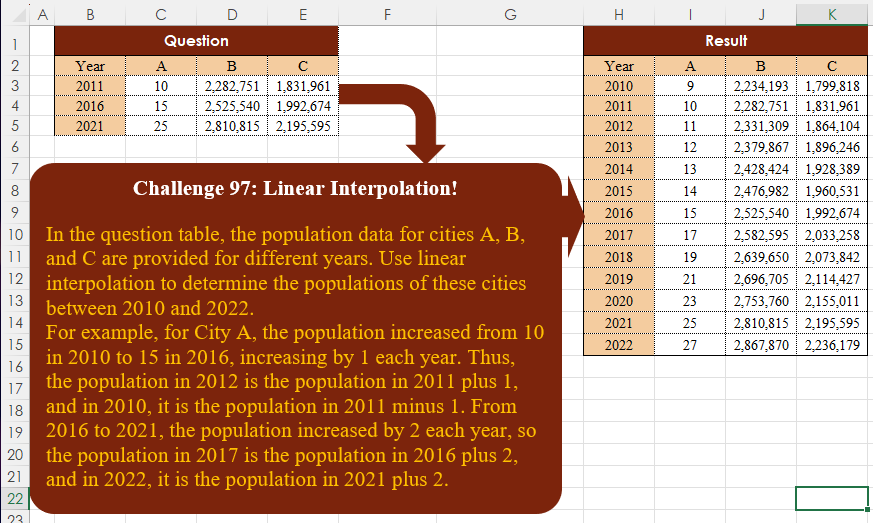
Challenge No. 97: In the question table, the population data for cities A, B, and C are provided for different years.
Solved using:Excel, Google Sheets, Power Query, Python, Python in Excel, and R.
Top Products!
Challenge No. 96: In the Question table, daily sales information is provided.
Solved using:Excel, Google Sheets, Power Query, Python, R, and SQL.
Last Inventory Level!
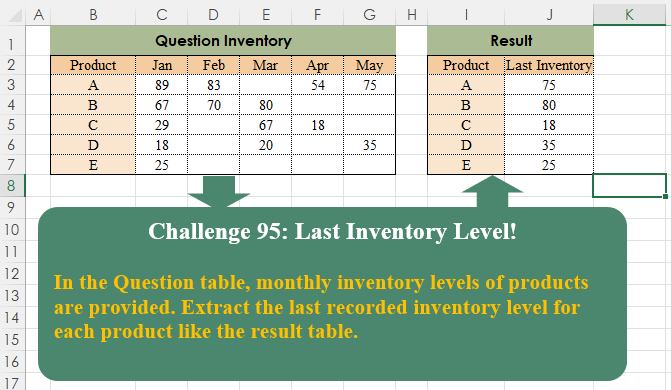
Challenge No. 95: In the Question table, monthly inventory levels of products are provided.
Solved using:Excel (BYROW, FILTER, HSTACK), Google Sheets, Power Query (List.RemoveNull, Table.AddColumn, Table.Group), Python, Python in Excel, and R.
Two-Column Text!
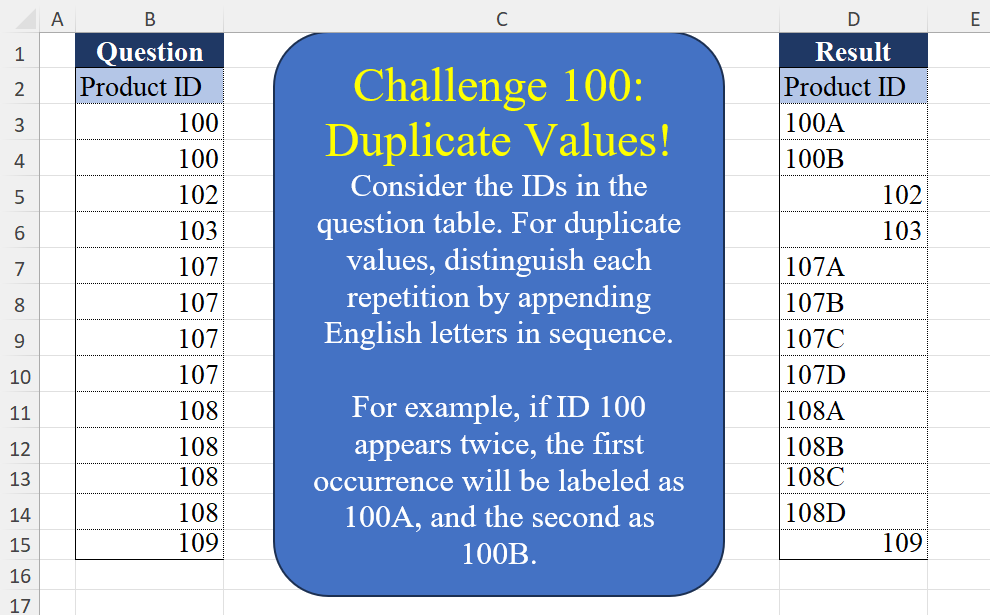
Challenge No. 94: In the question table, texts are provided for different groups.
Solved using:Excel (DROP, FILTER, HSTACK), Google Sheets, Power Query (List.Split, List.Transform, Table.ExpandTableColumn), Python, Python in Excel, and R.
Random Selection! Part 1
Challenge No. 93: Randomly select a staff member from each department.
Solved using:Excel (FILTER, HSTACK, INDEX), Google Sheets, Power Query (Table.Group), Python, Python in Excel, and R.