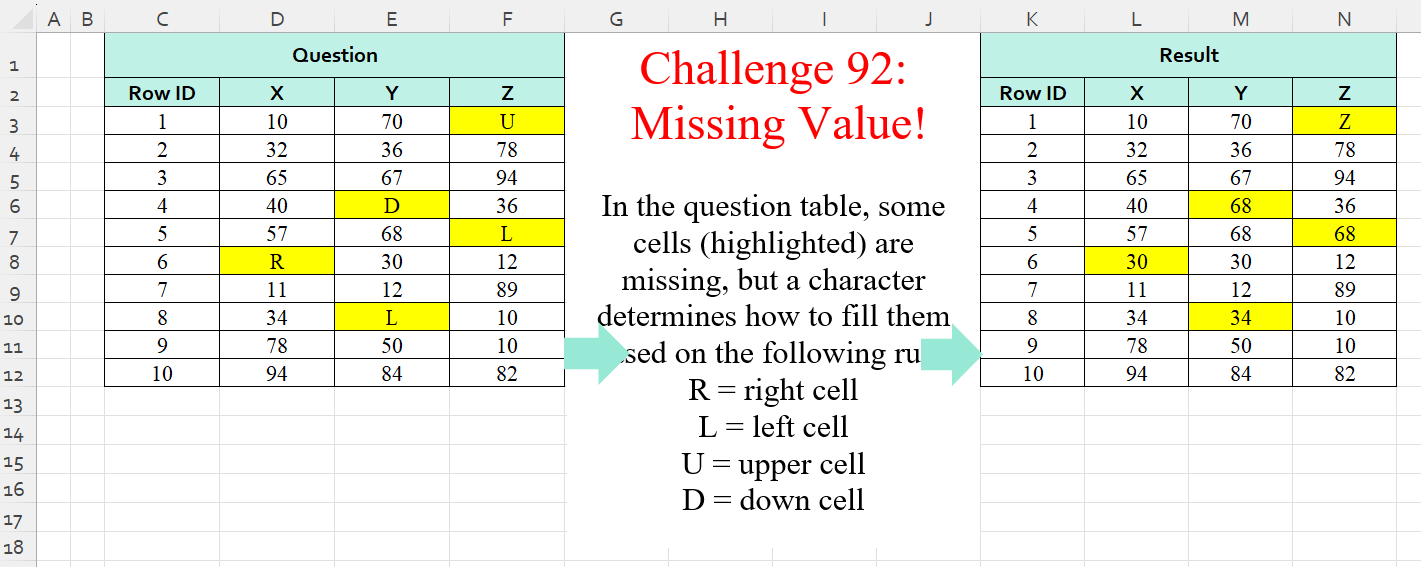
Challenge No. 92: In the question table, some cells (highlighted) are missing, but a character determines how to fill them based on the following rule:
R = right cell
L = left cell
U = upper cell
D = down cell.
Solved using:Excel (IF, IFS, INDEX), Power Query (List.PositionOf, List.Transform), Python, Python in Excel, and R.
Excel Challenges
Challenges related to Excel formulas.
Traveling Salesman Problem
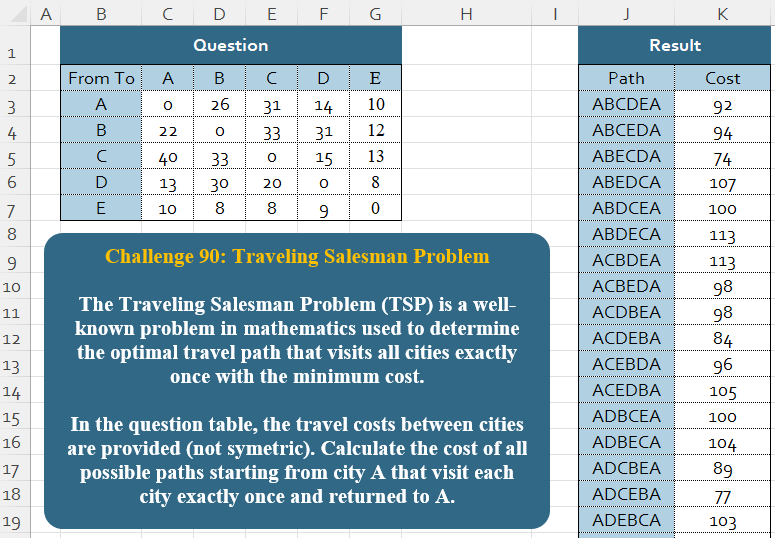
Challenge No. 90: The Traveling Salesman Problem (TSP) is a well-known problem in mathematics used to determine the optimal travel path that visits all cities exactly once with the minimum cost.
Solved using:Excel, Power Query, Python, and R.
Table Transformation! Part 9
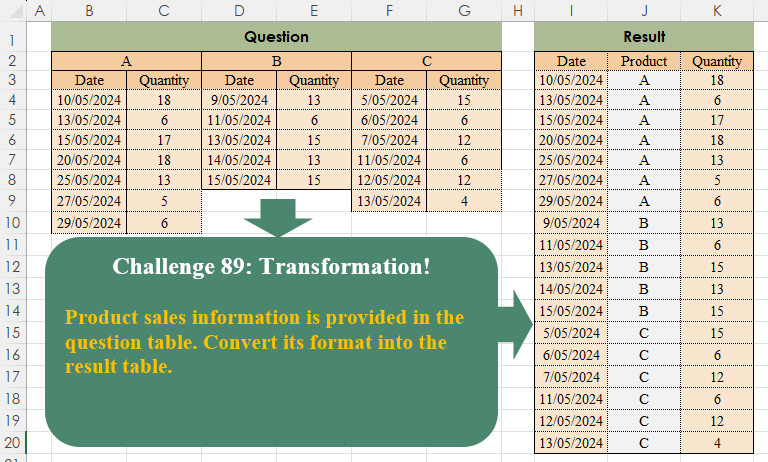
Challenge No. 89: Product sales information is provided in the question table.
Solved using:Excel (COUNTA, FILTER, HSTACK), Power Query (List.Transform, Table.SelectRows, Table.Skip), Python, Python in Excel, and R.
Subtotal Calculation!
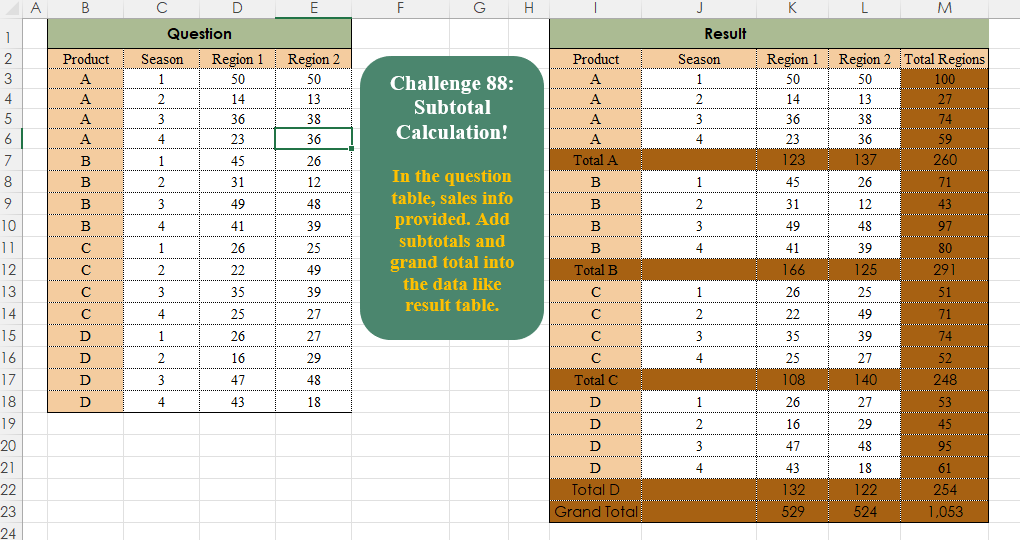
Challenge No. 88: In the question table, sales info is provided.
Solved using:Excel, Power Query, Python, R, and SQL.
Price List!
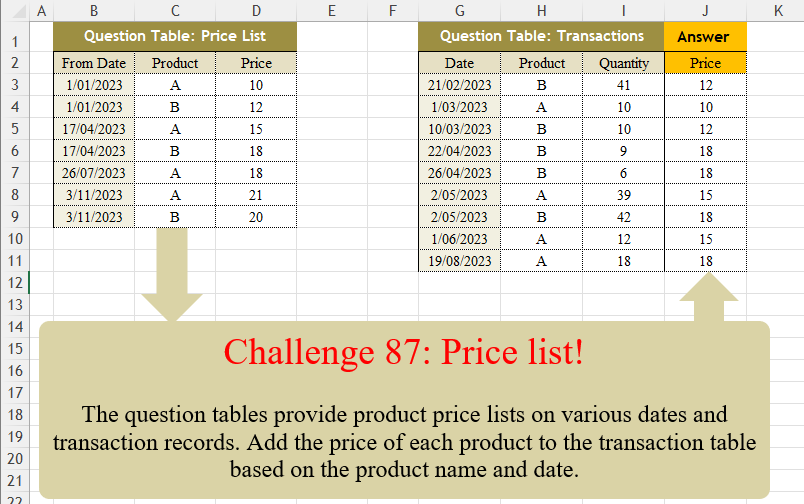
Challenge No. 87: The question tables provide product price lists on various dates and transaction records.
Solved using:Excel (FILTER, LAMBDA, LOOKUP), Power Query (Table.AddColumn, Table.SelectRows), Python, Python in Excel, R, and VBA.
Knn Missing Value!
Challenge No. 86: K-nearest neighbors (KNN) is a simple technique for replacing missing values with the average of the nearest values.
Solved using:Excel, Power Query, and VBA.
Custom Ranking!
Challenge No. 85: In the Question Table, values are provided and we want to rank them in ascending order based on custom logic.
Solved using:Excel (FILTER, HSTACK, IF), Power Query (List.Sort, List.Transform), Python, and R.
Normal Distribution!
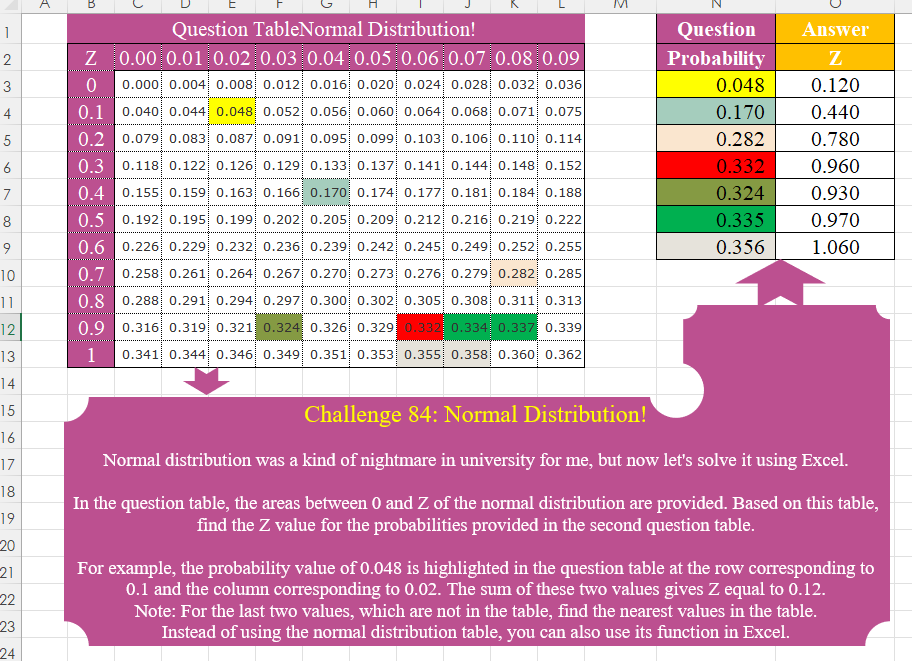
Challenge No. 84: Normal distribution was a kind of nightmare in university for me, but now let’s solve it using Excel.
Solved using:Excel (HSTACK, IF, INDEX), Power Query (Table.AddColumn), Python, Python in Excel, R, and VBA.
Custom Splitter (Part 3)!
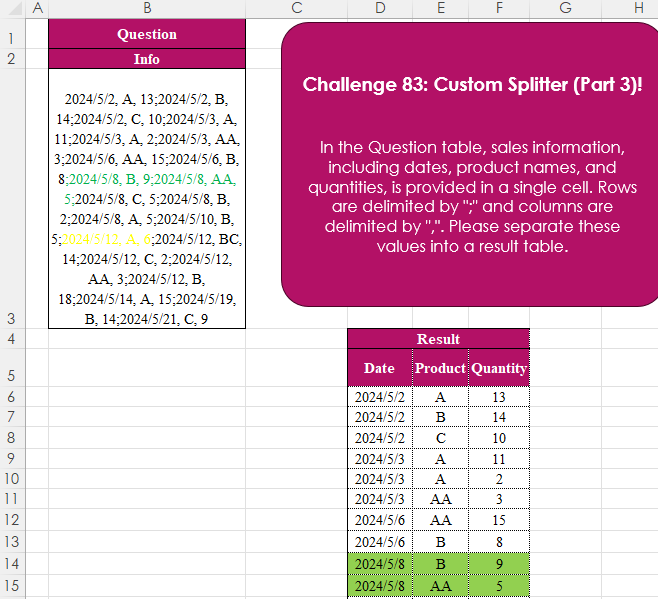
Challenge No. 83: In the Question table, sales information, including dates, product names, and quantities, is provided in a single cell.
Solved using:Excel (IFERROR, LET, ROWS), Power Query (List.Transform, Text.Split, Table.FromRows), Python, Python in Excel, R, and SQL.
Total Distance!
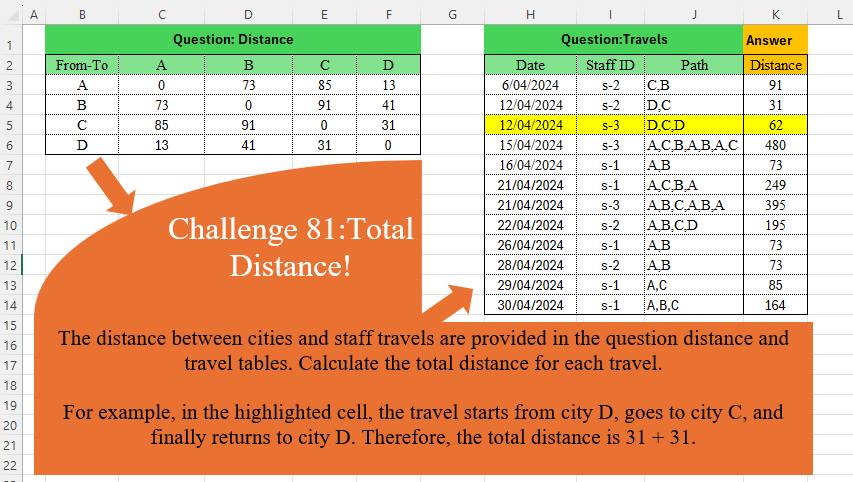
Challenge No. 81: The distance between cities and staff travels are provided in the question distance and travel tables.
Solved using:Excel (DROP, IFNA, INDEX), Power Query (Table.AddColumn), Python, and R.