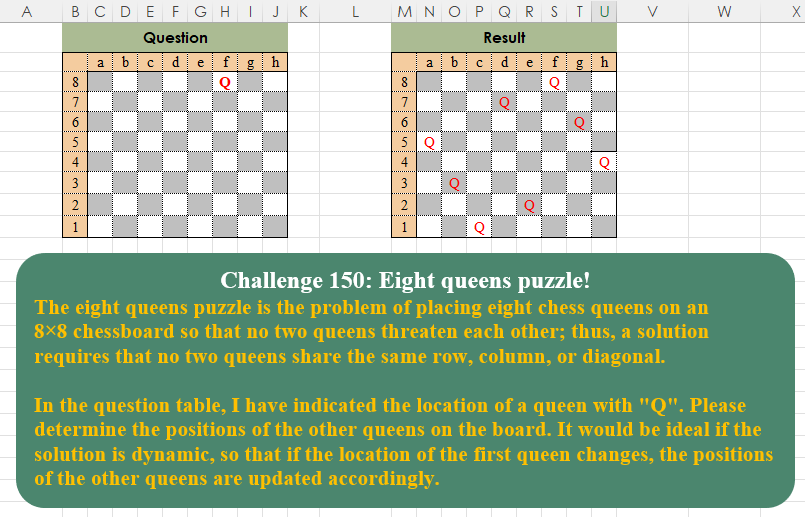
Challenge No. 163: Convert the monthly sales data from the Question table into seasonal sales as shown in the Result table.
Solved using:Excel (FILTER, GROUPBY, HSTACK), Google Sheets, Power Query (Table.Group, Table.AddColumn, Table.Group), Python, Python in Excel, and R.
Excel Challenges
Challenges related to Excel formulas.
Extract From Text! Part 5
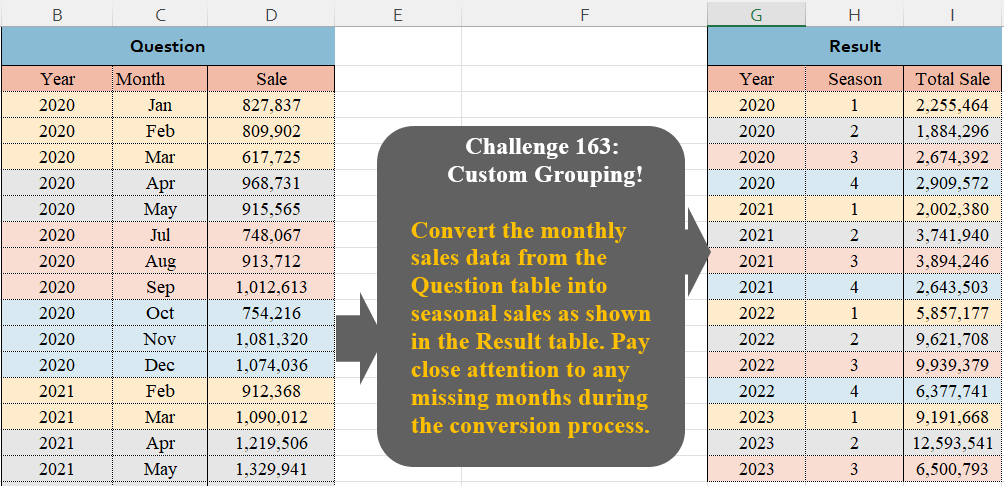
Challenge No. 162: Separate the values inside the curly braces { }, do the same for nested curly braces.
Solved using:Excel (IFNA, LAMBDA, LET), Google Sheets, Power Query (List.Transform, Table.AddColumn), Python, Python in Excel, R, and VBA.
Custom Grouping! Part 11
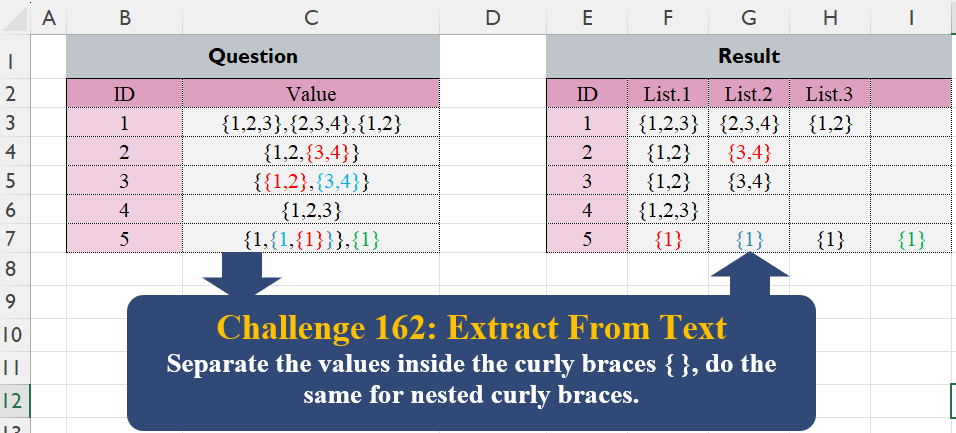
Challenge No. 161: Extract the list of dates associated with each product and display them under each other in separate columns.
Solved using:Excel (DROP, FILTER, HSTACK), Google Sheets, Power Query (Table.Group), Python, Python in Excel, and R.
Filter Last Transaction!
Challenge No. 158: From the question table, extract the last transaction per product for each month.
Solved using:Excel (DROP, FILTER, GROUPBY), Google Sheets, Power Query (Date.Month, Table.AddColumn, Table.Combine), Python, Python in Excel, and R.
Table Transformation! Part 18
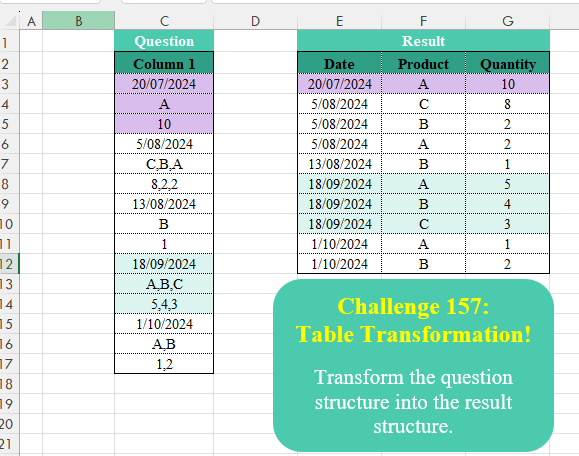
Challenge No. 157: Transform the question structure into the result structure.
Solved using:Excel (HSTACK, INDEX, LAMBDA), Google Sheets, Power Query (List.Split, List.Transform, Text.Split), Python, Python in Excel, and R.
Column Splitting! Part 3
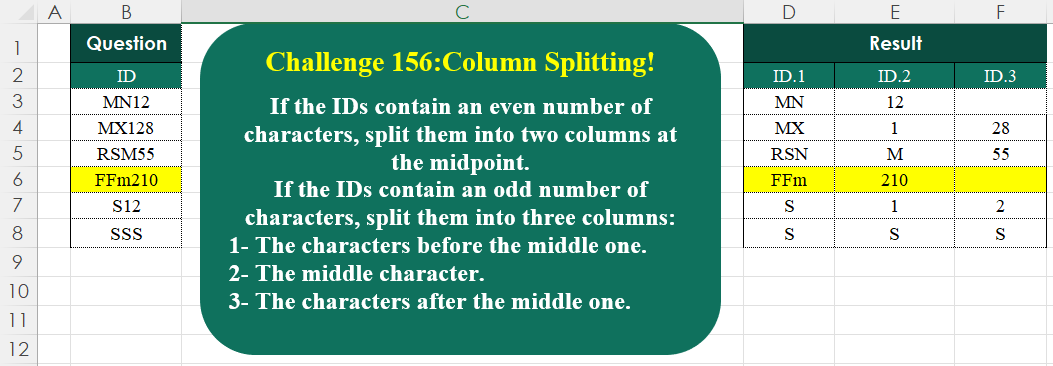
Challenge No. 156: If the IDs contain an even number of characters, split them into two columns at the midpoint.
Solved using:Excel (HSTACK, IF, IFNA), Google Sheets, Power Query (List.Transform, Text.End, Text.Start), Python, Python in Excel, and R.
Table Transformation! Part 17
Challenge No. 155: Transform the question table into the result table format.
Solved using:Excel (DROP, FILTER, HSTACK), Google Sheets, Power Query (List.Skip, List.Transform, Table.AddColumn), Python, Python in Excel, and R.
Add Index Column! Part 5
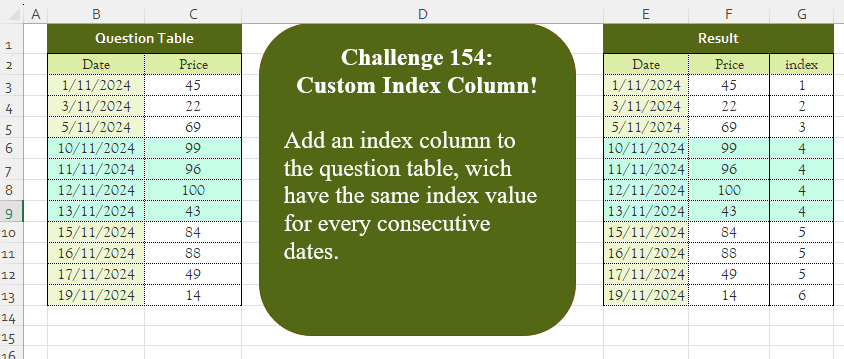
Challenge No. 154: Add an index column to the question table, which has the same index value for every consecutive date.
Solved using:Excel (DROP, IF, LAMBDA), Google Sheets, Power Query (Table.AddColumn, Table.AddIndexColumn, Table.Column), Python, Python in Excel, and R.
Custom Grouping! Part 10
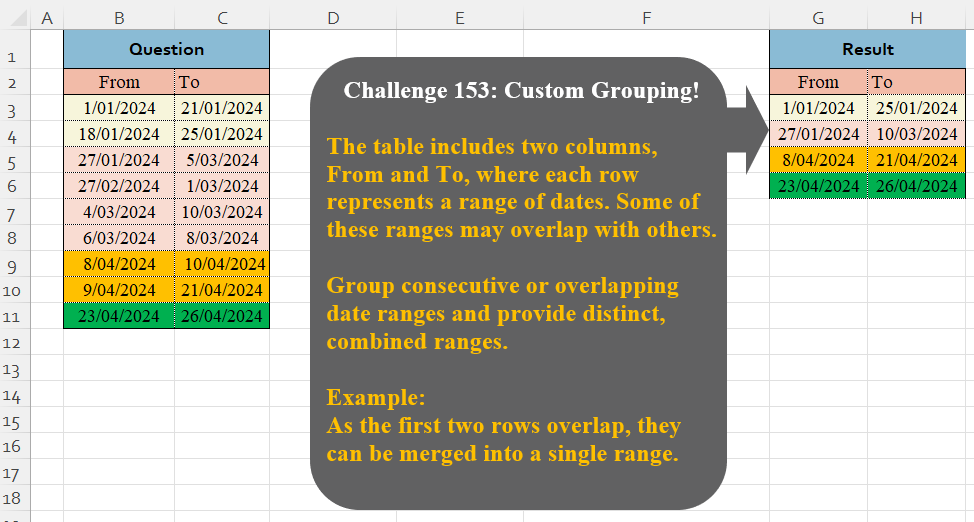
Challenge No. 153: The table includes two columns, From and To, where each row represents a range of dates.
Solved using:Excel (DROP, HSTACK, IF), Google Sheets, Power Query (Table.Group), Python, Python in Excel, and R.
Eight Queens Puzzle!
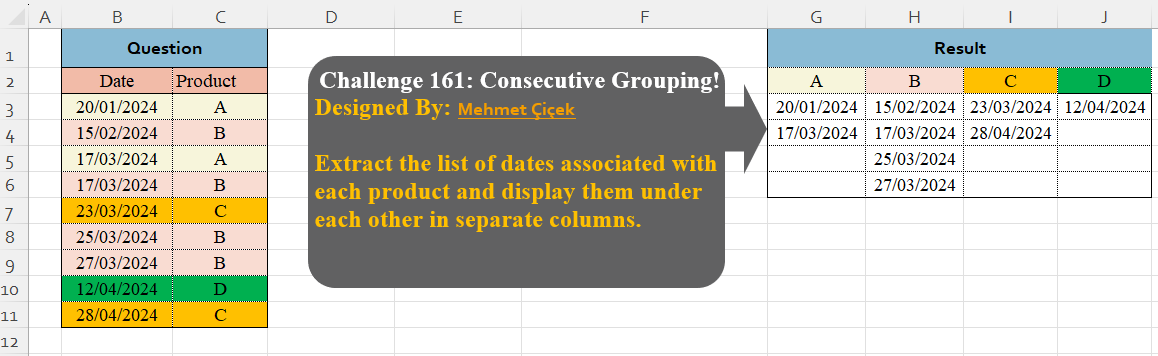
Challenge No. 150: Theeight-queenss puzzle is the problem of placing eight chess queens on an 8×8 chessboard so that no two queens threaten each other; thus, a solution requires that no two queens share the same row, column, or diagonal.
Solved using:Excel (DROP, IF, LAMBDA), Google Sheets, Power Query (List.Combine, List.Transform), and Python in Excel.