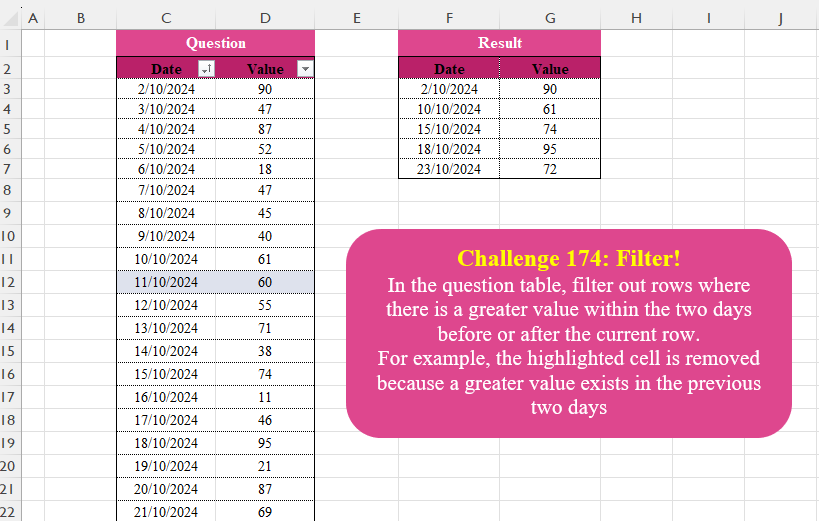
Challenge No. 174: In the question table, filter out rows where there is a greater value within the two days before or after the current row.
Solved using:Excel (AND, FILTER, IF), Google Sheets, Power Query (Table.SelectRows), Python, Python in Excel, and R.
Excel Challenges
Challenges related to Excel formulas.
Custom Grouping! Part 15
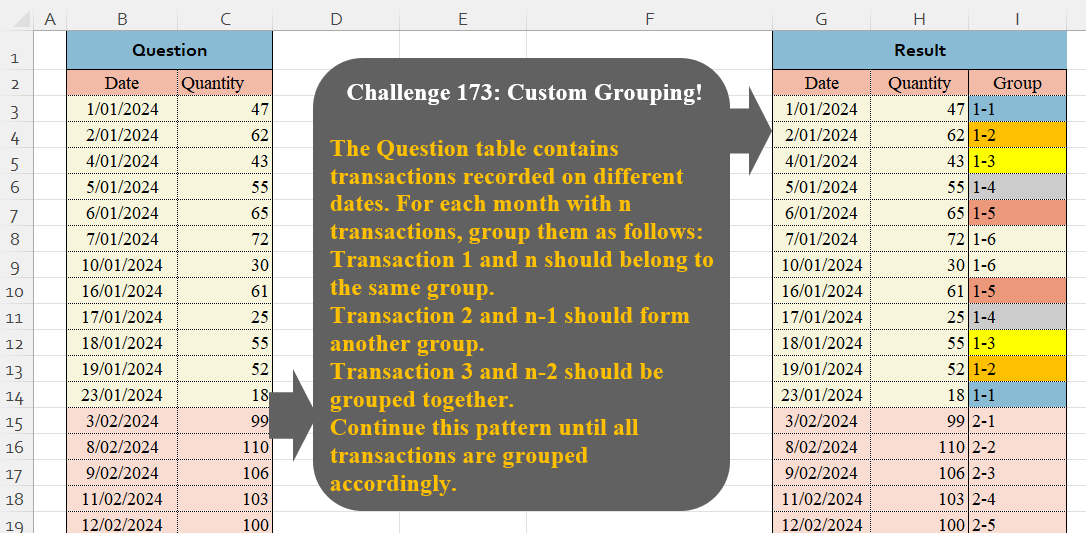
Challenge No. 173: The Question table contains transactions recorded on different dates.
Solved using:Excel (HSTACK, LAMBDA, LET), Google Sheets, Power Query (Table.Group, Date.Month, Table.AddIndexColumn), Python, Python in Excel, and R.
Performance!
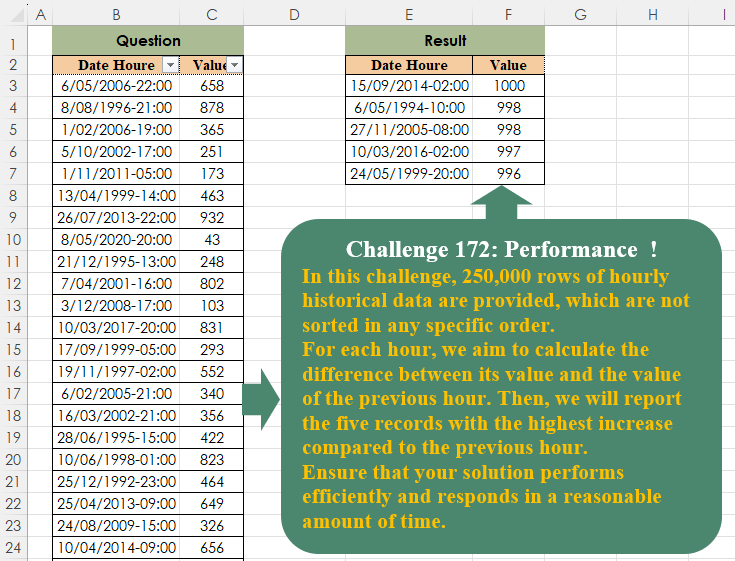
Challenge No. 172: In this challenge, 250,000 rows of hourly historical data are provided, which are not sorted in any specific order.
Solved using:Excel (DROP, LET, SORT), Google Sheets, Power Query (Table.AddColumn, Table.Sort), Python, Python in Excel, and R.
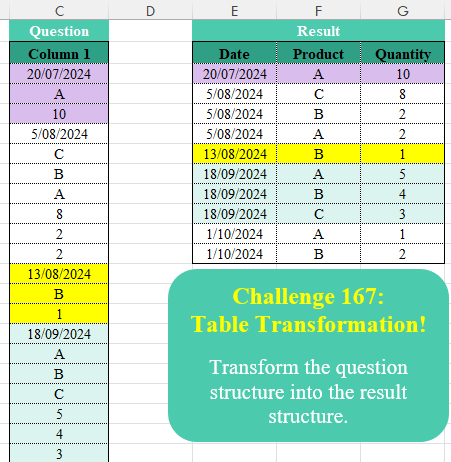
Table Transformation! Part 20
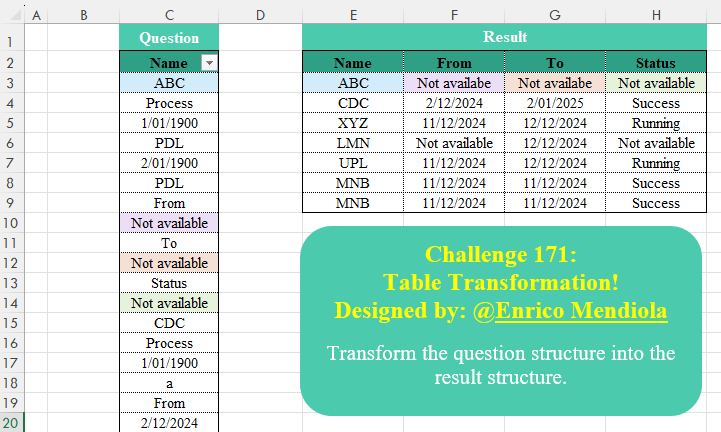
Challenge No. 171: Transform the question structure into the result structure.
Solved using:Excel (DROP, FILTER, HSTACK), Google Sheets, Power Query (List.Transform), Python, Python in Excel, and R.
Extract From Text! Part 7
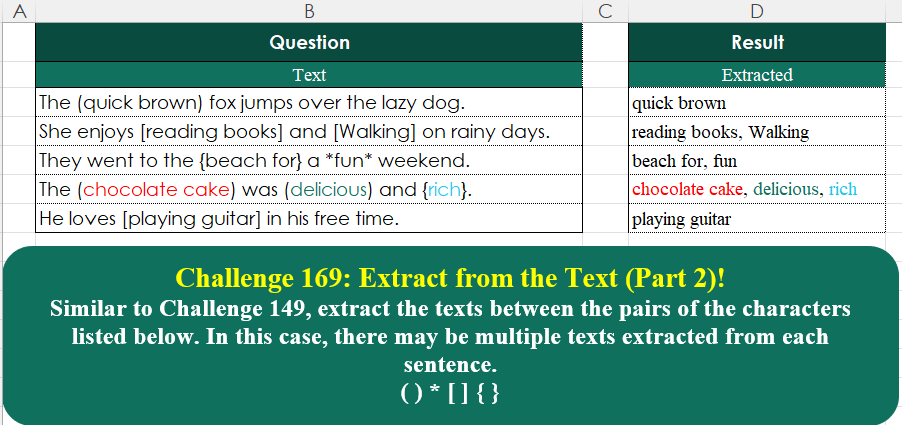
Challenge No. 169: Similar to Challenge 149, extract the texts between the pairs of the characters listed below.
Solved using:Excel (ARRAYTOTEXT, LAMBDA, MAP), Google Sheets, Power Query (List.Split, List.Transform, Text.Combine), Python, Python in Excel, and R.
Custom Grouping! Part 14
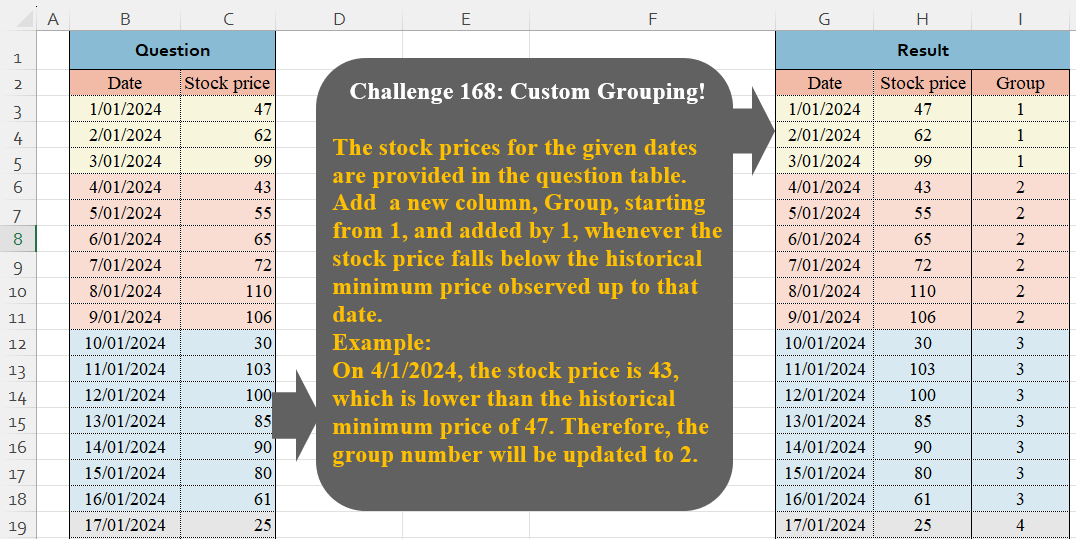
Challenge No. 168: The stock prices for the given dates are provided in the question table.
Solved using:Excel (IF, LAMBDA, LET), Google Sheets, Power Query (Table.Group, Table.AddIndexColumn, Table.ExpandTableColumn), Python, Python in Excel, and R.
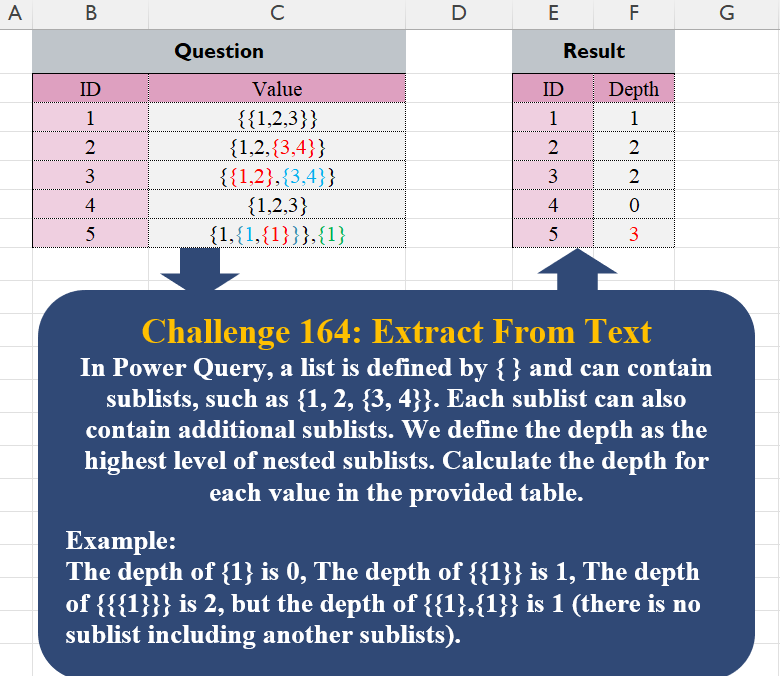
Table Transformation! Part 19
Challenge No. 167: Transform the question structure into the result structure.
Solved using:Excel (FILTER, HSTACK, IF), Google Sheets, Power Query (List.Skip, List.Split, Table.AddColumn), Python, Python in Excel, and R.
Time Zone!
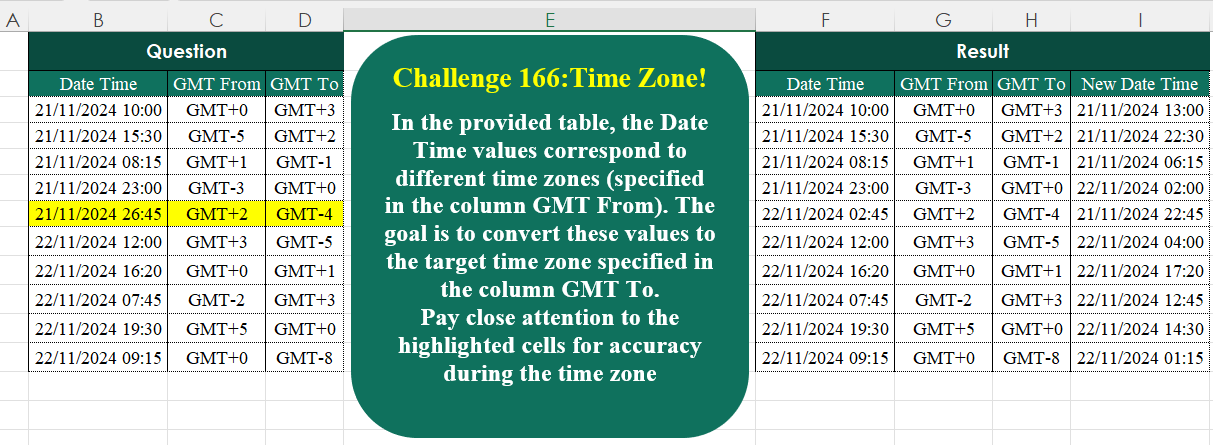
Challenge No. 166: In the provided table, the Date Time values correspond to different time zones (specified in the column GMT From).
Solved using:Excel (BYROW, HSTACK, LAMBDA), Google Sheets, Power Query (Text.End), Python, Python in Excel, and R.
Custom Grouping! Part 13
Challenge No. 165: Based on monthly transactions, categorize each customer for each month into one of the following groups:
New: A customer who has never made a purchase in previous months.
Solved using:Excel (FILTER, HSTACK, IF), Google Sheets, Power Query (Table.Group, List.Difference, List.Distinct), Python, and R.
Extract From Text! Part 6
Challenge No. 164: In Power Query, a list is defined by { } and can contain sublists, such as {1, 2, {3, 4}}.
Solved using:Excel, Google Sheets, Power Query, Python, and R.