
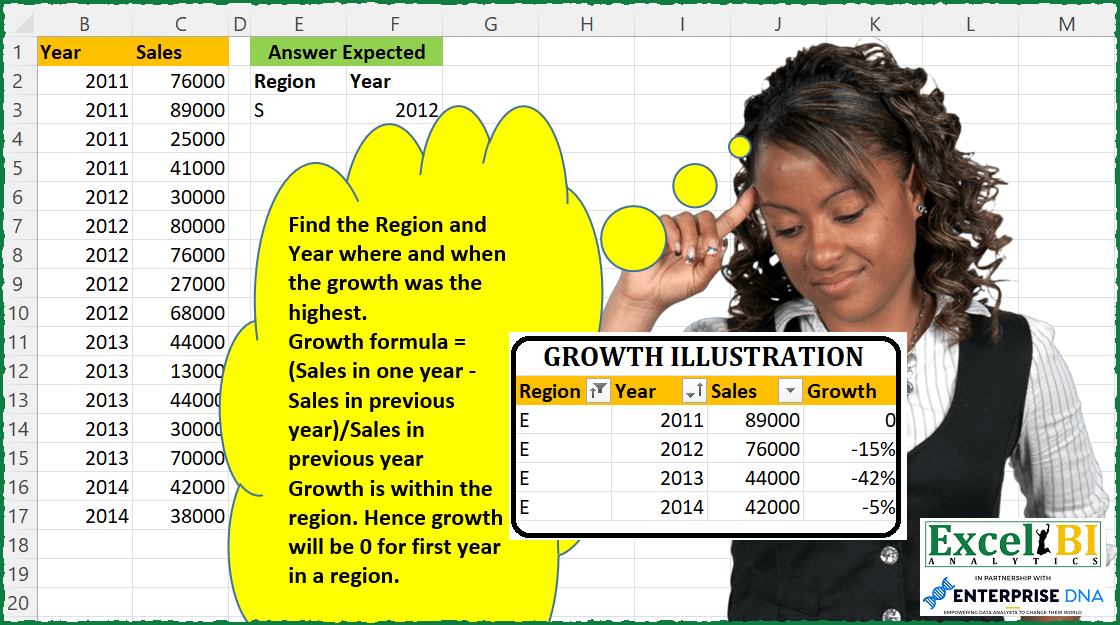
Challenge No. 87: Find the Region and Year where and when the growth was the highest.
Solved using: DAX.
Challenges categorized by difficulty level.
Challenge No. 87: Find the Region and Year where and when the growth was the highest.
Solved using: DAX.
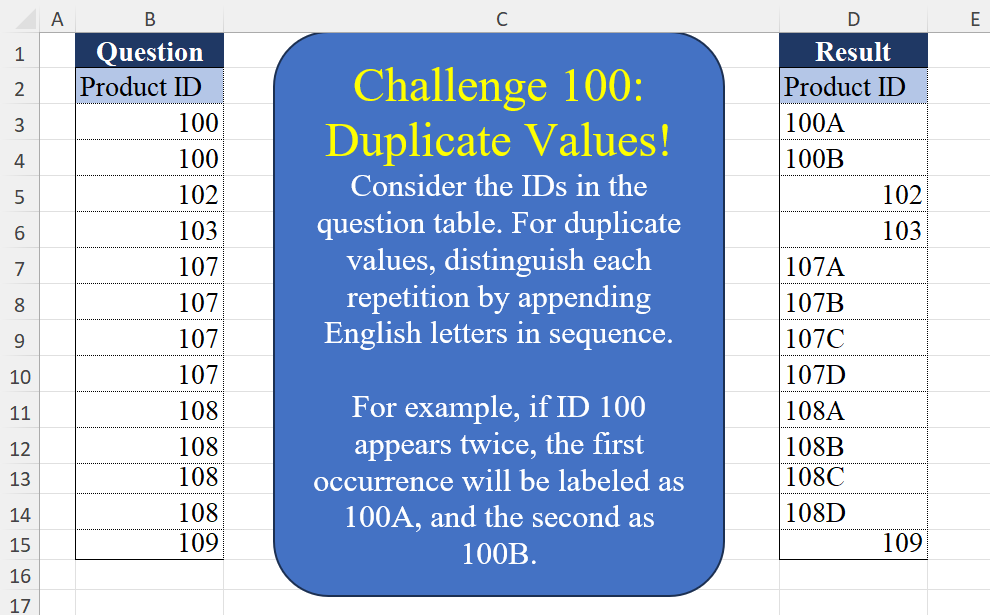
Challenge No. 100: Consider the IDs in the question table.
Solved using:Excel (CHAR, COUNTIF, COUNTIFS), Google Sheets, Power Query (List.Transform, Table.AddColumn, Table.Group), Python, Python in Excel, and R.
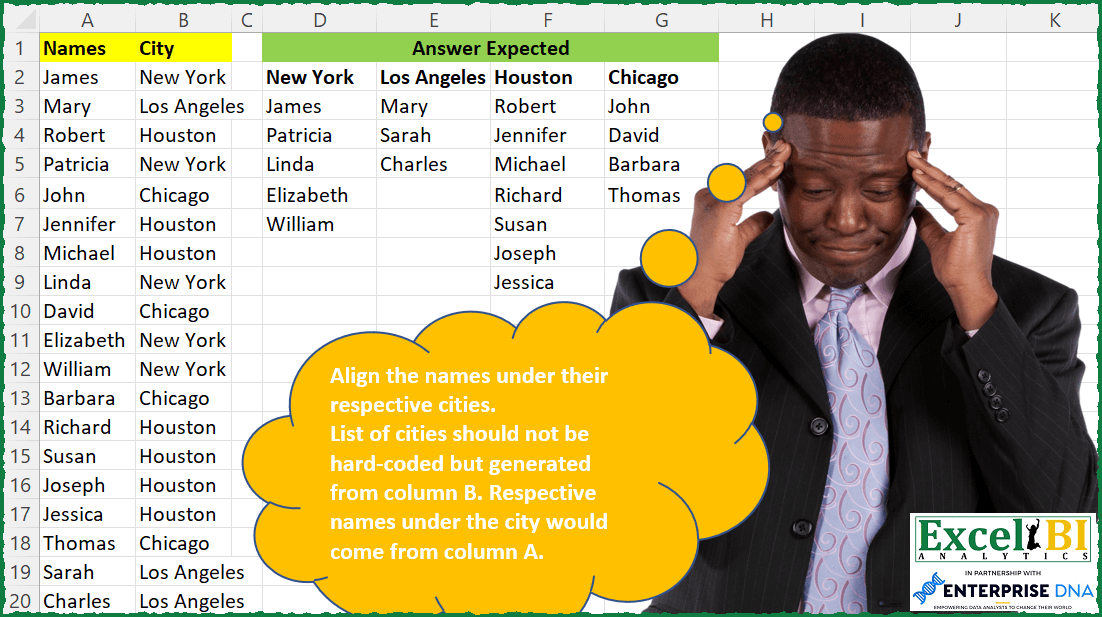
Challenge No. 86: Align the names under their respective cities.
Solved using: Power Query.
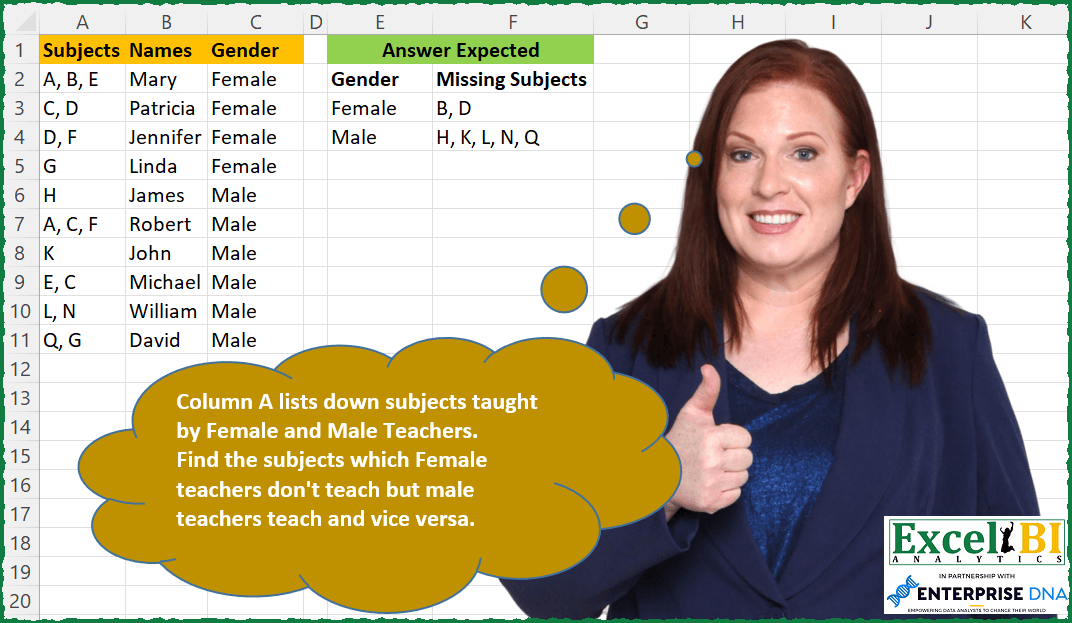
Challenge No. 85: Column A lists down subjects taught by Female and Male Teachers.
Solved using: SQL.
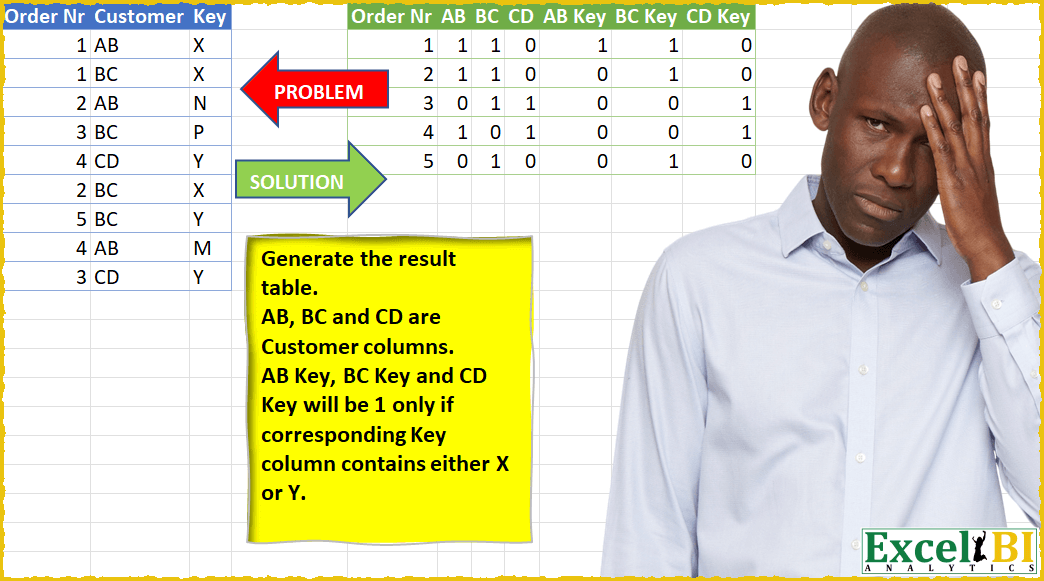
Challenge No. 24: Generate the result table.
Solved using: Power Query (List.Distinct).
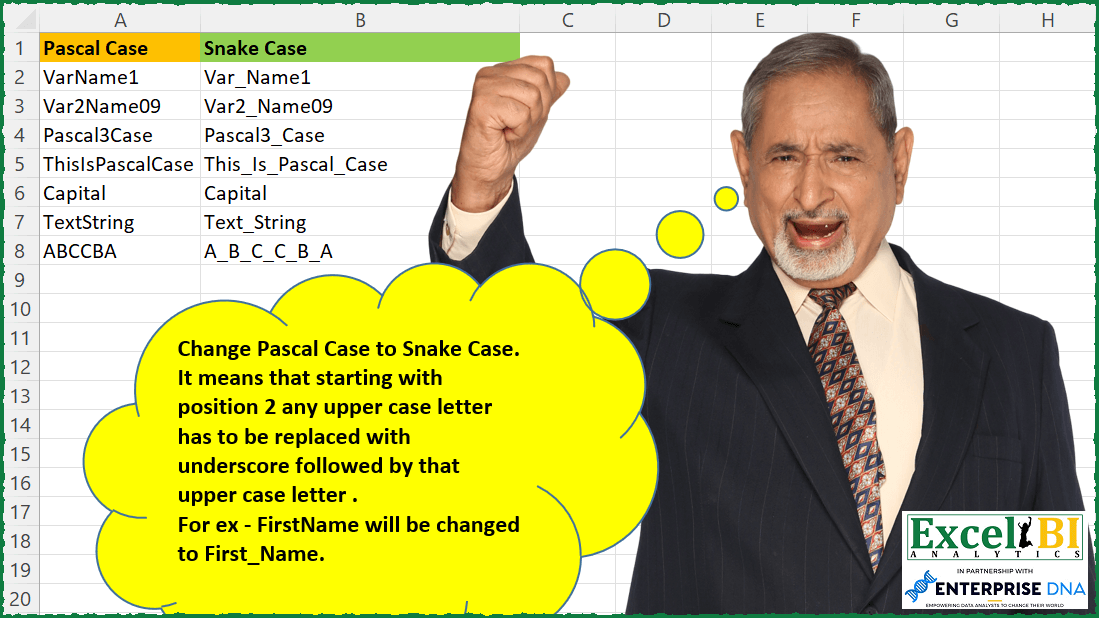
Challenge No. 84: Change Pascal Case to Snake Case.
Solved using: Python in Excel.
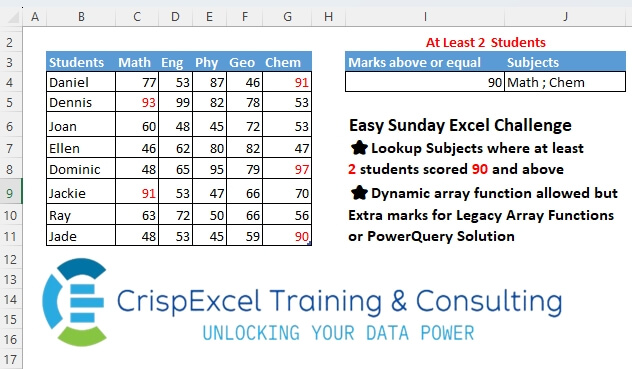
Challenge No. 19: Lookup Subjects where at least 2 students scored 90 and above Dynamic array function allowed, but Extra marks for Legacy Array Functions or PowerQuery Solution.
Solved using: Power Query.

Challenge No. 83: Generate the output as shown in picture.
Solved using: SQL.
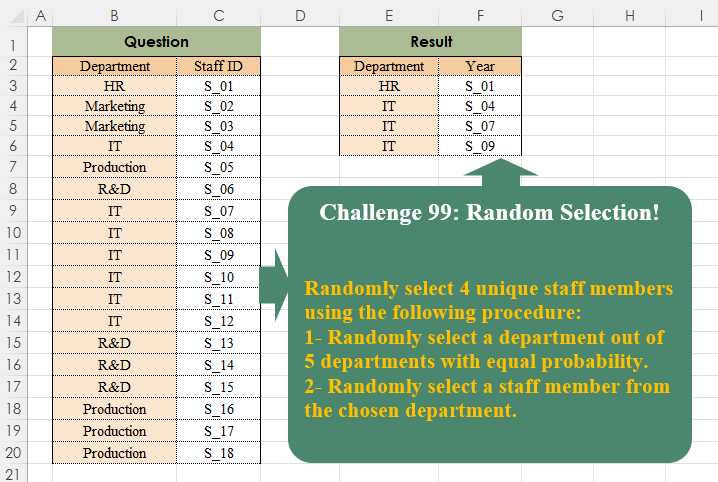
Challenge No. 99: Randomly select 4 unique staff members using the following procedure:
1- Randomly select a department out of 5 departments with equal probability.
Solved using:Excel, Power Query, and R.
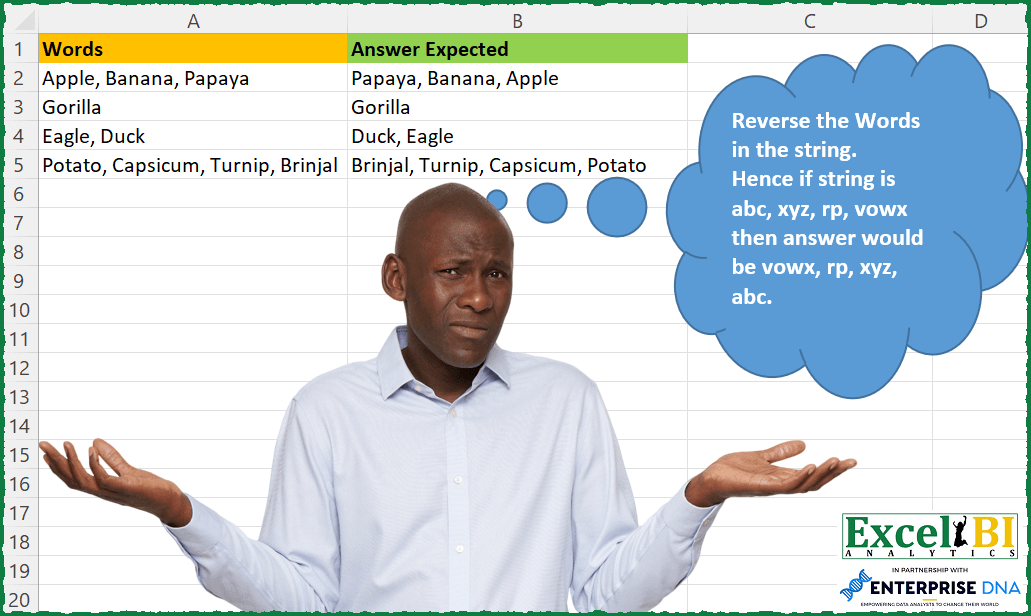
Challenge No. 82: Reverse the Words in the string.
Solved using: SQL.