
Challenge No. 2: (Excel formulas also welcome)
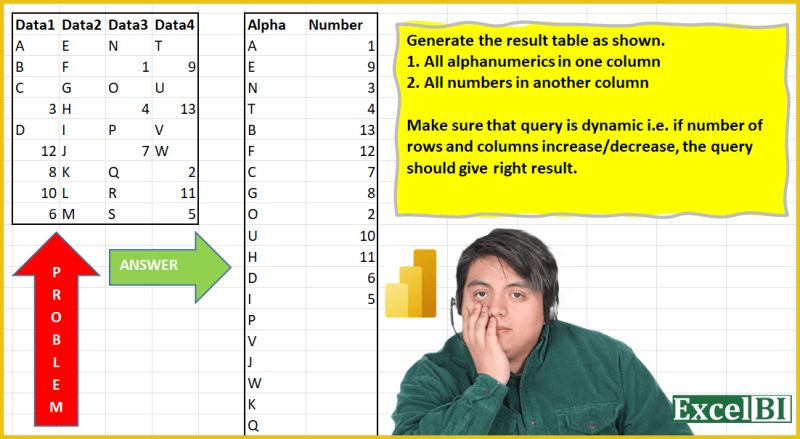
Extract all alphabets in one column and numbers in another column.
Solved using: Python in Excel.
Slightly challenging problems for learners.
Challenge No. 2: (Excel formulas also welcome)
Extract all alphabets in one column and numbers in another column.
Solved using: Python in Excel.
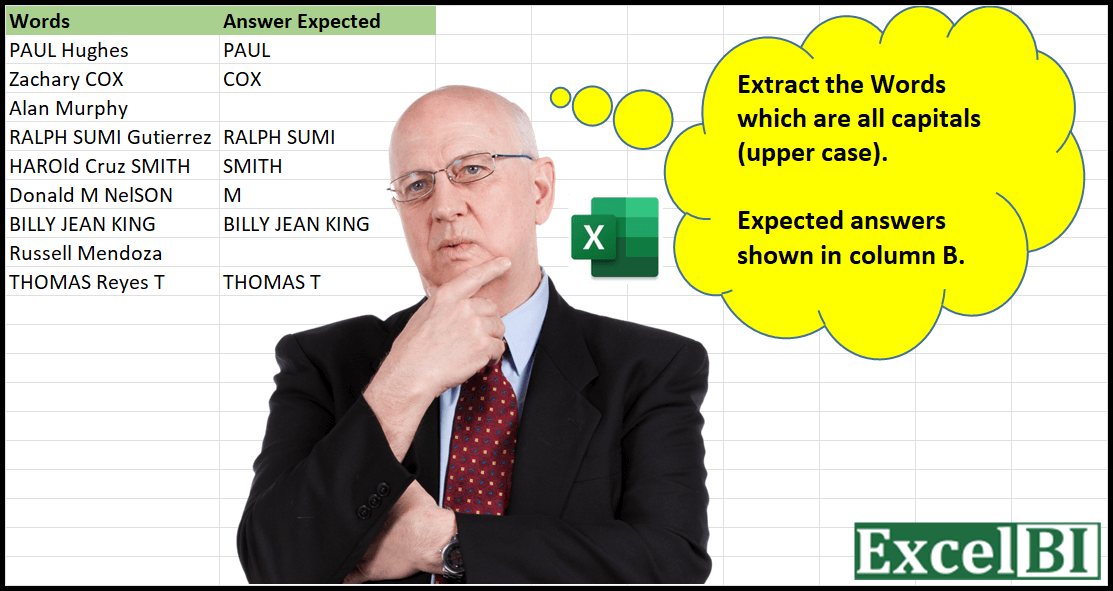
Challenge No. 4: Provide a formula to Extract the Words which are all capitals (upper case).
Solved using: Python in Excel.
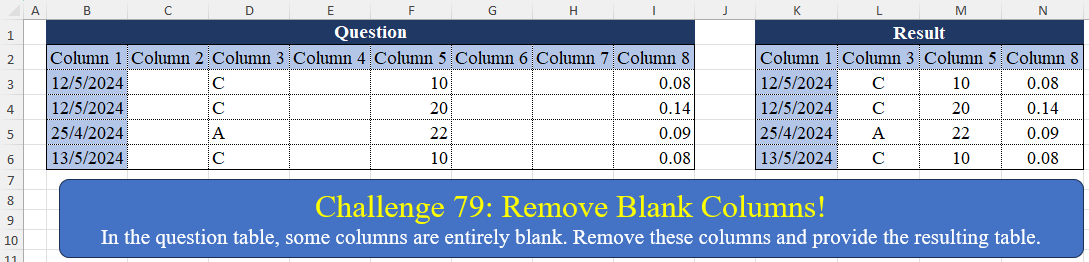
Challenge No. 79: In the question table, some columns are entirely blank.
Solved using:Excel (BYCOL, FILTER), Power Query (List.Transform, Table.Column, Table.ColumnNames), Python, Python in Excel, R, and VBA.

Challenge No. 58: In this challenge, we aim to find an efficient way to calculate the stepped tax based on the tax rates presented in the question table.
Solved using:Excel (LAMBDA, LET, MAP), Power Query (Table.AddColumn), Python, and R.
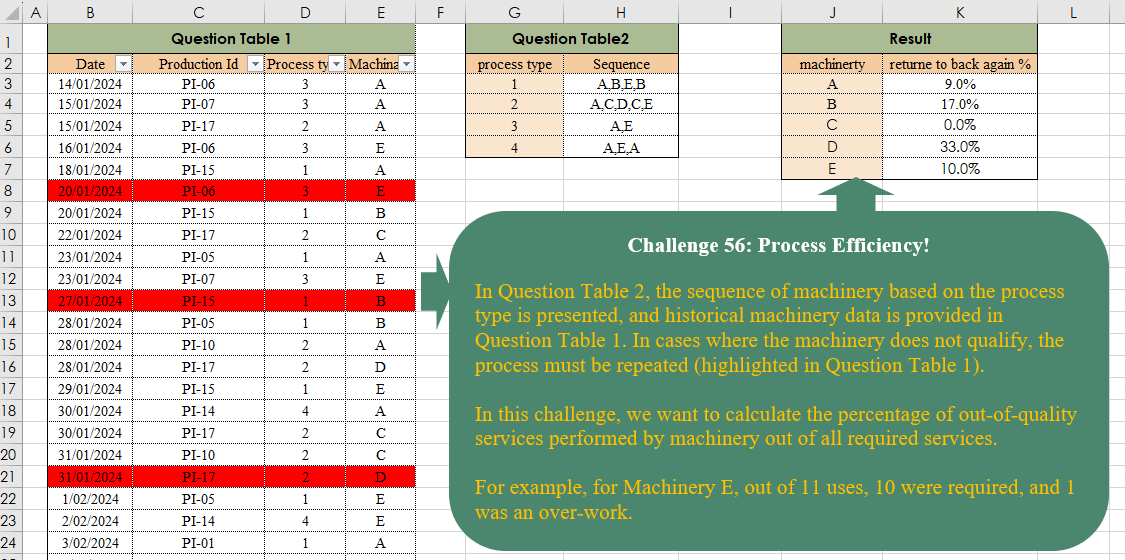
Challenge No. 56: In Question Table 2, the sequence of machinery based on the process type is presented, and historical machinery data is provided in Question Table 1.
Solved using:Excel, and Power Query.
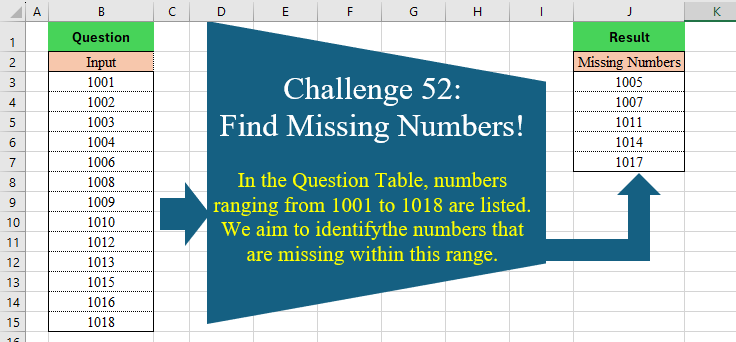
Challenge No. 52: In the Question Table, numbers ranging from 1001 to 1018 are listed.
Solved using:DAX, Excel (COUNTIF, FILTER, IF), Power Query (List.Difference), Python, Python in Excel, R, SQL, and VBA.
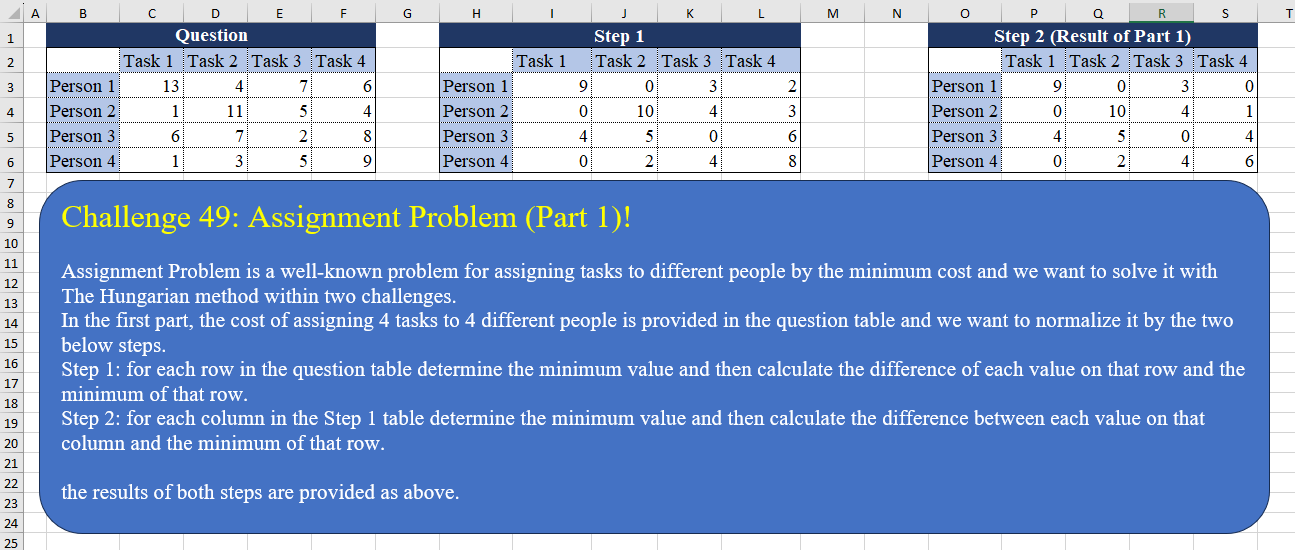
Challenge No. 49: Assignment Problem is a well-known problem for assigning tasks to different people by the minimum cost and we want to solve it with The Hungarian method within two challenges.
Solved using:Excel (BYCOL, BYROW, HSTACK), Power Query (List.Skip, List.Transform, Table.Column), Python, and R.

Challenge No. 42: In the question table, a list of patients is provided who are scheduled to visit the doctor for consultations and surgery.
Solved using:Excel (CHOOSECOLS, DROP, FILTER), Power Query (Text.Combine, Table.Group, Table.SelectRows), Python, and R.
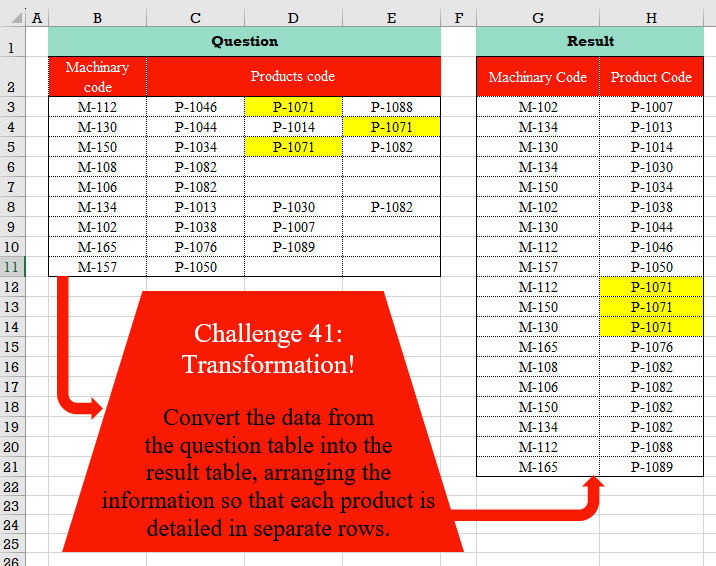
Challenge No. 41: Convert the data from the question table into the result table, arranging the information so that each product is detailed in separate rows.
Solved using:Excel (FILTER, HSTACK, LET), Power Query (List.Transform, Table.RemoveColumns, Table.Sort), Python, and R.
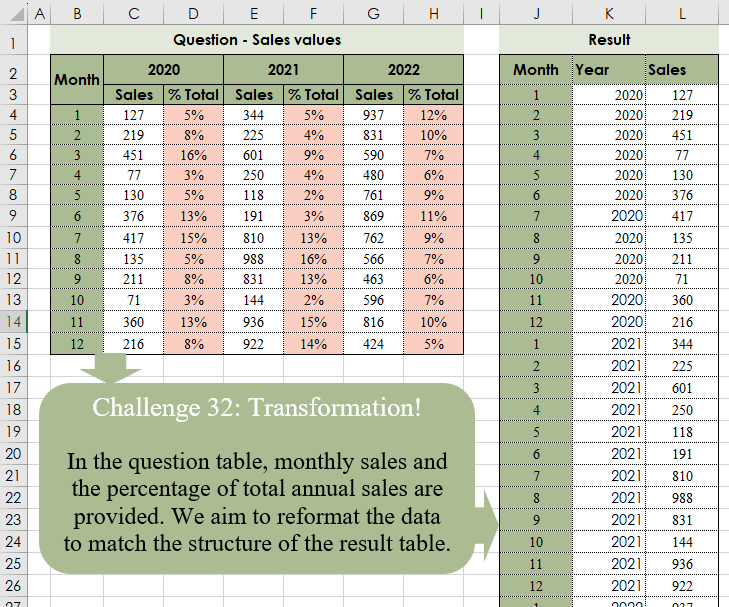
Challenge No. 32: In the question table, monthly sales and the percentage of total annual sales are provided.
Solved using:Excel (CHOOSECOLS, CHOOSEROWS, DROP), Power Query (Table.Column, Table.ColumnNames, Table.Sort), Python, and R.