
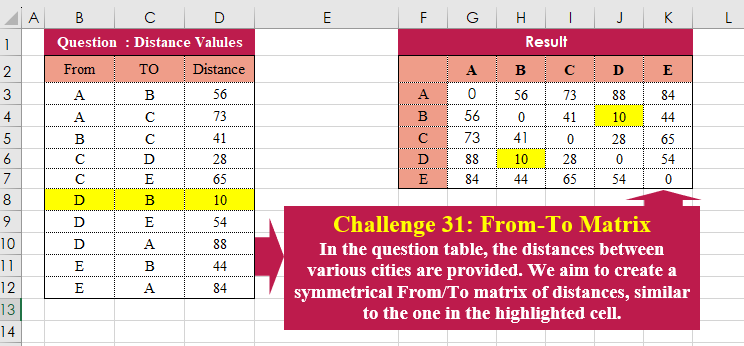
Challenge No. 31: In the question table, the distances between various cities are provided.
Solved using:Excel (HSTACK, LAMBDA, LET), Power Query (Table.Column, Table.ColumnNames), Python, and R.
Slightly challenging problems for learners.
Challenge No. 31: In the question table, the distances between various cities are provided.
Solved using:Excel (HSTACK, LAMBDA, LET), Power Query (Table.Column, Table.ColumnNames), Python, and R.
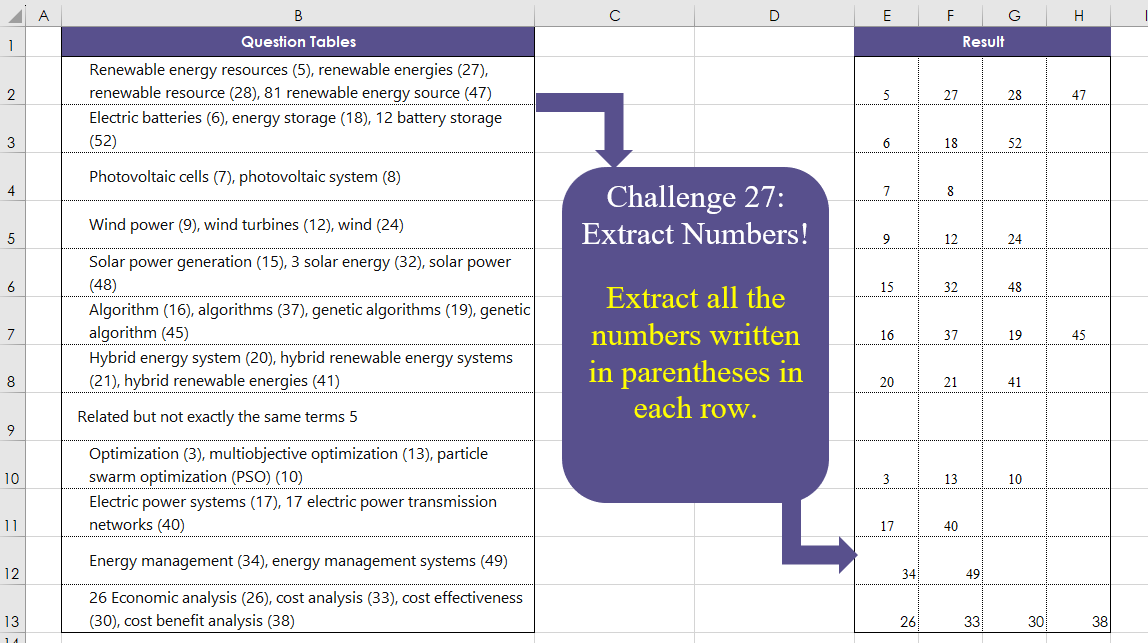
Challenge No. 27: Extract all the numbers written in parentheses in each row.
Solved using:Excel (DROP, IFERROR, IFNA), Power Query (List.Transform, Text.BetweenDelimiters, Table.AddColumn), Python, and R.

Challenge No. 26: The provided question table contains information regarding the amount of time individuals spend in meetings with each other, and we want to generate a result table that displays the percentage of time each person (G3:G7) spends with others (H2:L2), ensuring that the sum of each row equals 100%.
Solved using:Excel (HSTACK, INDEX, LAMBDA), and Power Query (Table.AddColumn).
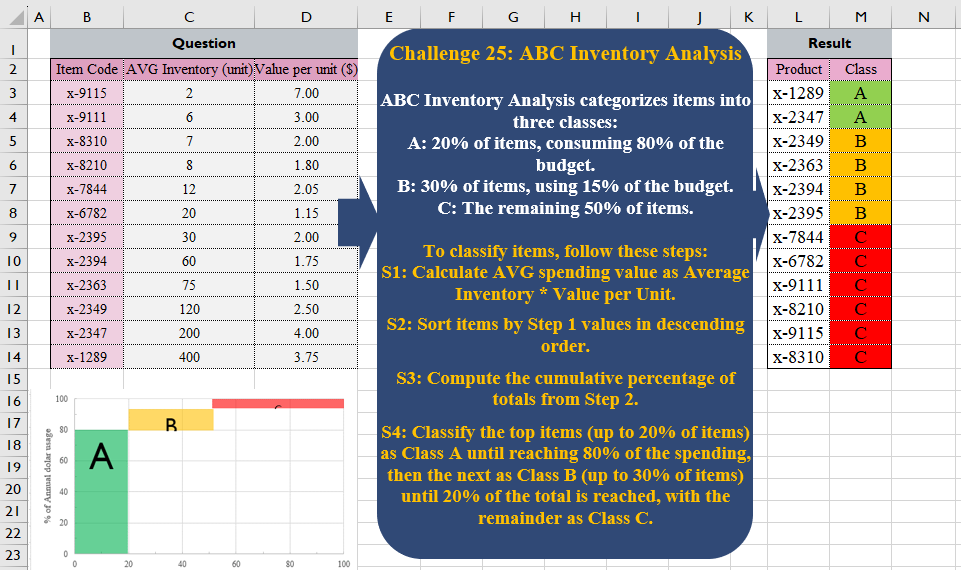
Challenge No. 25: ABC Inventory Analysis categorizes items into three classes:
A: 20% of items, consuming 80% of the budget.
Solved using:Excel (CHOOSECOLS, HSTACK, LET), Power Query (Table.AddColumn), Python, and R.
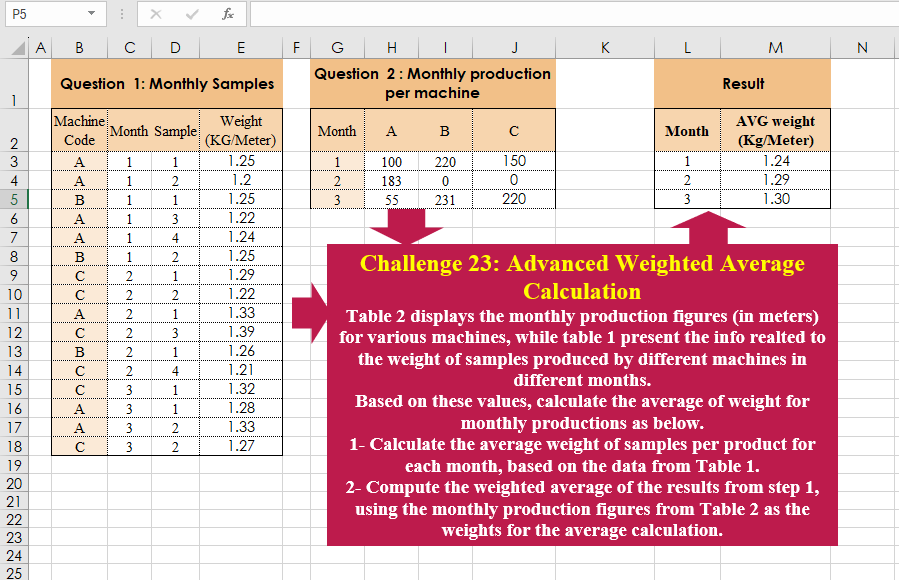
Challenge No. 23: Table 2 displays the monthly production figures (in meters) for various machines, while table 1 present the info realted to the weight of samples produced by different machines in different months.
Solved using:Excel (CHOOSECOLS, HSTACK, LAMBDA), Power Query (Table.AddColumn, Table.Group), and R.
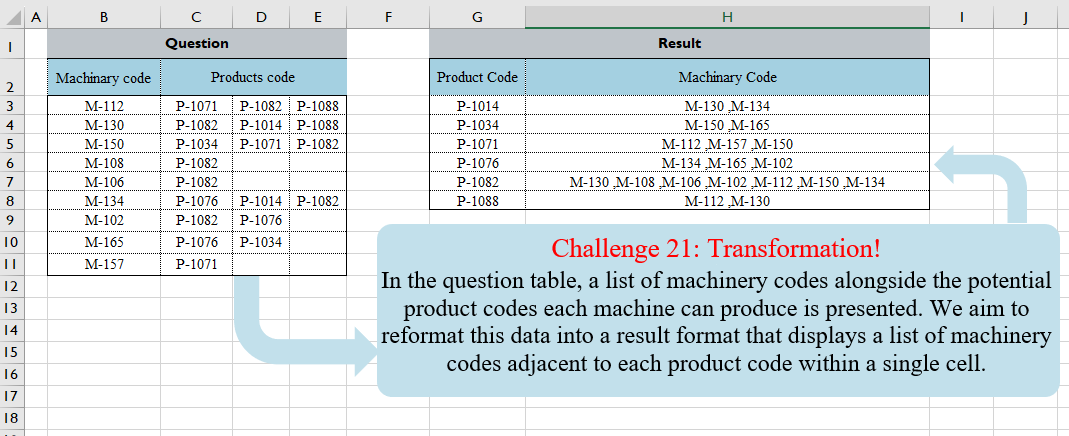
Challenge No. 21: In the question table, a list of machinery codes alongside the potential product codes each machine can produce is presented.
Solved using:Excel (FILTER, HSTACK, LAMBDA), Power Query (Text.Combine, Table.Group, Table.Sort), and R.
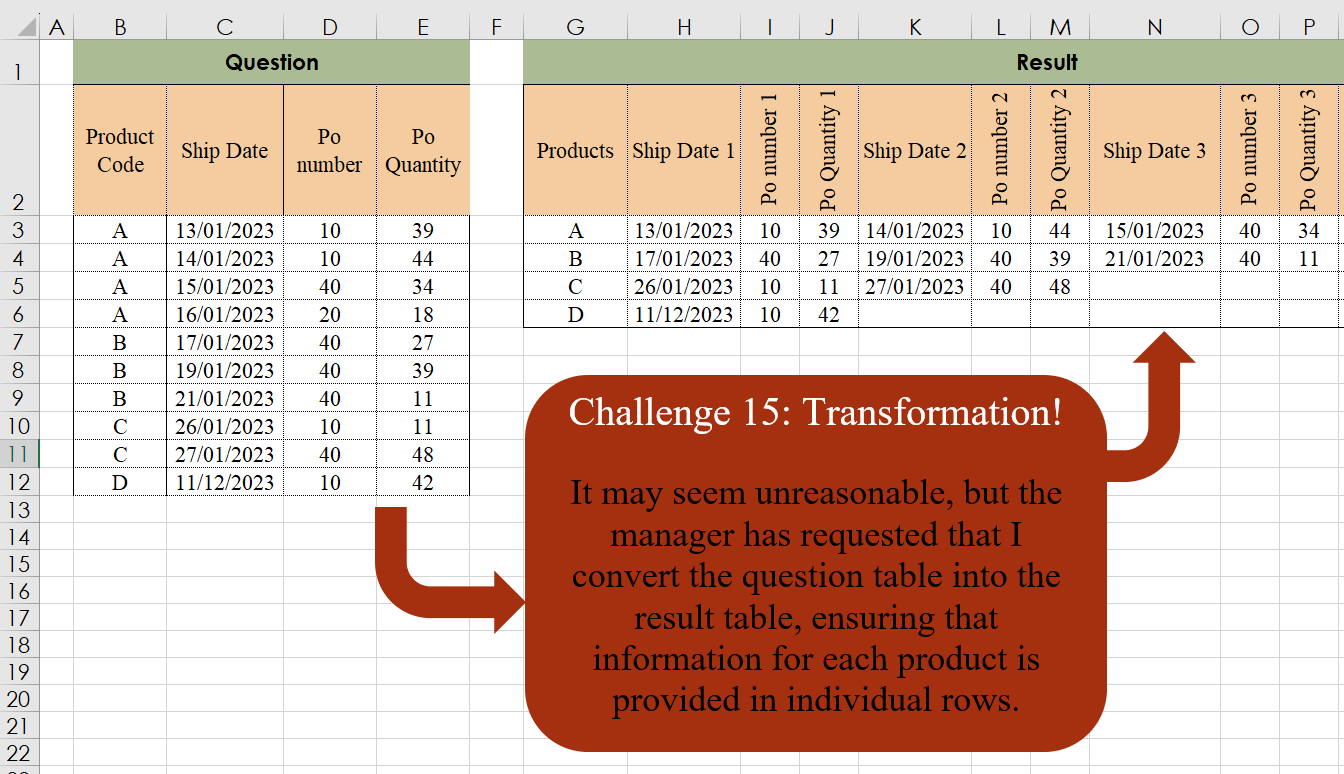
Challenge No. 15: It may seem unreasonable, but the manager has requested that I convert the question table into the result table, ensuring that information for each product is provided in individual rows.
Solved using:Excel, Power Query, and R.
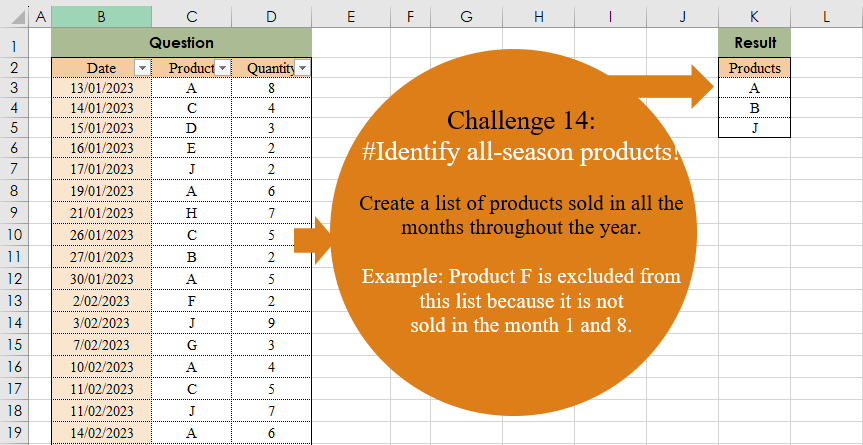
Challenge No. 14: Create a list of products sold in all the months throughout the year.
Solved using:Excel (COUNT, FILTER, LAMBDA), Power Query (Date.Month, List.Distinct, List.Transform), and R.
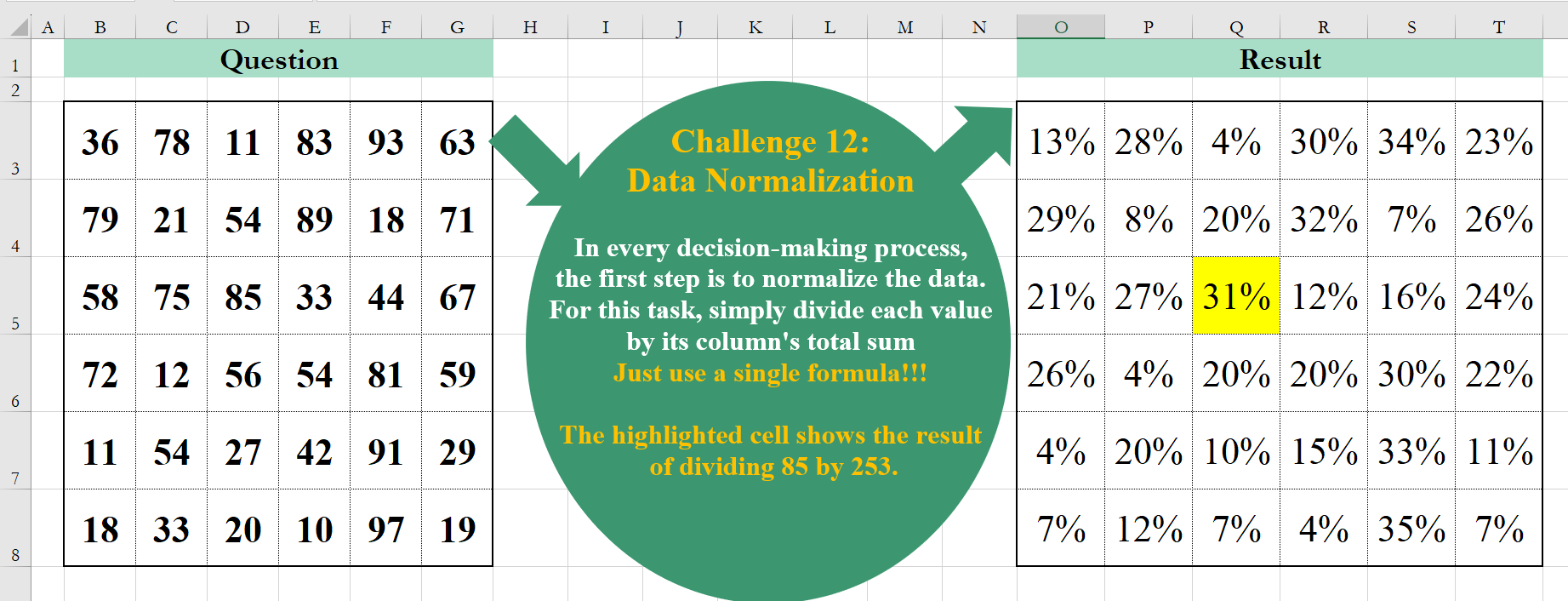
Challenge No. 12: In every decision-making process, the first step is to normalize the data.
Solved using:Excel (BYCOL, LAMBDA), Google Sheets, Power Query (List.Transform, Table.FromColumns, Table.ToColumns), R, and VBA.

Challenge No. 11: Extract all item codes that are repeated at least in 3 out of 4 lists presented in the question table.
Solved using:Excel (BYCOL, FILTER, LAMBDA), Power Query (List.Combine, List.Distinct, List.Transform), and R.