
Challenge No. 20: Analyse the sales data by Financial Year and Financial Quaters
Assume the Financial year starts in April
Dynamic array function allowed, but Extra marks for Legacy solutions or PowerQuery Solution.
Solved using: Python in Excel.

Adds a new column to a table with computed values in Power Query.
Challenge No. 20: Analyse the sales data by Financial Year and Financial Quaters
Assume the Financial year starts in April
Dynamic array function allowed, but Extra marks for Legacy solutions or PowerQuery Solution.
Solved using: Python in Excel.
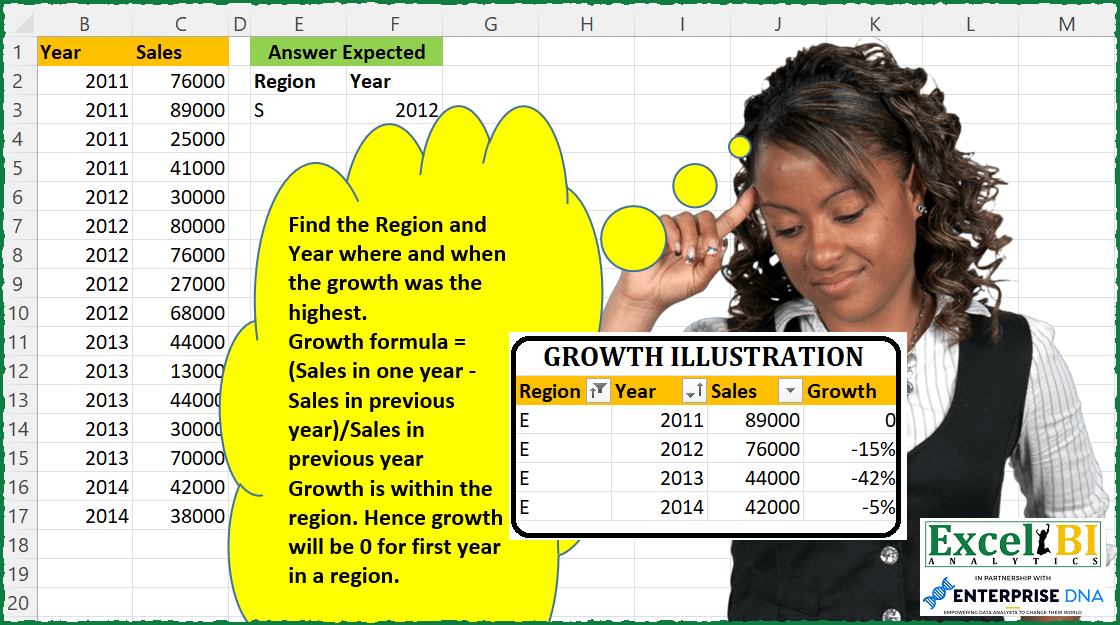
Challenge No. 87: Find the Region and Year where and when the growth was the highest.
Solved using: DAX.
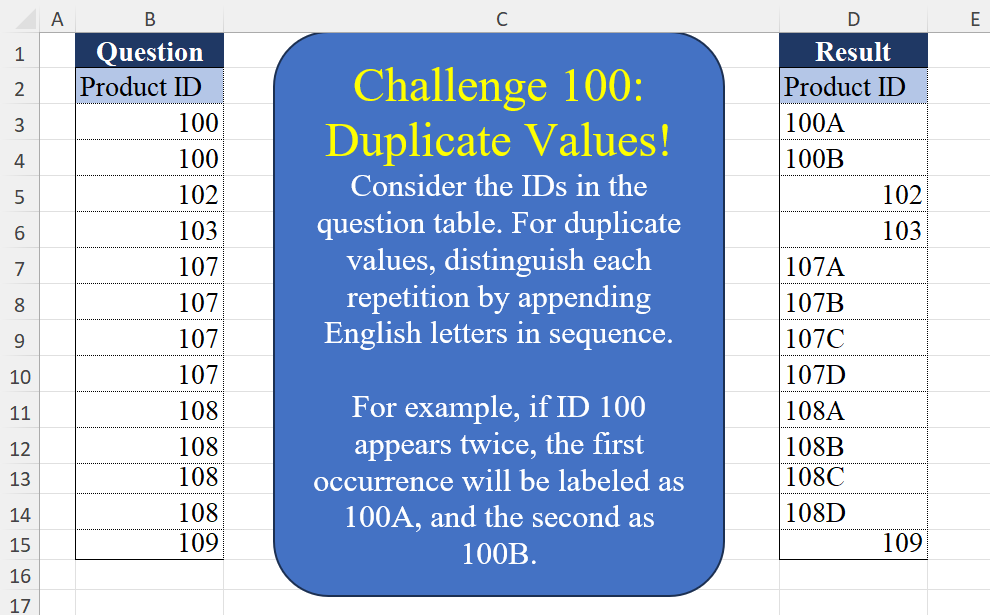
Challenge No. 100: Consider the IDs in the question table.
Solved using:Excel (CHAR, COUNTIF, COUNTIFS), Google Sheets, Power Query (List.Transform, Table.AddColumn, Table.Group), Python, Python in Excel, and R.
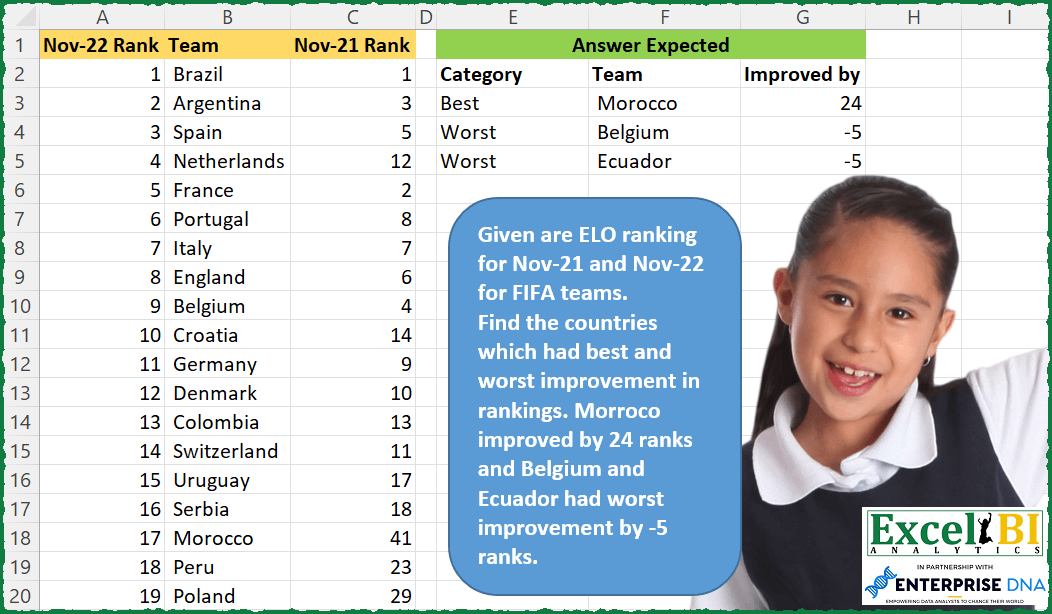
Challenge No. 77: — This week will be FIFA World Cup week.
Solved using: SQL.
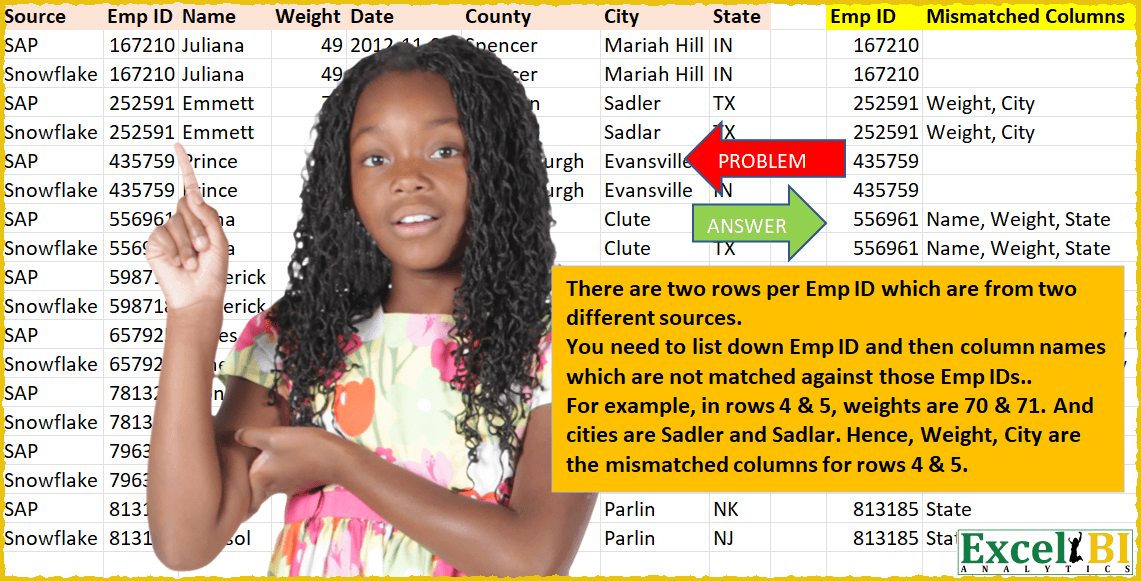
Challenge No. 20: There are two rows per Emp ID which are from two different sources.
Solved using: Power Query (Table.AddColumn).
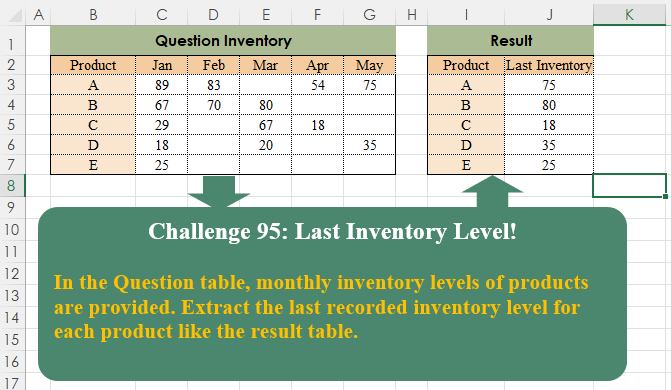
Challenge No. 95: In the Question table, monthly inventory levels of products are provided.
Solved using:Excel (BYROW, FILTER, HSTACK), Google Sheets, Power Query (List.RemoveNull, Table.AddColumn, Table.Group), Python, Python in Excel, and R.
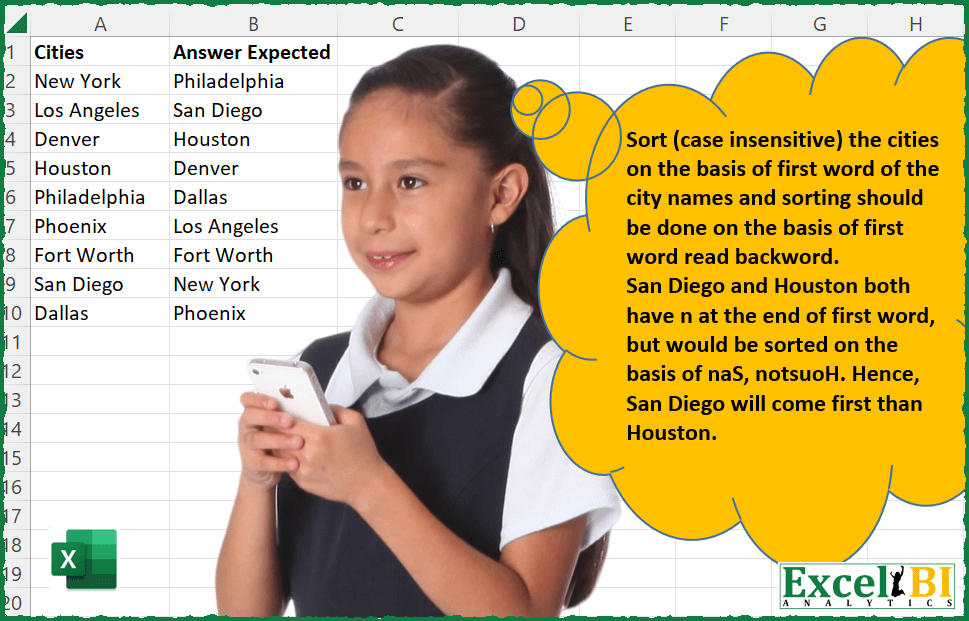
Challenge No. 48: Sort (case insensitive) the cities on the basis of first word of the city names and sorting should be done on the basis of first word read backward i.
Solved using: Power Query (Table.AddColumn, Table.Sort).

Challenge No. 14: (Excel formulas also welcome)
A process gets executed in steps A through D in order (not all steps are necessary in the process but the order defines when the process has started and when it has ended.
Solved using: Power Query (Table.AddColumn, Table.AddIndexColumn).
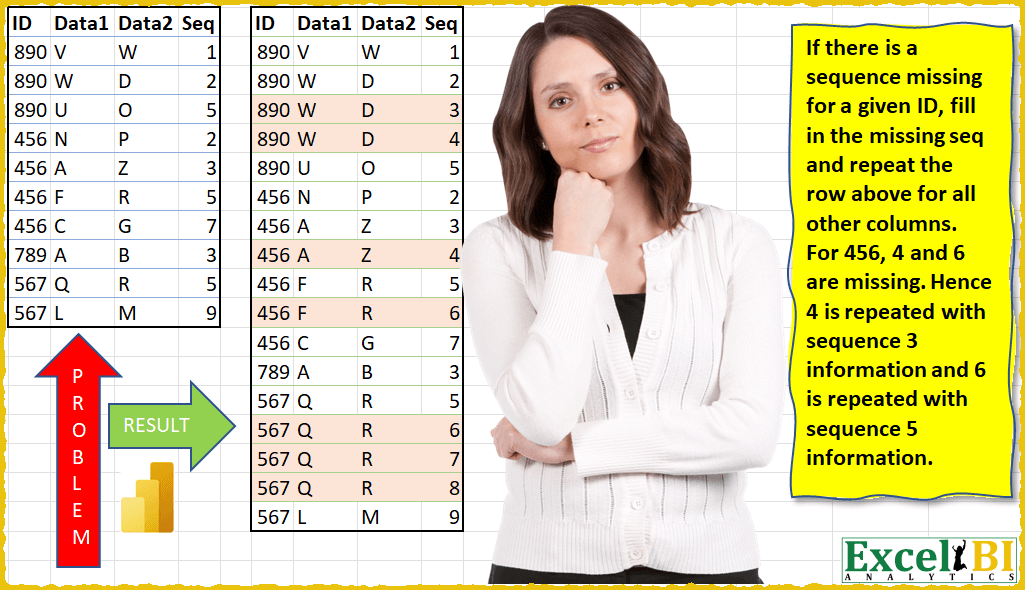
Challenge No. 12: (Excel formulas also welcome)
If there is a sequence missing for a given ID, fill in the missing sequence and repeat the row above for all other columns.
Solved using: Power Query (Table.AddColumn, Table.ExpandTableColumn, Table.Group).
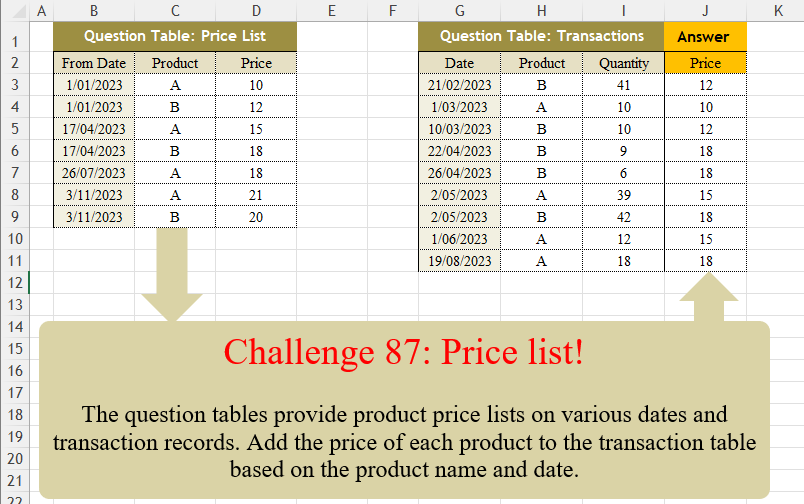
Challenge No. 87: The question tables provide product price lists on various dates and transaction records.
Solved using:Excel (FILTER, LAMBDA, LOOKUP), Power Query (Table.AddColumn, Table.SelectRows), Python, Python in Excel, R, and VBA.