
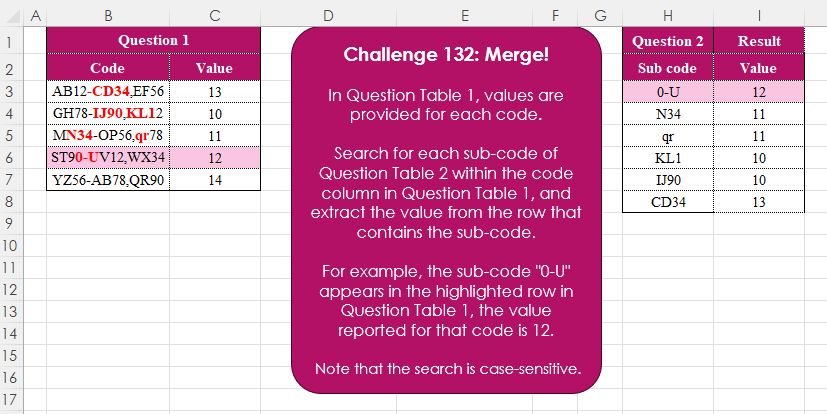
Challenge No. 132: In Question Table 1, values are provided for each code.
Solved using:Excel (FILTER, FIND, ISNUMBER), Google Sheets, Power Query (Text.Contains, Table.AddColumn, Table.SelectRows), Python, Python in Excel, R, and VBA.
Python programming for data analysis
Challenge No. 132: In Question Table 1, values are provided for each code.
Solved using:Excel (FILTER, FIND, ISNUMBER), Google Sheets, Power Query (Text.Contains, Table.AddColumn, Table.SelectRows), Python, Python in Excel, R, and VBA.
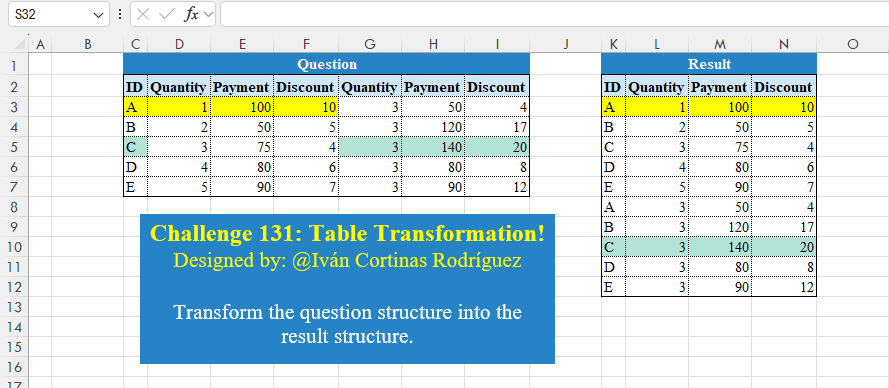
Challenge No. 131: Transform the question structure into the result structure.
Solved using:Excel (HSTACK, LET, ROWS), Google Sheets, Power Query (List.Skip, List.Split, List.Transform), Python, Python in Excel, and R.
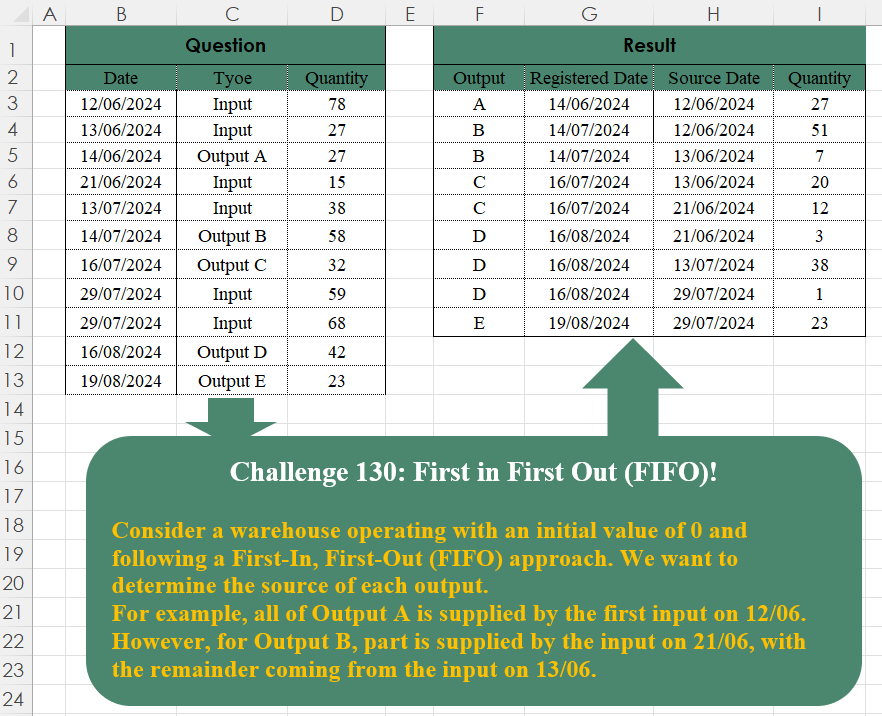
Challenge No. 130: Consider a warehouse operating with an initial value of 0 and following a First-In, First-Out (FIFO) approach.
Solved using:Excel (FILTER, TAKE), Google Sheets, Power Query (Table.SelectRows), Python, Python in Excel, and R.
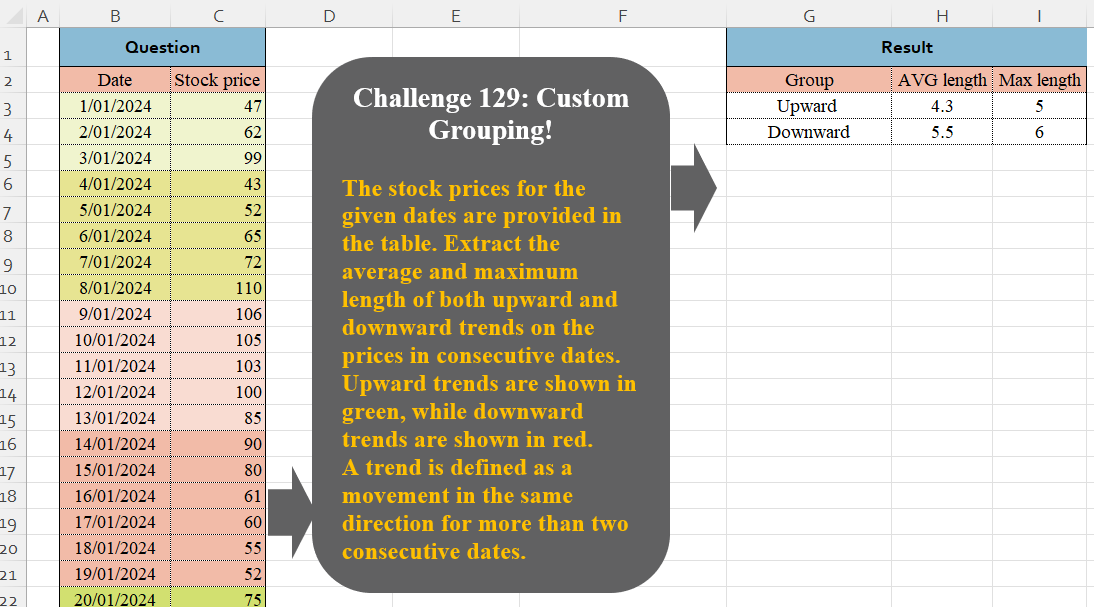
Challenge No. 129: The stock prices for the given dates are provided in the table.
Solved using:Excel (DROP, GROUPBY, HSTACK), Google Sheets, Power Query (Table.Group, Table.AddColumn, Table.Group), Python in Excel, and R.
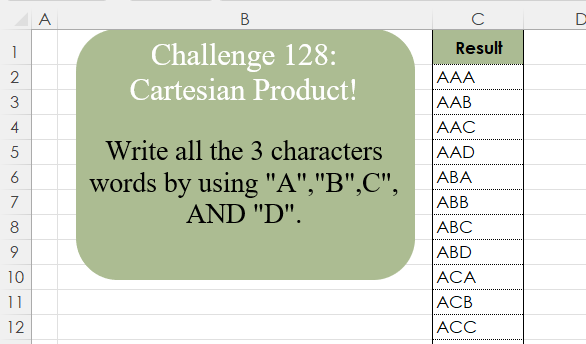
Challenge No. 128: Write all the 3 character words by using “A”,”B”,C”, AND “D”.
Solved using:Excel (LAMBDA, LET, REDUCE), Google Sheets, Power Query (List.Transform, List.TransformMany), Python, Python in Excel, and R.

Challenge No. 127: Add an index column to the question table, with a separate counter for each stock.
Solved using:Excel (DROP, FILTER, HSTACK), Google Sheets, Power Query (Table.AddColumn, Table.AddIndexColumn), Python, Python in Excel, and R.
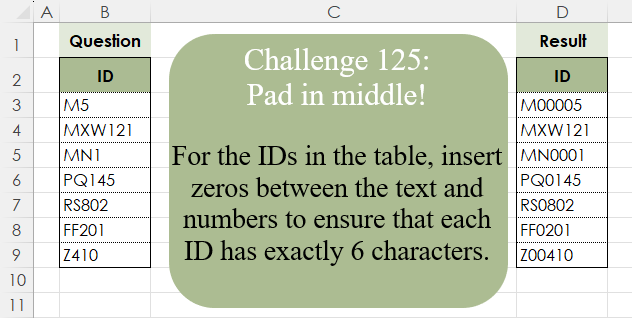
Challenge No. 125: For the IDs in the table, insert zeros between the text and numbers to ensure that each ID has exactly 6 characters.
Solved using:Excel (CONCAT, ISNUMBER, LAMBDA), Google Sheets, Power Query (Text.Repeat, Table.AddColumn), Python, Python in Excel, and R.
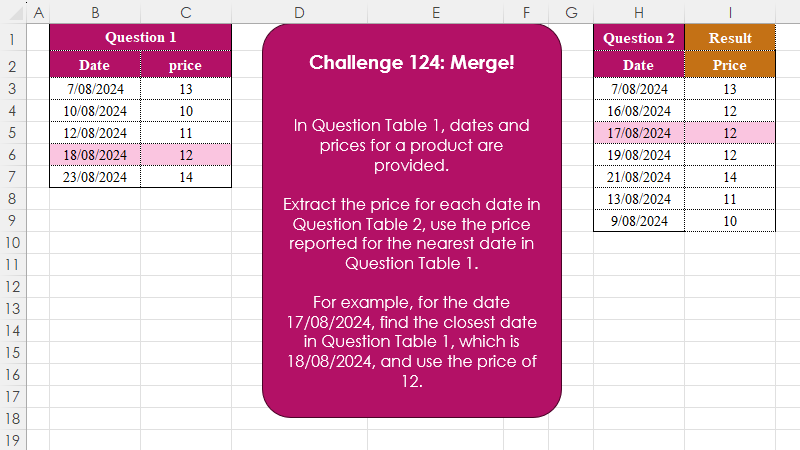
Challenge No. 124: In Question Table 1, dates and prices for a product are provided.
Solved using:Excel (INDEX, LAMBDA, LET), Google Sheets, Power Query (Table.AddColumn), Python, Python in Excel, and R.
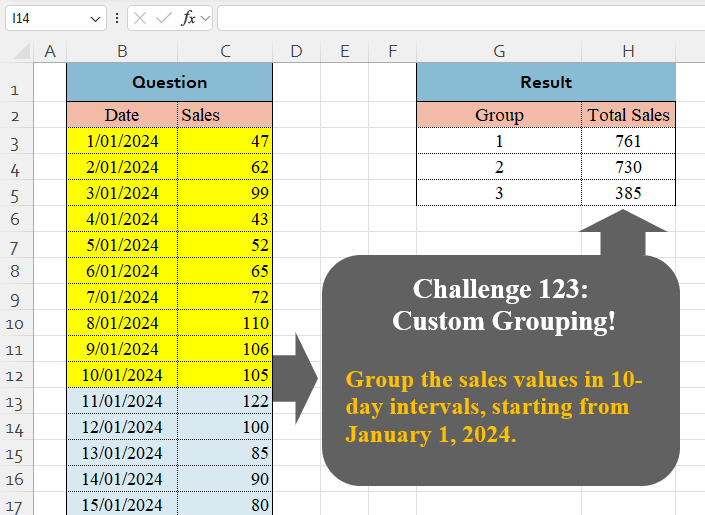
Challenge No. 123: Group the sales values in 10-day intervals, starting from January 1, 2024.
Solved using:Excel (BYROW, DAY, GROUPBY), Google Sheets, Power Query (Table.Group, List.Transform, Table.Group), Python, Python in Excel, and R.
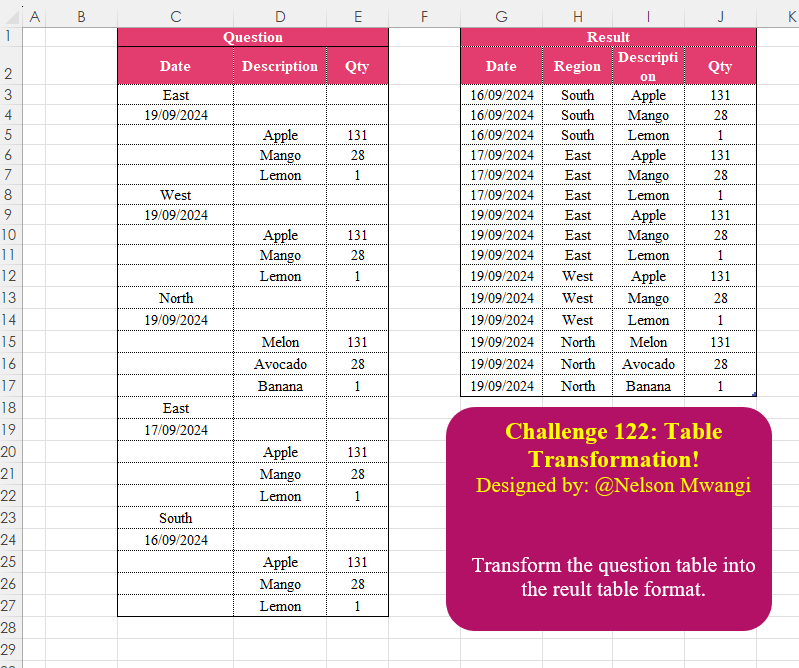
Challenge No. 122: Transform the question table into the reult table format.
Solved using:Excel (DROP, FILTER, HSTACK), Google Sheets, Power Query (List.Transform, Text.Contains, Table.AddColumn), Python, Python in Excel, and R.