
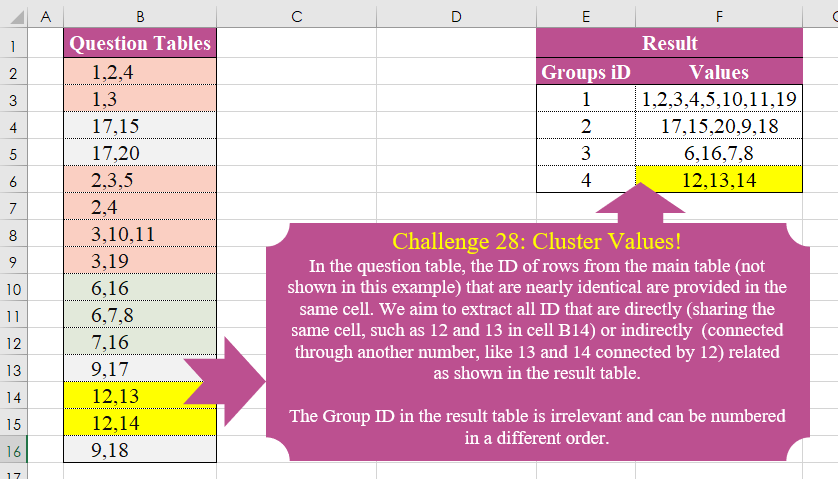
Challenge No. 28: In the question table, the ID of rows from the main table (not shown in this example) that are nearly identical are provided in the same cell.
Solved using:Excel (DROP, FILTER, HSTACK), Power Query (List.Transform), Python, and R.
Applies a function to each element in a list in Power Query.
Challenge No. 28: In the question table, the ID of rows from the main table (not shown in this example) that are nearly identical are provided in the same cell.
Solved using:Excel (DROP, FILTER, HSTACK), Power Query (List.Transform), Python, and R.
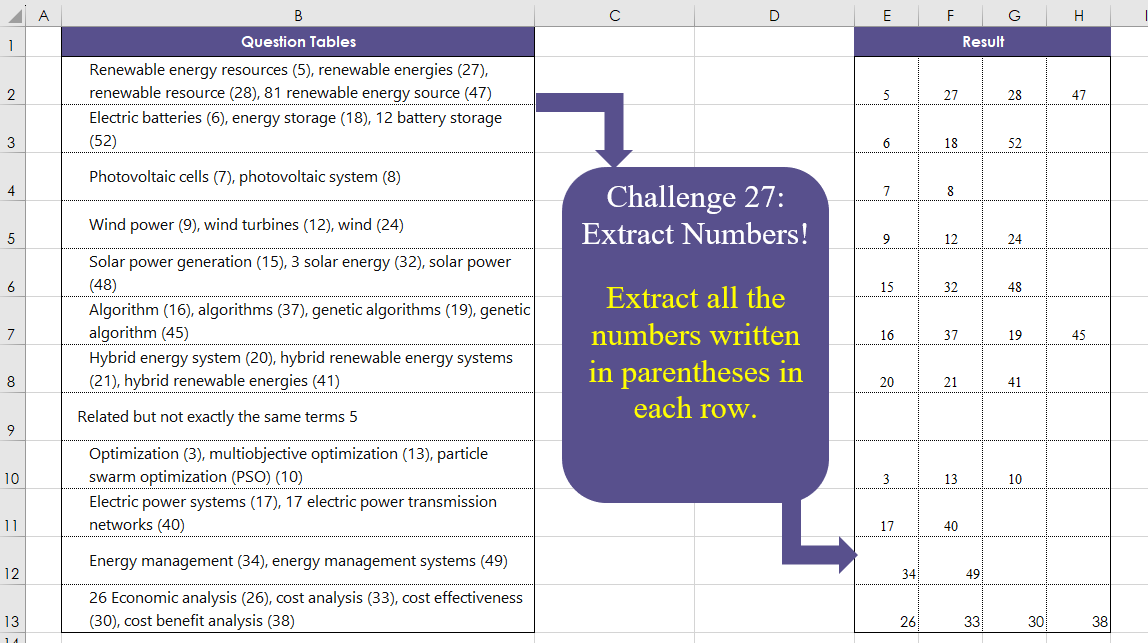
Challenge No. 27: Extract all the numbers written in parentheses in each row.
Solved using:Excel (DROP, IFERROR, IFNA), Power Query (List.Transform, Text.BetweenDelimiters, Table.AddColumn), Python, and R.
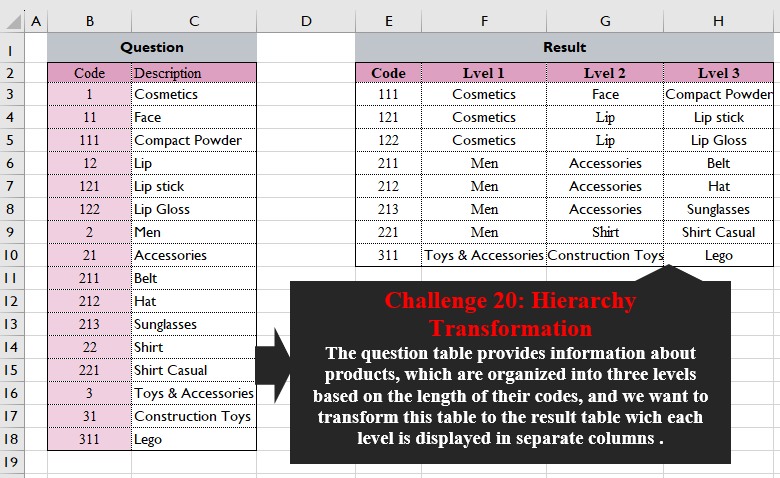
Challenge No. 20: The question table provides information about products, which are organized into three levels based on the length of their codes, and we want to transform this table into the result table wich each level is displayed in separate columns.
Solved using:Excel (FILTER, HSTACK, LEFT), Power Query (List.Transform), Python, and R.
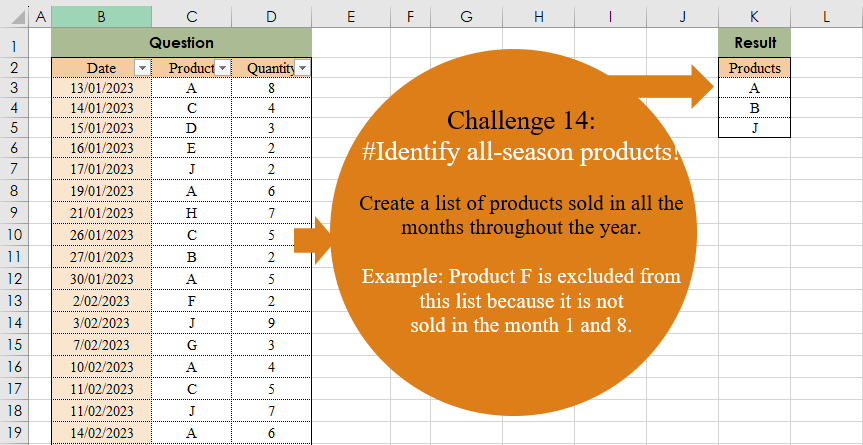
Challenge No. 14: Create a list of products sold in all the months throughout the year.
Solved using:Excel (COUNT, FILTER, LAMBDA), Power Query (Date.Month, List.Distinct, List.Transform), and R.
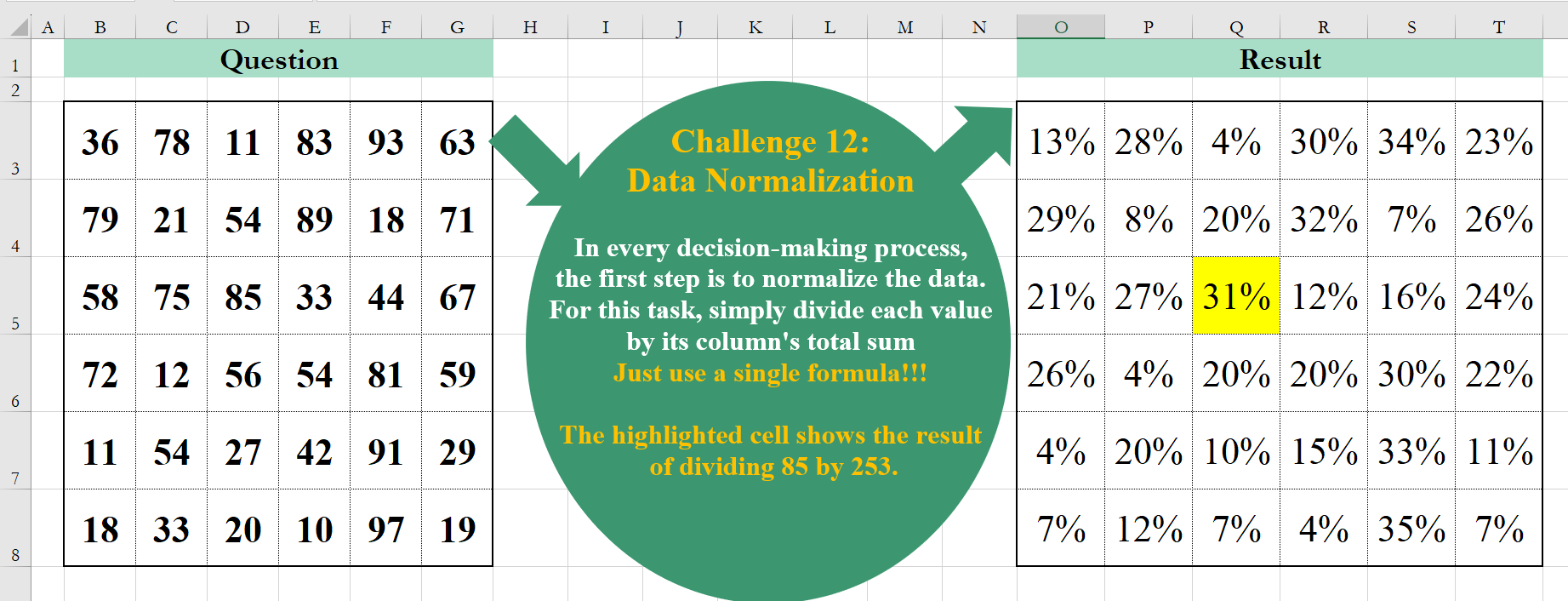
Challenge No. 12: In every decision-making process, the first step is to normalize the data.
Solved using:Excel (BYCOL, LAMBDA), Google Sheets, Power Query (List.Transform, Table.FromColumns, Table.ToColumns), R, and VBA.

Challenge No. 11: Extract all item codes that are repeated at least in 3 out of 4 lists presented in the question table.
Solved using:Excel (BYCOL, FILTER, LAMBDA), Power Query (List.Combine, List.Distinct, List.Transform), and R.
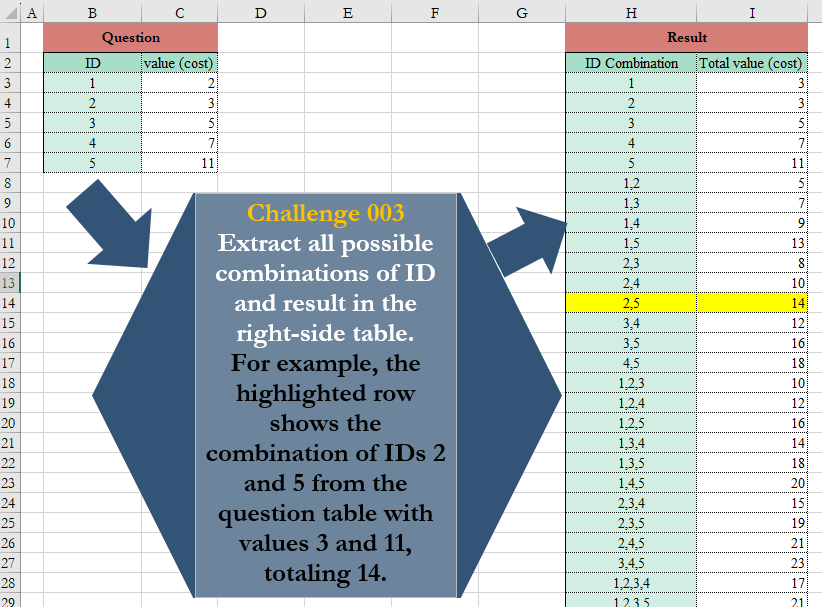
Challenge No. 3: Extract all possible combinations of ID and result in the right-side table.
Solved using:Excel (BYROW, COUNTA, DROP), Power Query (List.Transform), Python, and Python in Excel.