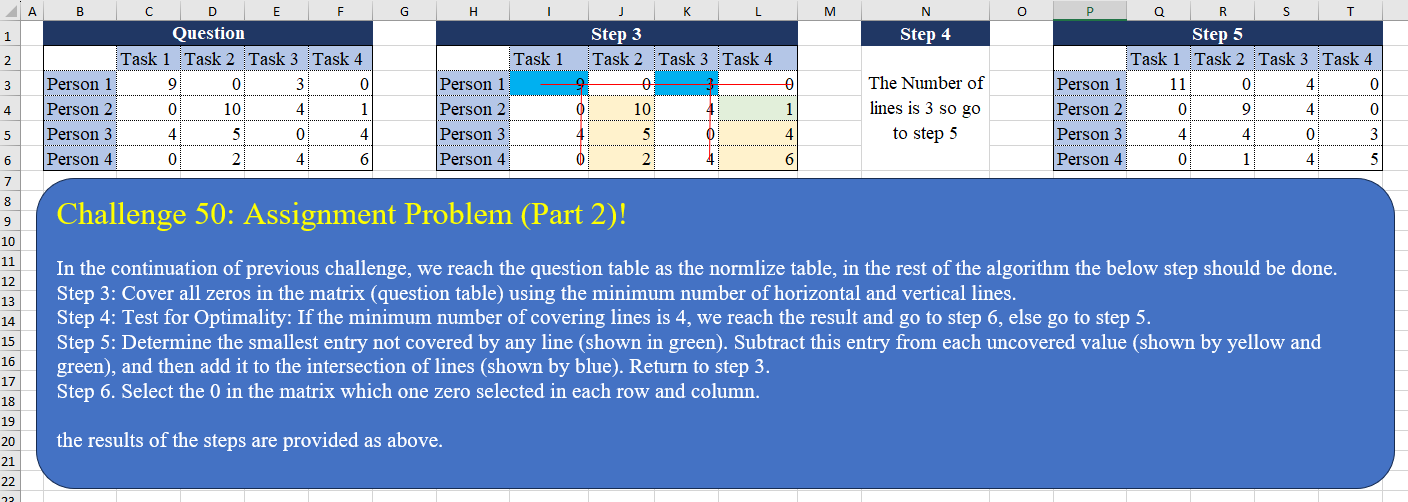
Challenge No. 50: In the continuation of the previous challenge, we reach the question table as the normalized table, in the rest of the algorithm the below step should be done.
Solved using:Excel (AND, BYCOL, BYROW), Power Query (List.Transform, Table.Column), Python, and R.
List.Transform
Applies a function to each element in a list in Power Query.
Assignment Problem (Part 1)!
Challenge No. 49: Assignment Problem is a well-known problem for assigning tasks to different people by the minimum cost and we want to solve it with The Hungarian method within two challenges.
Solved using:Excel (BYCOL, BYROW, HSTACK), Power Query (List.Skip, List.Transform, Table.Column), Python, and R.
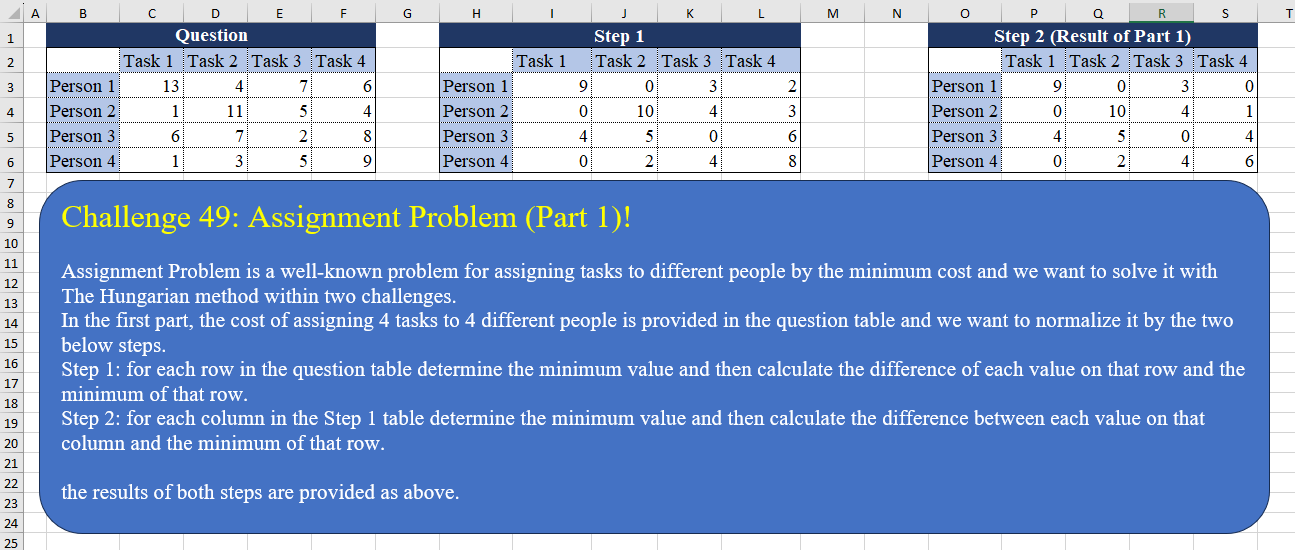
Table Transformation! Part 7
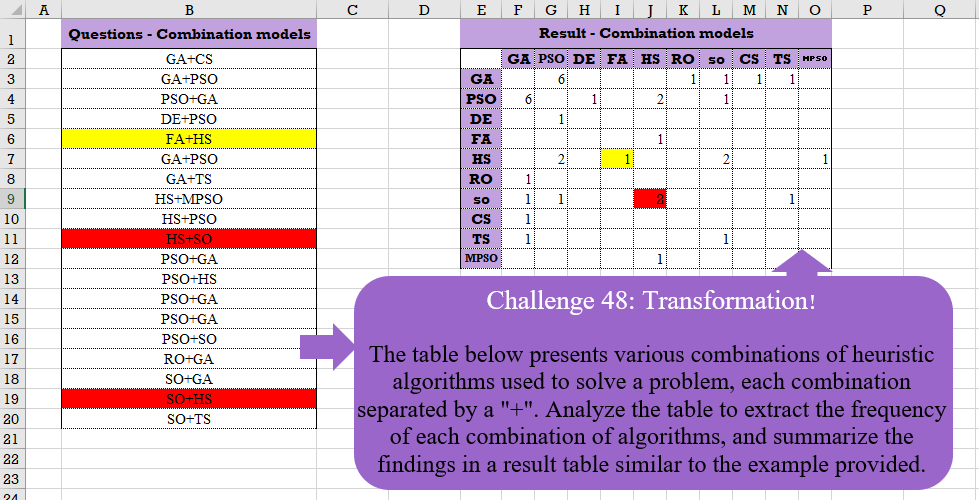
Challenge No. 48: The table below presents various combinations of heuristic algorithms used to solve a problem, each combination separated by a “+”.
Solved using:Excel (COUNTIF, HSTACK, IF), Google Sheets, Power Query (List.Distinct, List.Transform, Table.AddColumn), Python, and R.
Custom Grouping! Part 2
Challenge No. 46: The “Question” table provides a list of Product IDs.
Solved using:Excel (CHOOSECOLS, DROP, FILTER), Power Query (Table.Group, List.Transform, Text.End), Python, and R.
Text Split!
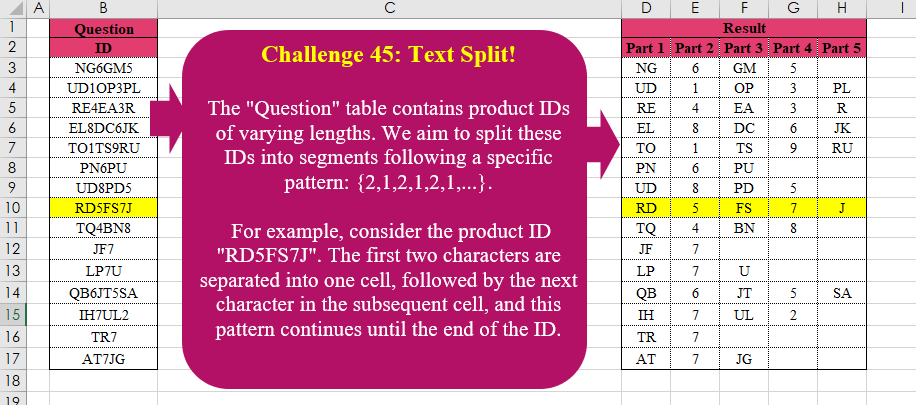
Challenge No. 45: The “Question” table contains product IDs of varying lengths.
Solved using:Excel (LAMBDA, LET, MID), Power Query (List.Transform, List.Zip, Table.AddColumn), Python, R, and VBA.
Table Transformation! Part 6
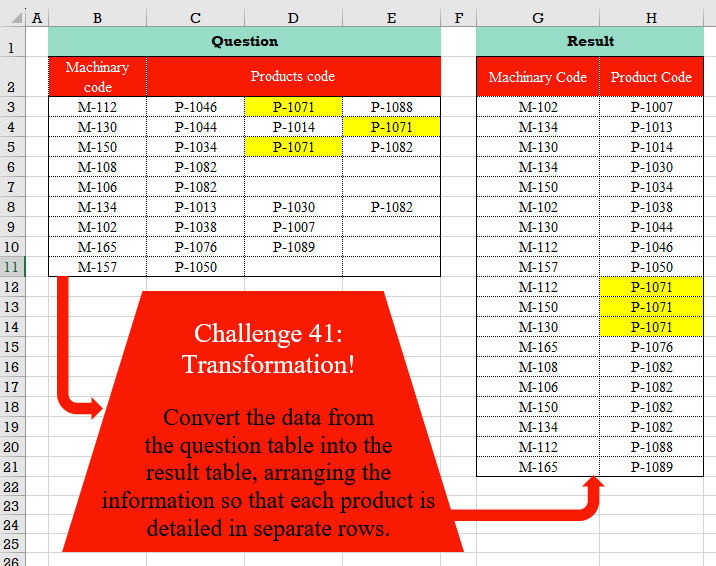
Challenge No. 41: Convert the data from the question table into the result table, arranging the information so that each product is detailed in separate rows.
Solved using:Excel (FILTER, HSTACK, LET), Power Query (List.Transform, Table.RemoveColumns, Table.Sort), Python, and R.
Cross Selling!
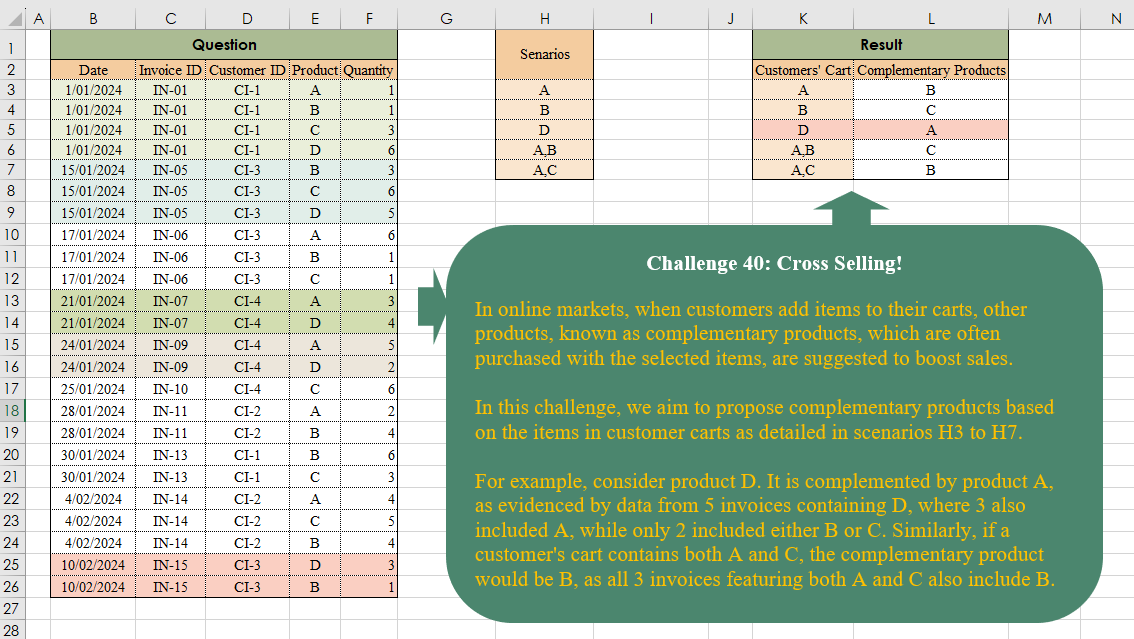
Challenge No. 40: In online markets, when customers add items to their carts, other products, known as complementary products, which are often purchased with the selected items, are suggested to boost sales.
Solved using:Excel (ARRAYTOTEXT, FILTER, HSTACK), Power Query (List.Transform, Text.Split, Table.AddColumn), and R.
Duration Since Last Visit!
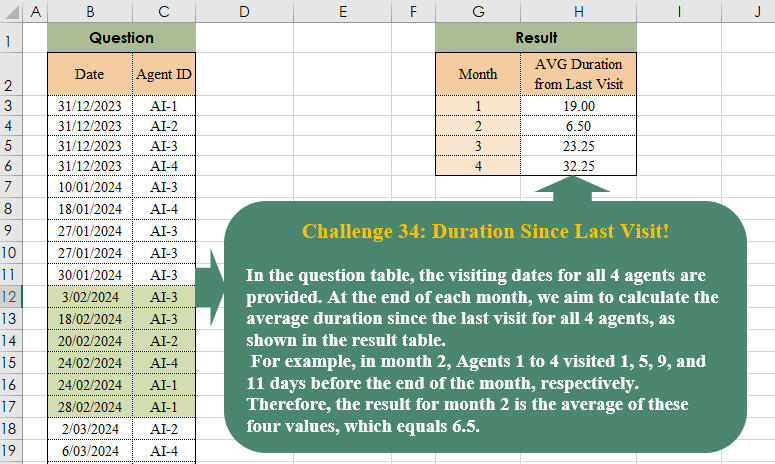
Challenge No. 38: In the question table, the visiting dates for all 4 agents are provided.
Solved using:Excel (AVERAGE, DROP, EOMONTH), Power Query (List.Transform, Table.AddColumn, Table.Group), Python, and R.
Connected People!
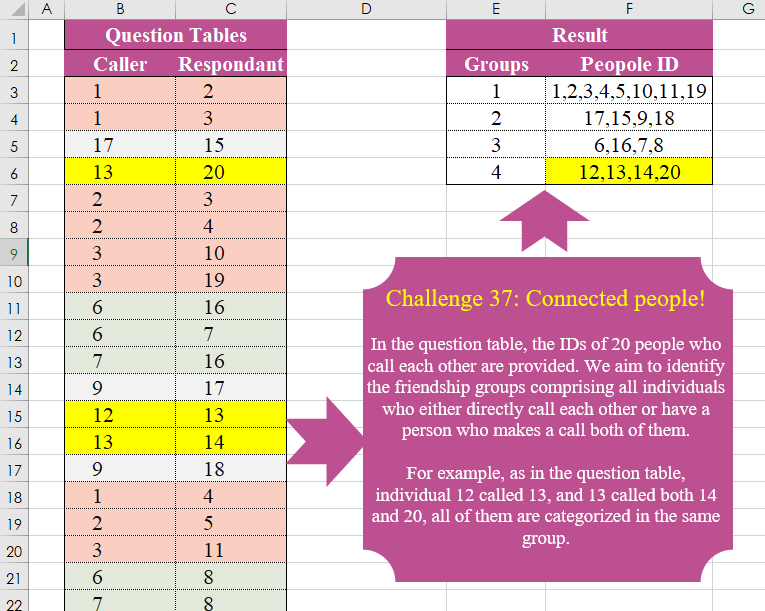
Challenge No. 37: In the question table, the IDs of 20 people who call each other are provided.
Solved using:Excel (FILTER, HSTACK, LAMBDA), Power Query (List.Transform, Text.Combine), Python, and R.
Pareto Line
Challenge No. 36: In Multi-Objective Models, Instead Of A Single Solution, We Encounter A Pareto Front That Includes All Non-Dominant Solutions, And In This Quesion We Want To Extracth All Non Dominant Solutions.
Solved using:Excel (BYROW, FILTER, LAMBDA), Power Query (List.Transform, Table.SelectRows), Python, and R.