
Challenge No. 20: Analyse the sales data by Financial Year and Financial Quaters
Assume the Financial year starts in April
Dynamic array function allowed, but Extra marks for Legacy solutions or PowerQuery Solution.
Solved using: Python in Excel.

Challenge No. 20: Analyse the sales data by Financial Year and Financial Quaters
Assume the Financial year starts in April
Dynamic array function allowed, but Extra marks for Legacy solutions or PowerQuery Solution.
Solved using: Python in Excel.
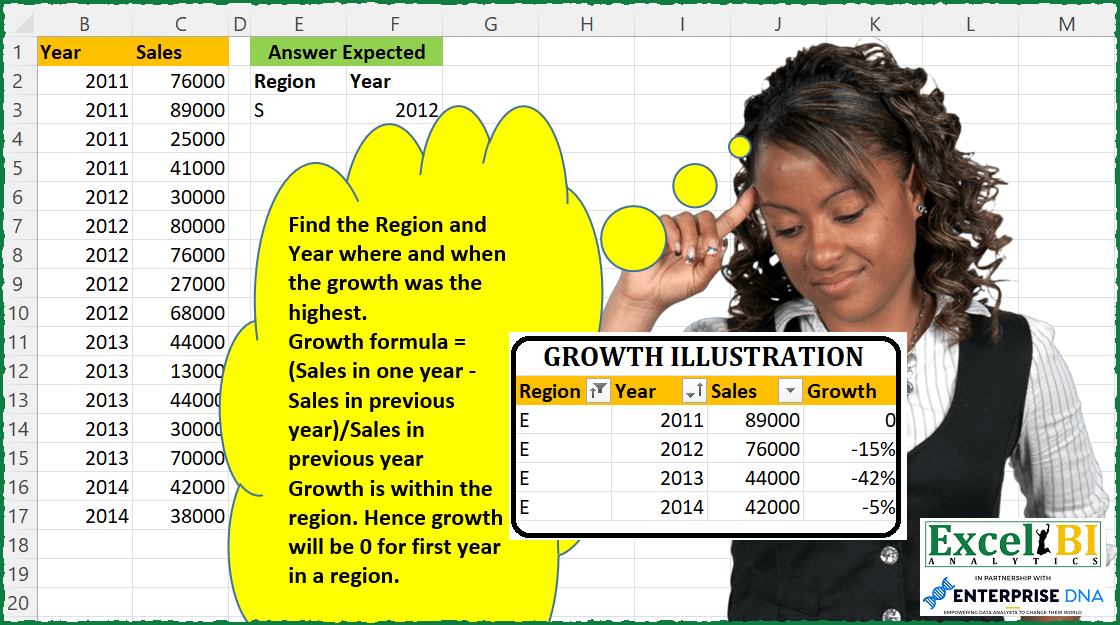
Challenge No. 87: Find the Region and Year where and when the growth was the highest.
Solved using: DAX.
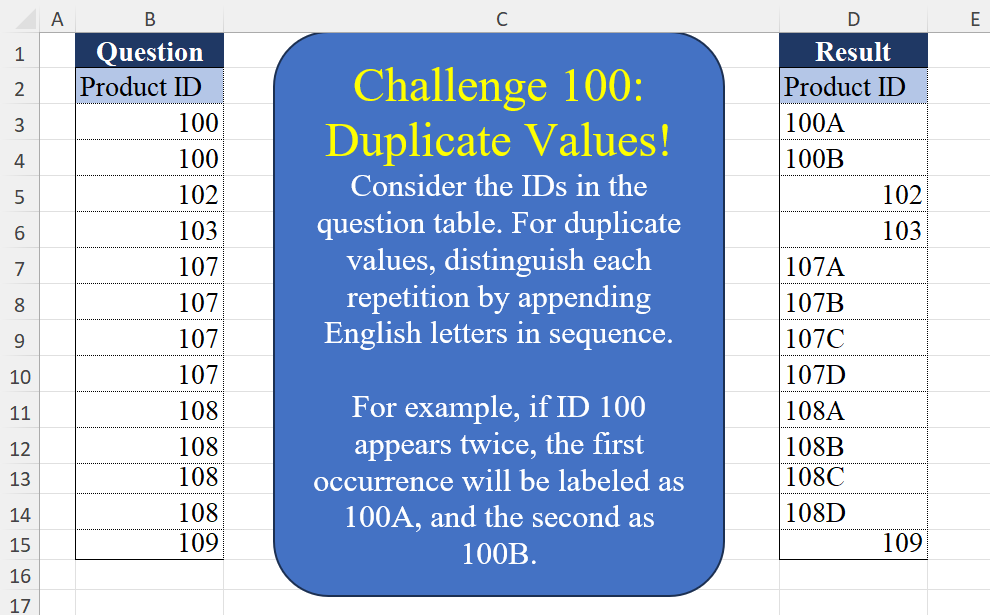
Challenge No. 100: Consider the IDs in the question table.
Solved using:Excel (CHAR, COUNTIF, COUNTIFS), Google Sheets, Power Query (List.Transform, Table.AddColumn, Table.Group), Python, Python in Excel, and R.
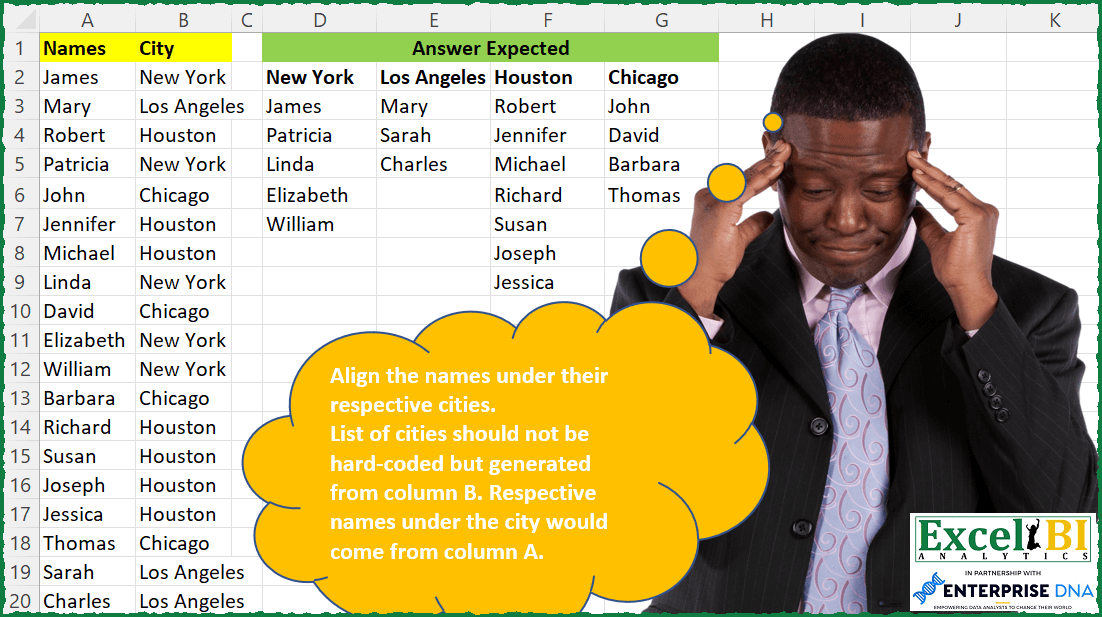
Challenge No. 86: Align the names under their respective cities.
Solved using: Power Query.
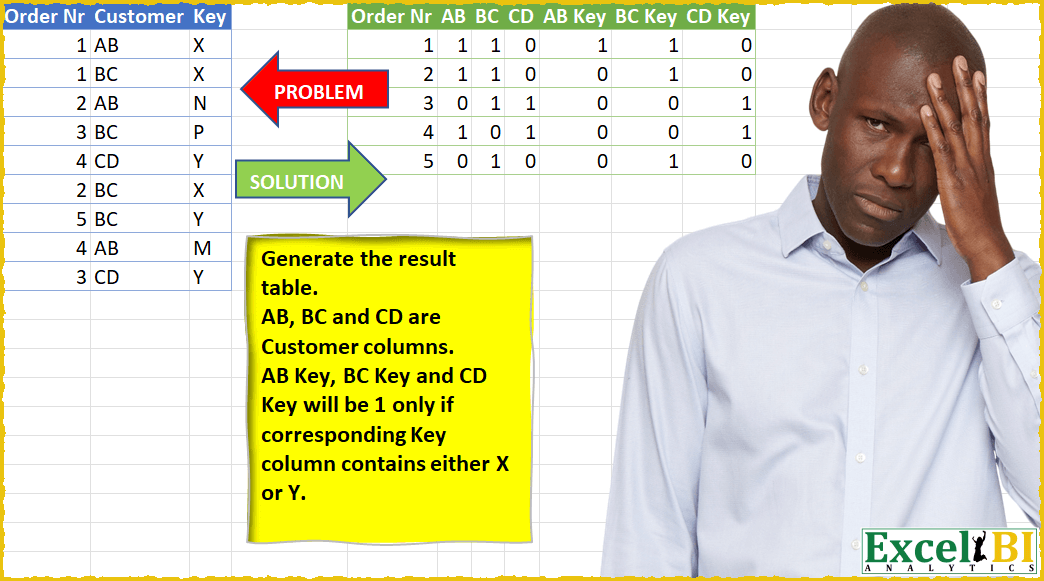
Challenge No. 24: Generate the result table.
Solved using: Power Query (List.Distinct).
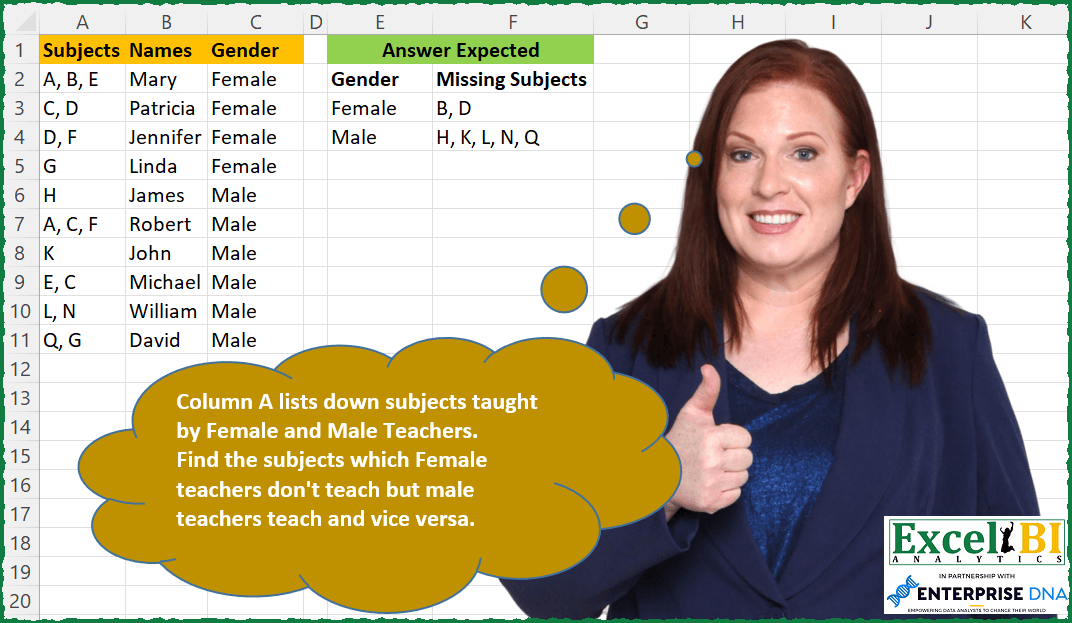
Challenge No. 85: Column A lists down subjects taught by Female and Male Teachers.
Solved using: SQL.
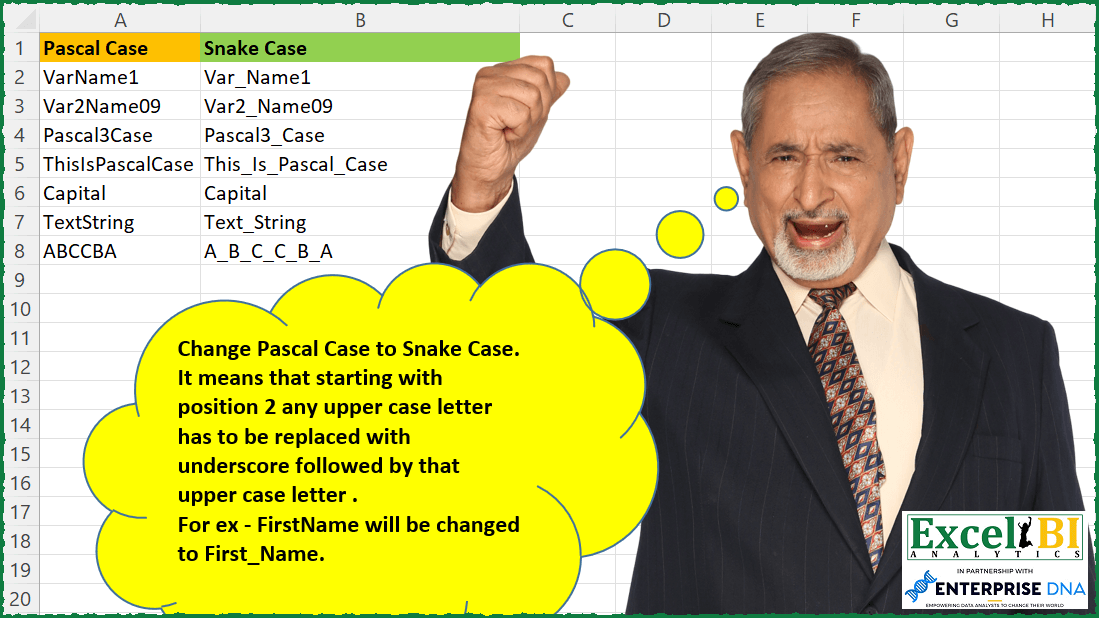
Challenge No. 84: Change Pascal Case to Snake Case.
Solved using: Python in Excel.
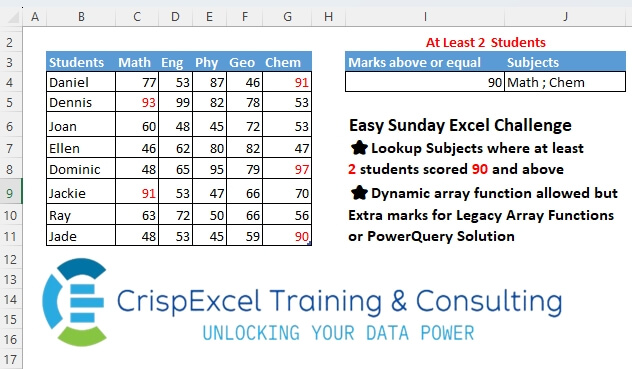
Challenge No. 19: Lookup Subjects where at least 2 students scored 90 and above Dynamic array function allowed, but Extra marks for Legacy Array Functions or PowerQuery Solution.
Solved using: Power Query.
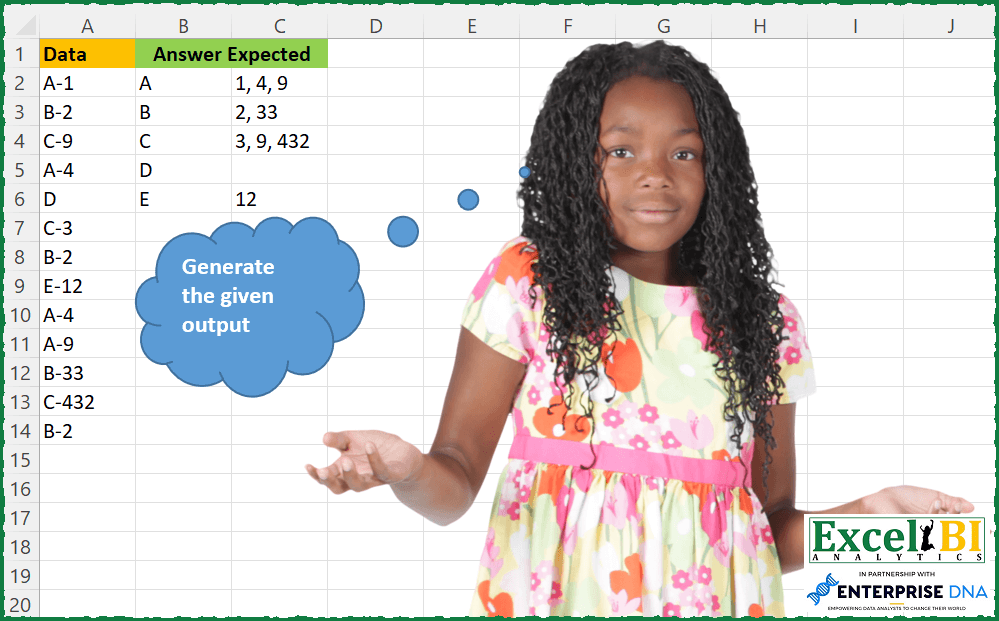
Challenge No. 83: Generate the output as shown in picture.
Solved using: SQL.
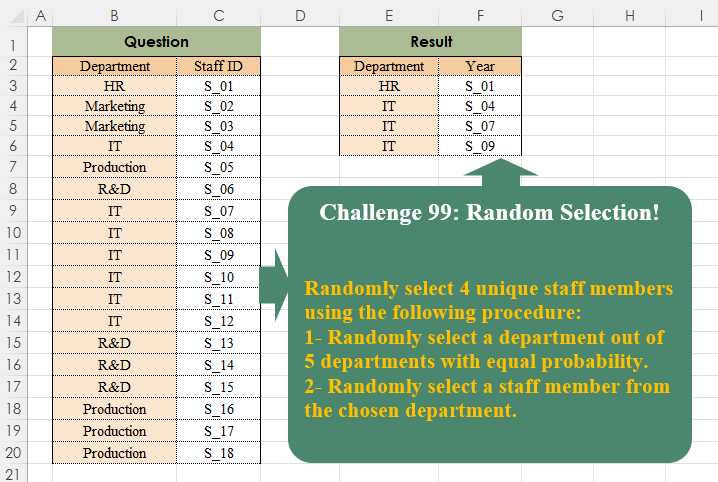
Challenge No. 99: Randomly select 4 unique staff members using the following procedure:
1- Randomly select a department out of 5 departments with equal probability.
Solved using:Excel, Power Query, and R.