
Challenge No. 16: Sum the total sales of the visible cells
NB: Include all “MILK” Product
Dynamic array function allowed but
Extra marks for Legacy Array Functions or PowerQuery Solution.
Solved using: Power Query.
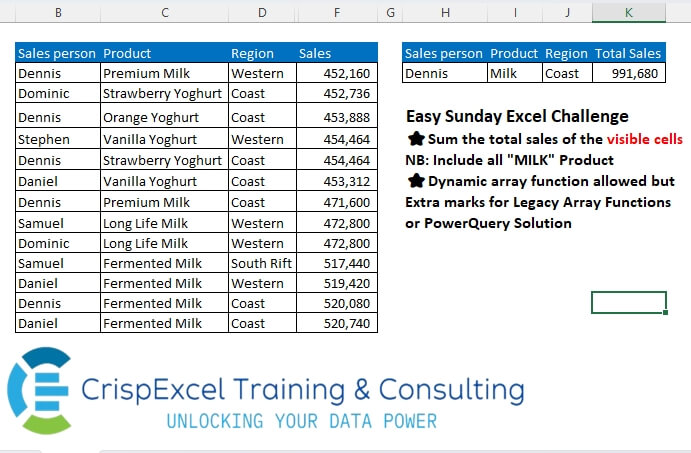
Summarizing data using various methods.
Challenge No. 16: Sum the total sales of the visible cells
NB: Include all “MILK” Product
Dynamic array function allowed but
Extra marks for Legacy Array Functions or PowerQuery Solution.
Solved using: Power Query.

Challenge No. 93: Randomly select a staff member from each department.
Solved using:Excel (FILTER, HSTACK, INDEX), Google Sheets, Power Query (Table.Group), Python, Python in Excel, and R.
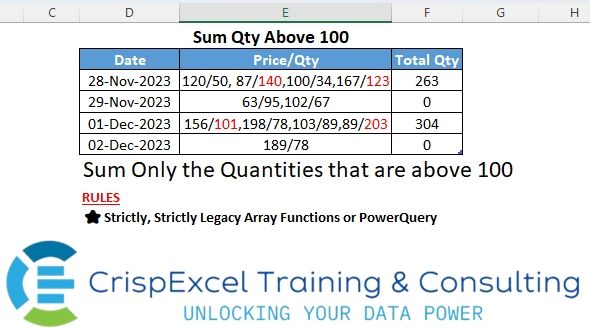
Challenge No. 10: Sum only quantities above 100
Strictly use the Legacy array function or Power Query.
Solved using: Power Query.
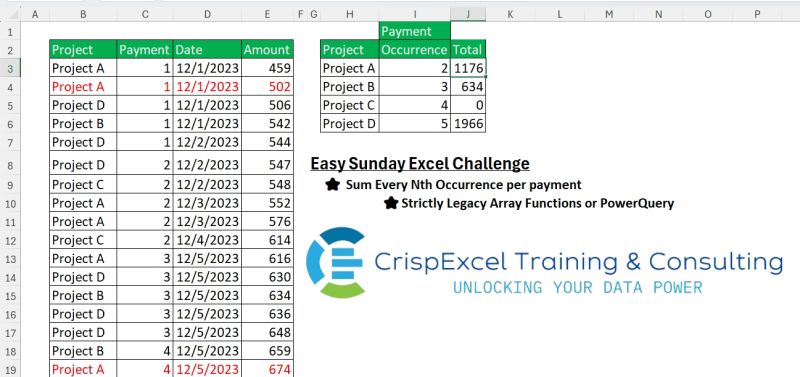
Challenge No. 4: Sum Every Nth Occurrence per payment if the project meets the criteria
Strictly Legacy Array Functions or PowerQuery
Note:
Every payment has 5 occurrences.
Solved using: Power Query.
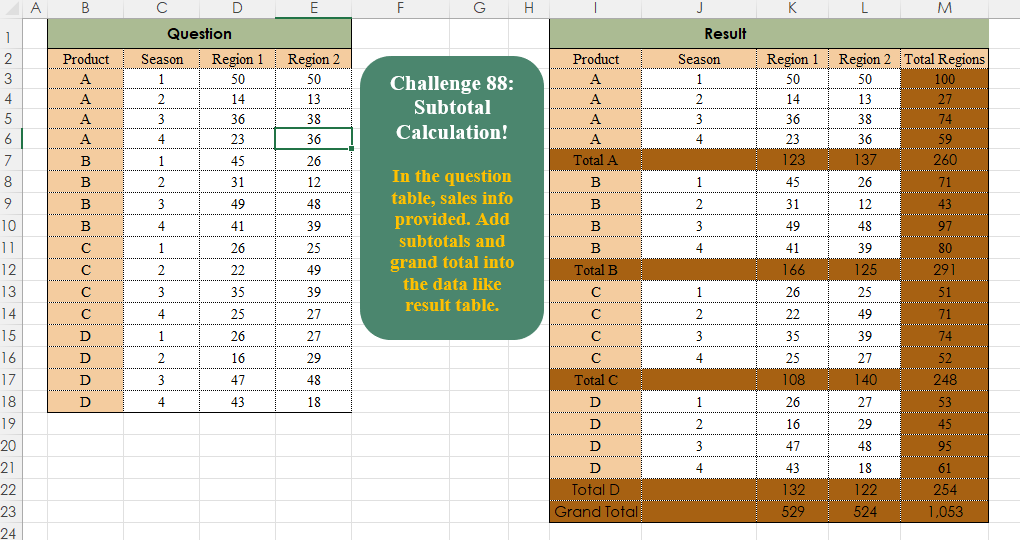
Challenge No. 88: In the question table, sales info is provided.
Solved using:Excel, Power Query, Python, R, and SQL.
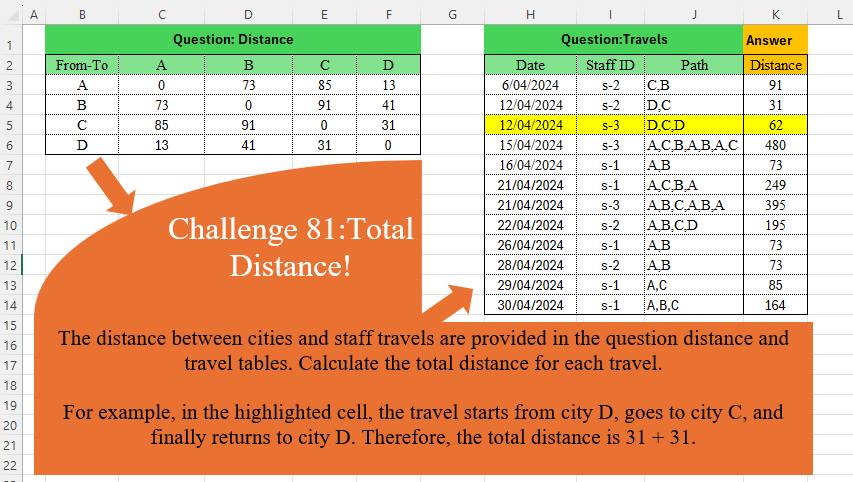
Challenge No. 81: The distance between cities and staff travels are provided in the question distance and travel tables.
Solved using:Excel (DROP, IFNA, INDEX), Power Query (Table.AddColumn), Python, and R.
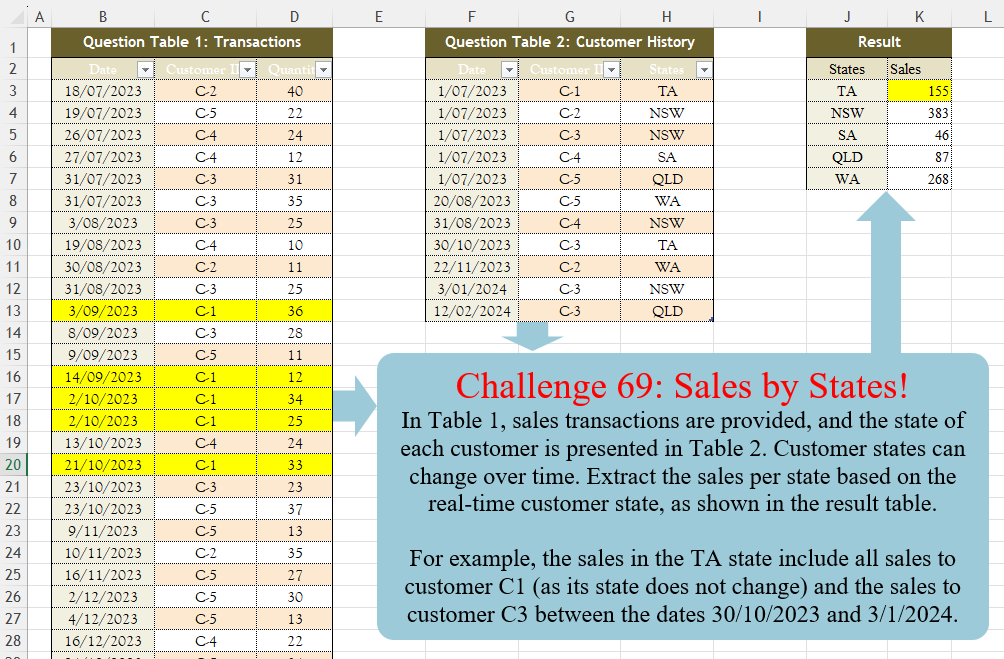
Challenge No. 69: In Table 1, sales transactions are provided, and the state of each customer is presented in Table 2.
Solved using:Excel (FILTER, HSTACK, LAMBDA), Power Query (Table.AddColumn, Table.Group), Python, R, and SQL.
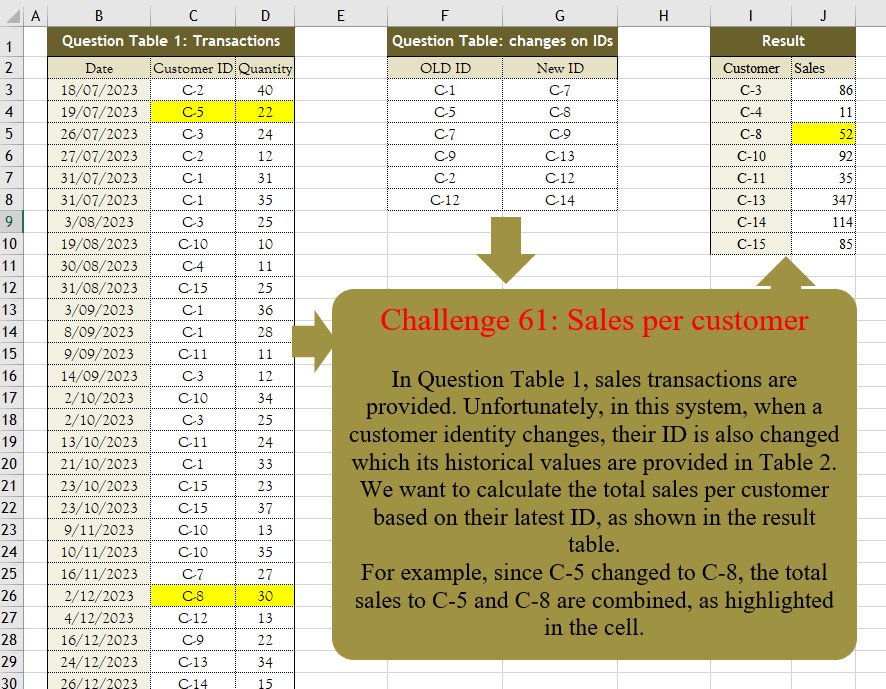
Challenge No. 61: In Question Table 1, sales transactions are provided.
Solved using:Excel (FILTER, HSTACK, IF), Power Query (Table.Group, Table.Sort), Python, R, and VBA.
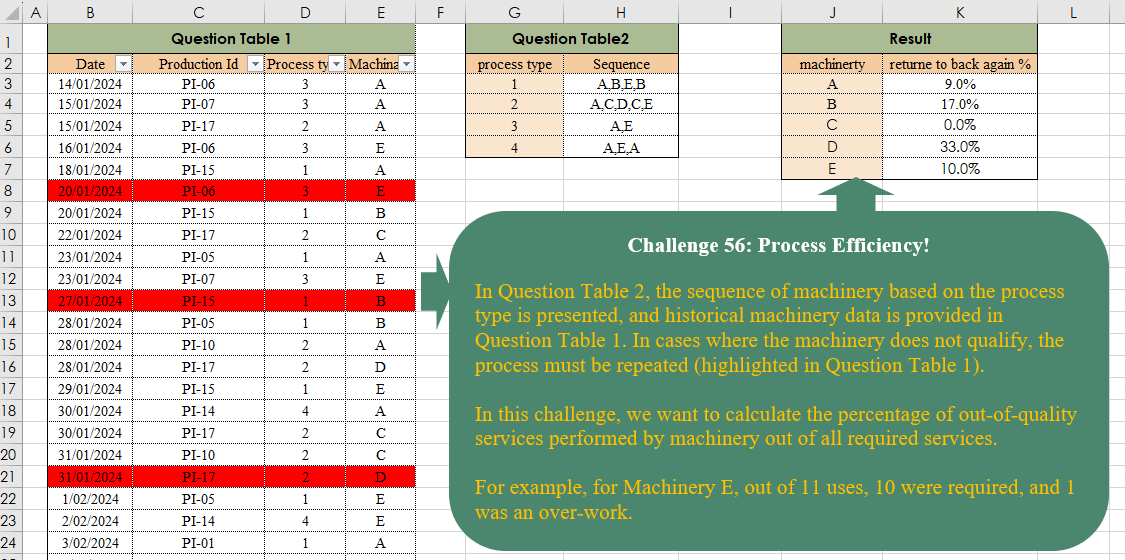
Challenge No. 56: In Question Table 2, the sequence of machinery based on the process type is presented, and historical machinery data is provided in Question Table 1.
Solved using:Excel, and Power Query.
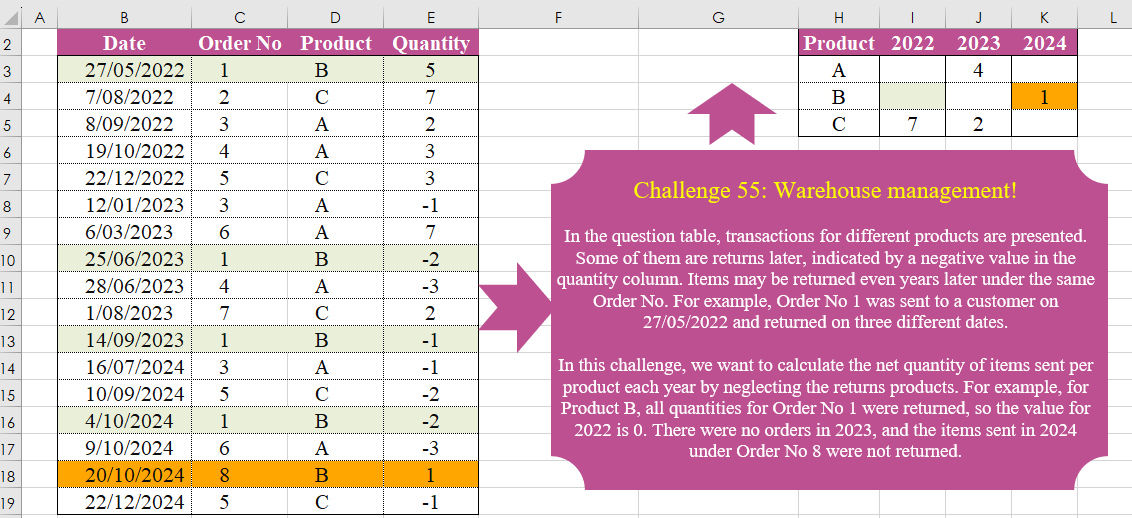
Challenge No. 55: In the question table, transactions for different products are presented.
Solved using:Excel (FILTER, HSTACK, INDEX), Power Query (List.Distinct, Table.Group, Table.Pivot), Python, and R.