
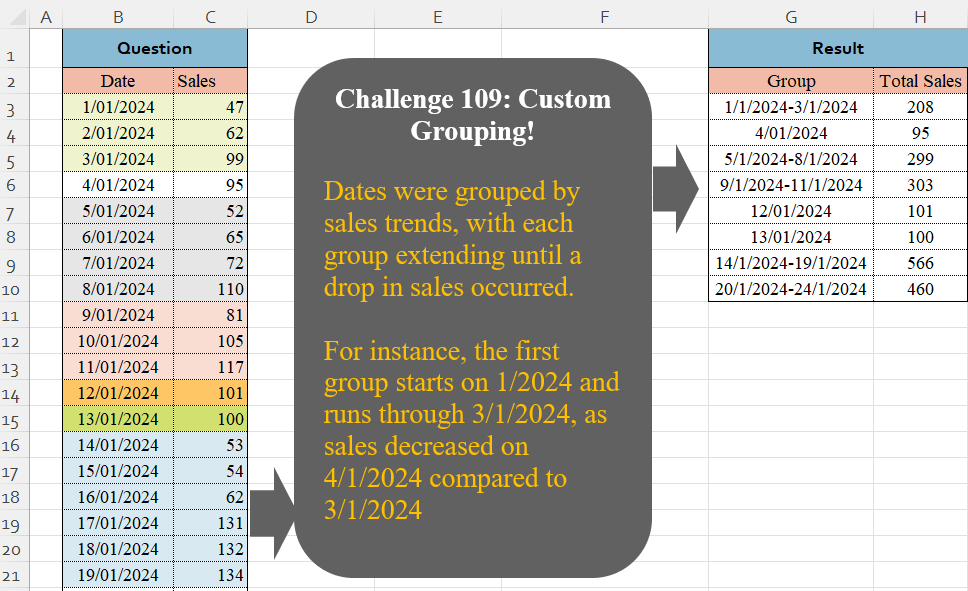
Challenge No. 109: Dates were grouped by sales trends, with each group extending until a drop in sales occurred.
Solved using:Excel, Google Sheets, Power Query, Python, Python in Excel, and R.
Complex challenges for experienced users.
Challenge No. 109: Dates were grouped by sales trends, with each group extending until a drop in sales occurred.
Solved using:Excel, Google Sheets, Power Query, Python, Python in Excel, and R.
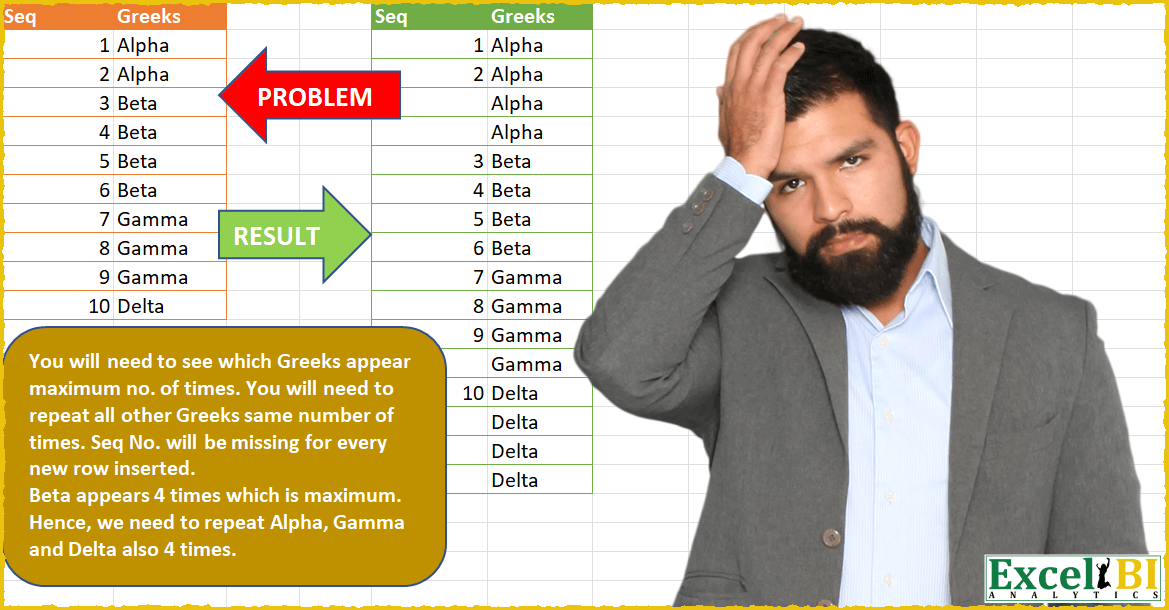
Challenge No. 28: You will need to see which Greek alphabet appears maximum no.
Solved using: Power Query.
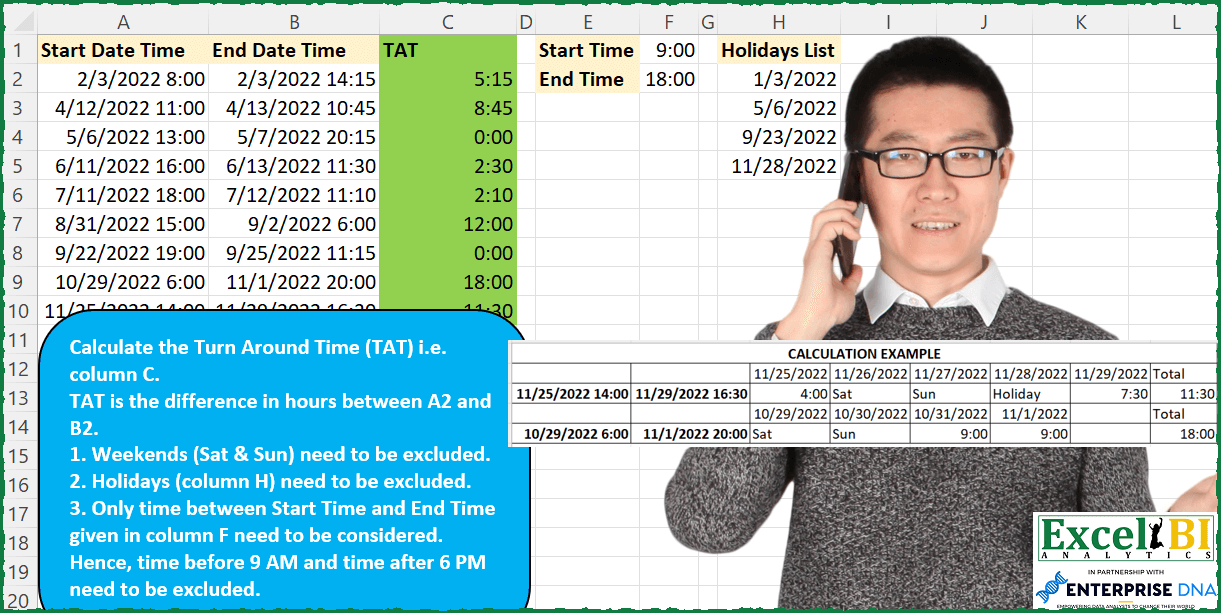
Challenge No. 96: Calculate the Turn Around Time (TAT) i.
Solved using: Python.

Challenge No. 26: Generate the result table as shown.
Solved using: Power Query.
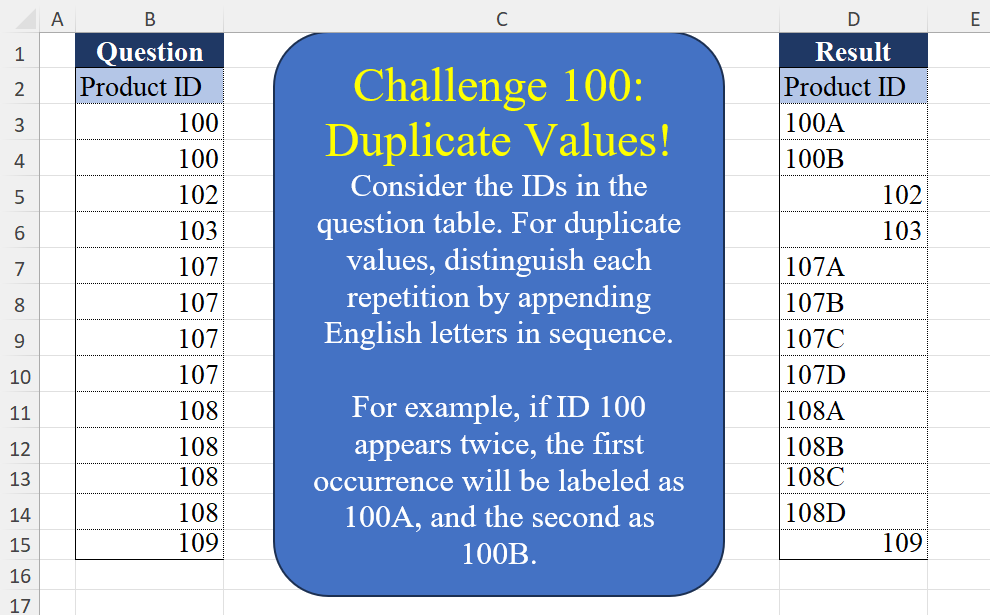
Challenge No. 100: Consider the IDs in the question table.
Solved using:Excel (CHAR, COUNTIF, COUNTIFS), Google Sheets, Power Query (List.Transform, Table.AddColumn, Table.Group), Python, Python in Excel, and R.
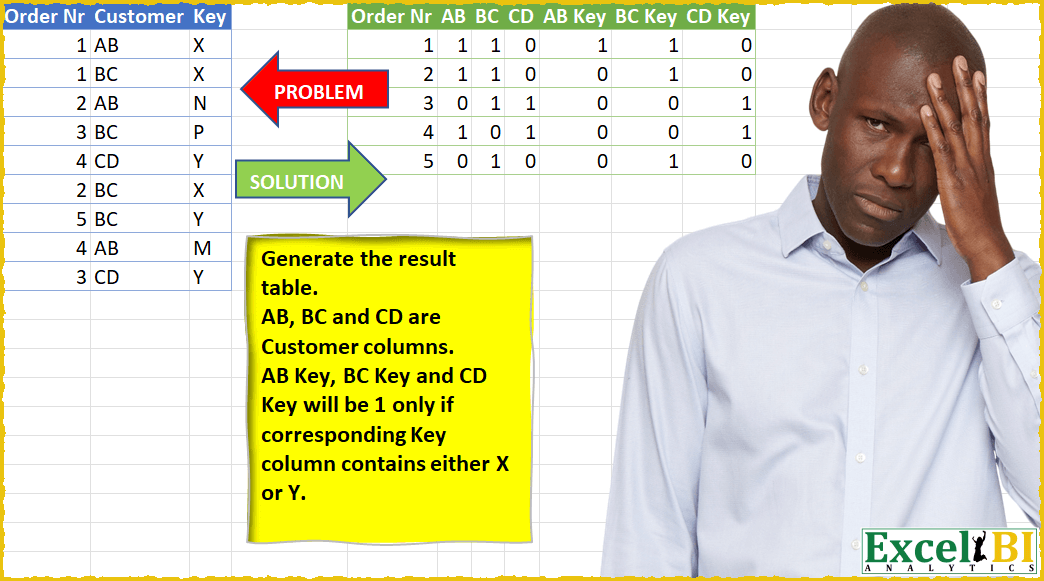
Challenge No. 24: Generate the result table.
Solved using: Power Query (List.Distinct).
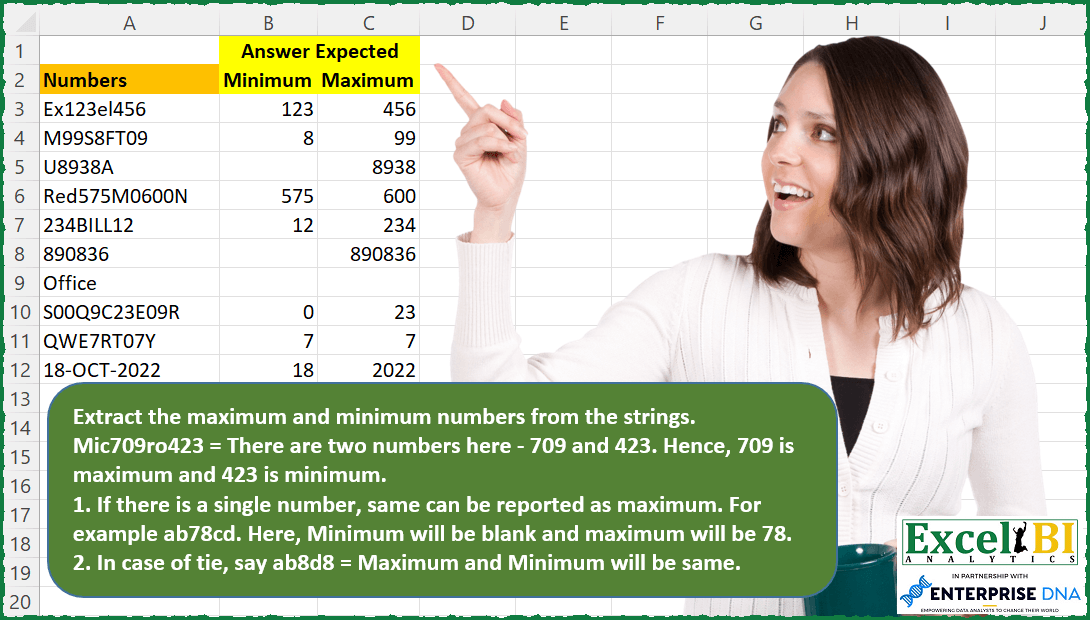
Challenge No. 79: Extract the maximum and minimum numbers from the strings.
Solved using: SQL.
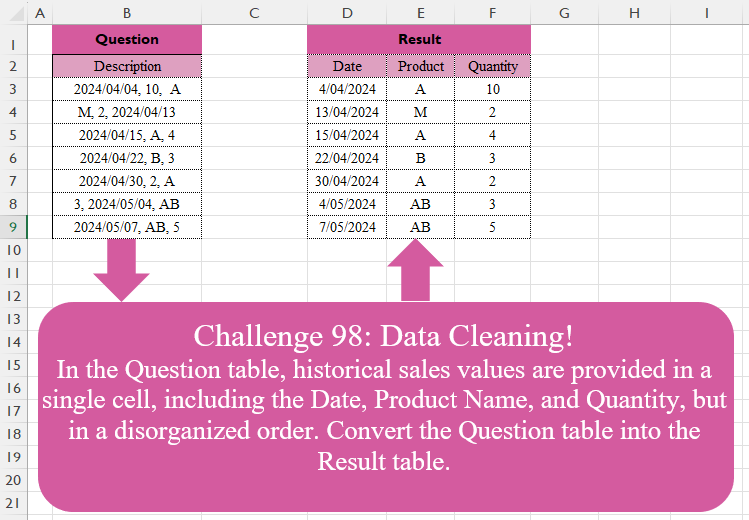
Challenge No. 98: In the Question table, historical sales values are provided in a single cell, including the Date, Product Name, and Quantity, but in a disorganized order.
Solved using:Excel (FILTER, HSTACK, IF), Google Sheets, Power Query (List.Transform, Text.Contains, Text.Split), Python, Python in Excel, and R.

Challenge No. 76: — This week will be FIFA World Cup week.
Solved using: Power Query.
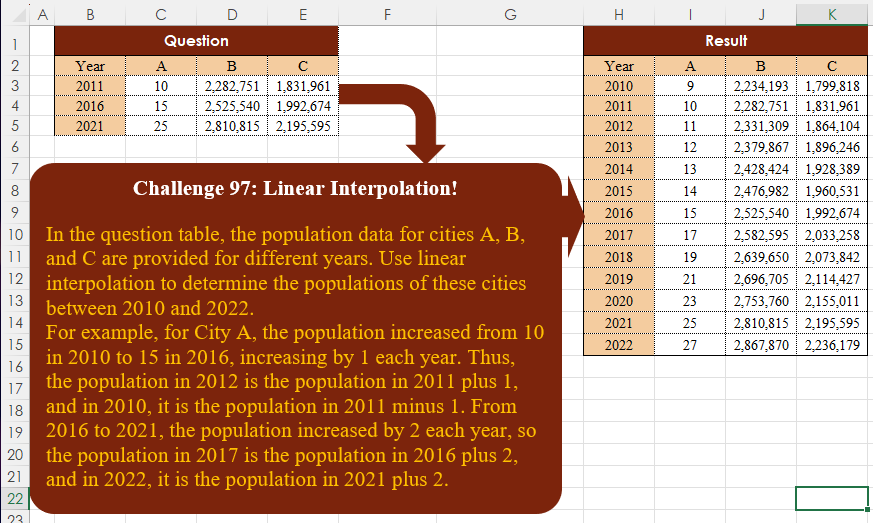
Challenge No. 97: In the question table, the population data for cities A, B, and C are provided for different years.
Solved using:Excel, Google Sheets, Power Query, Python, Python in Excel, and R.