
Challenge No. 21: List the names who have won consecutively at least 3 times within a span of 180 days.
Solved using: Power Query.
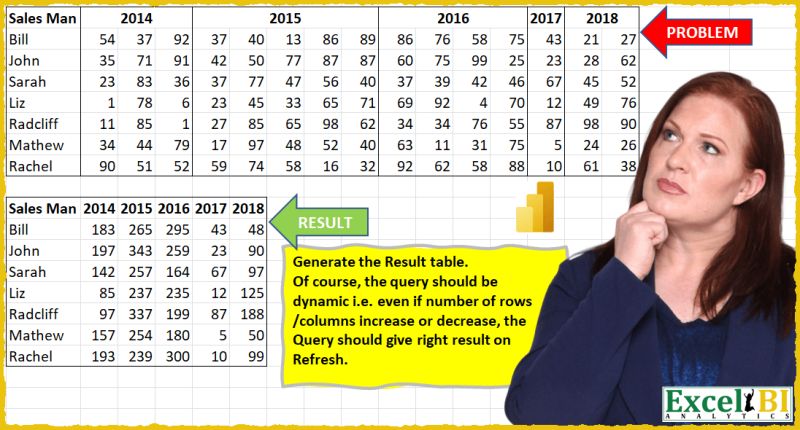
Complex challenges for experienced users.
Challenge No. 21: List the names who have won consecutively at least 3 times within a span of 180 days.
Solved using: Power Query.

Challenge No. 96: In the Question table, daily sales information is provided.
Solved using:Excel, Google Sheets, Power Query, Python, R, and SQL.

Challenge No. 19: Generate Top 3 students in all subjects.
Solved using: Power Query.
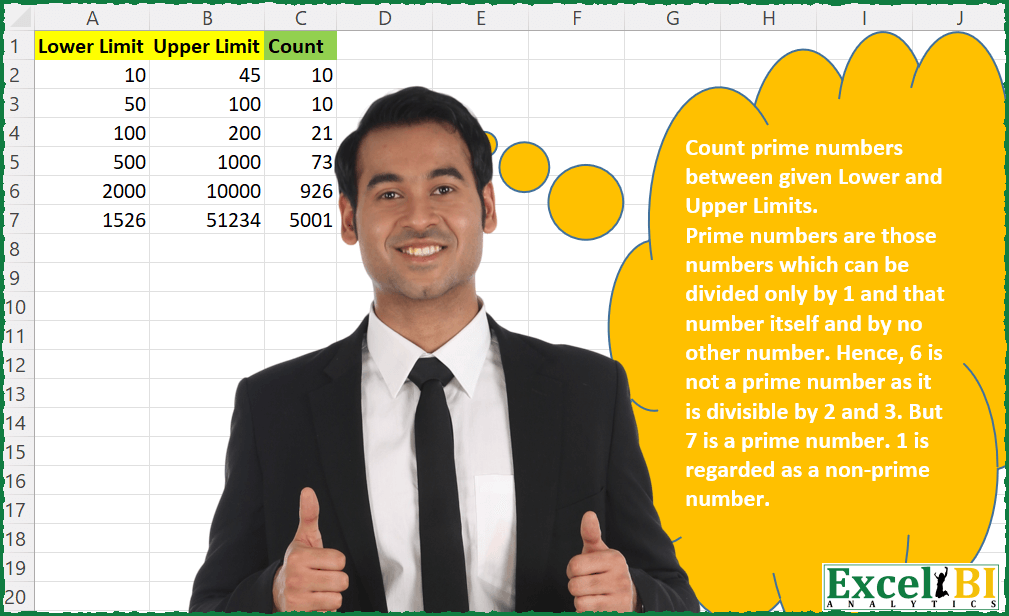
Challenge No. 58: Count prime numbers between given Lower and Upper Limits.
Solved using: Python in Excel.
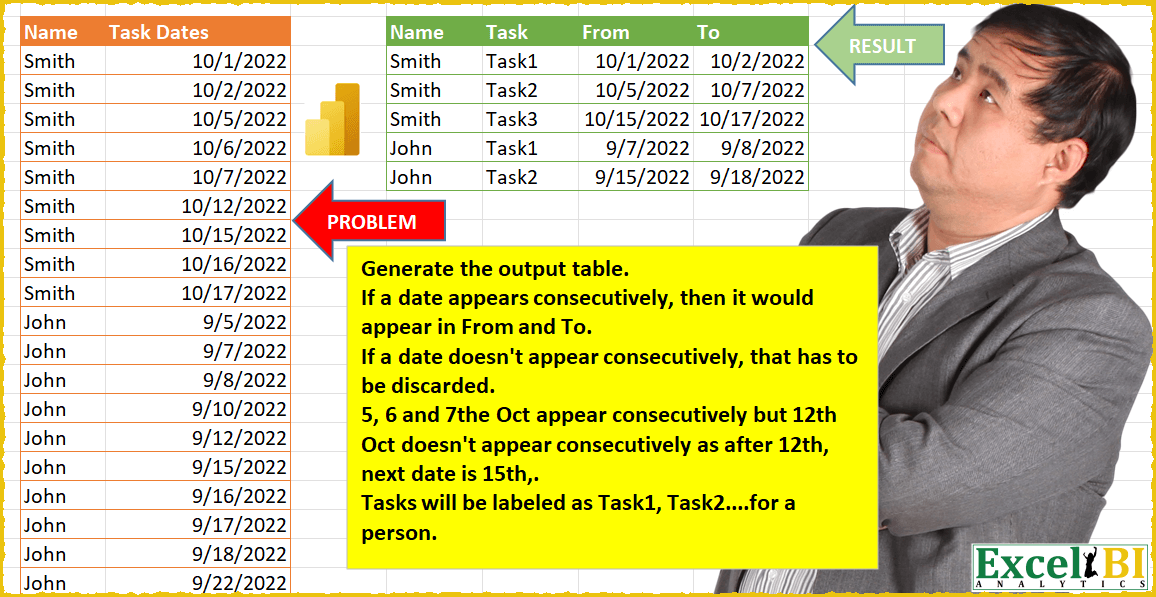
Challenge No. 17: (Excel formulas also welcome)
Generate the output table.
Solved using: Power Query.
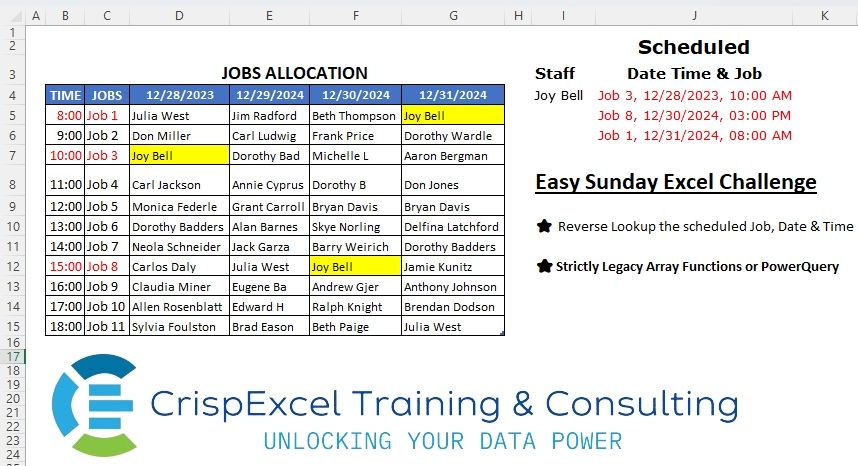
Challenge No. 9: Reverse Lookup of all the scheduled jobs, Dates and Time
Strictly Legacy Array Functions or PowerQuery.
Solved using: Python.
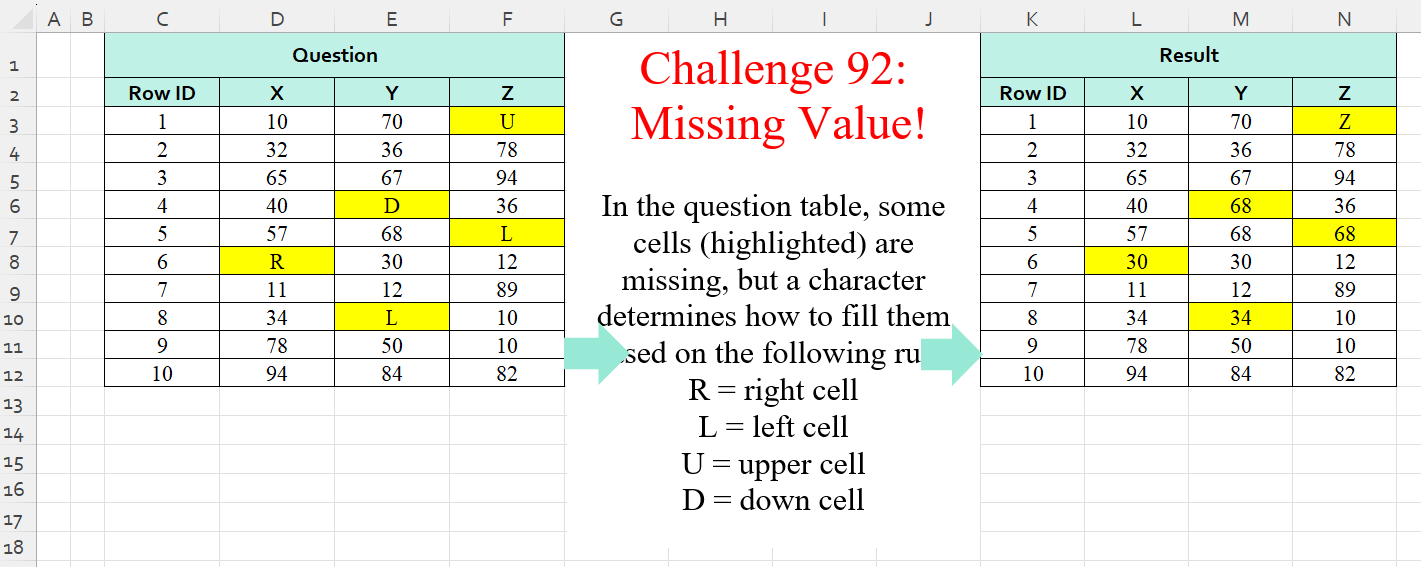
Challenge No. 92: In the question table, some cells (highlighted) are missing, but a character determines how to fill them based on the following rule:
R = right cell
L = left cell
U = upper cell
D = down cell.
Solved using:Excel (IF, IFS, INDEX), Power Query (List.PositionOf, List.Transform), Python, Python in Excel, and R.
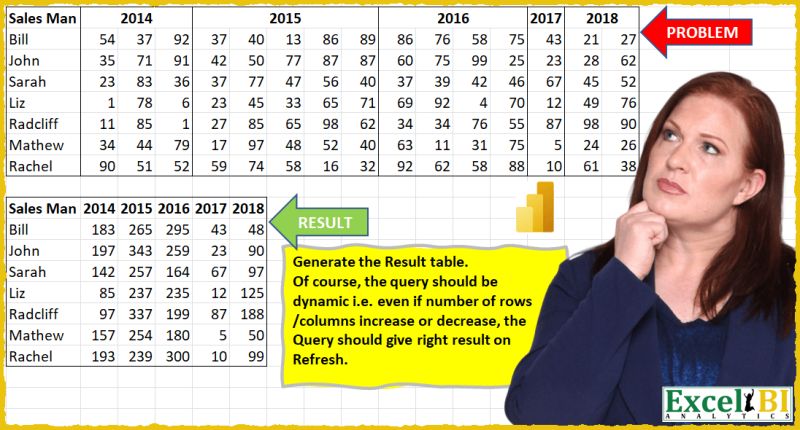
Challenge No. 16: (Excel formulas also welcome)
Generate the Result table shown.
Solved using: Power Query (List.Distinct, Table.Pivot, Table.PromoteHeaders).

Challenge No. 12: (Excel formulas also welcome)
If there is a sequence missing for a given ID, fill in the missing sequence and repeat the row above for all other columns.
Solved using: Power Query (Table.AddColumn, Table.ExpandTableColumn, Table.Group).

Challenge No. 11: (Excel formulas also welcome)
Generate Result table as shown.
Solved using: Power Query (List.Distinct, Table.AddColumn, Table.Pivot).