
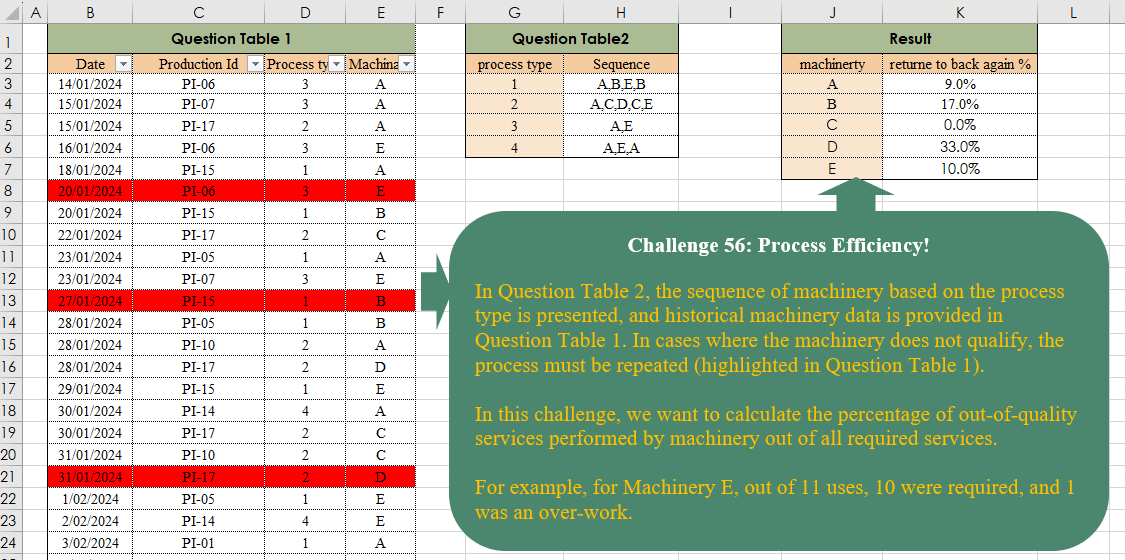
Challenge No. 56: In Question Table 2, the sequence of machinery based on the process type is presented, and historical machinery data is provided in Question Table 1.
Solved using:Excel, and Power Query.
Returns a specified number of rows or columns from an array in Excel.
Challenge No. 56: In Question Table 2, the sequence of machinery based on the process type is presented, and historical machinery data is provided in Question Table 1.
Solved using:Excel, and Power Query.
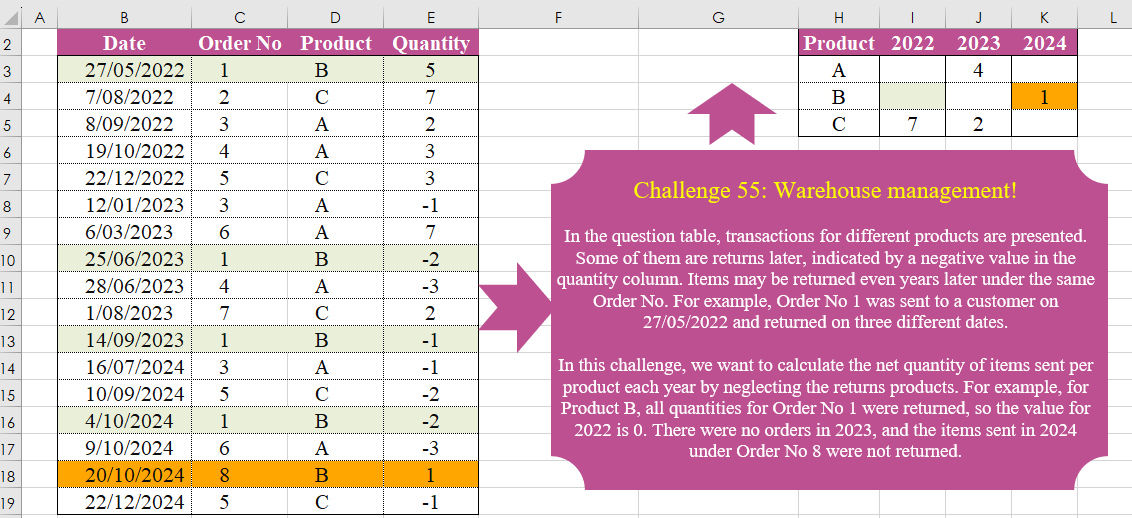
Challenge No. 55: In the question table, transactions for different products are presented.
Solved using:Excel (FILTER, HSTACK, INDEX), Power Query (List.Distinct, Table.Group, Table.Pivot), Python, and R.
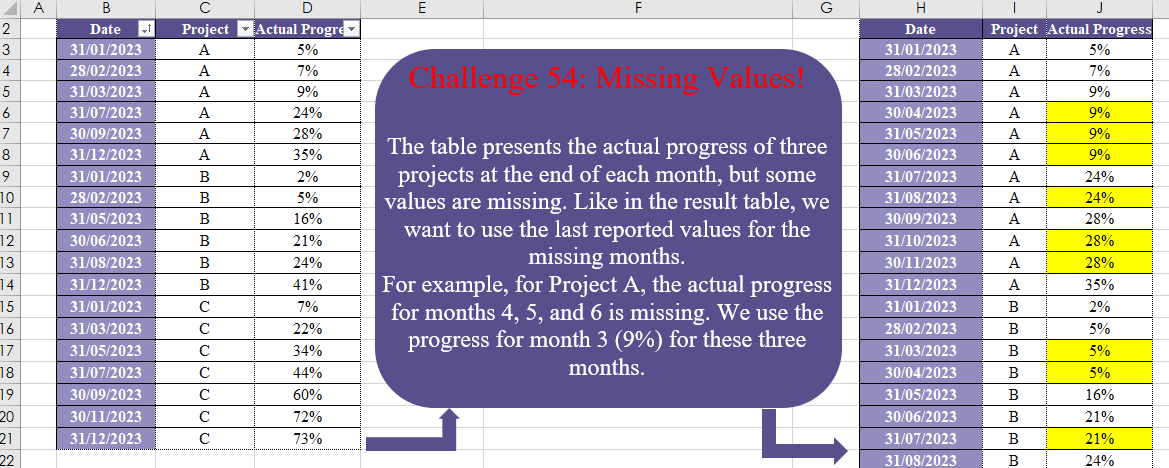
Challenge No. 54: The table presents the actual progress of three projects at the end of each month, but some values are missing.
Solved using:Excel (DATE, DROP, EOMONTH), Power Query (List.Transform, Table.Group, Table.TransformColumnTypes), Python, and R.
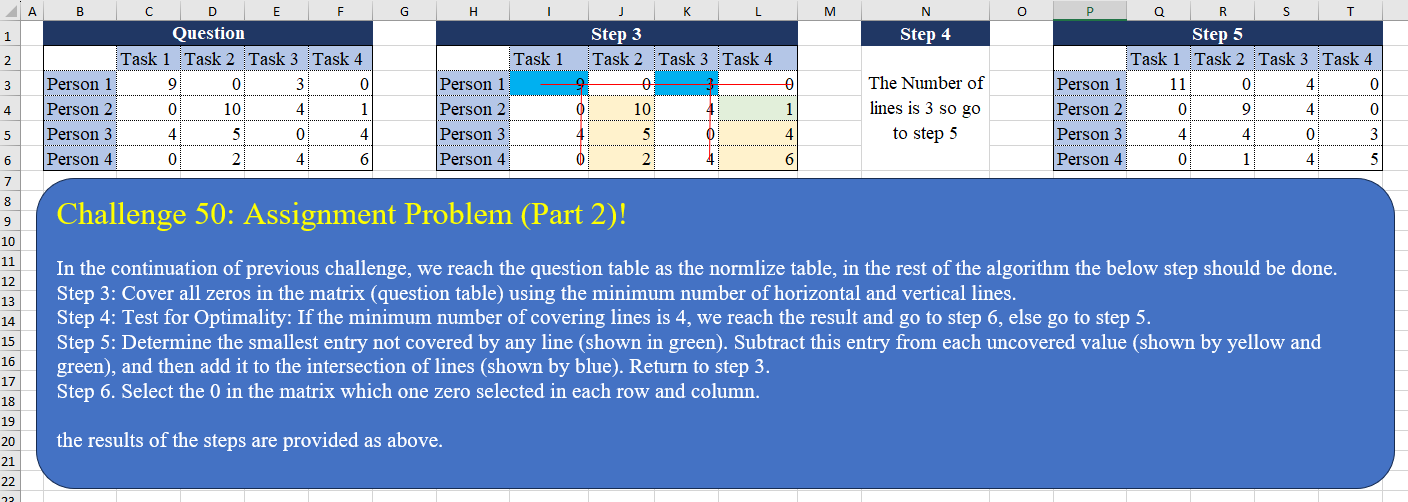
Challenge No. 50: In the continuation of the previous challenge, we reach the question table as the normalized table, in the rest of the algorithm the below step should be done.
Solved using:Excel (AND, BYCOL, BYROW), Power Query (List.Transform, Table.Column), Python, and R.
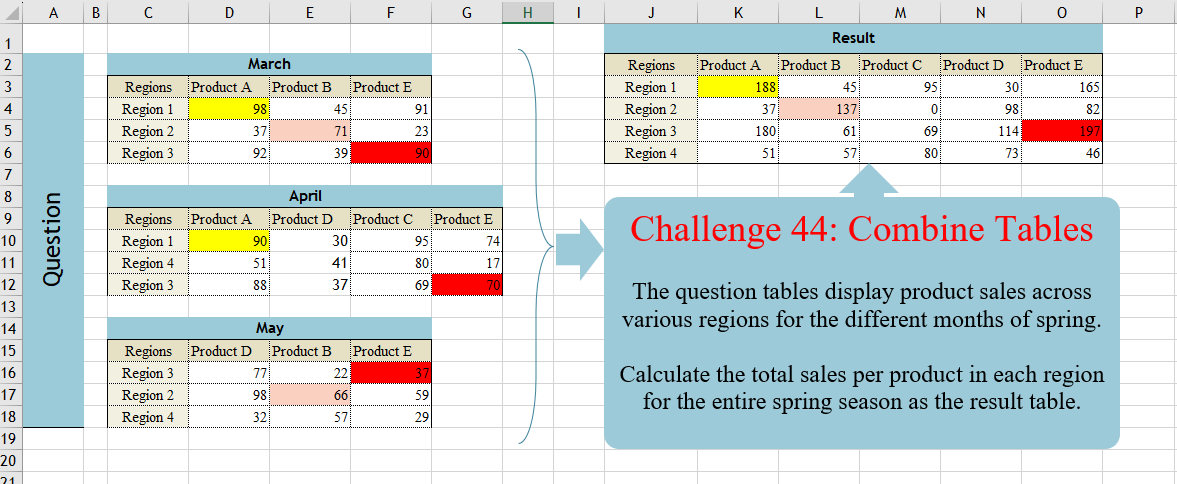
Challenge No. 44: The question tables display product sales across various regions for the different months of spring.
Solved using:Excel (DROP, FILTER, HSTACK), Power Query (List.Distinct, Table.Column, Table.ColumnNames), Python, and R.

Challenge No. 42: In the question table, a list of patients is provided who are scheduled to visit the doctor for consultations and surgery.
Solved using:Excel (CHOOSECOLS, DROP, FILTER), Power Query (Text.Combine, Table.Group, Table.SelectRows), Python, and R.
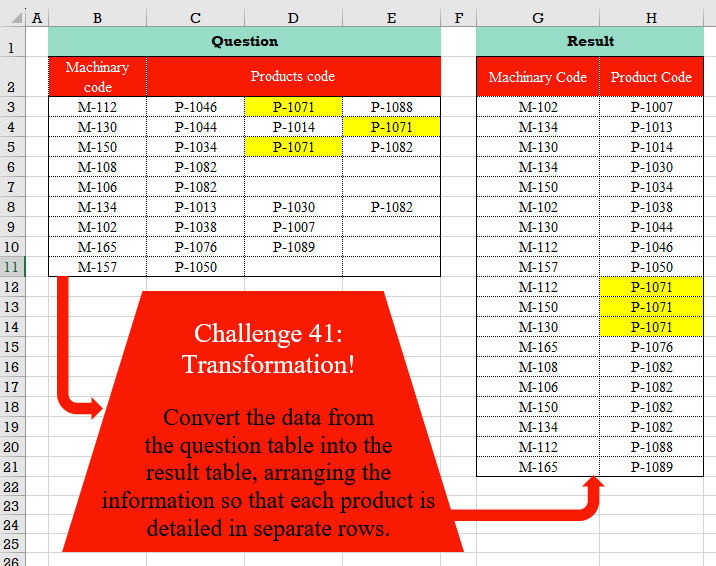
Challenge No. 41: Convert the data from the question table into the result table, arranging the information so that each product is detailed in separate rows.
Solved using:Excel (FILTER, HSTACK, LET), Power Query (List.Transform, Table.RemoveColumns, Table.Sort), Python, and R.
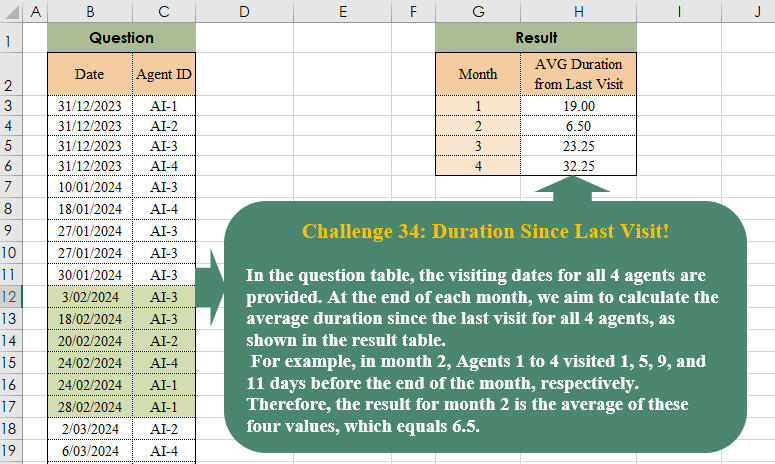
Challenge No. 38: In the question table, the visiting dates for all 4 agents are provided.
Solved using:Excel (AVERAGE, DROP, EOMONTH), Power Query (List.Transform, Table.AddColumn, Table.Group), Python, and R.

Challenge No. 35: In our company, we utilize a grading system to evaluate the technical performance of our agents, assigning grades of C, B, A, and A+.
Solved using:Excel (DROP, FILTER, HSTACK), Power Query (Table.AddColumn, Table.Group), and R.