
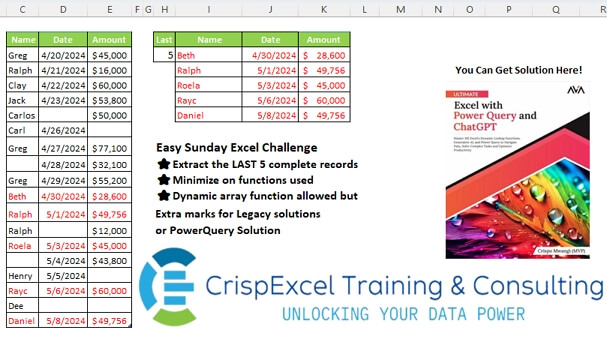
Challenge No. 28: Extract the LAST 5 complete records
Minimize on functions used
Dynamic array function allowed, but Extra marks for Legacy solutions or PowerQuery Solution.
Solved using: Python in Excel.
Returns a specified number of rows or columns from an array in Excel.
Challenge No. 28: Extract the LAST 5 complete records
Minimize on functions used
Dynamic array function allowed, but Extra marks for Legacy solutions or PowerQuery Solution.
Solved using: Python in Excel.
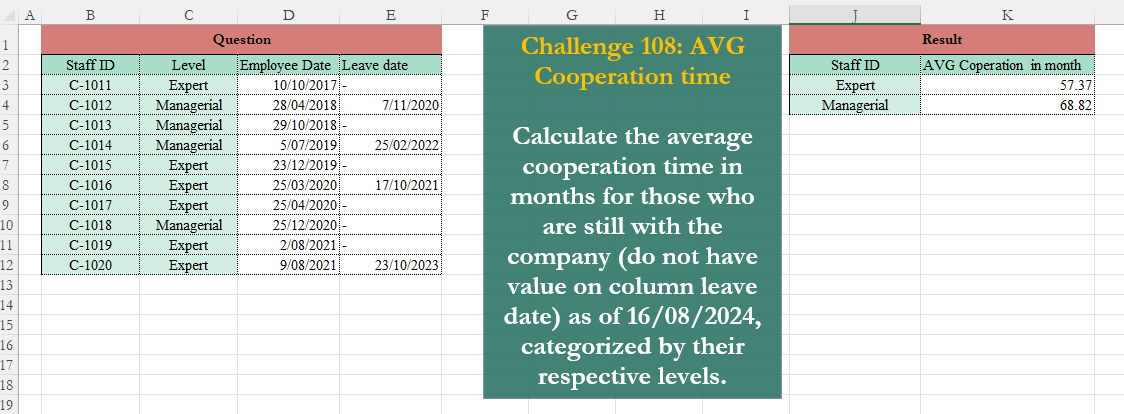
Challenge No. 108: Calculate the average cooperation time in months for those who are still with the company (do not have value on column leave date) as of 16/08/2024, categorized by their respective levels.
Solved using:Excel (AVERAGE, FILTER, HSTACK), Google Sheets, Power Query (Date.Month, Date.Year), Python, Python in Excel, and R.
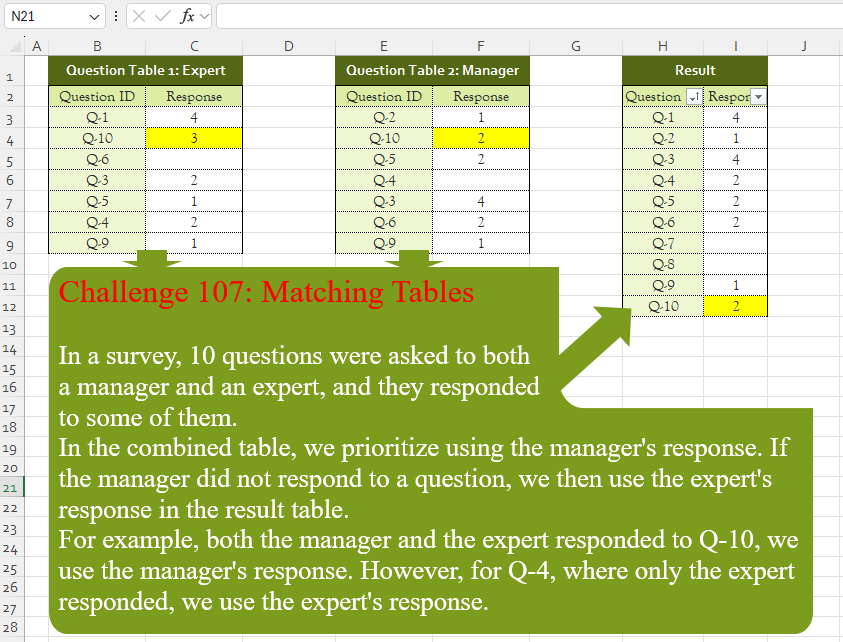
Challenge No. 107: In a survey, 10 questions were asked to both
a manager and an expert, and they responded
to some of them.
Solved using:Excel (CHOOSECOLS, FILTER, HSTACK), Google Sheets, Power Query (List.PositionOf, List.Transform, Table.AddColumn), Python, Python in Excel, and R.
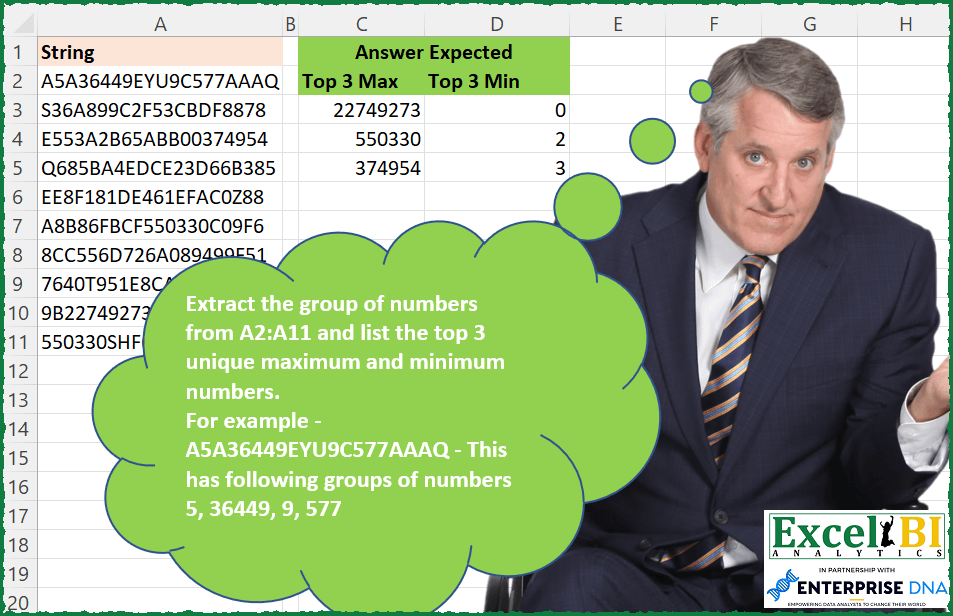
Challenge No. 114: Extract the group of numbers from A2:A11 and list the top 3 unique maximum and minimum numbers.
Solved using: SQL.
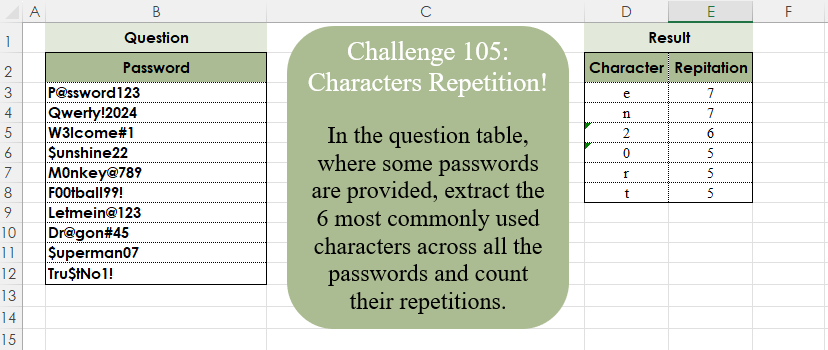
Challenge No. 105: In the question table, where some passwords are provided, extract the 6 most commonly used characters across all the passwords and count their repetitions.
Solved using:Excel (CONCAT, FILTER, GROUPBY), Google Sheets, Power Query (List.Combine, List.Distinct, List.Transform), Python, Python in Excel, and R.
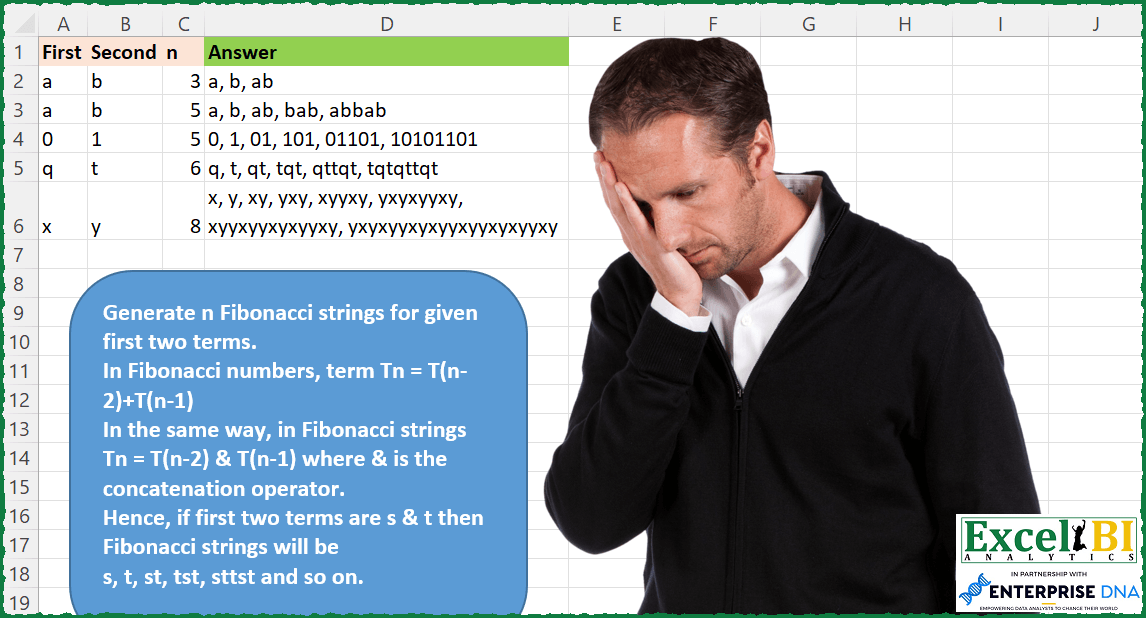
Challenge No. 104: Generate n Fibonacci strings for given first two terms.
Solved using: SQL.
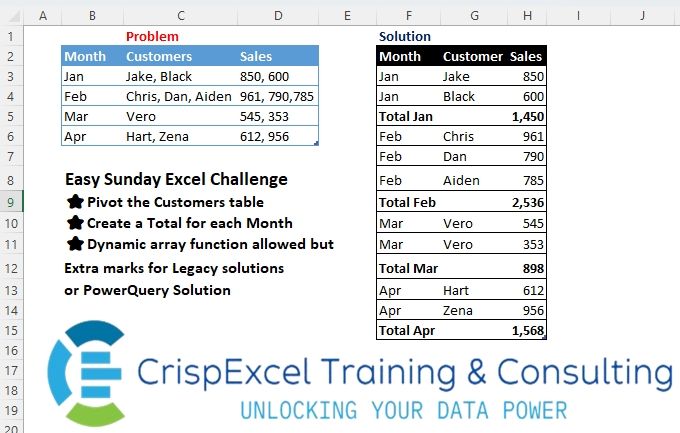
Challenge No. 22: Pivot the Customer’s table
Create a Total for each Month
Dynamic array function allowed but Extra marks for Legacy solutions or PowerQuery Solution.
Solved using: R.
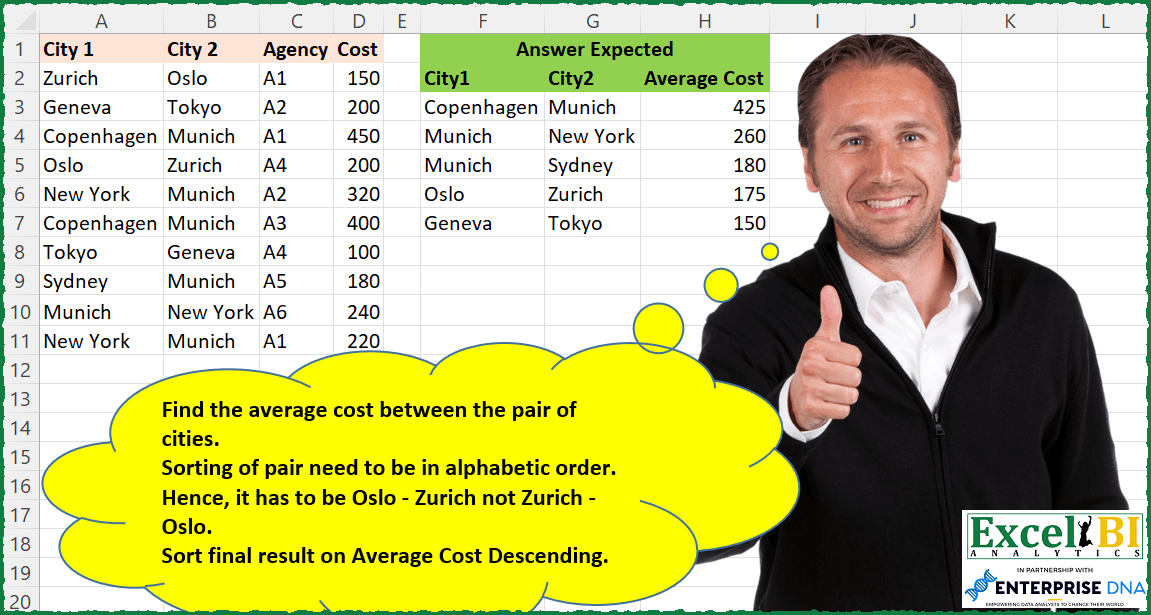
Challenge No. 92: Find the average cost between the pair of cities.
Solved using: Python in Excel.
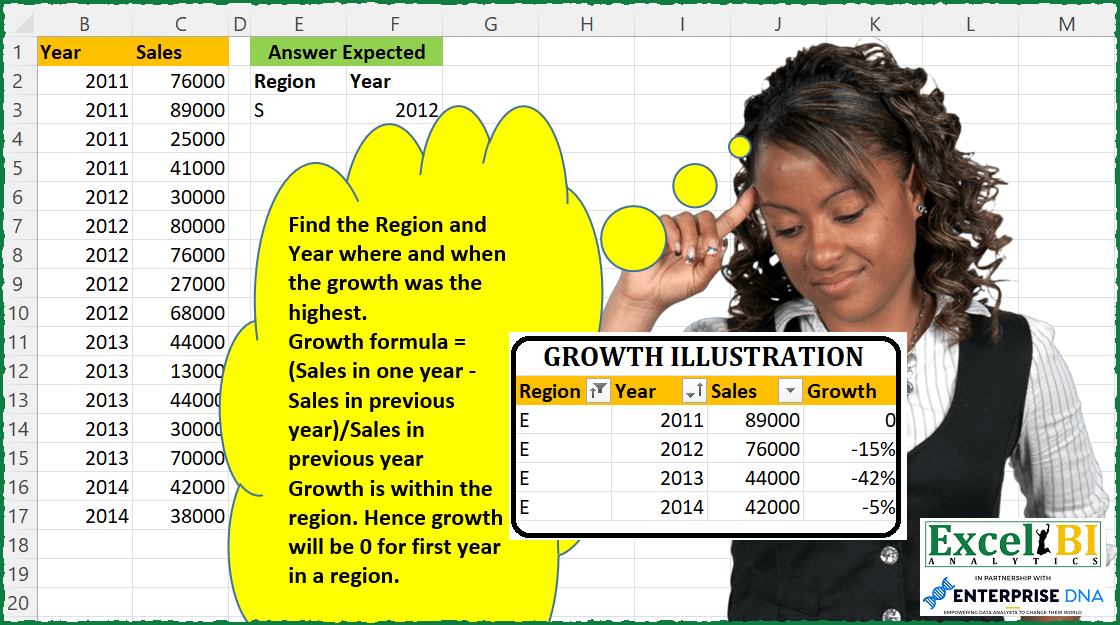
Challenge No. 87: Find the Region and Year where and when the growth was the highest.
Solved using: DAX.
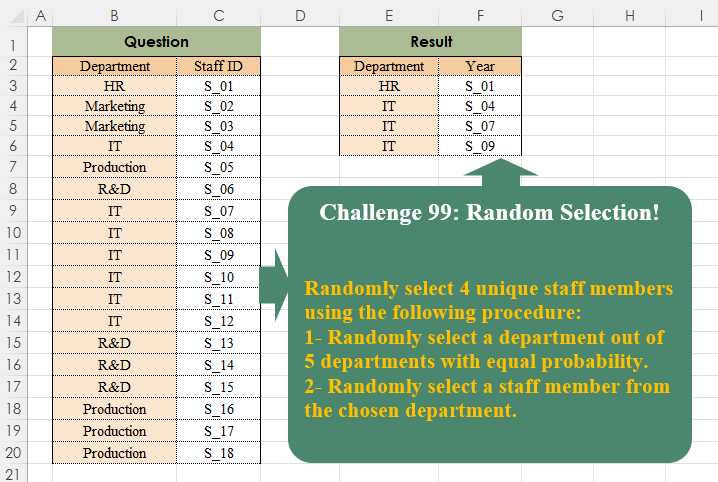
Challenge No. 99: Randomly select 4 unique staff members using the following procedure:
1- Randomly select a department out of 5 departments with equal probability.
Solved using:Excel, Power Query, and R.