
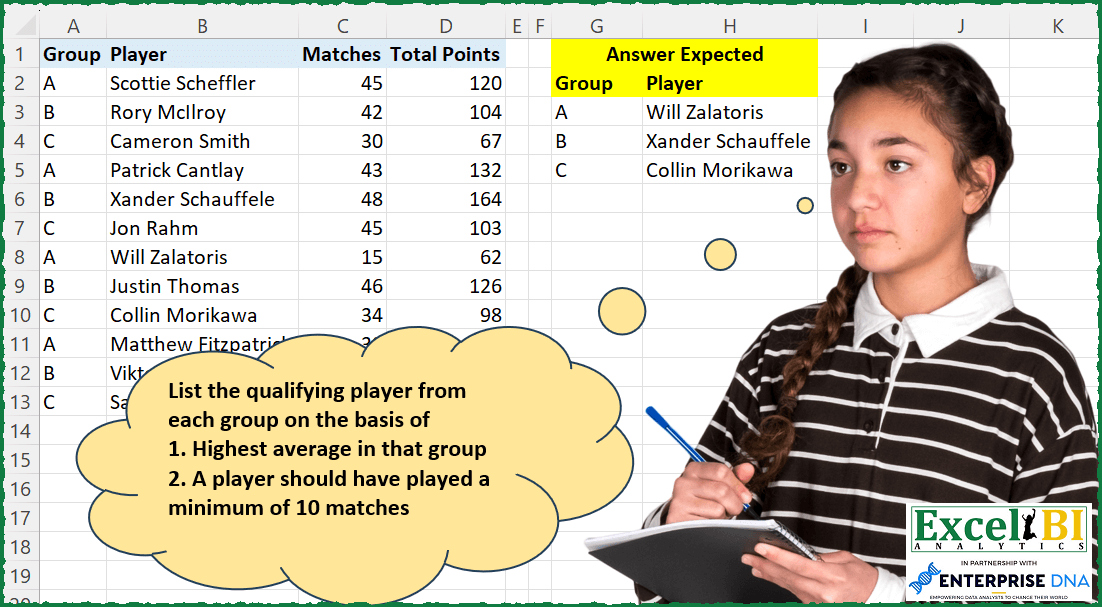
Challenge No. 197: List the qualifying player from each group on the basis of
1.
Solved using: Power Query (Table.AddColumn).
Returns a specified number of rows or columns from an array in Excel.
Challenge No. 197: List the qualifying player from each group on the basis of
1.
Solved using: Power Query (Table.AddColumn).

Challenge No. 133: Group the monthly sales values into three categories based on the following logic and provide one of the result tables:
Group 1: 1st to 10th of the month
Group 2: 11th to 20th of the month
Group 3: 21st to the end of the month.
Solved using:Excel (DATE, DAY, DROP), Google Sheets, Power Query (Table.Group, Date.Month, Table.AddColumn), Python, Python in Excel, and R.
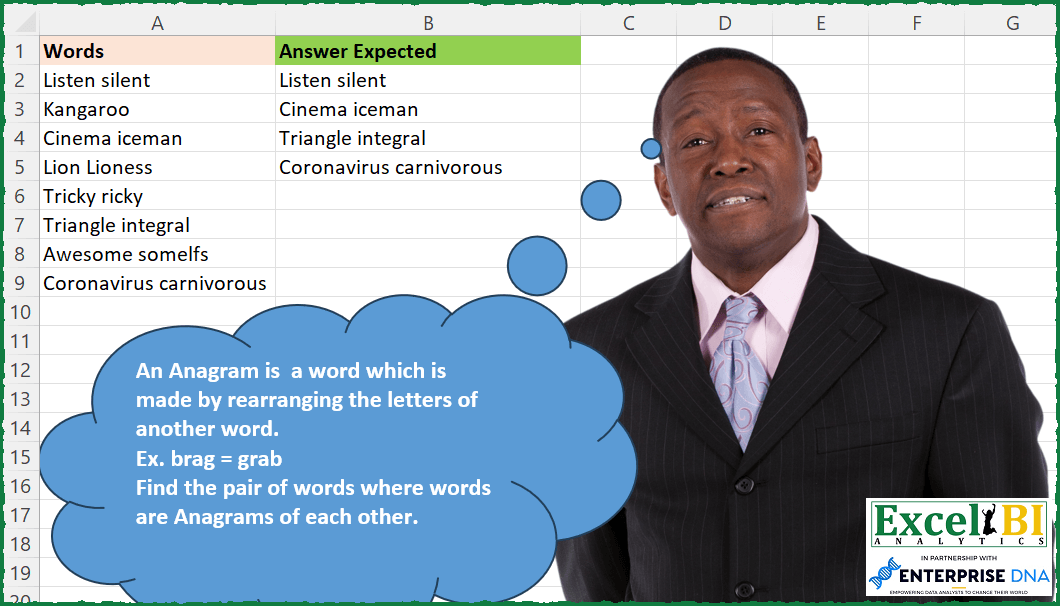
Challenge No. 187: An Anagram is a word which is made by rearranging the letters of another word.
Solved using: Power Query.
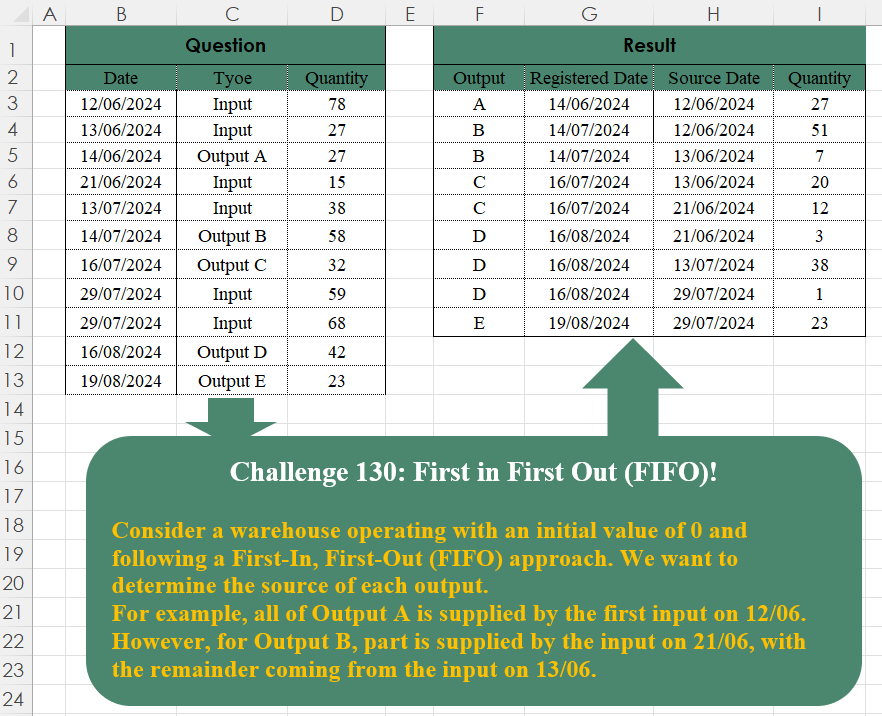
Challenge No. 130: Consider a warehouse operating with an initial value of 0 and following a First-In, First-Out (FIFO) approach.
Solved using:Excel (FILTER, TAKE), Google Sheets, Power Query (Table.SelectRows), Python, Python in Excel, and R.
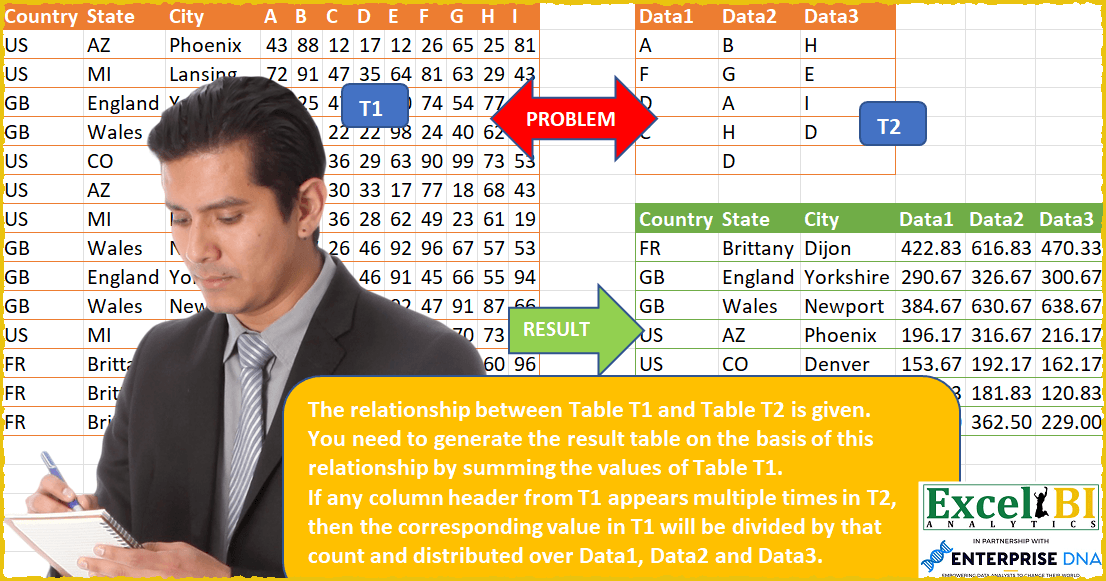
Challenge No. 53: The relationship between Table T1 and Table T2 is given.
Solved using: Power Query.

Challenge No. 180: Provide a formula to list the maximum number of items (one unit only of each item) which can be bought in $150 from A2:A10.
Solved using: Power Query (Table.Sort).
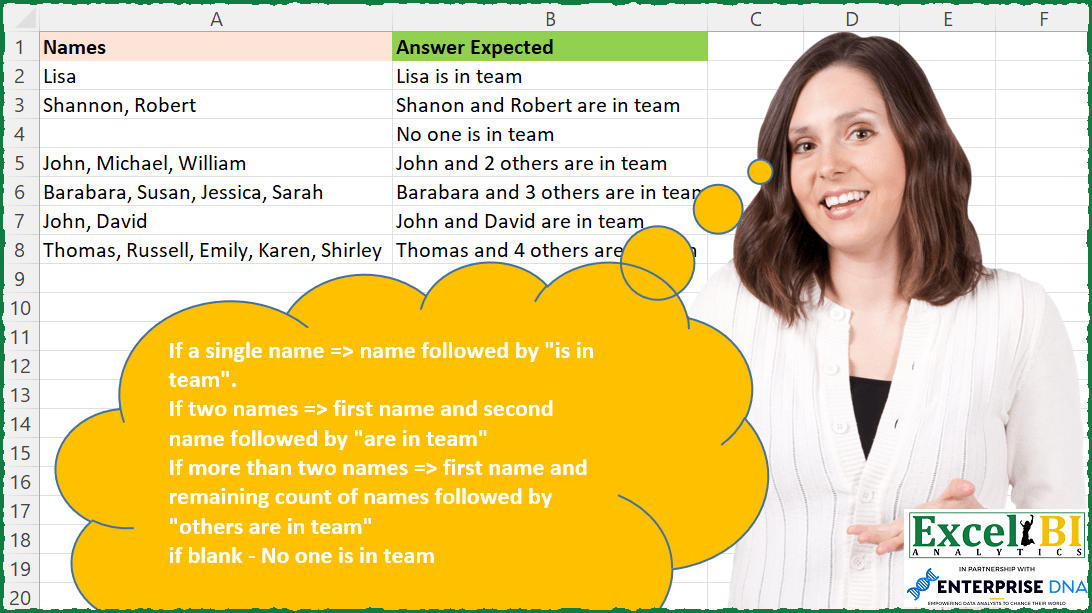
Challenge No. 176: If a single name => name followed by “is in team”.
Solved using: Power Query.

Challenge No. 127: Add an index column to the question table, with a separate counter for each stock.
Solved using:Excel (DROP, FILTER, HSTACK), Google Sheets, Power Query (Table.AddColumn, Table.AddIndexColumn), Python, Python in Excel, and R.
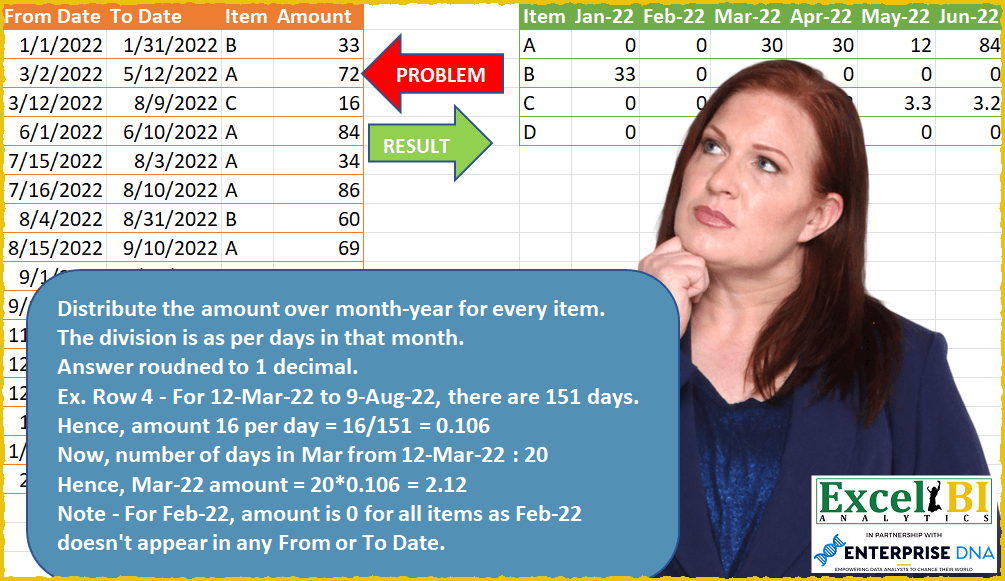
Challenge No. 51: Distribute the amount over month-year for every item.
Solved using: Power Query (List.Transform).

Challenge No. 174: Extract the last n odd numbers.
Solved using: Excel VBA.