Challenge No. 75: In the Question table, the order date for different products is provided (determined by positive quantity).
Solved using:DAX, Excel (CHOOSECOLS, FILTER, HSTACK), Power Query (Table.AddColumn, Table.Group, Table.SelectRows), Python, R, and SQL.
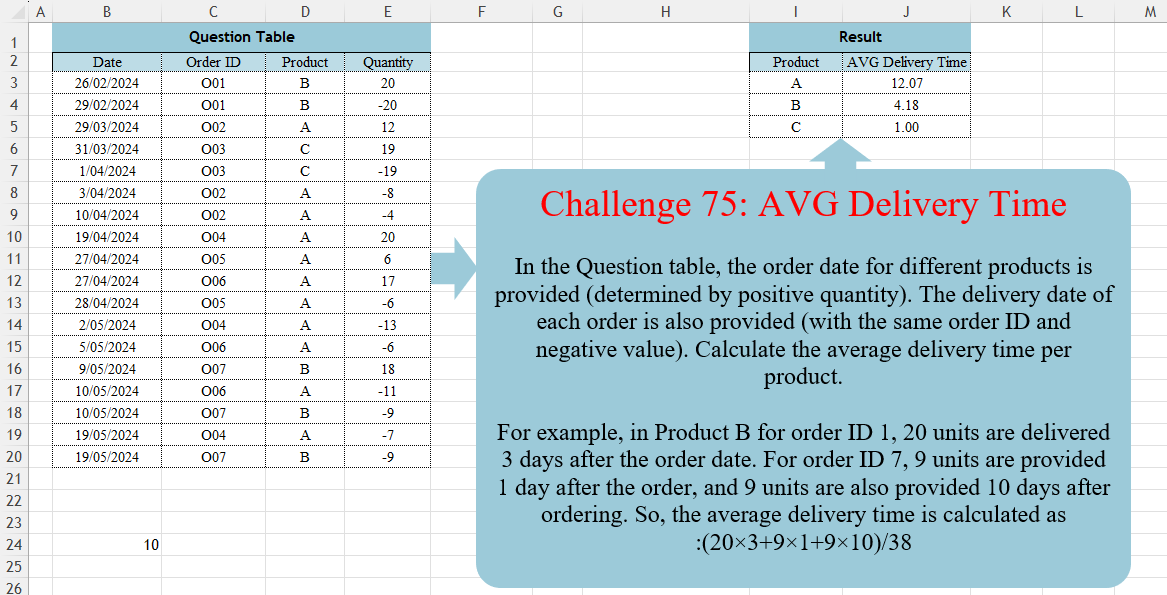
Table.AddColumn
Adds a new column to a table with computed values in Power Query.
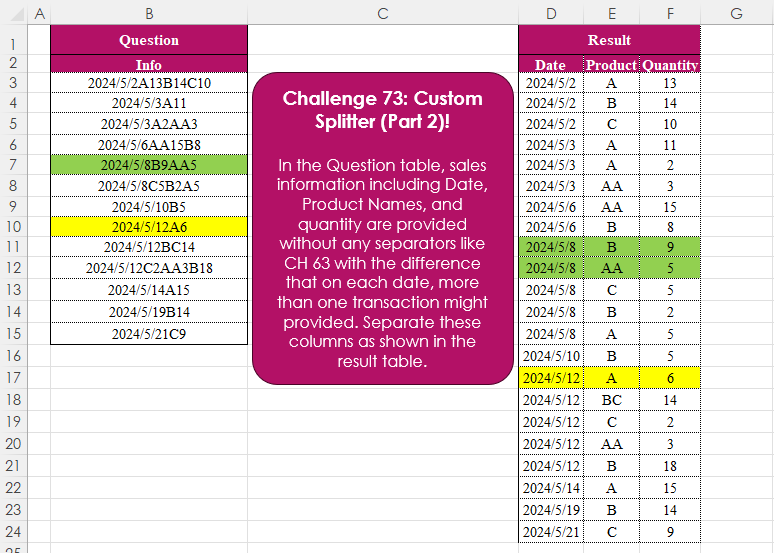
Custom Splitter (Part 2)!
Challenge No. 73: In the Question table, sales information including Date, Product Names, and quantity are provided without any separators like CH 63 with the difference that on each date, more than one transaction might provided.
Solved using:Excel (CHAR, DROP, HSTACK), Power Query (List.Skip, List.Transform, Table.AddColumn), Python, and R.
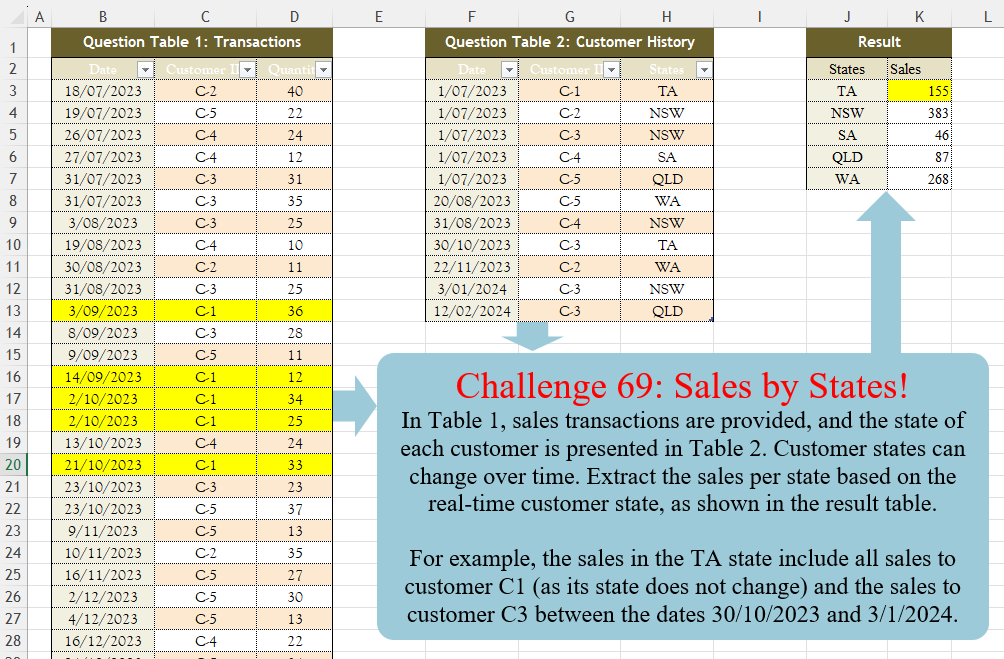
Sales By States!
Challenge No. 69: In Table 1, sales transactions are provided, and the state of each customer is presented in Table 2.
Solved using:Excel (FILTER, HSTACK, LAMBDA), Power Query (Table.AddColumn, Table.Group), Python, R, and SQL.
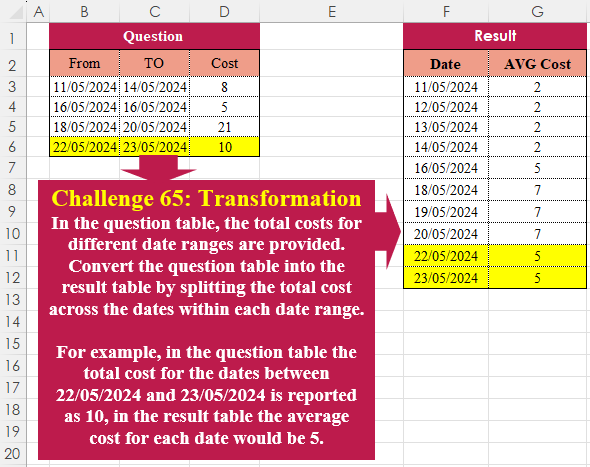
Table Transformation! Part 8
Challenge No. 65: In the question table, the total costs for different date ranges are provided.
Solved using:Excel (HSTACK, LAMBDA, LET), Power Query (List.Dates, List.Transform, Table.AddColumn), Python, R, and VBA.
Stepped Tax!
Challenge No. 58: In this challenge, we aim to find an efficient way to calculate the stepped tax based on the tax rates presented in the question table.
Solved using:Excel (LAMBDA, LET, MAP), Power Query (Table.AddColumn), Python, and R.
Purchasing Together!
Challenge No. 51: In the Question Table, historical sales data are provided.
Solved using:Excel (BYROW, HSTACK, LAMBDA), Power Query (List.Contains, List.ContainsAll, List.Transform), Python, and R.
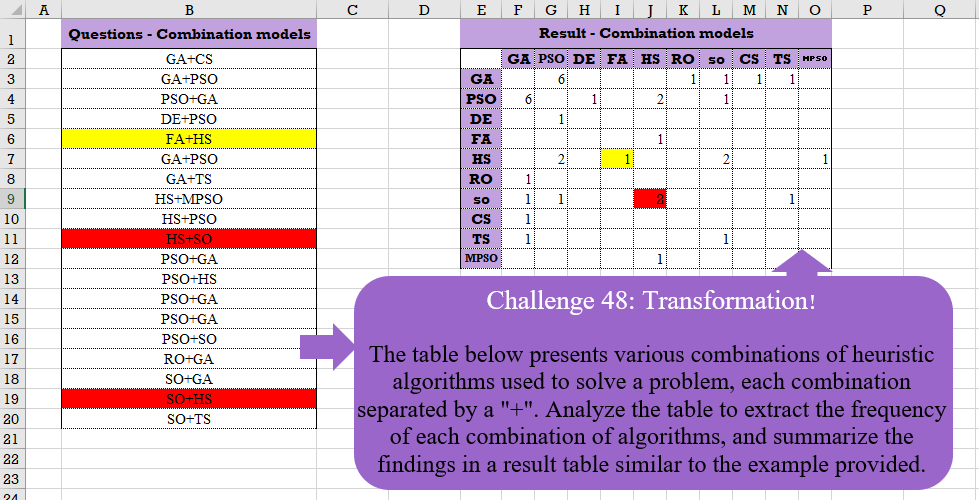
Table Transformation! Part 7
Challenge No. 48: The table below presents various combinations of heuristic algorithms used to solve a problem, each combination separated by a “+”.
Solved using:Excel (COUNTIF, HSTACK, IF), Google Sheets, Power Query (List.Distinct, List.Transform, Table.AddColumn), Python, and R.
Custom Grouping! Part 2
Challenge No. 46: The “Question” table provides a list of Product IDs.
Solved using:Excel (CHOOSECOLS, DROP, FILTER), Power Query (Table.Group, List.Transform, Text.End), Python, and R.
Text Split!
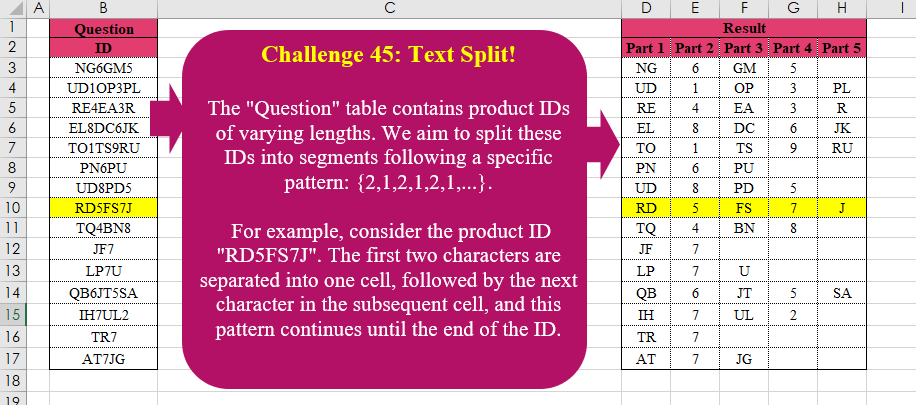
Challenge No. 45: The “Question” table contains product IDs of varying lengths.
Solved using:Excel (LAMBDA, LET, MID), Power Query (List.Transform, List.Zip, Table.AddColumn), Python, R, and VBA.
Cross Selling!
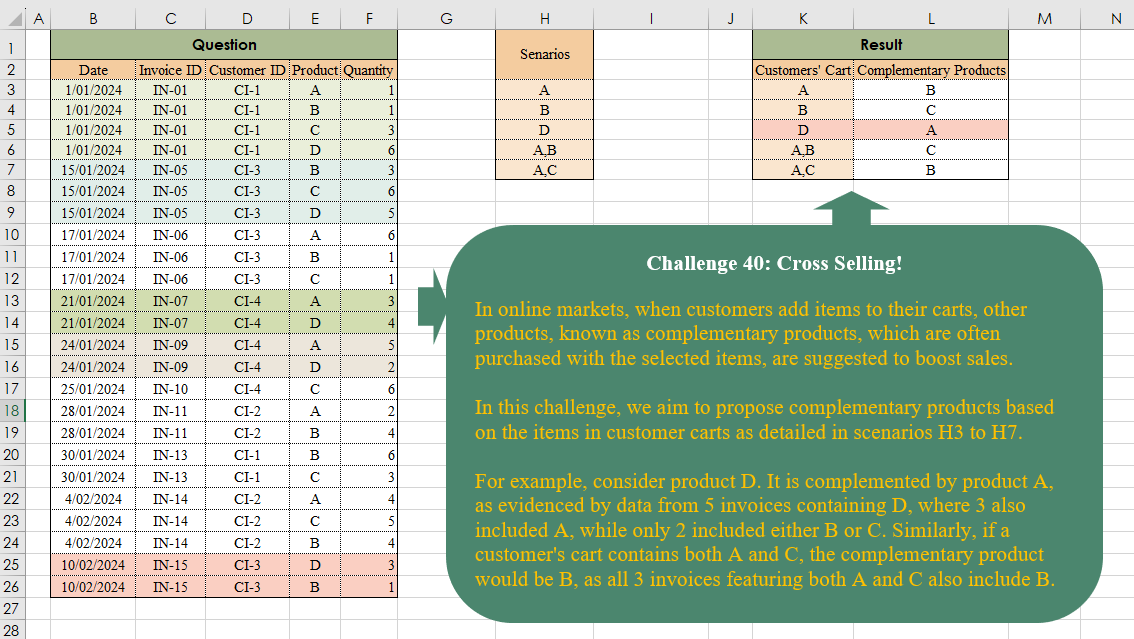
Challenge No. 40: In online markets, when customers add items to their carts, other products, known as complementary products, which are often purchased with the selected items, are suggested to boost sales.
Solved using:Excel (ARRAYTOTEXT, FILTER, HSTACK), Power Query (List.Transform, Text.Split, Table.AddColumn), and R.