Challenge No. 143: Groups the sales values every week starting from Friday days starting from 1/1/2024.
Solved using:Excel (GROUPBY, LAMBDA, LET), Google Sheets, Power Query (Table.Group, Date.WeekOfYear, Table.AddColumn), Python, Python in Excel, and R.
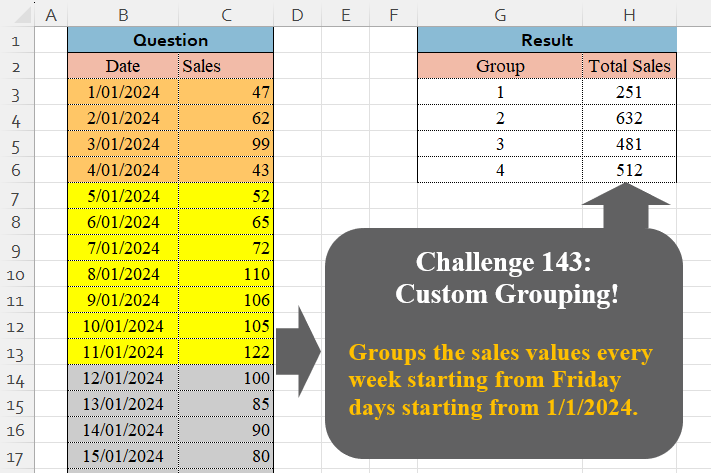
Table.AddColumn
Adds a new column to a table with computed values in Power Query.
Table Transformation! Part 15
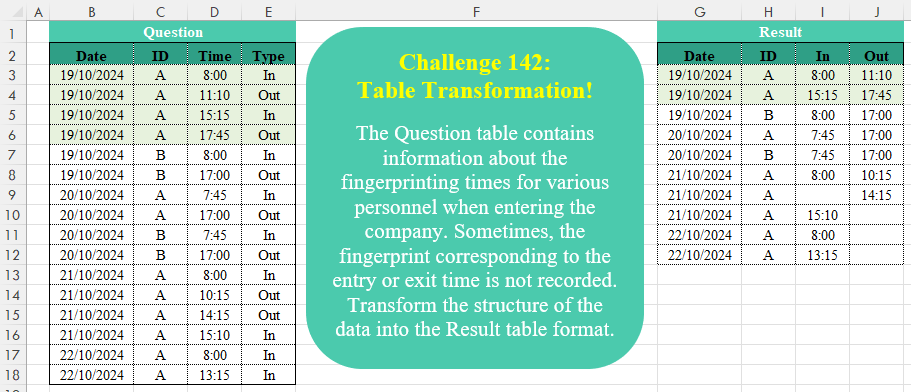
Challenge No. 142: The Question table contains information about the fingerprinting times for various personnel when entering the company.
Solved using:Excel (DROP, HSTACK, IF), Google Sheets, Power Query (Table.AddColumn, Table.Group, Table.Pivot), Python, Python in Excel, and R.
Sort Results by House and Name
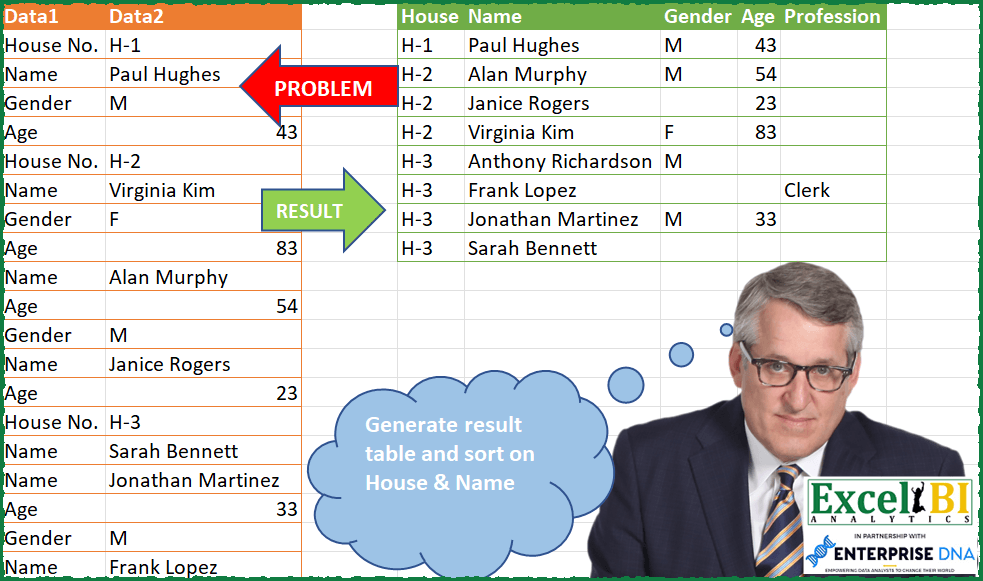
Challenge No. 67: Generate result table and sort on House & Name.
Solved using: Power Query (Table.AddColumn).
Golden Period!
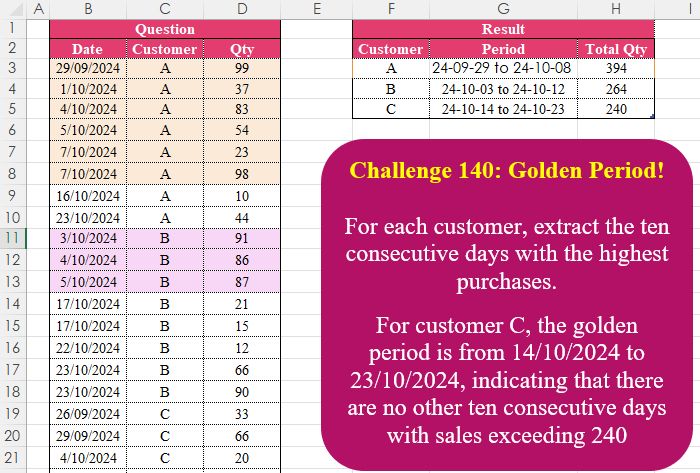
Challenge No. 140: For each customer, extract the ten consecutive days with the highest purchases.
Solved using:Excel (FILTER, HSTACK, IFS), Google Sheets, Power Query (Table.AddColumn, Table.Group), Python in Excel, and R.
Custom Grouping! Part 8
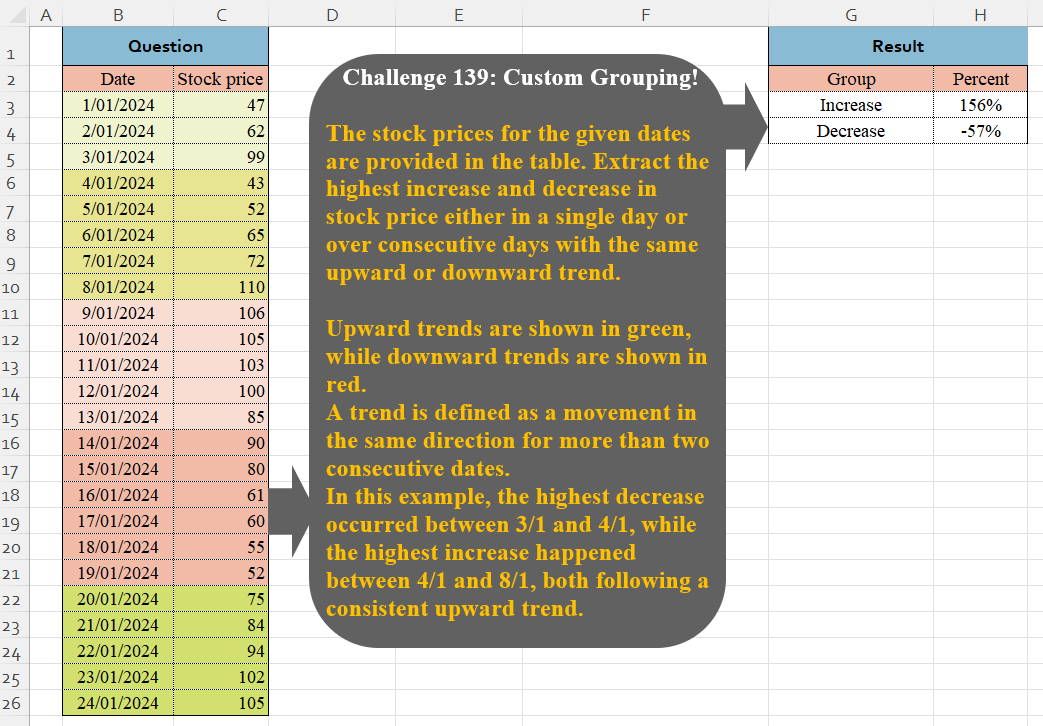
Challenge No. 139: The stock prices for the given dates are provided in the table.
Solved using:Excel (VSTACK), Google Sheets, Power Query (Table.Group, List.Combine, List.Transform), Python, and Python in Excel.
Periodic Sales Summary!
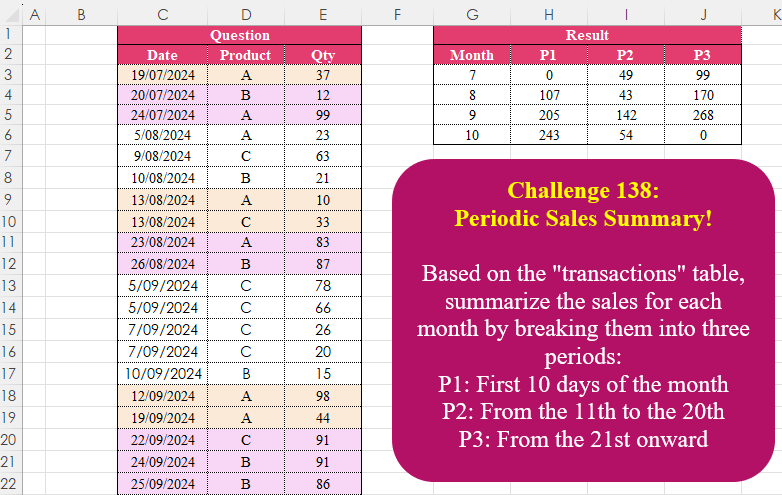
Challenge No. 138: Based on the “transactions” table, summarize the sales for each month by breaking them into three periods:
P1: First 10 days of the month
P2: From the 11th to the 20th
P3: From the 21st onward.
Solved using:Excel (DAY, DROP, HSTACK), Google Sheets, Power Query (Date.Month, List.Distinct, Table.AddColumn), Python, Python in Excel, and R.
Classify Items as Used or New
Challenge No. 60: Generate the Result table from Problem table.
Solved using: Power Query (Table.AddColumn, Table.Split, Table.SplitColumn).
Column Splitting! Part 1
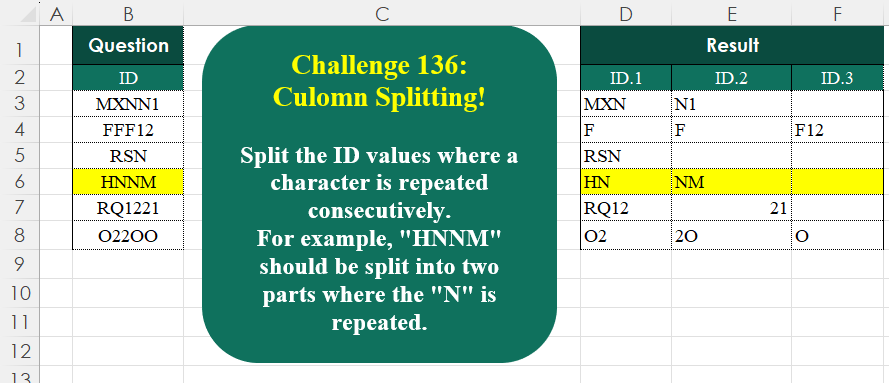
Challenge No. 136: Split the ID values where a character is repeated consecutively.
Solved using:Excel (CONCAT, DROP, IF), Google Sheets, Power Query (List.Transform, Text.Combine, Table.AddColumn), Python, Python in Excel, and R.
Identify The Pattern !
Challenge No. 135: Find the number of occurrences of the “+-+” pattern across the test IDs for each product.
Solved using:Excel (BYROW, CONCAT, DROP), Google Sheets, Power Query (List.Range, Text.Combine, Table.AddColumn), Python, Python in Excel, and R.
Top Player by Group Average
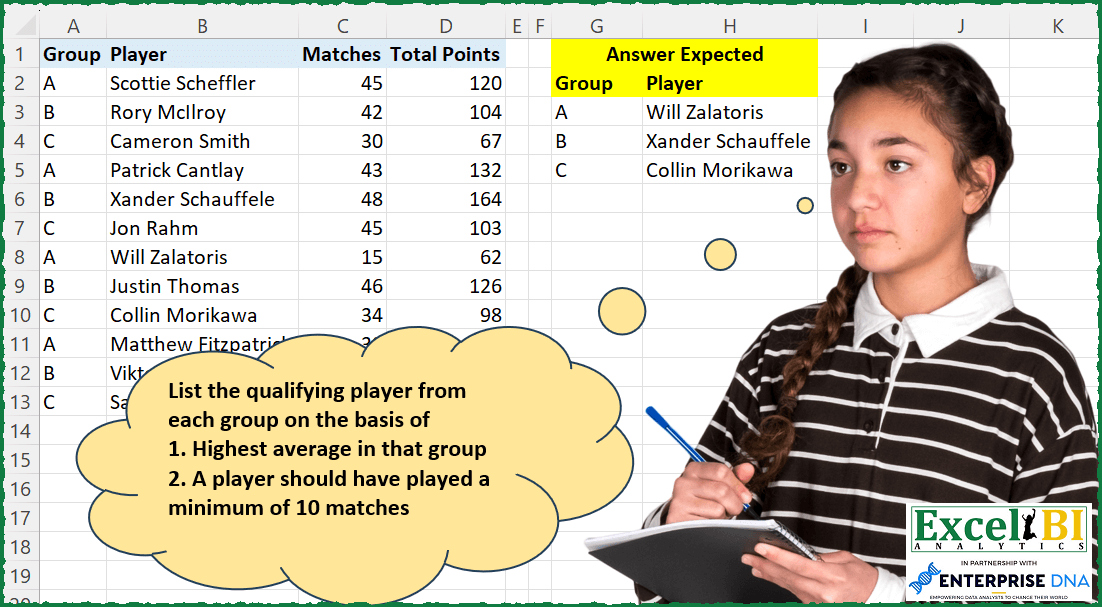
Challenge No. 197: List the qualifying player from each group on the basis of
1.
Solved using: Power Query (Table.AddColumn).