
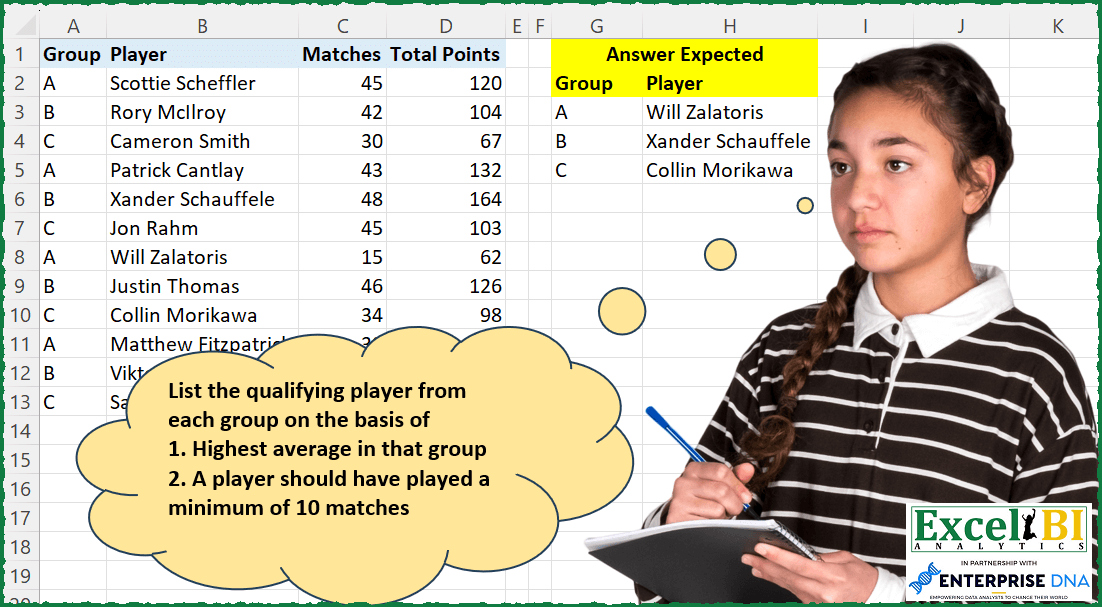
Challenge No. 197: List the qualifying player from each group on the basis of
1.
Solved using: Power Query (Table.AddColumn).
Finds a value in a one-row or one-column range in Excel.
Challenge No. 197: List the qualifying player from each group on the basis of
1.
Solved using: Power Query (Table.AddColumn).

Challenge No. 133: Group the monthly sales values into three categories based on the following logic and provide one of the result tables:
Group 1: 1st to 10th of the month
Group 2: 11th to 20th of the month
Group 3: 21st to the end of the month.
Solved using:Excel (DATE, DAY, DROP), Google Sheets, Power Query (Table.Group, Date.Month, Table.AddColumn), Python, Python in Excel, and R.
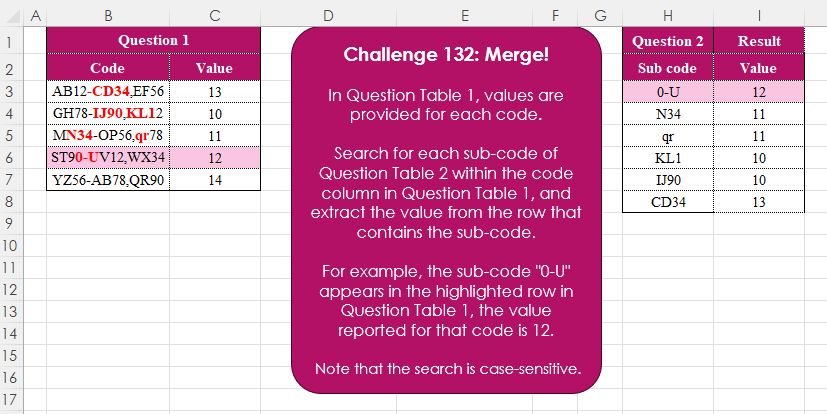
Challenge No. 132: In Question Table 1, values are provided for each code.
Solved using:Excel (FILTER, FIND, ISNUMBER), Google Sheets, Power Query (Text.Contains, Table.AddColumn, Table.SelectRows), Python, Python in Excel, R, and VBA.
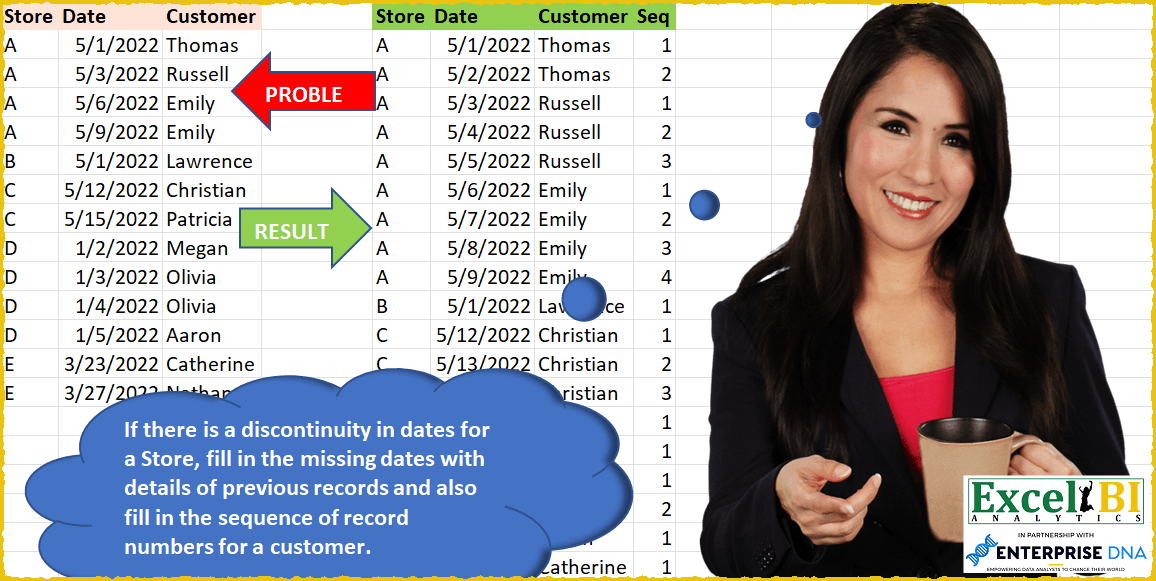
Challenge No. 50: If there is a discontinuity in dates for a Store, fill in the missing dates with details of previous records and also fill in the sequence of record numbers for a customer in that store.
Solved using: SQL.
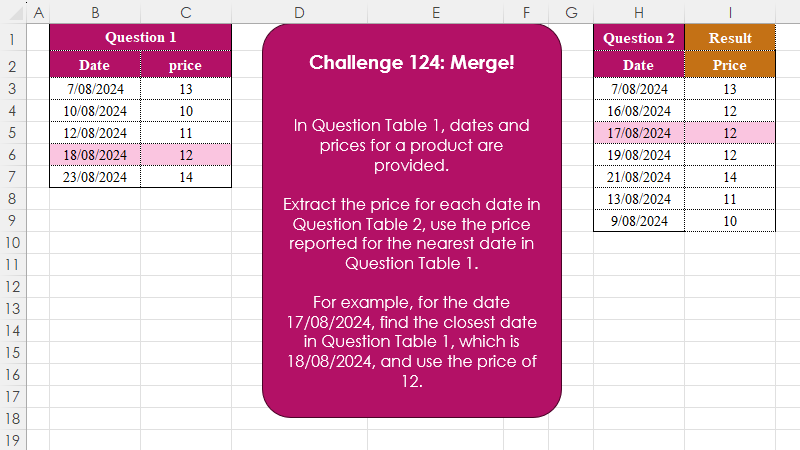
Challenge No. 124: In Question Table 1, dates and prices for a product are provided.
Solved using:Excel (INDEX, LAMBDA, LET), Google Sheets, Power Query (Table.AddColumn), Python, Python in Excel, and R.

Challenge No. 162: Vernam Cipher (also known as One time pad cipher)
1.
Solved using: Power Query (List.ReplaceMatchingItems, List.Transform, List.Zip).
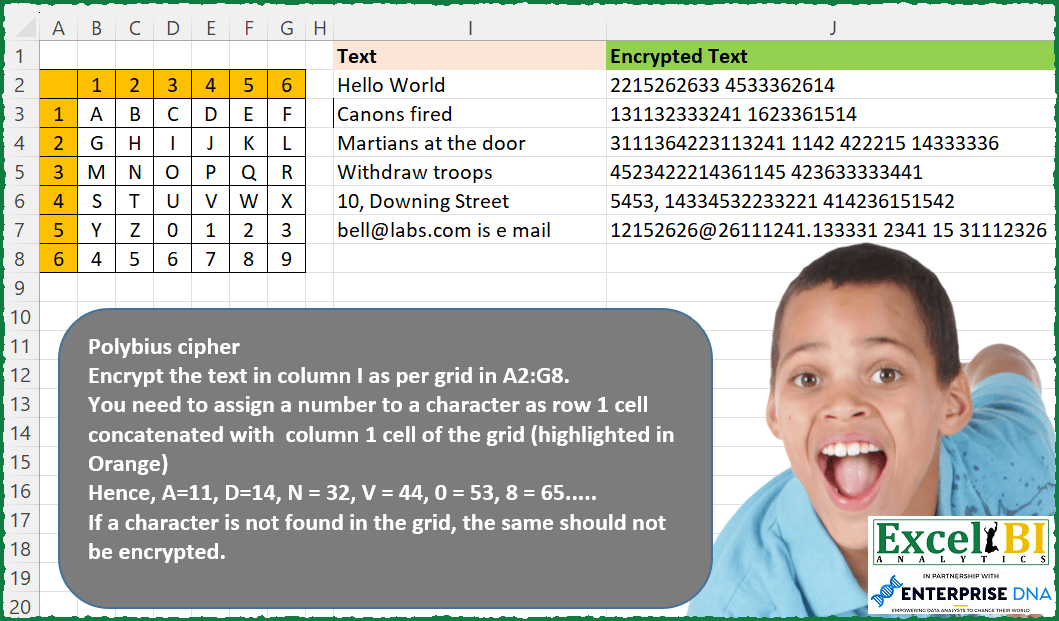
Challenge No. 155: Polybius cipher
Encrypt the text in column I as per grid in A2:G8.
Solved using: Python in Excel.
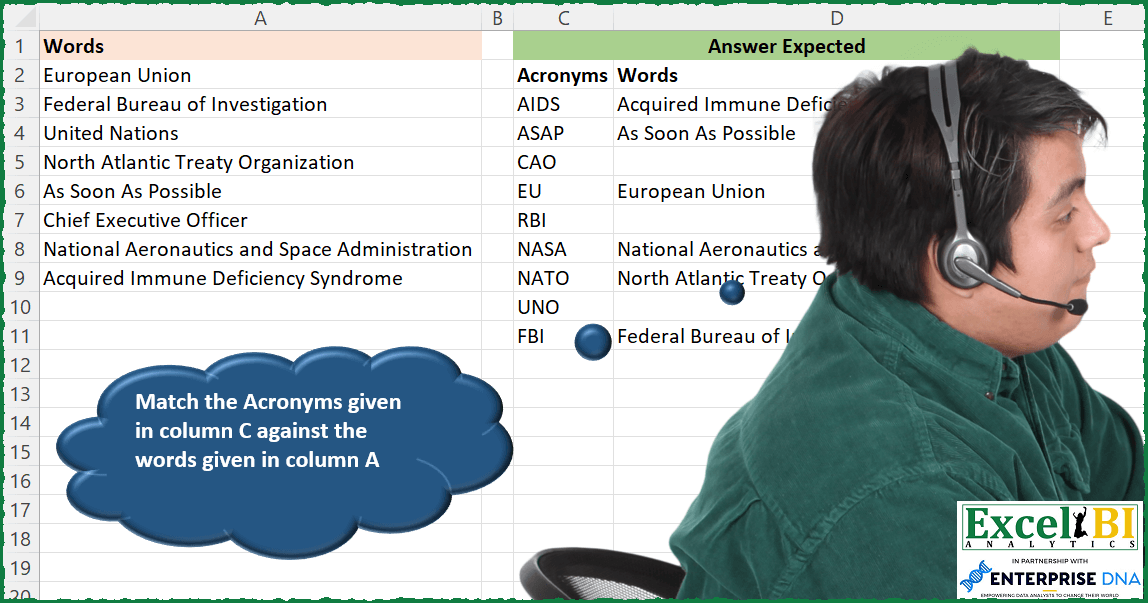
Challenge No. 144: Match the Acronyms given in column C against the words given in column A.
Solved using: SQL.
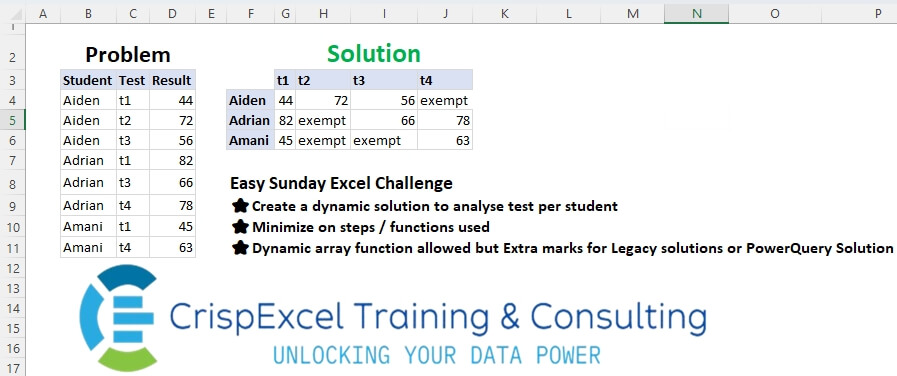
Challenge No. 36: Create a dynamic solution to analyse tests per student
Minimize the steps/functions used
Dynamic array function allowed, but Extra marks for Legacy solutions or PowerQuery Solution.
Solved using: Python in Excel.
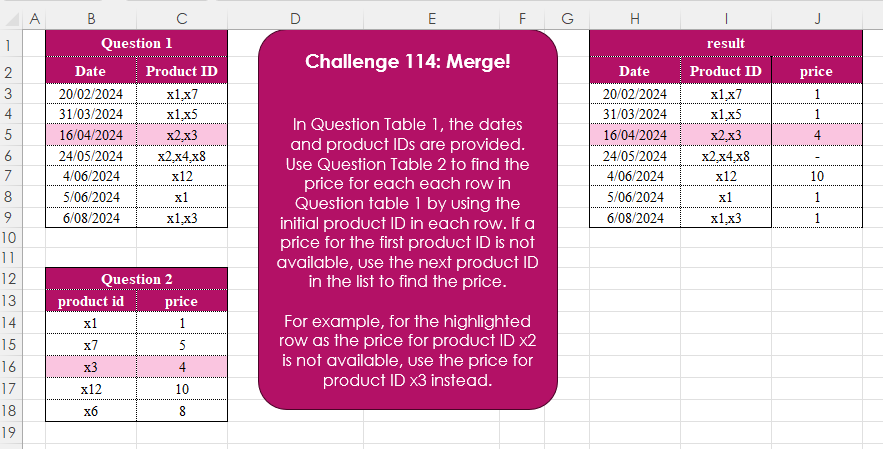
Challenge No. 114: In Question Table 1, the dates and product IDs are provided.
Solved using:Excel (FILTER, HSTACK, IFERROR), Google Sheets, Power Query (Text.Split, Table.AddColumn), Python, Python in Excel, R, and SQL.