
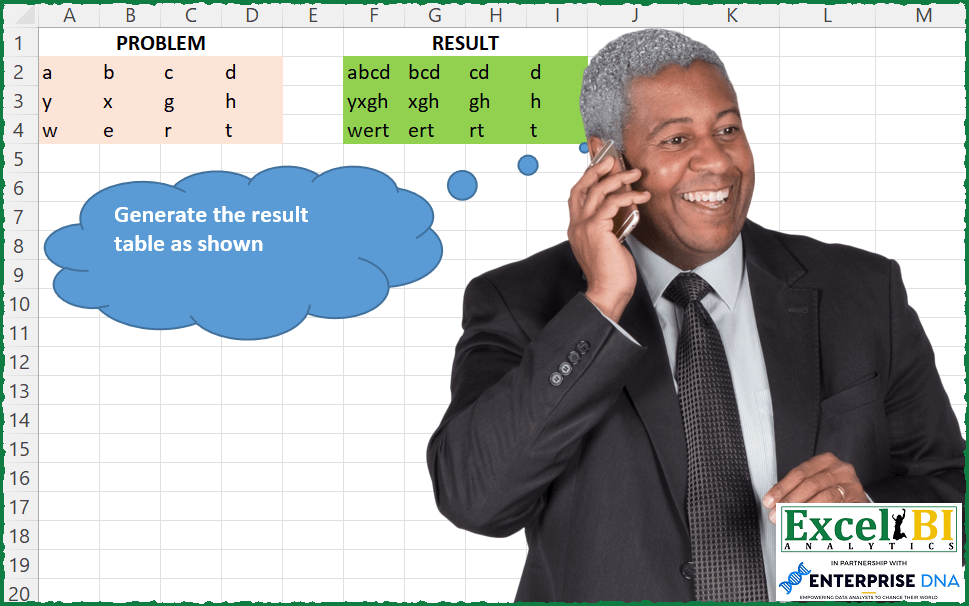
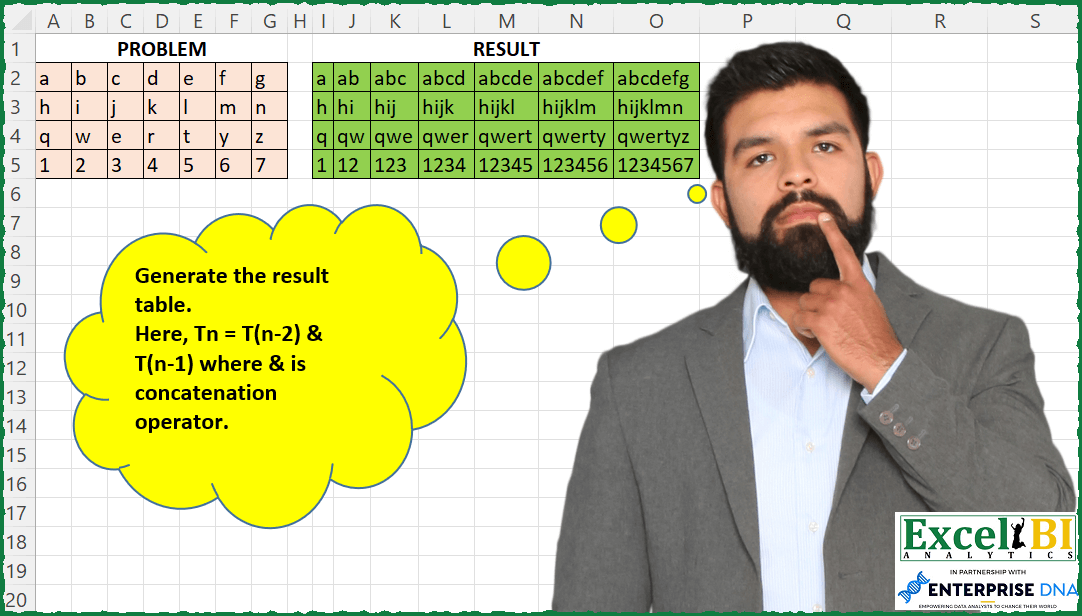
Challenge No. 120: Where Tn = T(n-2) & T(n-1) and & was concatenation operator.
Solved using: SQL.
Applies a function to each element in a list in Power Query.
Challenge No. 120: Where Tn = T(n-2) & T(n-1) and & was concatenation operator.
Solved using: SQL.
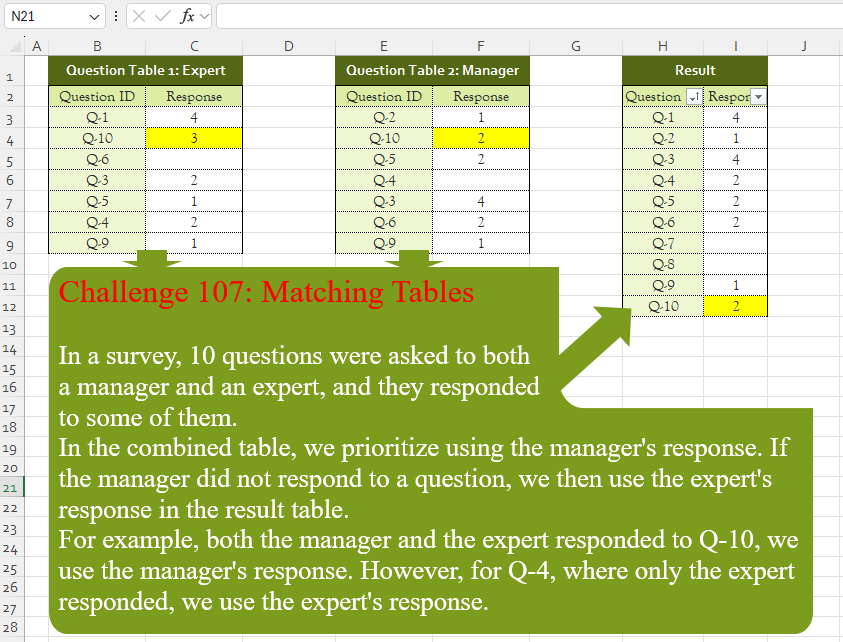
Challenge No. 107: In a survey, 10 questions were asked to both
a manager and an expert, and they responded
to some of them.
Solved using:Excel (CHOOSECOLS, FILTER, HSTACK), Google Sheets, Power Query (List.PositionOf, List.Transform, Table.AddColumn), Python, Python in Excel, and R.
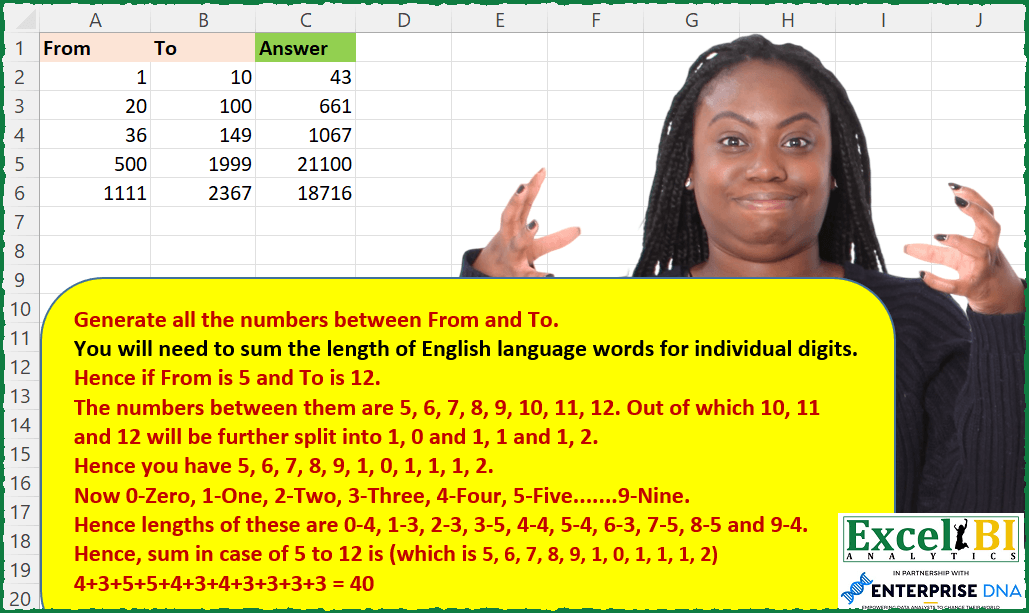
Challenge No. 111: Generate all the numbers between From and To.
Solved using: SQL.
Challenge No. 110: Generate the result table.
Solved using: SQL.
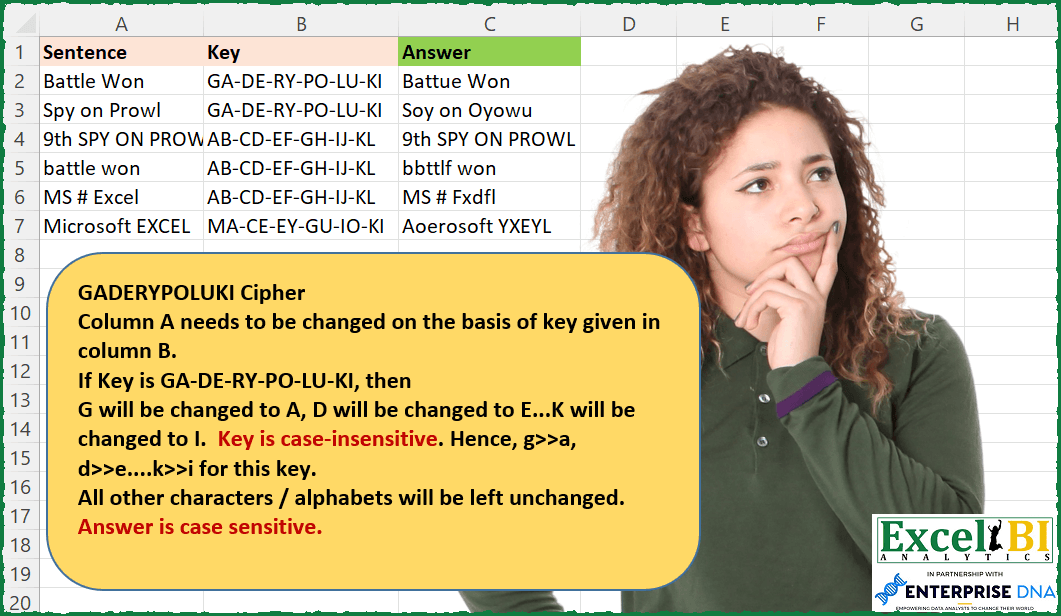
Challenge No. 109: GADERYPOLUKI Cipher
Column A needs to be changed on the basis of key given in column B.
Solved using: SQL.
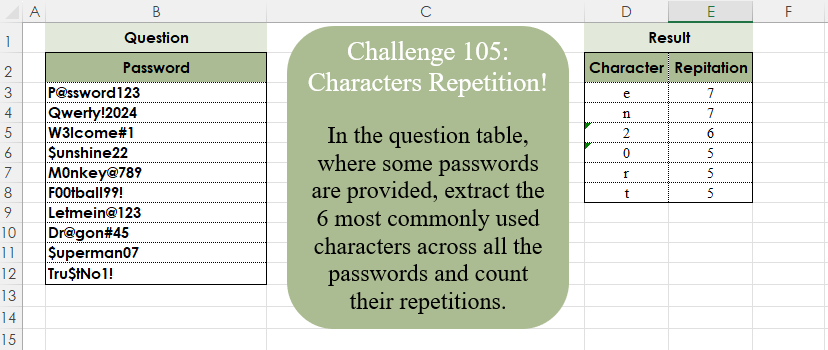
Challenge No. 105: In the question table, where some passwords are provided, extract the 6 most commonly used characters across all the passwords and count their repetitions.
Solved using:Excel (CONCAT, FILTER, GROUPBY), Google Sheets, Power Query (List.Combine, List.Distinct, List.Transform), Python, Python in Excel, and R.
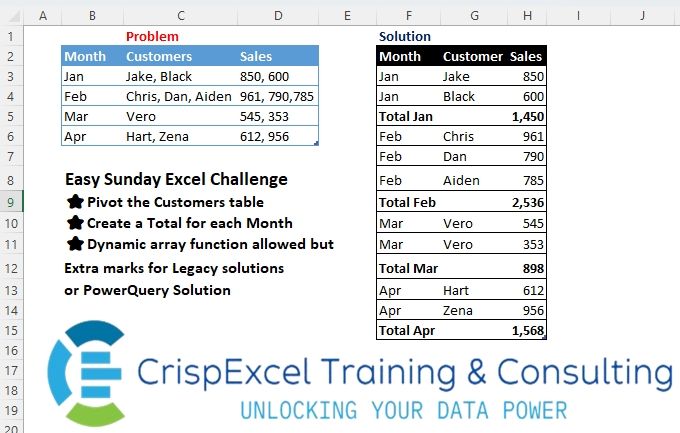
Challenge No. 22: Pivot the Customer’s table
Create a Total for each Month
Dynamic array function allowed but Extra marks for Legacy solutions or PowerQuery Solution.
Solved using: R.
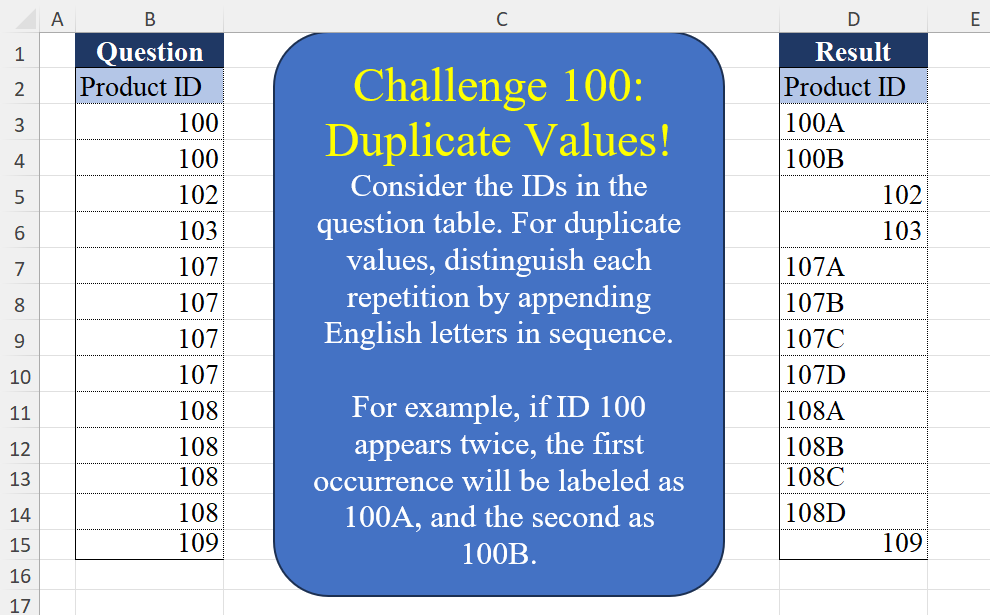
Challenge No. 100: Consider the IDs in the question table.
Solved using:Excel (CHAR, COUNTIF, COUNTIFS), Google Sheets, Power Query (List.Transform, Table.AddColumn, Table.Group), Python, Python in Excel, and R.
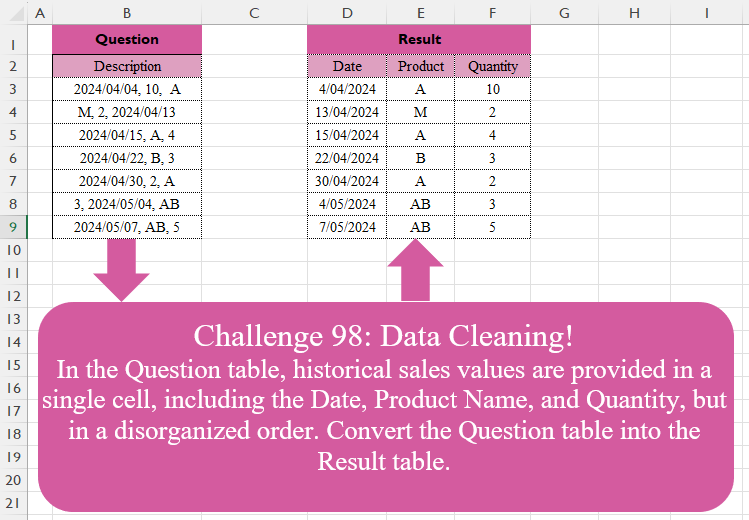
Challenge No. 98: In the Question table, historical sales values are provided in a single cell, including the Date, Product Name, and Quantity, but in a disorganized order.
Solved using:Excel (FILTER, HSTACK, IF), Google Sheets, Power Query (List.Transform, Text.Contains, Text.Split), Python, Python in Excel, and R.
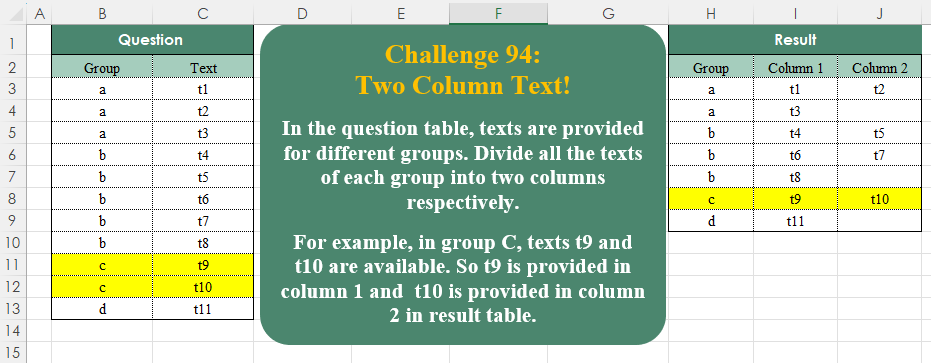
Challenge No. 94: In the question table, texts are provided for different groups.
Solved using:Excel (DROP, FILTER, HSTACK), Google Sheets, Power Query (List.Split, List.Transform, Table.ExpandTableColumn), Python, Python in Excel, and R.