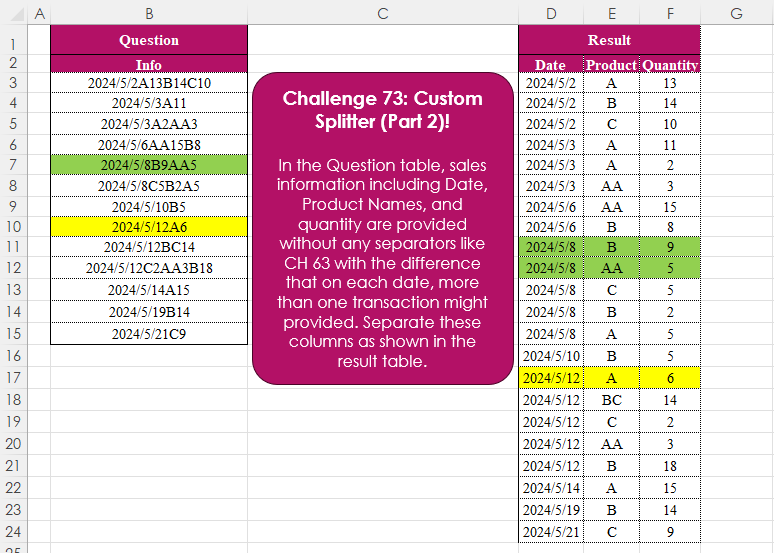
Challenge No. 92: In the question table, some cells (highlighted) are missing, but a character determines how to fill them based on the following rule:
R = right cell
L = left cell
U = upper cell
D = down cell.
Solved using:Excel (IF, IFS, INDEX), Power Query (List.PositionOf, List.Transform), Python, Python in Excel, and R.
List.Transform
Applies a function to each element in a list in Power Query.
Table Transformation! Part 9
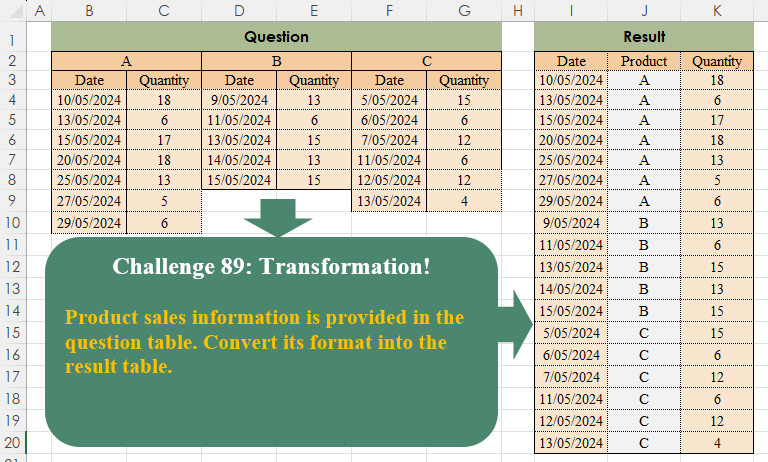
Challenge No. 89: Product sales information is provided in the question table.
Solved using:Excel (COUNTA, FILTER, HSTACK), Power Query (List.Transform, Table.SelectRows, Table.Skip), Python, Python in Excel, and R.

Generate A to Z letter sequence
Challenge No. 33: Provide a formula to generate the sequence shown (A till Z only).
Solved using: Power Query (List.Transform).
Custom Ranking!
Challenge No. 85: In the Question Table, values are provided and we want to rank them in ascending order based on custom logic.
Solved using:Excel (FILTER, HSTACK, IF), Power Query (List.Sort, List.Transform), Python, and R.
Check 3×3 Magic Square
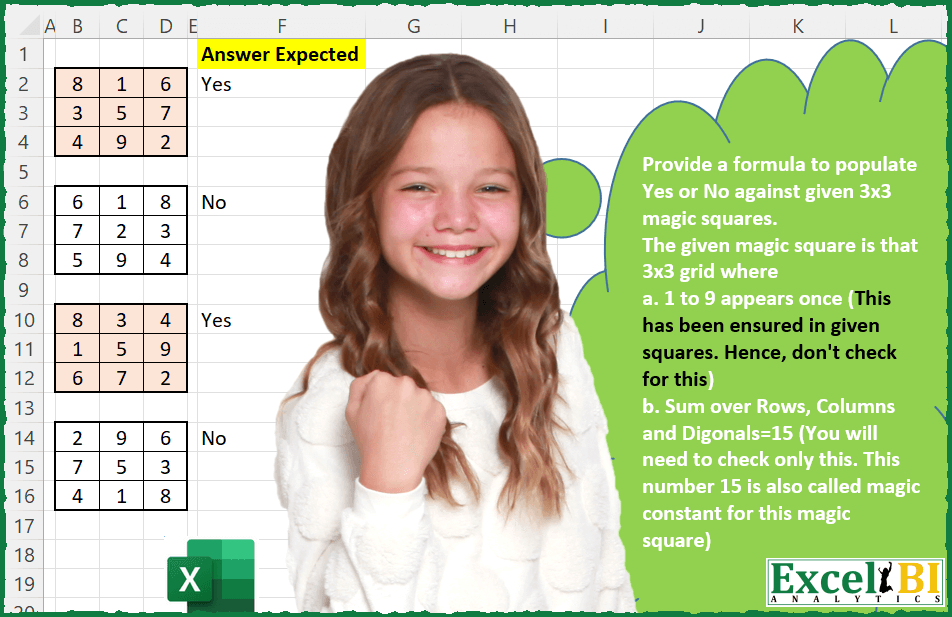
Challenge No. 25: Provide a formula to populate Yes or No against given 3×3 magic squares.
Solved using: Power Query (List.Transform).
Replace Words in Original Text
Challenge No. 9: (Excel formulas also welcome)
There is a table which has Original Text and there is another table which contains the list of words which need to be replaced.
Solved using: Power Query (List.Transform, Table.AddColumn, Table.ReplaceValue).
Custom Splitter (Part 3)!
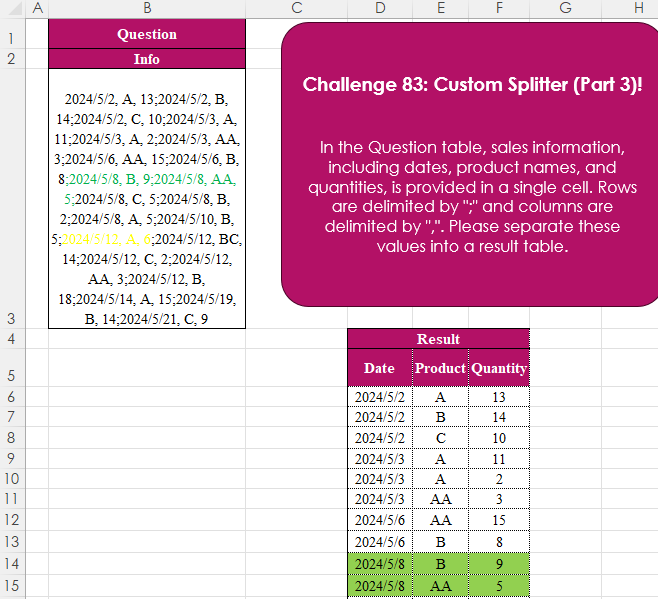
Challenge No. 83: In the Question table, sales information, including dates, product names, and quantities, is provided in a single cell.
Solved using:Excel (IFERROR, LET, ROWS), Power Query (List.Transform, Text.Split, Table.FromRows), Python, Python in Excel, R, and SQL.
Remove Blank Columns!
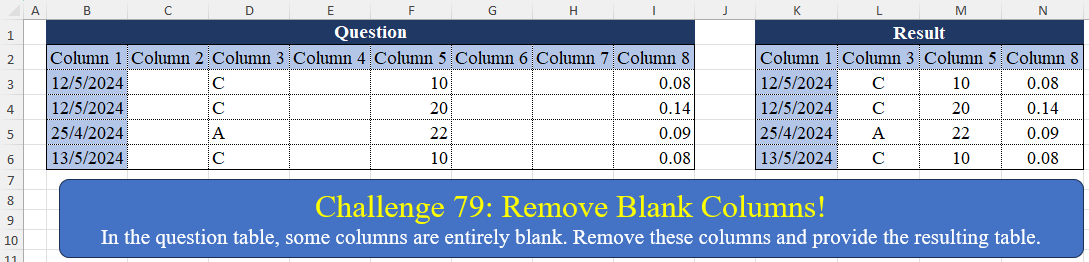
Challenge No. 79: In the question table, some columns are entirely blank.
Solved using:Excel (BYCOL, FILTER), Power Query (List.Transform, Table.Column, Table.ColumnNames), Python, Python in Excel, R, and VBA.
Character-Based Rhombus
Challenge No. 77: Create a formula to receive a number n as input and generate a rhombus with a diameter equal to n using “*” characters.
Solved using:Excel (DROP, IF, LAMBDA), Power Query (List.Transform), Python, R, and VBA.
Custom Splitter (Part 2)!
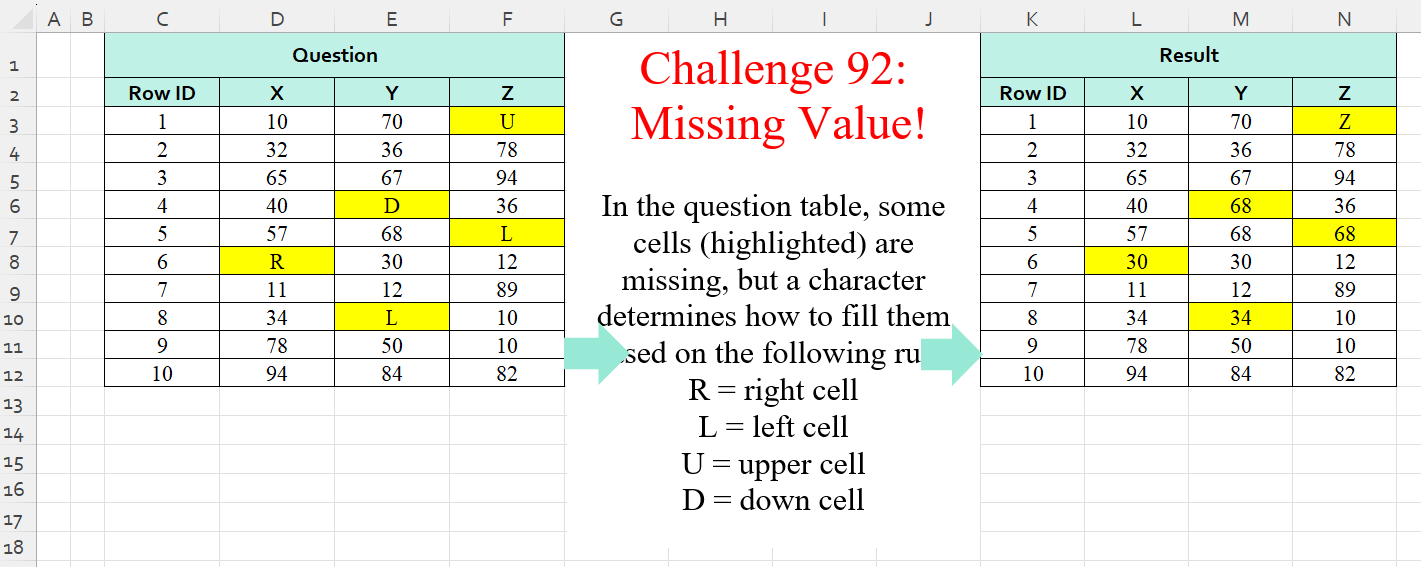
Challenge No. 73: In the Question table, sales information including Date, Product Names, and quantity are provided without any separators like CH 63 with the difference that on each date, more than one transaction might provided.
Solved using:Excel (CHAR, DROP, HSTACK), Power Query (List.Skip, List.Transform, Table.AddColumn), Python, and R.