
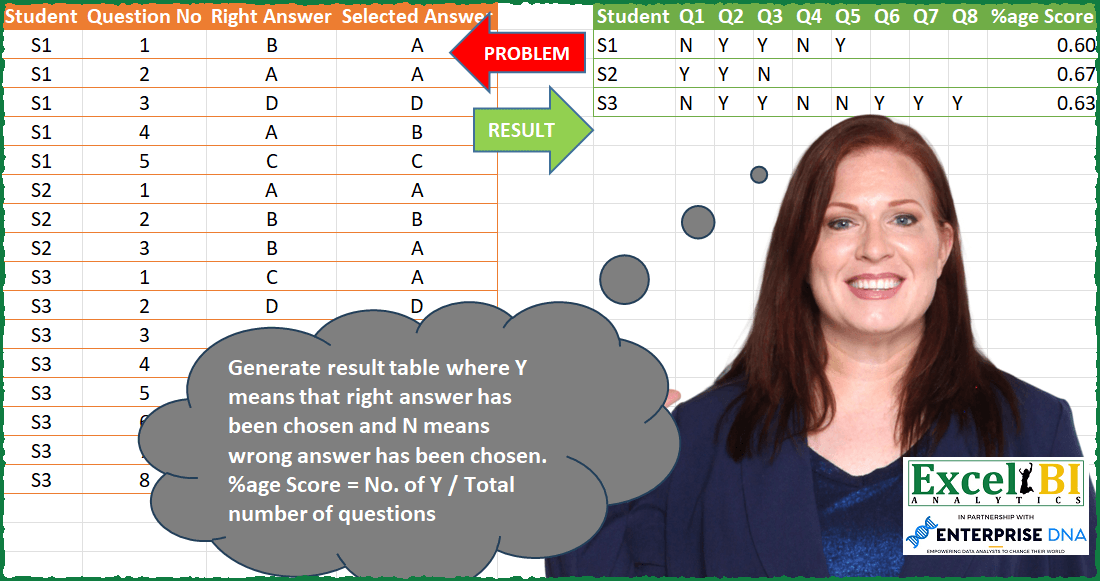
Challenge No. 83: Generate result table where Y means that right answer has been chosen and N means wrong answer has been chosen.
Solved using: Power Query (List.Distinct, Table.AddColumn).
Creates custom reusable functions in Excel.
Challenge No. 83: Generate result table where Y means that right answer has been chosen and N means wrong answer has been chosen.
Solved using: Power Query (List.Distinct, Table.AddColumn).
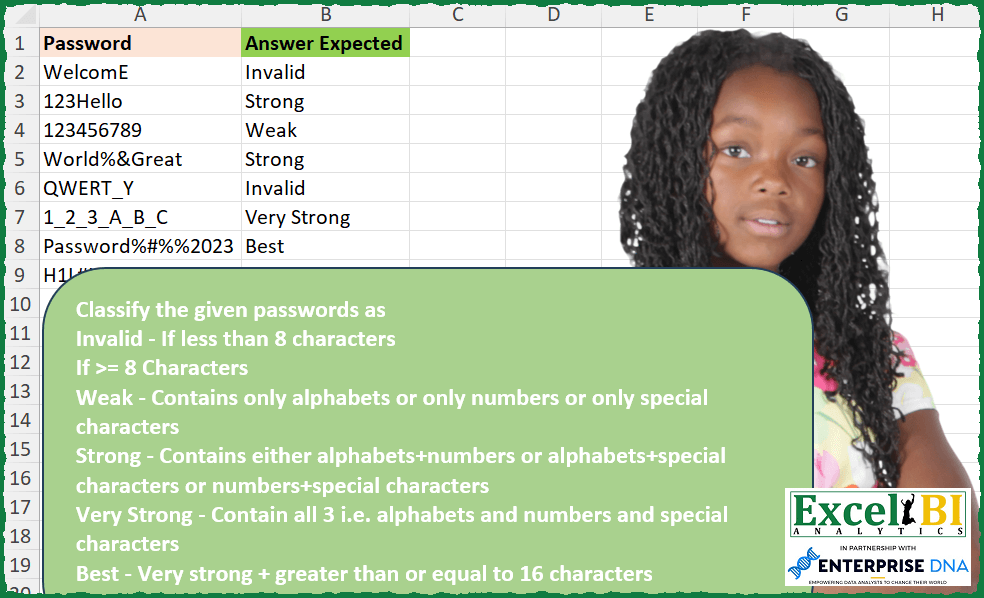
Challenge No. 250: Classify the given passwords as
Invalid – If less than 8 characters
If >= 8 Characters
Weak – Contains only alphabets or only numbers or only special characters
Strong – Contains either alphabets+numbers or alphabets+special characters or numbers+special characters
Very Strong – Contains all 3 i.
Solved using: Excel VBA.
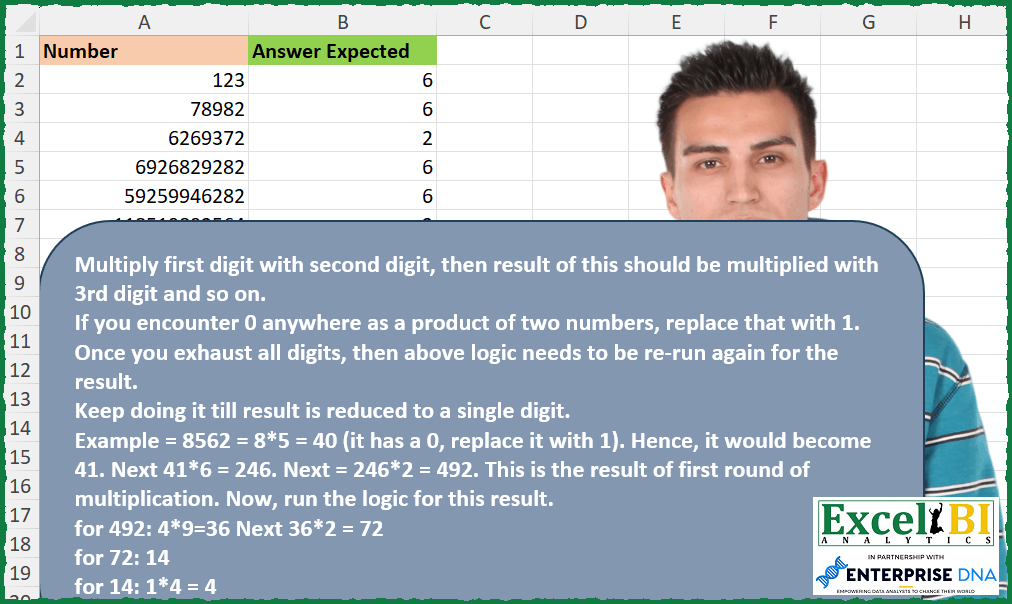
Challenge No. 249: Multiply first digit with second digit, then result of this should be multiplied with 3rd digit and so on.
Solved using: Power Query.
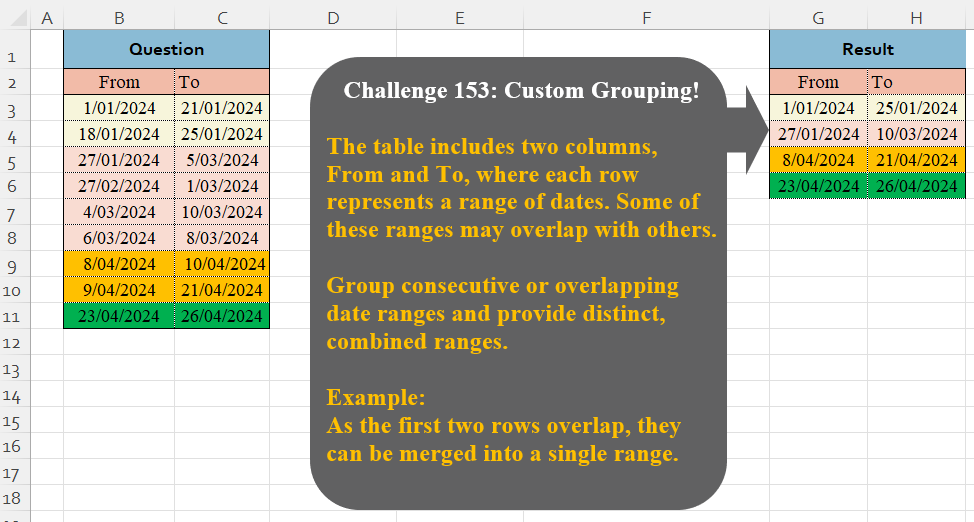
Challenge No. 153: The table includes two columns, From and To, where each row represents a range of dates.
Solved using:Excel (DROP, HSTACK, IF), Google Sheets, Power Query (Table.Group), Python, Python in Excel, and R.
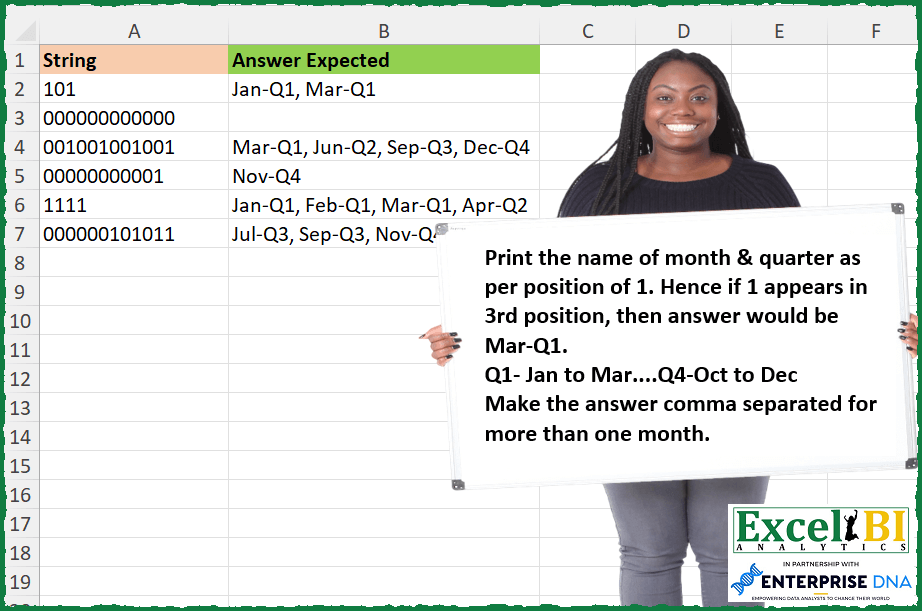
Challenge No. 248: Print the name of month & quarter as per position of 1.
Solved using: Power Query.

Challenge No. 247: This problem is an extension of first challenge.
Solved using: Excel VBA.

Challenge No. 246: All words have a one digit number as its last character.
Solved using: Power Query.
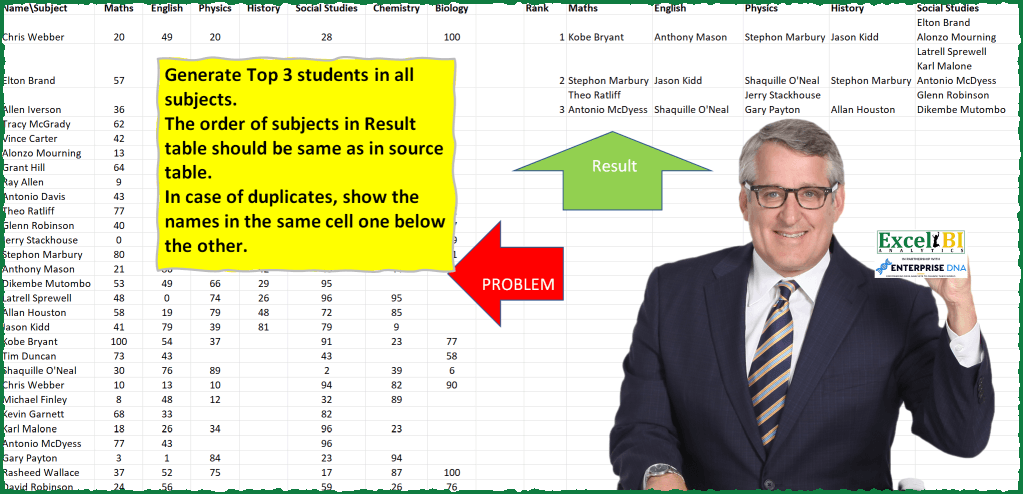
Challenge No. 81: Generate Top 3 students in all subjects.
Solved using: Power Query.
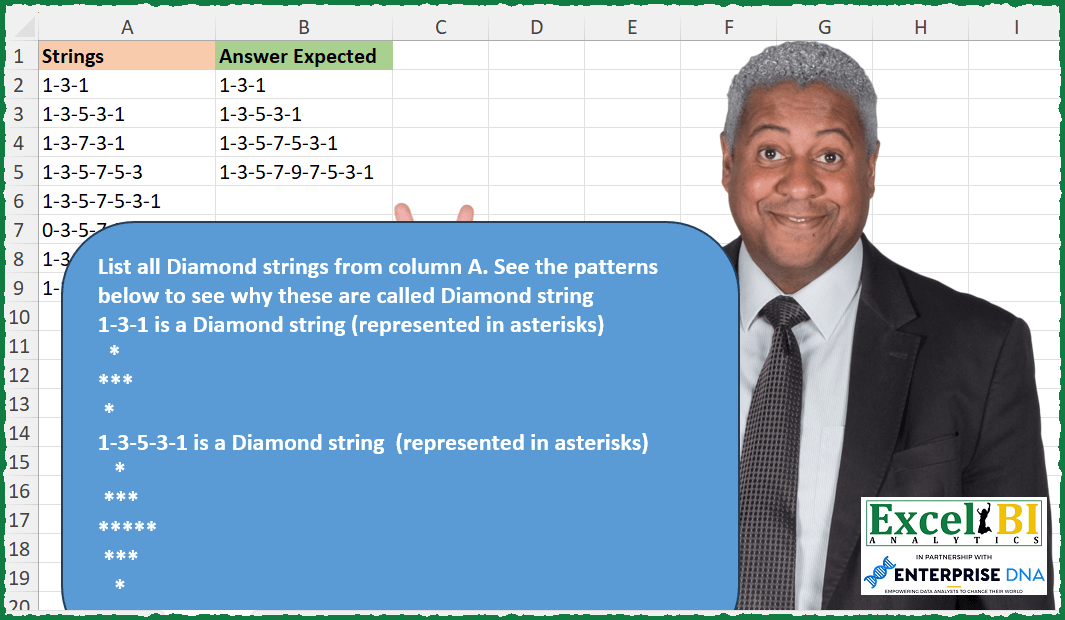
Challenge No. 245: List all Diamond strings from column A.
Solved using: R.
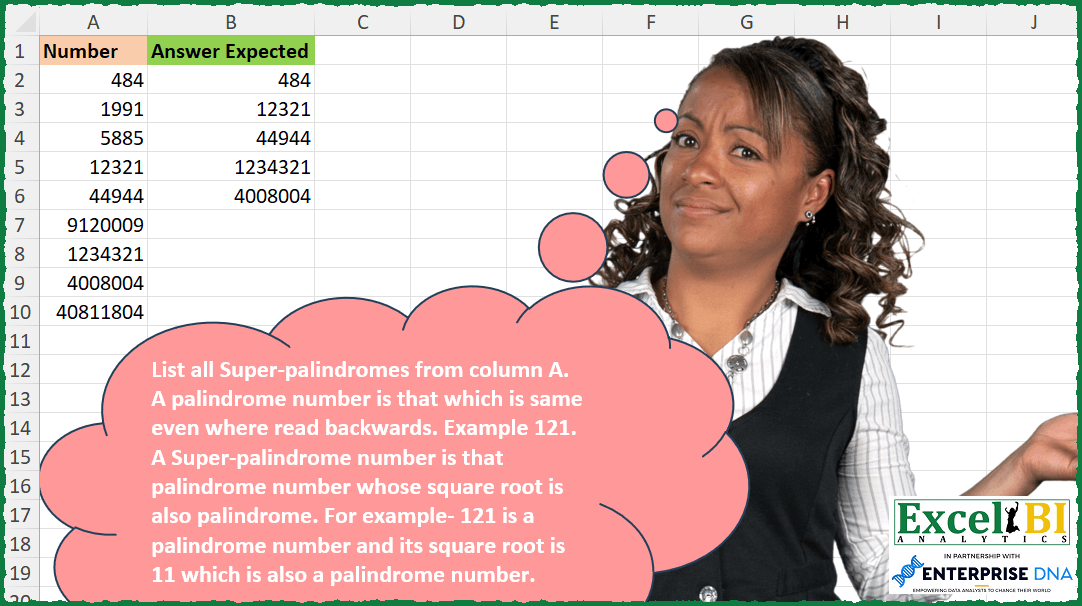
Challenge No. 244: List all Super-palindromes from column A.
Solved using: Python in Excel.