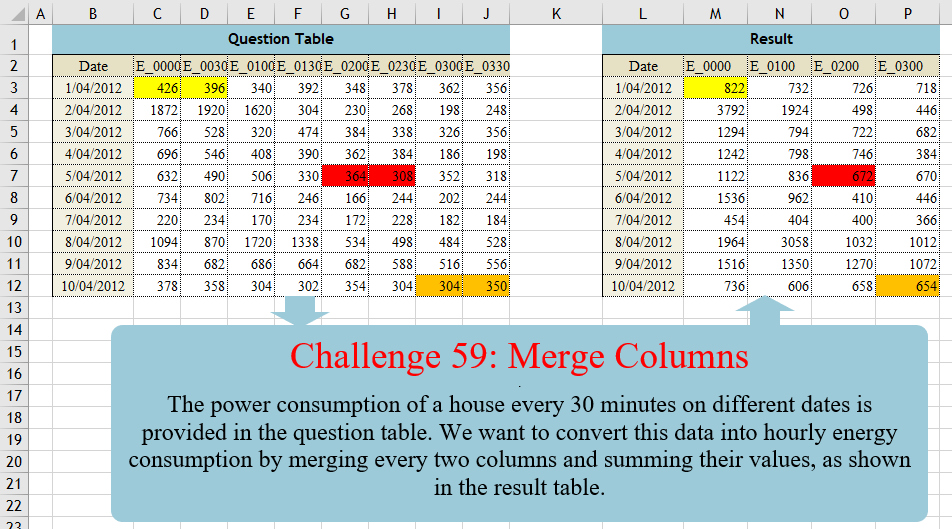
Challenge No. 59: The power consumption of a house every 30 minutes on different dates is provided in the question table.
Solved using:Excel (CHOOSECOLS, FILTER, HSTACK), Power Query (List.Distinct, List.Skip, List.Split), Python, Python in Excel, and R.
INDEX
Returns a value or reference from a table based on row and column numbers in Excel.
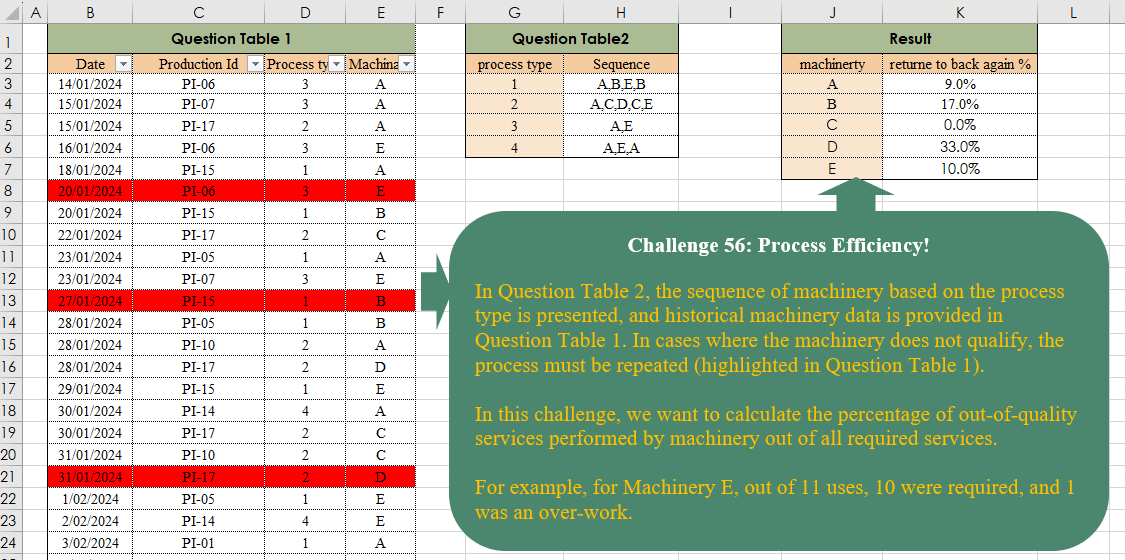
Process Efficiency!
Challenge No. 56: In Question Table 2, the sequence of machinery based on the process type is presented, and historical machinery data is provided in Question Table 1.
Solved using:Excel, and Power Query.
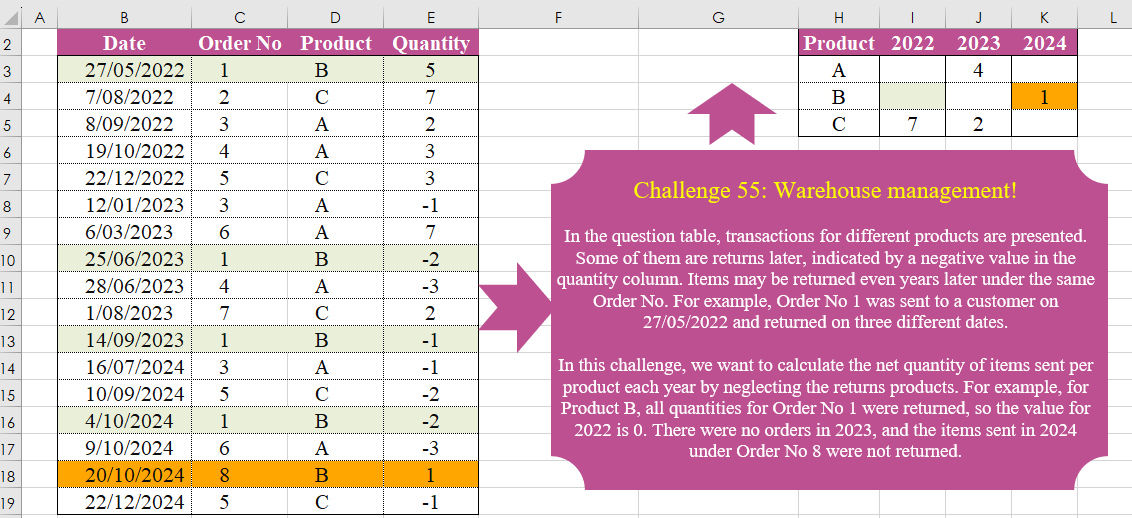
Warehouse Management!
Challenge No. 55: In the question table, transactions for different products are presented.
Solved using:Excel (FILTER, HSTACK, INDEX), Power Query (List.Distinct, Table.Group, Table.Pivot), Python, and R.
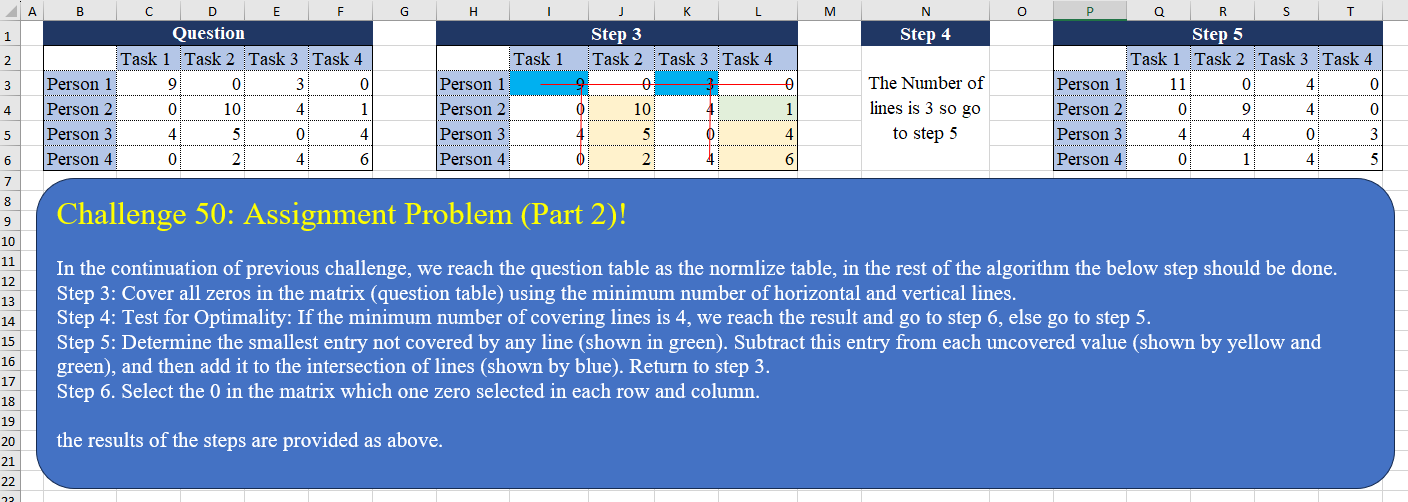
Assignment Problem (Part 2)!
Challenge No. 50: In the continuation of the previous challenge, we reach the question table as the normalized table, in the rest of the algorithm the below step should be done.
Solved using:Excel (AND, BYCOL, BYROW), Power Query (List.Transform, Table.Column), Python, and R.
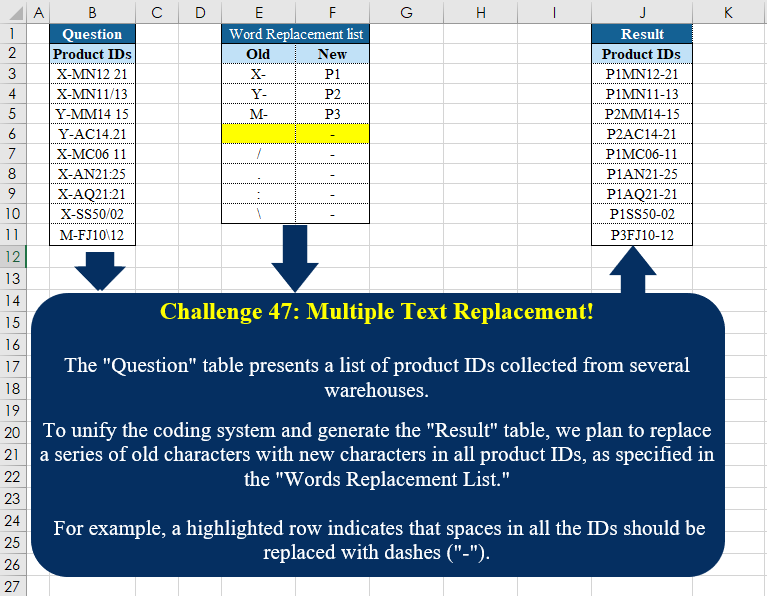
Multiple Text Replacement!
Challenge No. 47: The “Question” table presents a list of product IDs collected from several warehouses.
Solved using:Excel (INDEX, LAMBDA, LET), Power Query (Text.Replace), Python, Python in Excel, and R.
Combine Tables
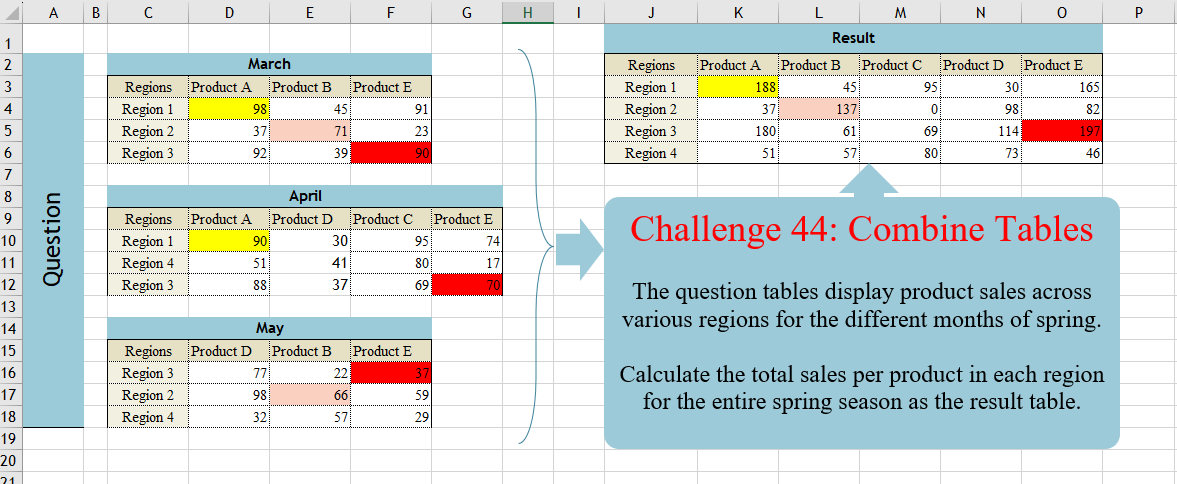
Challenge No. 44: The question tables display product sales across various regions for the different months of spring.
Solved using:Excel (DROP, FILTER, HSTACK), Power Query (List.Distinct, Table.Column, Table.ColumnNames), Python, and R.
P & Down Grades!
Challenge No. 35: In our company, we utilize a grading system to evaluate the technical performance of our agents, assigning grades of C, B, A, and A+.
Solved using:Excel (DROP, FILTER, HSTACK), Power Query (Table.AddColumn, Table.Group), and R.
Calculate Spending Time
Challenge No. 26: The provided question table contains information regarding the amount of time individuals spend in meetings with each other, and we want to generate a result table that displays the percentage of time each person (G3:G7) spends with others (H2:L2), ensuring that the sum of each row equals 100%.
Solved using:Excel (HSTACK, INDEX, LAMBDA), and Power Query (Table.AddColumn).
Sudoku In Excel
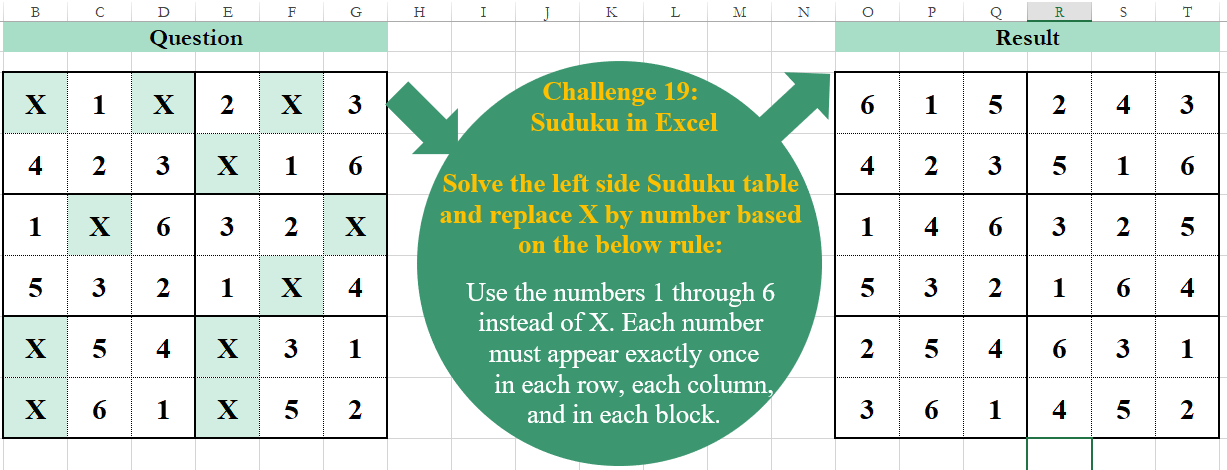
Challenge No. 19: Solve the left side Sudoku table and replace X by a number based on the below rule:
Use the numbers 1 through 6 instead of X.
Solved using:Excel, Power Query, and VBA.
Row Combinations
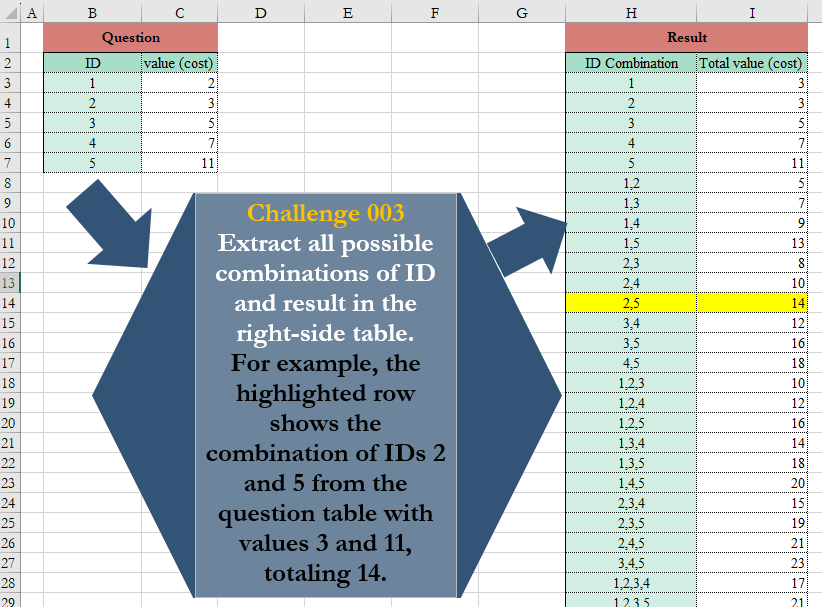
Challenge No. 3: Extract all possible combinations of ID and result in the right-side table.
Solved using:Excel (BYROW, COUNTA, DROP), Power Query (List.Transform), Python, and Python in Excel.