
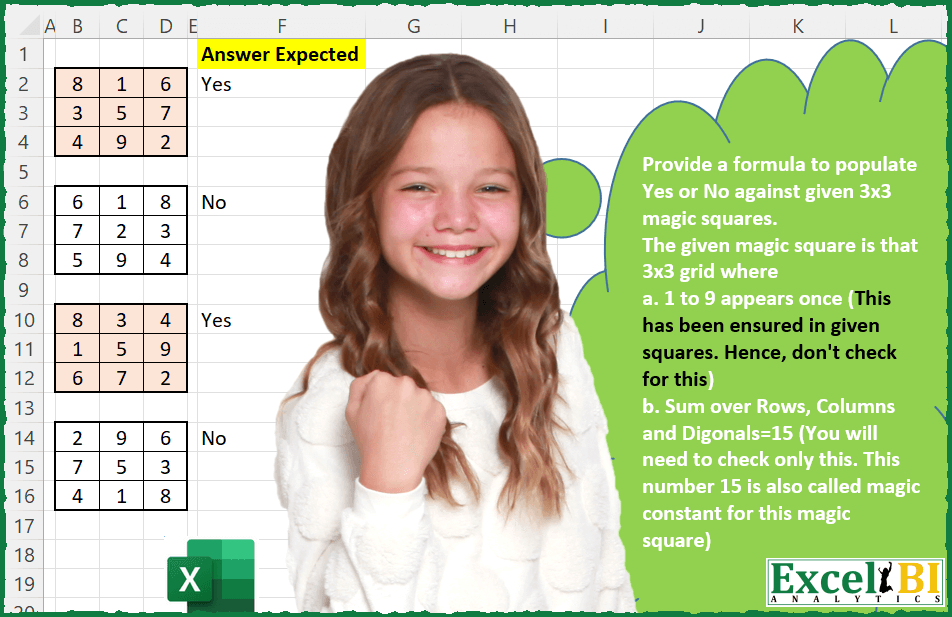
Challenge No. 25: Provide a formula to populate Yes or No against given 3×3 magic squares.
Solved using: Power Query (List.Transform).
Returns a value or reference from a table based on row and column numbers in Excel.
Challenge No. 25: Provide a formula to populate Yes or No against given 3×3 magic squares.
Solved using: Power Query (List.Transform).
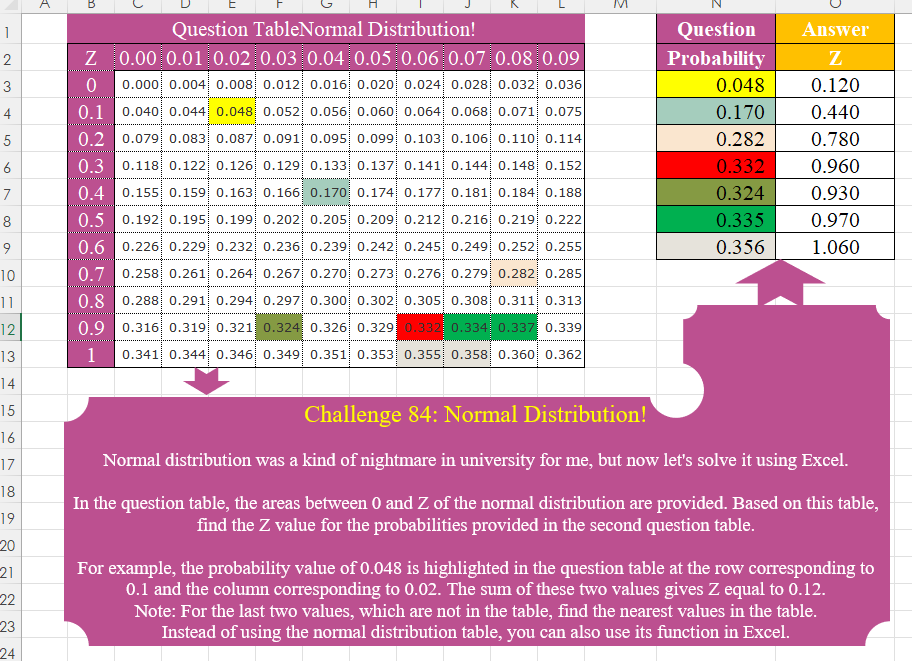
Challenge No. 84: Normal distribution was a kind of nightmare in university for me, but now let’s solve it using Excel.
Solved using:Excel (HSTACK, IF, INDEX), Power Query (Table.AddColumn), Python, Python in Excel, R, and VBA.
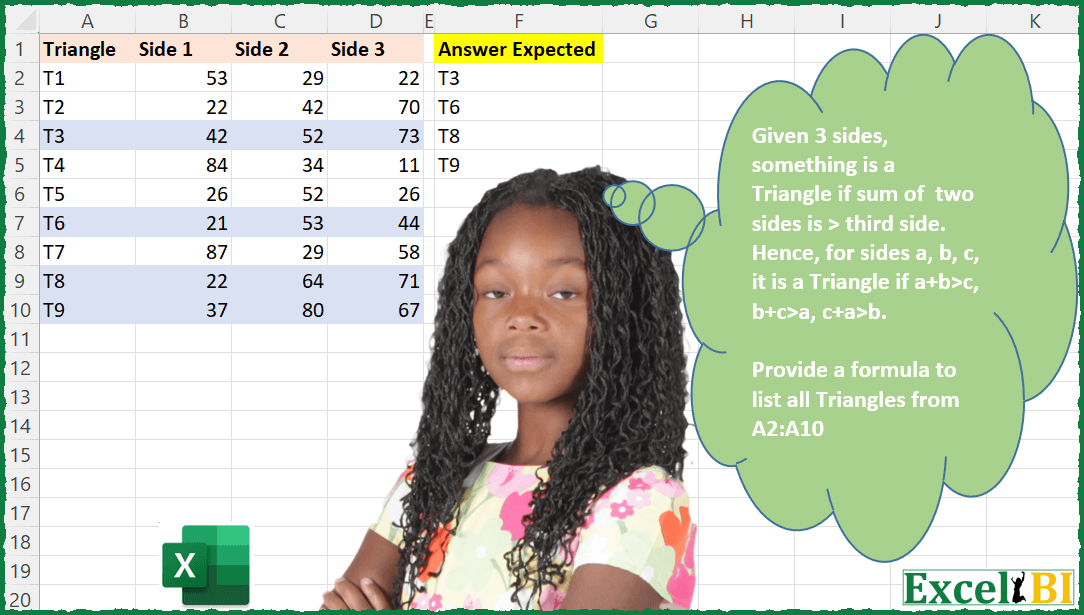
Challenge No. 18: Provide a formula to list all Triangles from A2:A10.
Solved using: Python in Excel.

Challenge No. 16: Provide a formula to list all bird names which appear immediately before and after SELECT in range A2:A20.
Solved using: Python in Excel.

Challenge No. 14: Provide a formula to find the difference between sum of right diagonal and sum of left diagonal.
Solved using: Python in Excel.
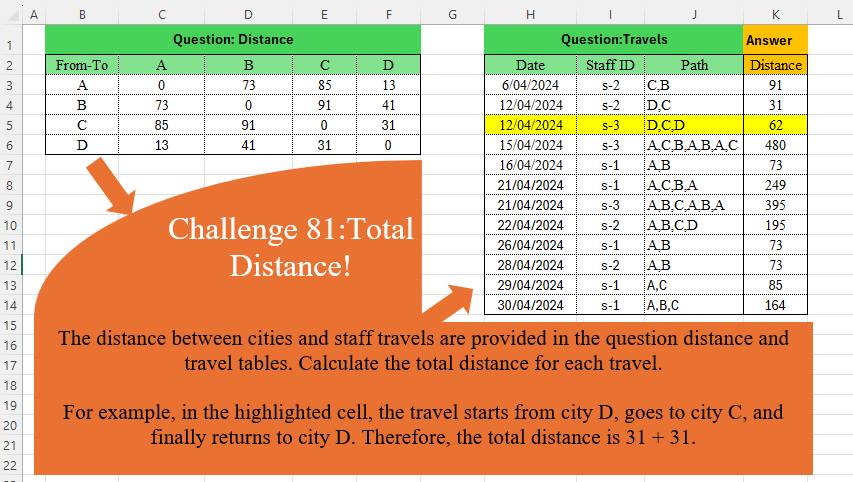
Challenge No. 81: The distance between cities and staff travels are provided in the question distance and travel tables.
Solved using:Excel (DROP, IFNA, INDEX), Power Query (Table.AddColumn), Python, and R.
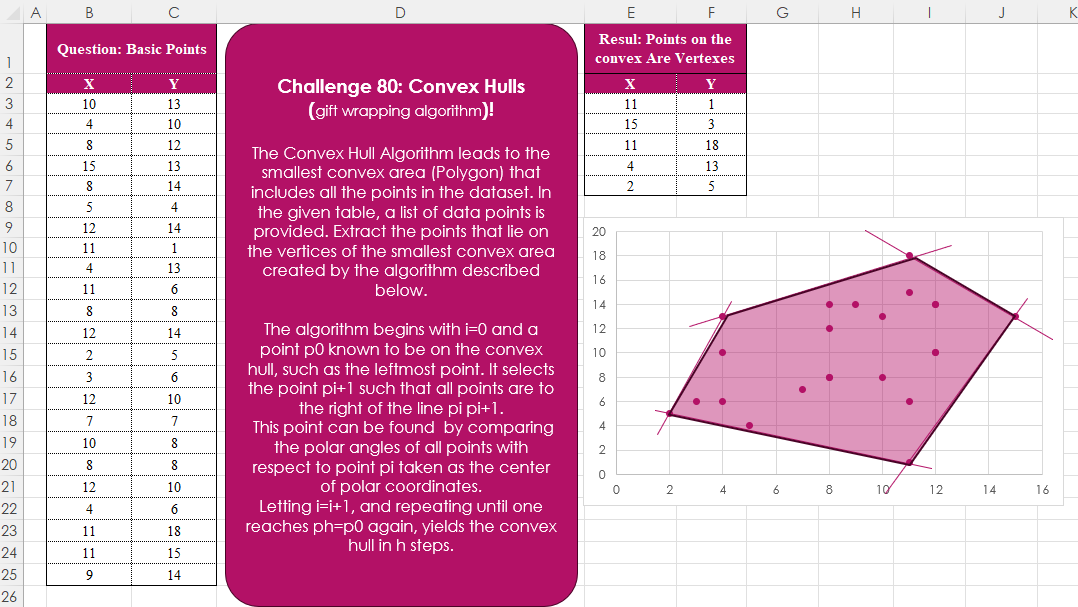
Challenge No. 80: The Convex Hull Algorithm leads to the smallest convex area (Polygon) that includes all the points in the dataset.
Solved using:Excel, Python, and R.

Challenge No. 76: In challenge 58, we aimed to find an efficient way to calculate the stepped tax based on the tax rates presented in the question table.
Solved using:Excel (IFERROR, INDEX, LAMBDA), Power Query (Table.AddColumn), Python, Python in Excel, and R.
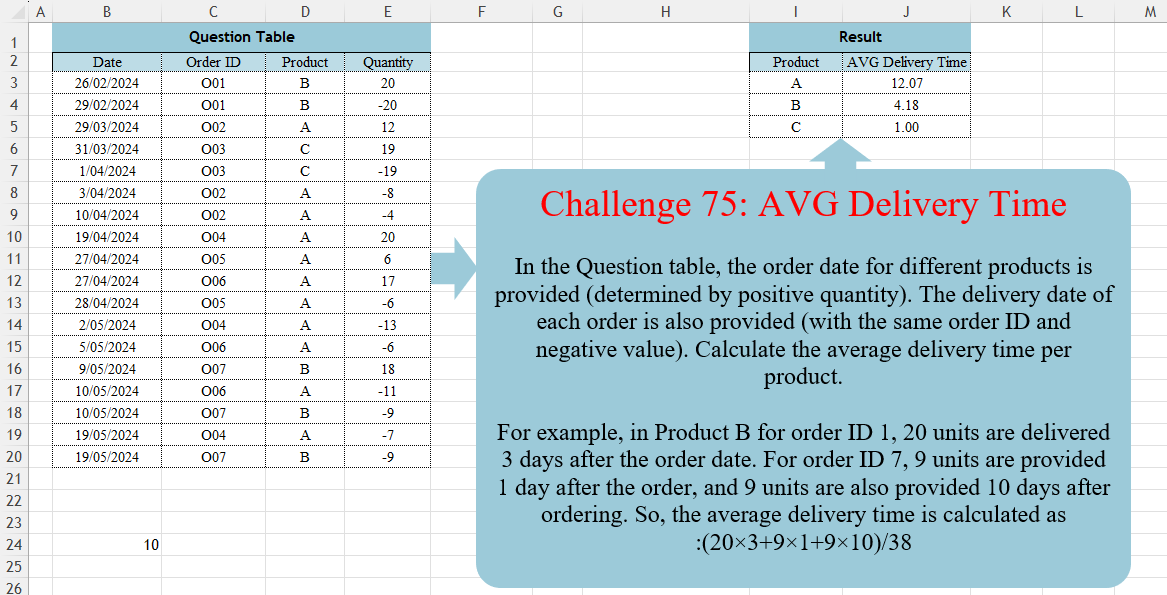
Challenge No. 75: In the Question table, the order date for different products is provided (determined by positive quantity).
Solved using:DAX, Excel (CHOOSECOLS, FILTER, HSTACK), Power Query (Table.AddColumn, Table.Group, Table.SelectRows), Python, R, and SQL.

Challenge No. 66: Convert the Question table with the merge headers into the result table.
Solved using:Excel (DROP, HSTACK, IF), Power Query (List.Distinct, List.PositionOf, Table.Pivot), Python, R, and VBA.