
Challenge No. 86: K-nearest neighbors (KNN) is a simple technique for replacing missing values with the average of the nearest values.
Solved using:Excel, Power Query, and VBA.

Stacks arrays horizontally into a single row in Excel.
Challenge No. 86: K-nearest neighbors (KNN) is a simple technique for replacing missing values with the average of the nearest values.
Solved using:Excel, Power Query, and VBA.

Challenge No. 85: In the Question Table, values are provided and we want to rank them in ascending order based on custom logic.
Solved using:Excel (FILTER, HSTACK, IF), Power Query (List.Sort, List.Transform), Python, and R.
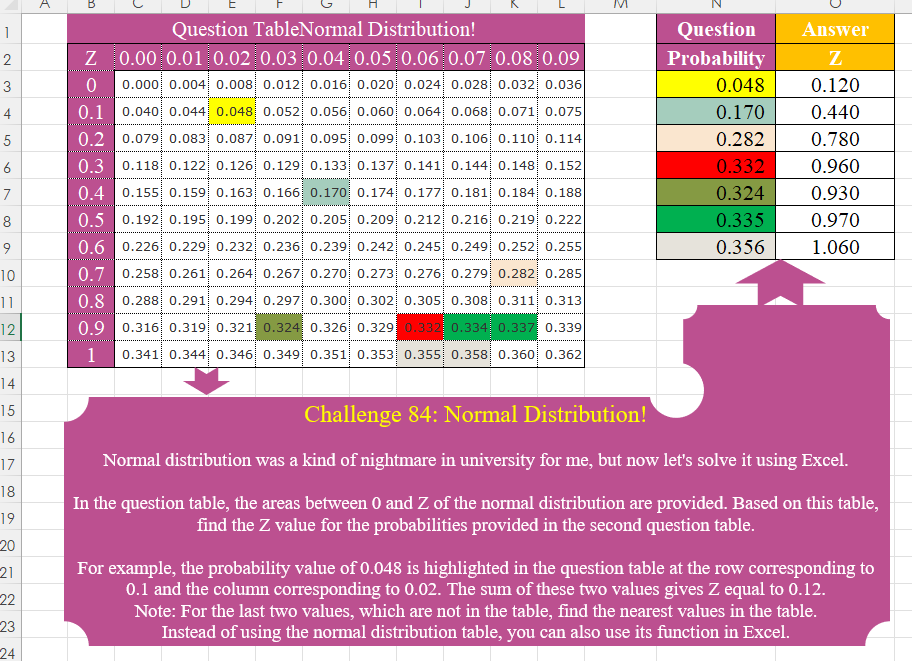
Challenge No. 84: Normal distribution was a kind of nightmare in university for me, but now let’s solve it using Excel.
Solved using:Excel (HSTACK, IF, INDEX), Power Query (Table.AddColumn), Python, Python in Excel, R, and VBA.
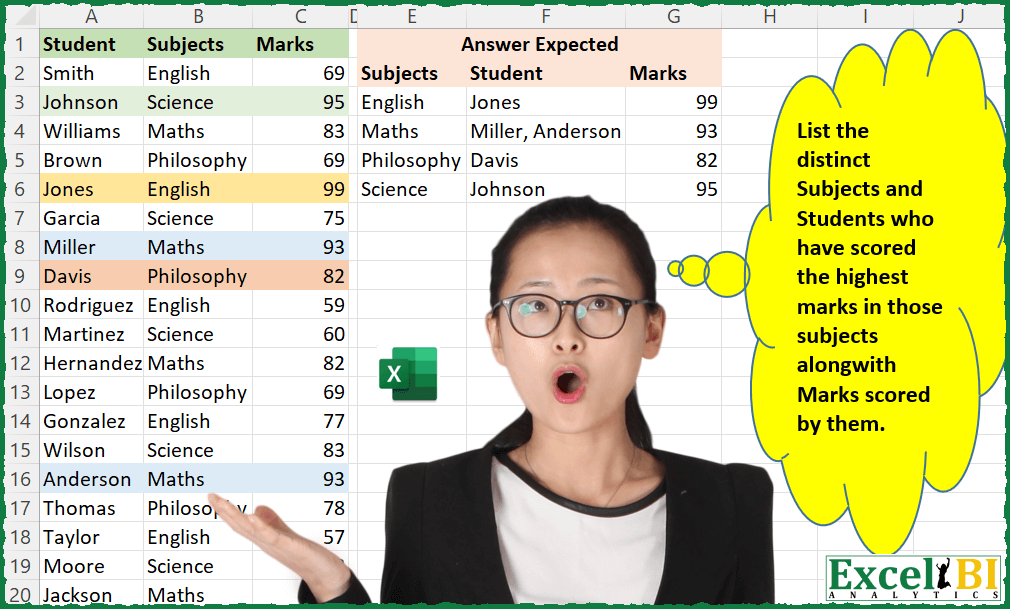
Challenge No. 20: List the distinct Subjects and Students who have scored the highest marks in those subjects along with Marks scored by them.
Solved using: Python in Excel.
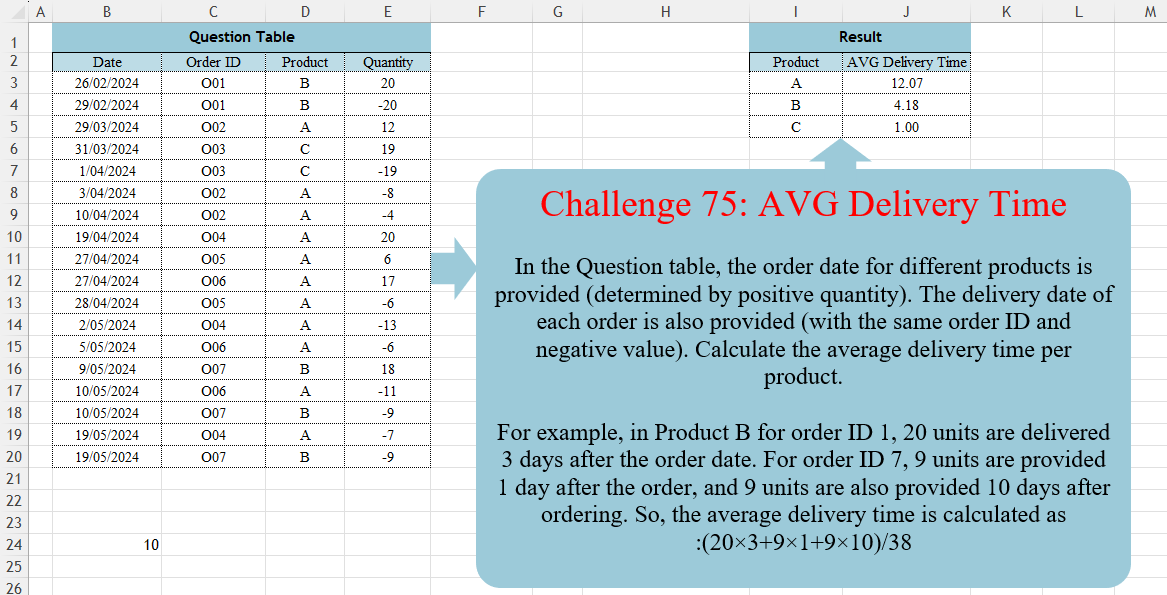
Challenge No. 75: In the Question table, the order date for different products is provided (determined by positive quantity).
Solved using:DAX, Excel (CHOOSECOLS, FILTER, HSTACK), Power Query (Table.AddColumn, Table.Group, Table.SelectRows), Python, R, and SQL.
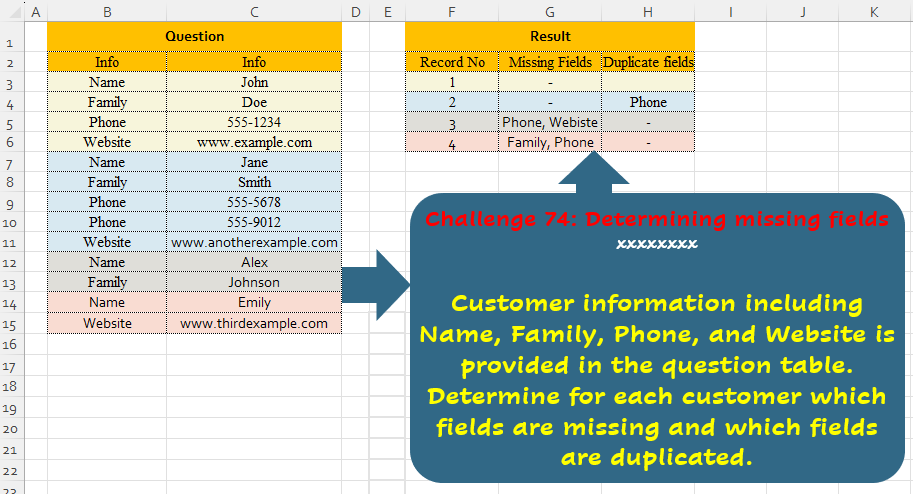
Challenge No. 74: Customer information including Name, Family, Phone, and Website is provided in the question table.
Solved using:Excel (ARRAYTOTEXT, FILTER, HSTACK), Power Query (List.Difference, List.Distinct, Text.Combine), Python, and R.
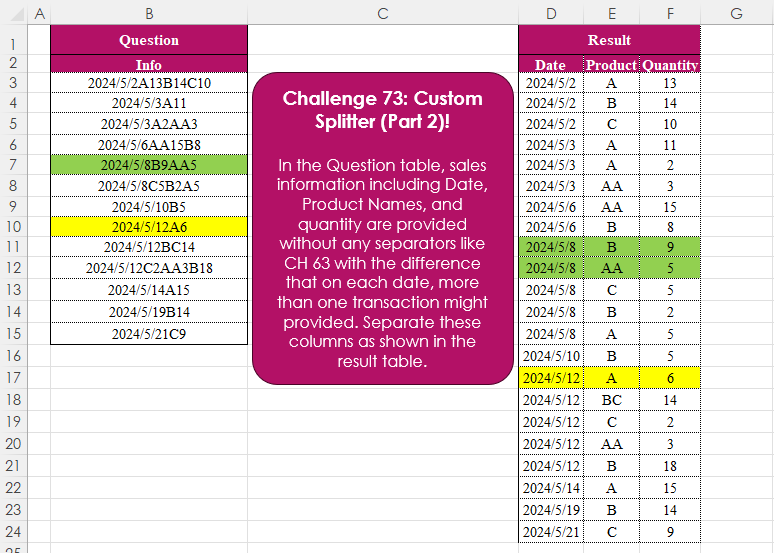
Challenge No. 73: In the Question table, sales information including Date, Product Names, and quantity are provided without any separators like CH 63 with the difference that on each date, more than one transaction might provided.
Solved using:Excel (CHAR, DROP, HSTACK), Power Query (List.Skip, List.Transform, Table.AddColumn), Python, and R.
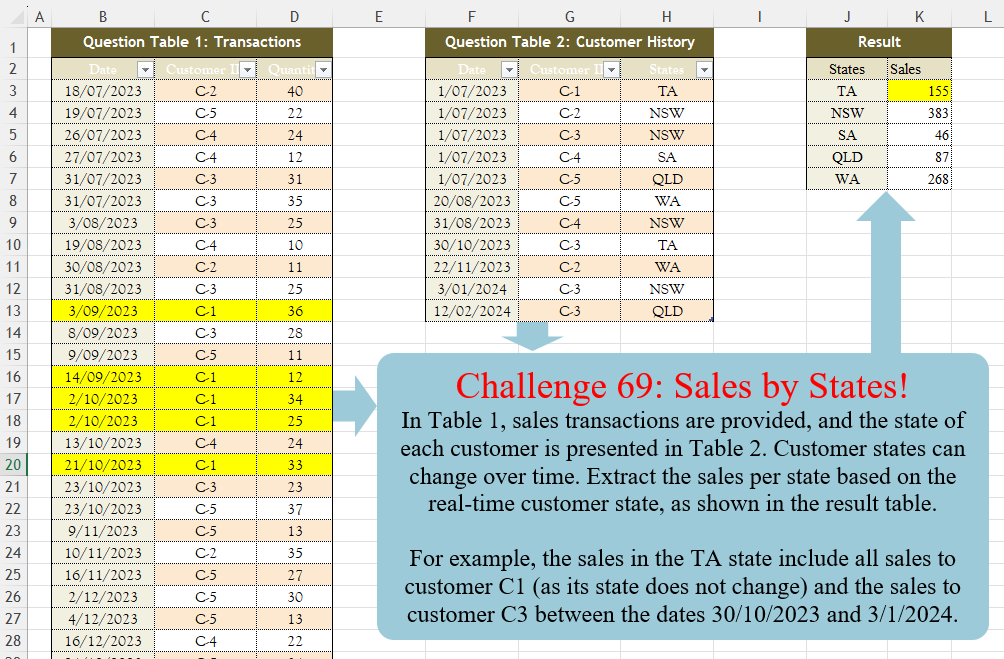
Challenge No. 69: In Table 1, sales transactions are provided, and the state of each customer is presented in Table 2.
Solved using:Excel (FILTER, HSTACK, LAMBDA), Power Query (Table.AddColumn, Table.Group), Python, R, and SQL.

Challenge No. 66: Convert the Question table with the merge headers into the result table.
Solved using:Excel (DROP, HSTACK, IF), Power Query (List.Distinct, List.PositionOf, Table.Pivot), Python, R, and VBA.
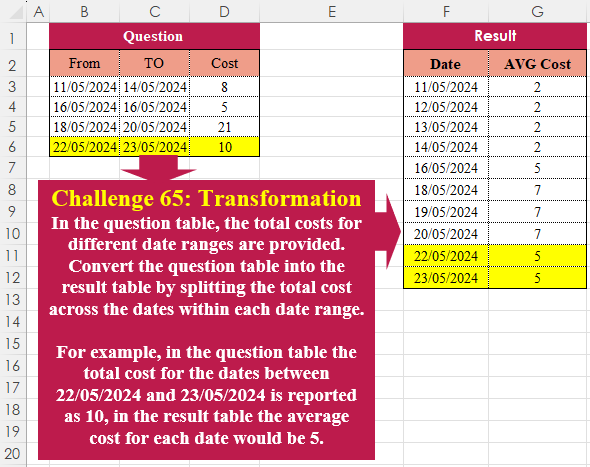
Challenge No. 65: In the question table, the total costs for different date ranges are provided.
Solved using:Excel (HSTACK, LAMBDA, LET), Power Query (List.Dates, List.Transform, Table.AddColumn), Python, R, and VBA.