
Challenge No. 19: Generate Top 3 students in all subjects.
Solved using: Power Query.

Stacks arrays horizontally into a single row in Excel.
Challenge No. 19: Generate Top 3 students in all subjects.
Solved using: Power Query.
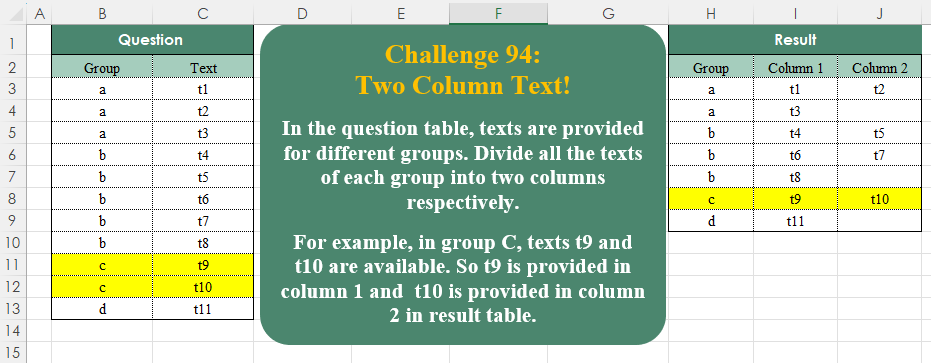
Challenge No. 94: In the question table, texts are provided for different groups.
Solved using:Excel (DROP, FILTER, HSTACK), Google Sheets, Power Query (List.Split, List.Transform, Table.ExpandTableColumn), Python, Python in Excel, and R.

Challenge No. 62: This challenge is inspired from ongoing T20 Cricket World cup.
Solved using: Power Query.
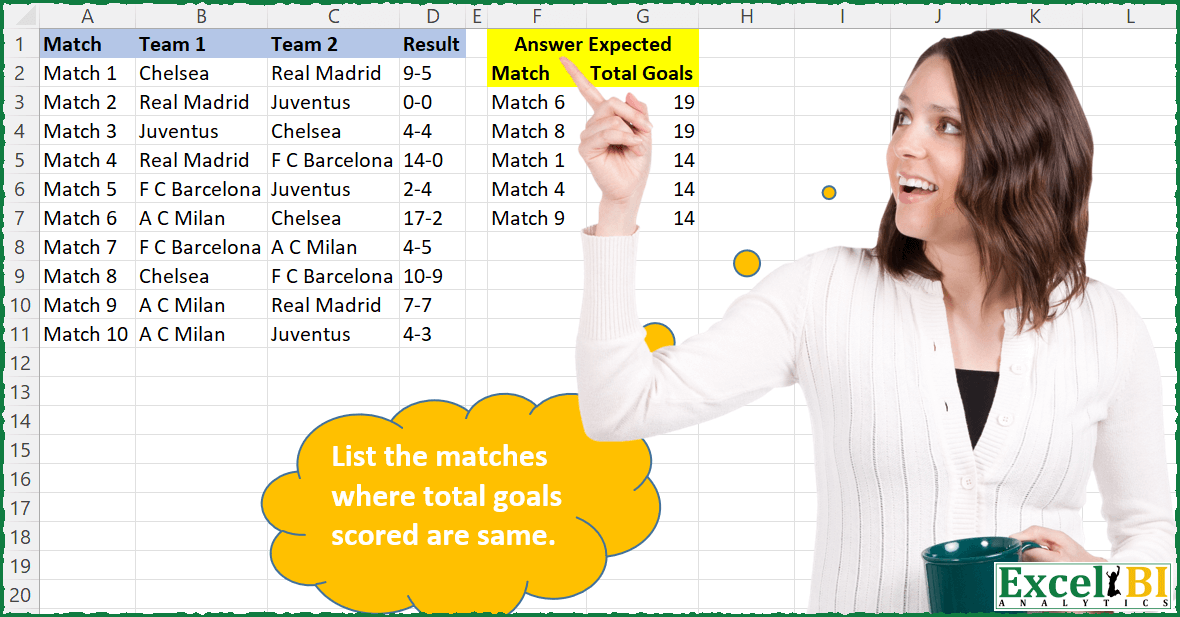
Challenge No. 61: List the matches where total goals scored are same.
Solved using: Excel VBA.

Challenge No. 93: Randomly select a staff member from each department.
Solved using:Excel (FILTER, HSTACK, INDEX), Google Sheets, Power Query (Table.Group), Python, Python in Excel, and R.
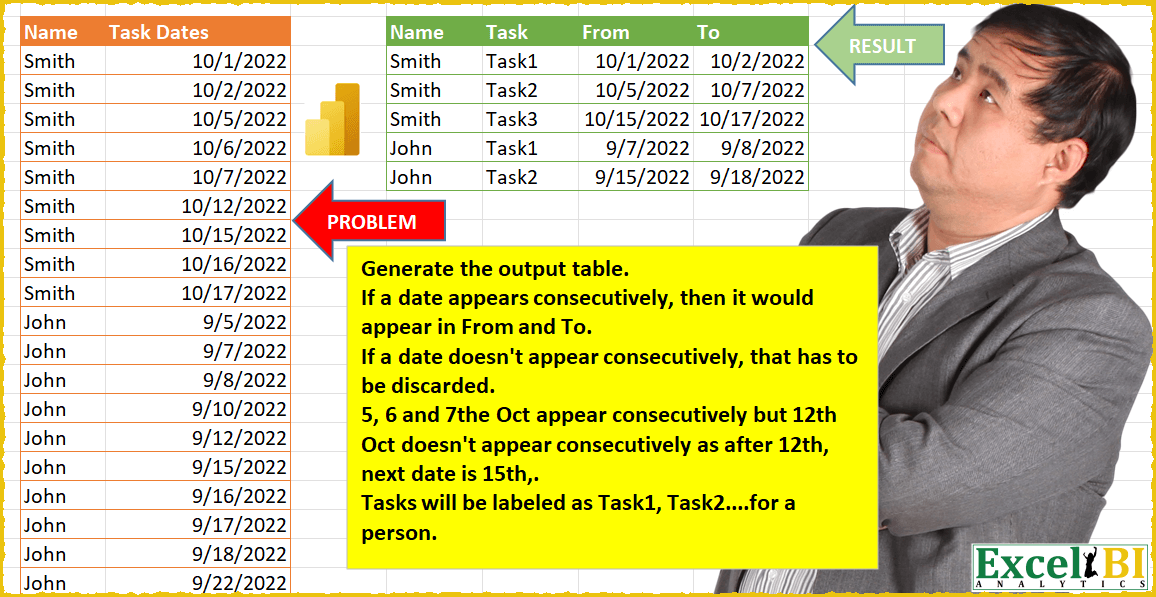
Challenge No. 17: (Excel formulas also welcome)
Generate the output table.
Solved using: Power Query.
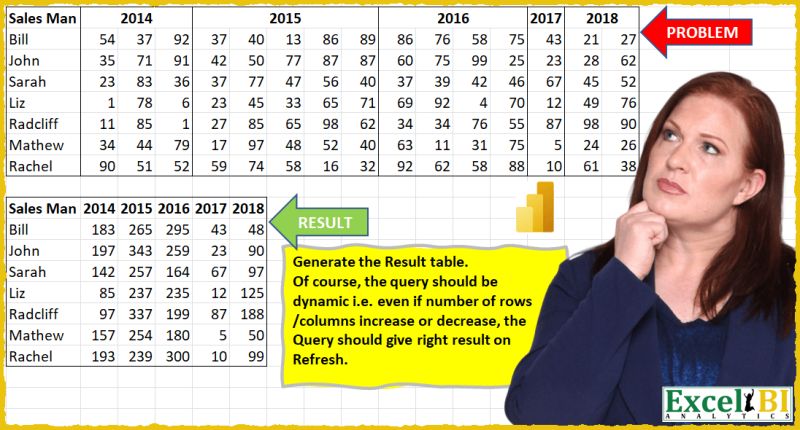
Challenge No. 16: (Excel formulas also welcome)
Generate the Result table shown.
Solved using: Power Query (List.Distinct, Table.Pivot, Table.PromoteHeaders).
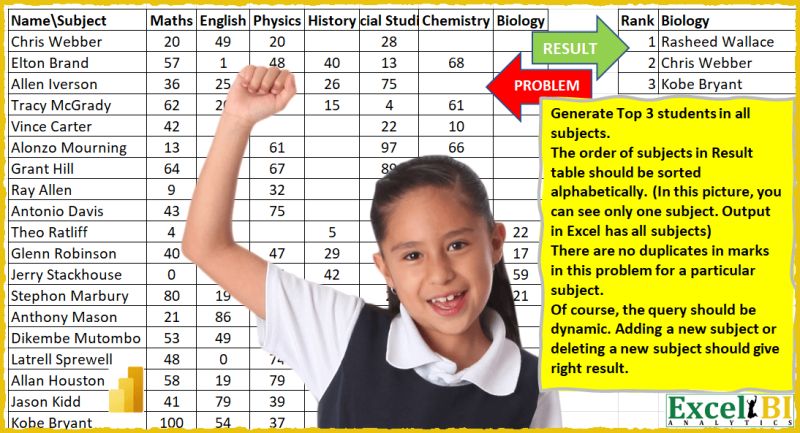
Challenge No. 15: (Excel formulas also welcome)
Generate Top 3 students in all subjects.
Solved using: Power Query.

Challenge No. 46: List the Teams and the number of matches won by them.
Solved using: Python in Excel.
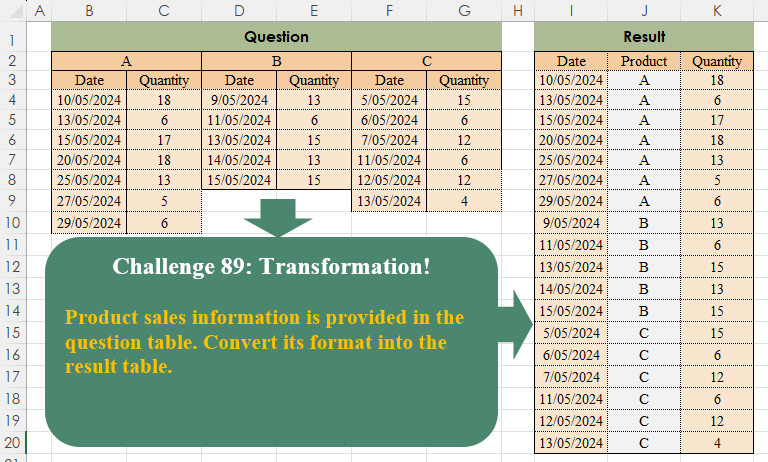
Challenge No. 89: Product sales information is provided in the question table.
Solved using:Excel (COUNTA, FILTER, HSTACK), Power Query (List.Transform, Table.SelectRows, Table.Skip), Python, Python in Excel, and R.