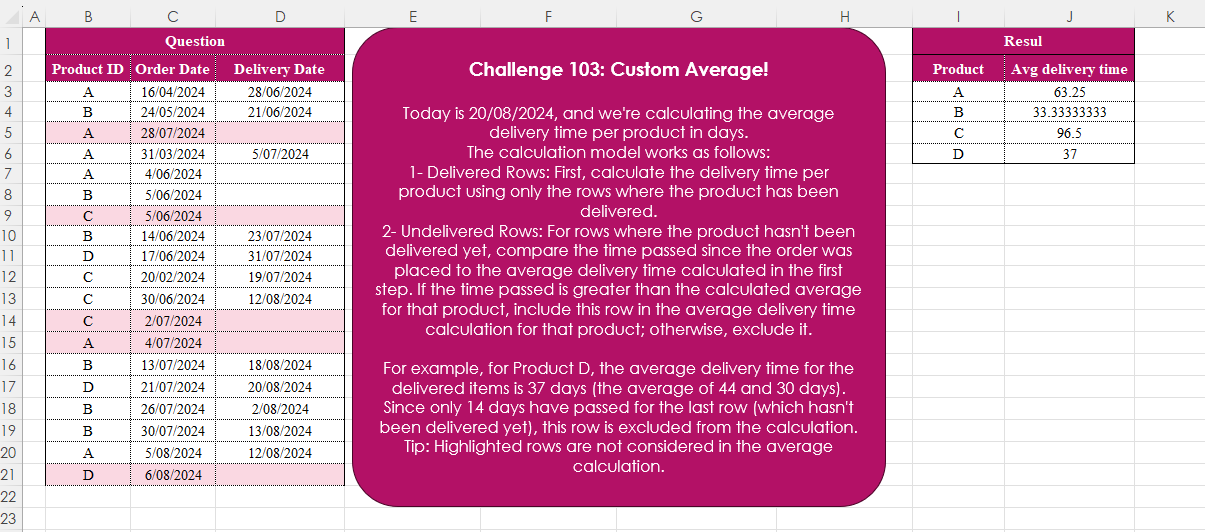
Challenge No. 103: Today is 20/08/2024, and we’re calculating the average delivery time per product in days.
Solved using:Excel (AVERAGE, CHOOSECOLS, FILTER), Google Sheets, Power Query (Table.AddColumn, Table.Group), Python, Python in Excel, and R.
HSTACK
Stacks arrays horizontally into a single row in Excel.
Pivoting Data
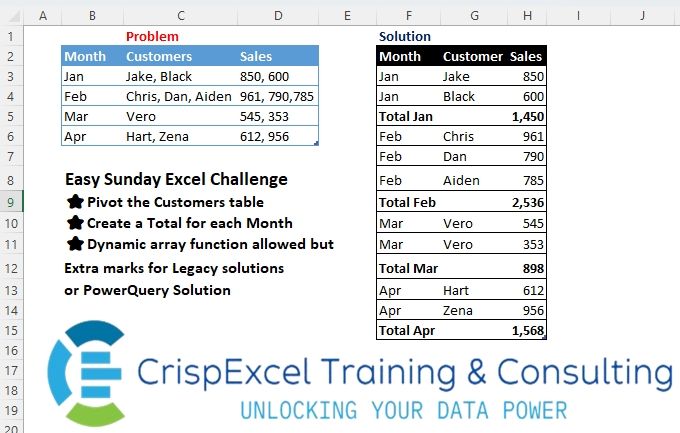
Challenge No. 22: Pivot the Customer’s table
Create a Total for each Month
Dynamic array function allowed but Extra marks for Legacy solutions or PowerQuery Solution.
Solved using: R.
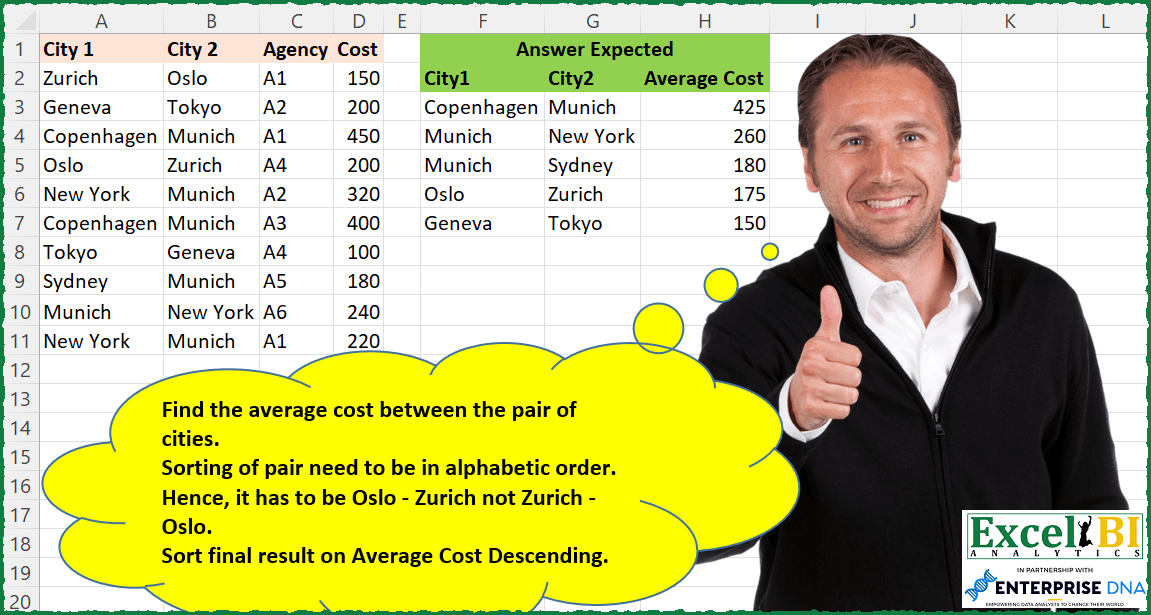
Avg Cost Between City Pairs
Challenge No. 92: Find the average cost between the pair of cities.
Solved using: Python in Excel.
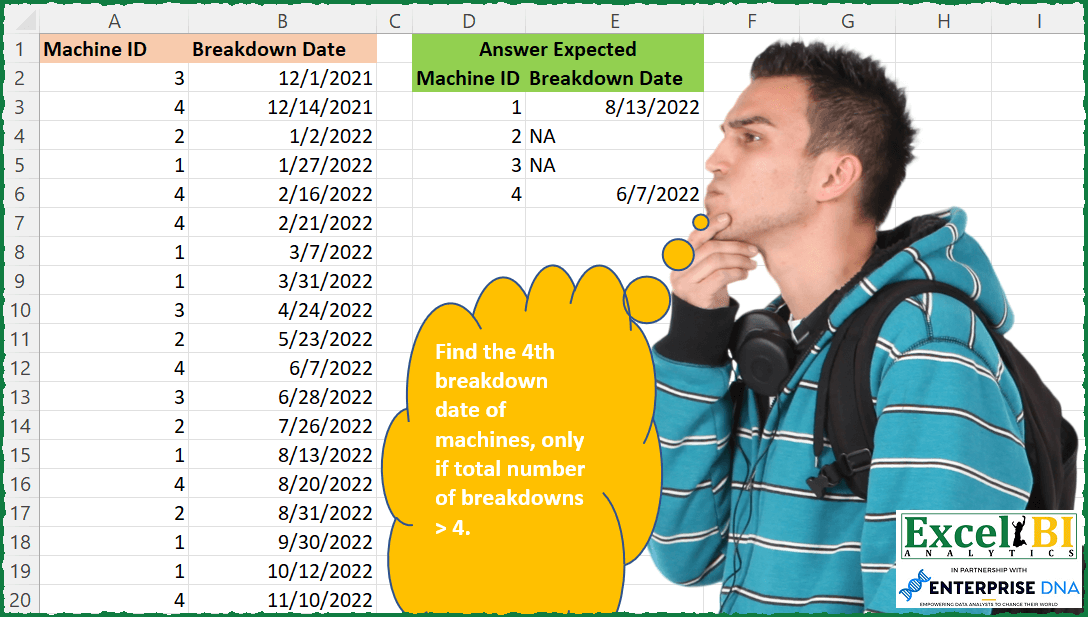
Get 4th Breakdown if >
Challenge No. 90: Find the 4th breakdown date of machines, only if total number of breakdowns > 4.
Solved using: Python.
Generate Tabula Recta Grid
Challenge No. 88: Generate the given grid.
Solved using: Python.
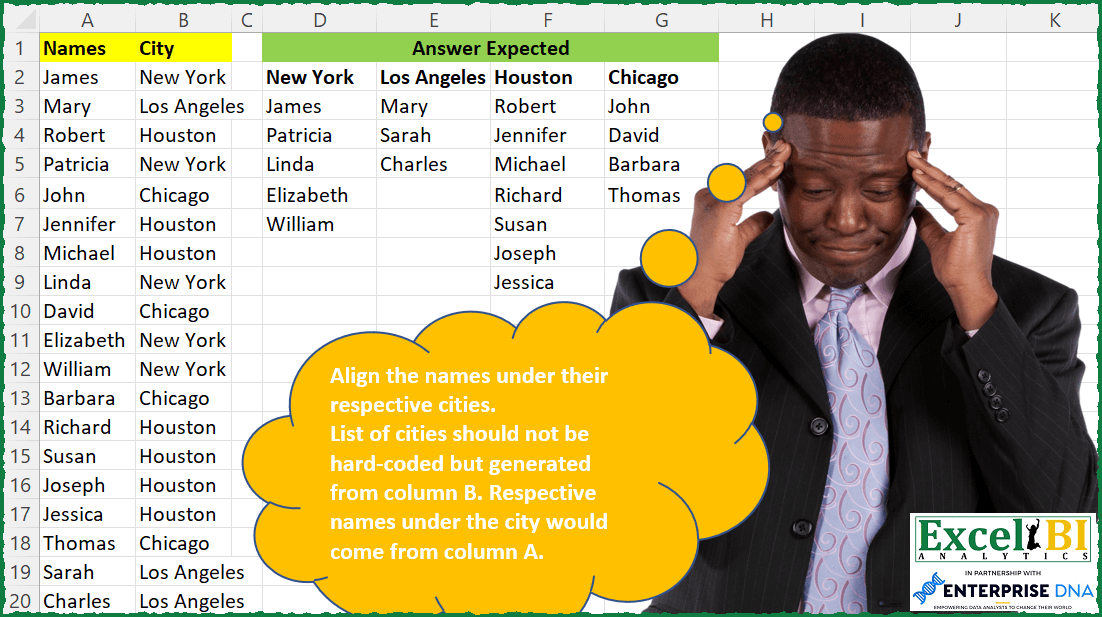
Align Names by Cities
Challenge No. 86: Align the names under their respective cities.
Solved using: Power Query.
Subjects Taught Exclusively
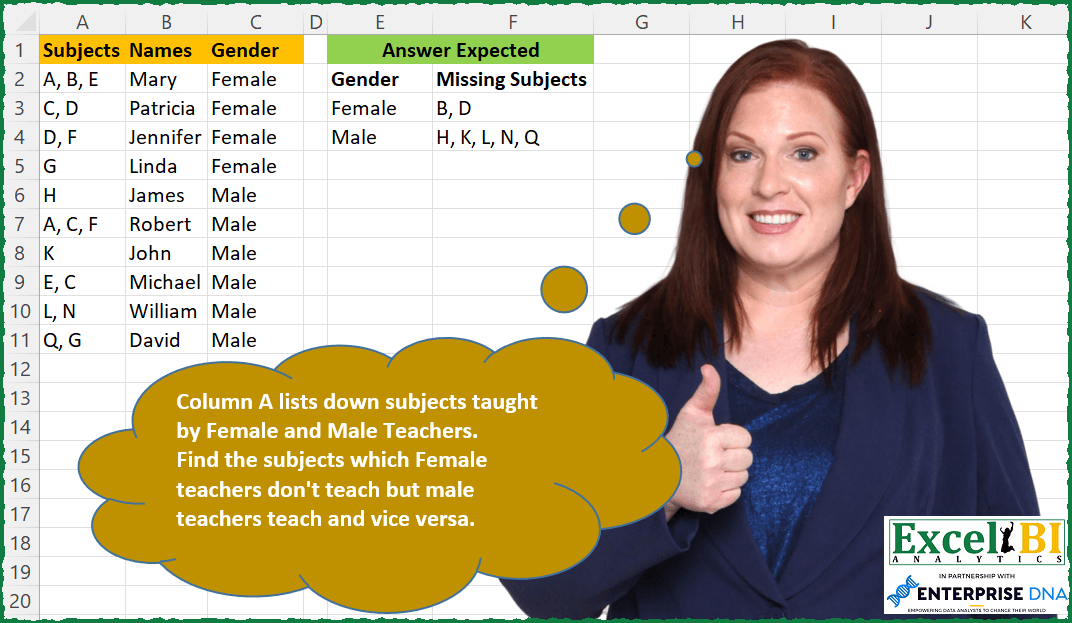
Challenge No. 85: Column A lists down subjects taught by Female and Male Teachers.
Solved using: SQL.
Flag Columns with Special Keys
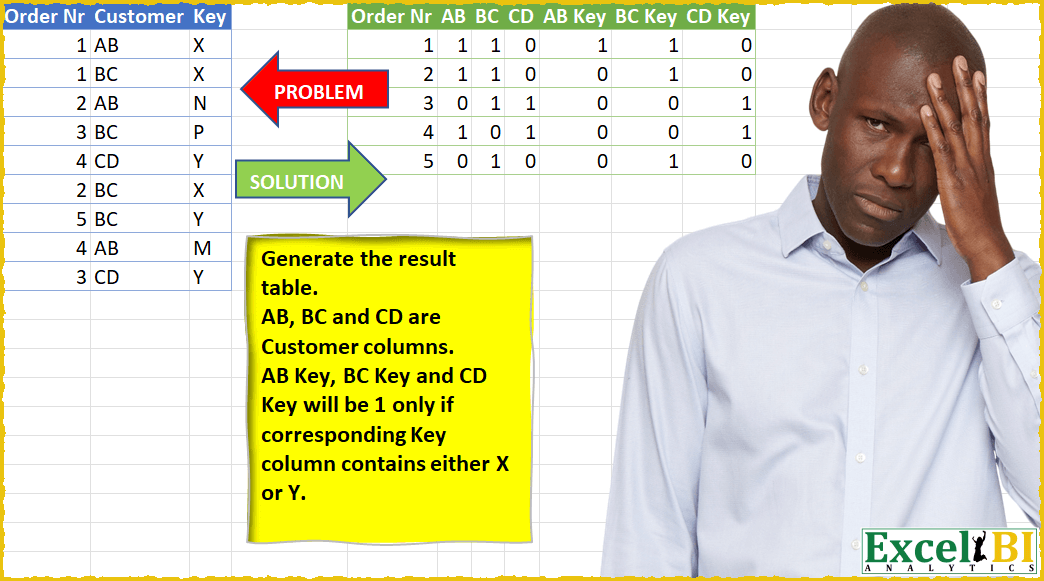
Challenge No. 24: Generate the result table.
Solved using: Power Query (List.Distinct).
Match Output to Picture
Challenge No. 83: Generate the output as shown in picture.
Solved using: SQL.
Random Selection! Part 2
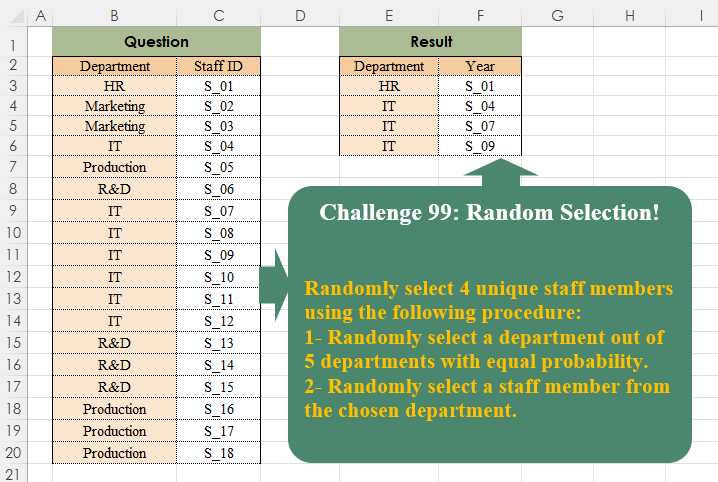
Challenge No. 99: Randomly select 4 unique staff members using the following procedure:
1- Randomly select a department out of 5 departments with equal probability.
Solved using:Excel, Power Query, and R.