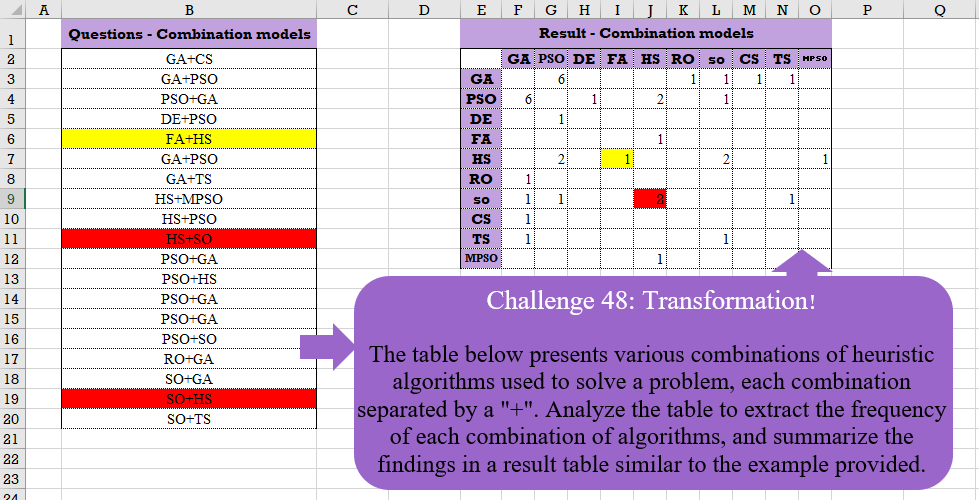
Challenge No. 48: The table below presents various combinations of heuristic algorithms used to solve a problem, each combination separated by a “+”.
Solved using:Excel (COUNTIF, HSTACK, IF), Google Sheets, Power Query (List.Distinct, List.Transform, Table.AddColumn), Python, and R.
Excel Challenges
Challenges related to Excel formulas.
Multiple Text Replacement!
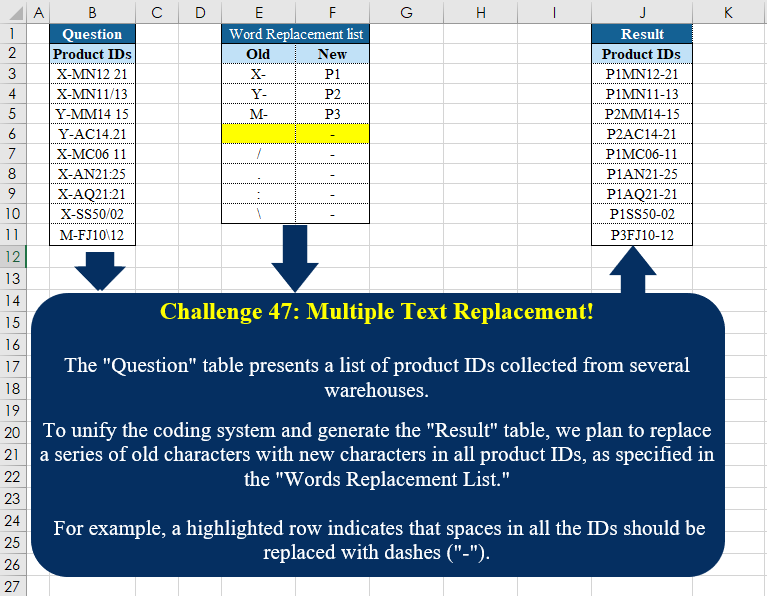
Challenge No. 47: The “Question” table presents a list of product IDs collected from several warehouses.
Solved using:Excel (INDEX, LAMBDA, LET), Power Query (Text.Replace), Python, Python in Excel, and R.
Custom Grouping! Part 2
Challenge No. 46: The “Question” table provides a list of Product IDs.
Solved using:Excel (CHOOSECOLS, DROP, FILTER), Power Query (Table.Group, List.Transform, Text.End), Python, and R.
Text Split!
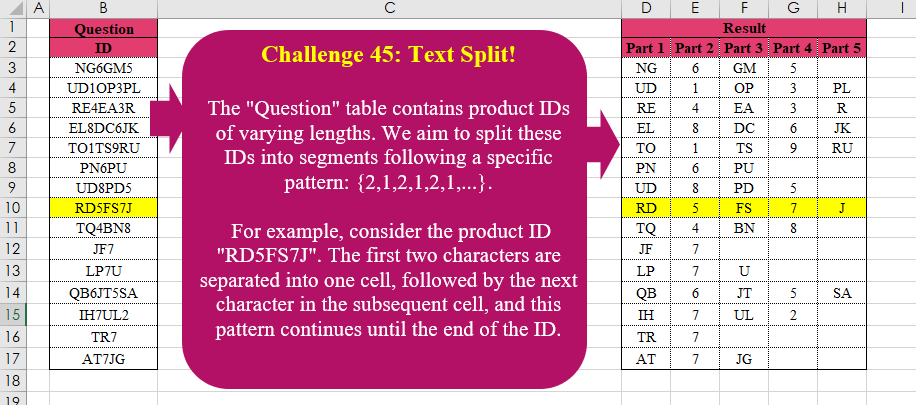
Challenge No. 45: The “Question” table contains product IDs of varying lengths.
Solved using:Excel (LAMBDA, LET, MID), Power Query (List.Transform, List.Zip, Table.AddColumn), Python, R, and VBA.
Combine Tables
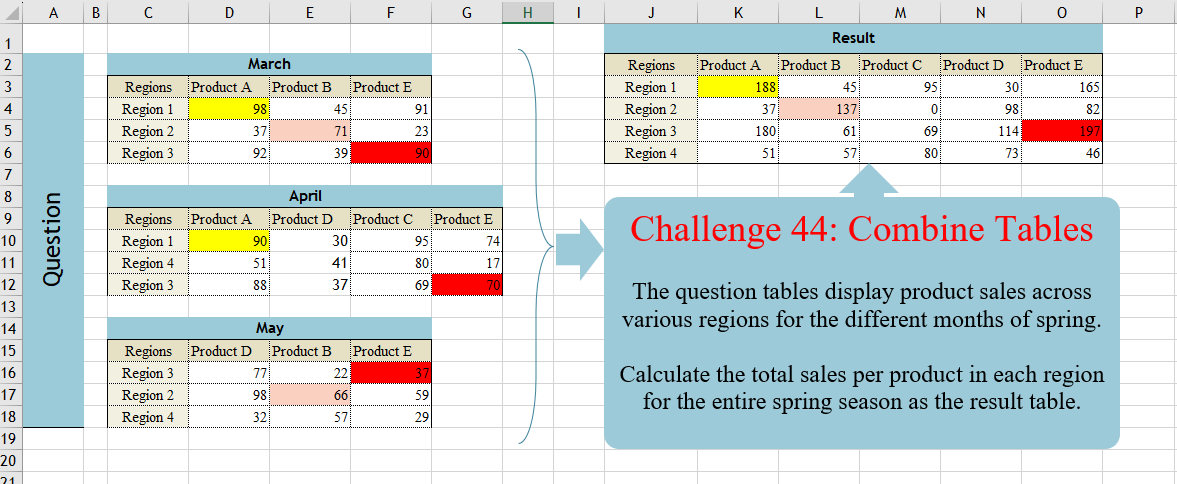
Challenge No. 44: The question tables display product sales across various regions for the different months of spring.
Solved using:Excel (DROP, FILTER, HSTACK), Power Query (List.Distinct, Table.Column, Table.ColumnNames), Python, and R.
Sort Table Columns
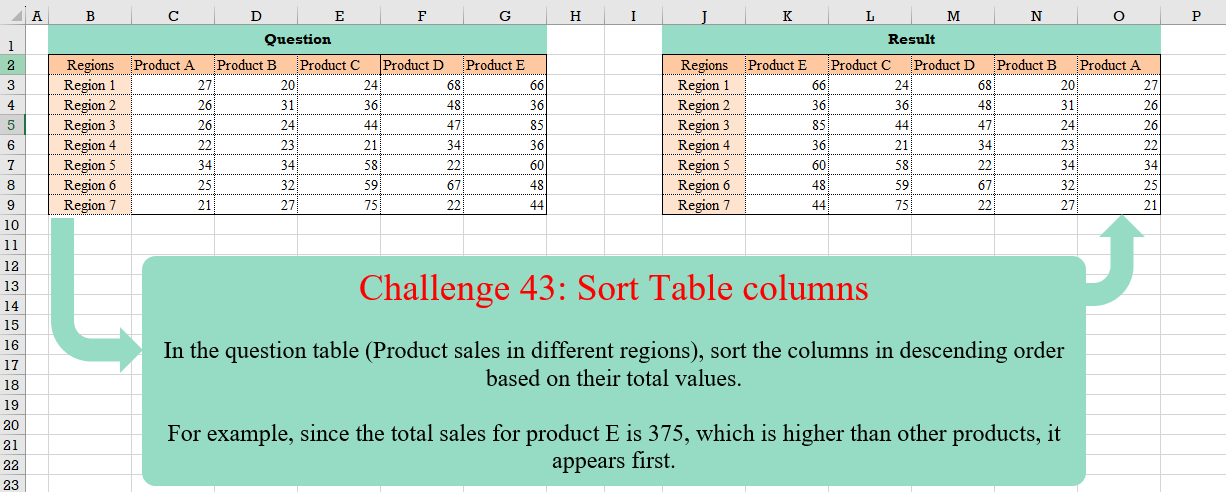
Challenge No. 43: In the question table (Product sales in different regions), sort the columns in descending order based on their total values.
Solved using:Excel (BYCOL, HSTACK, LAMBDA), Google Sheets, Power Query (List.Skip, Table.Column, Table.ColumnNames), Python, and R.
Revisit After Surgery!
Challenge No. 42: In the question table, a list of patients is provided who are scheduled to visit the doctor for consultations and surgery.
Solved using:Excel (CHOOSECOLS, DROP, FILTER), Power Query (Text.Combine, Table.Group, Table.SelectRows), Python, and R.
Table Transformation! Part 6
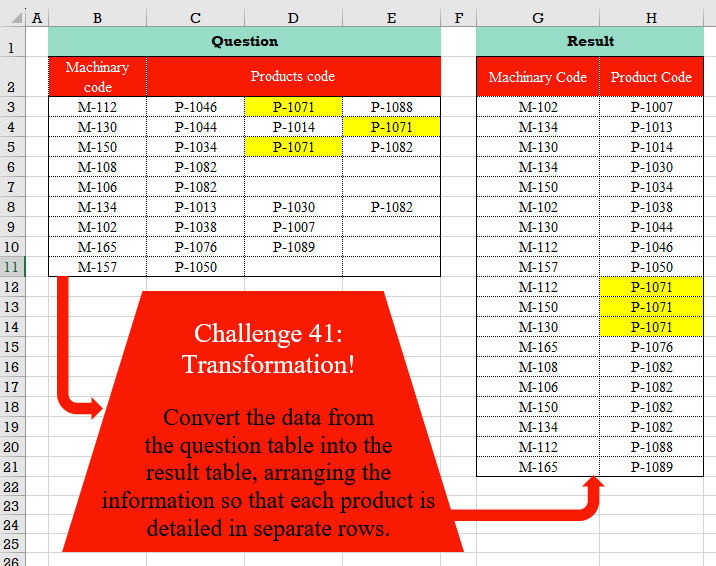
Challenge No. 41: Convert the data from the question table into the result table, arranging the information so that each product is detailed in separate rows.
Solved using:Excel (FILTER, HSTACK, LET), Power Query (List.Transform, Table.RemoveColumns, Table.Sort), Python, and R.
Cross Selling!
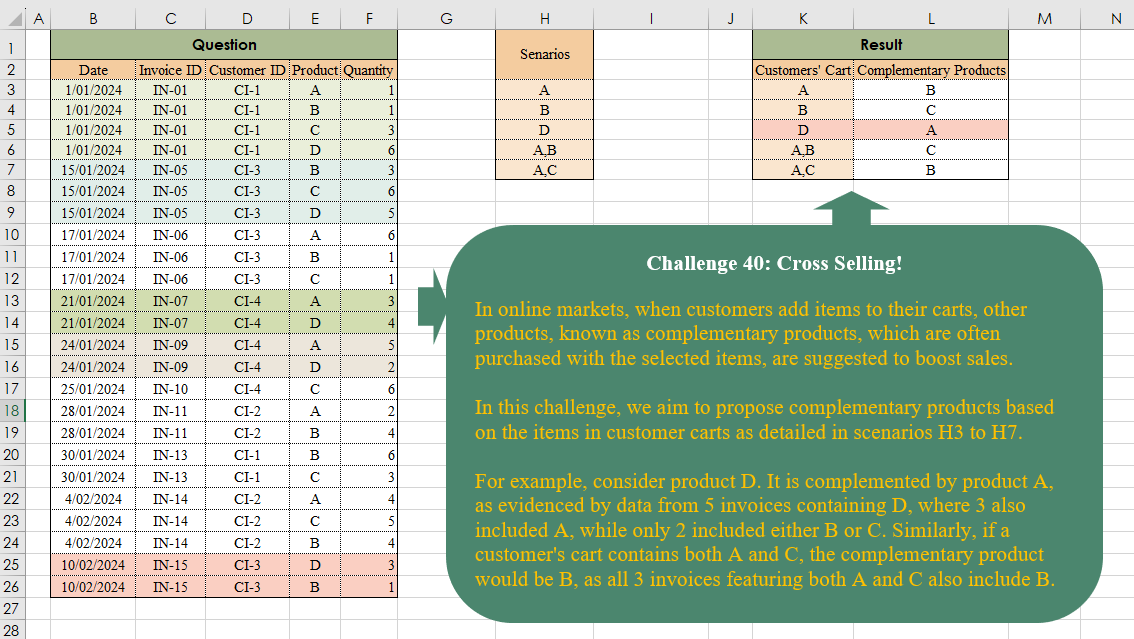
Challenge No. 40: In online markets, when customers add items to their carts, other products, known as complementary products, which are often purchased with the selected items, are suggested to boost sales.
Solved using:Excel (ARRAYTOTEXT, FILTER, HSTACK), Power Query (List.Transform, Text.Split, Table.AddColumn), and R.
Table Transformation! Part 5
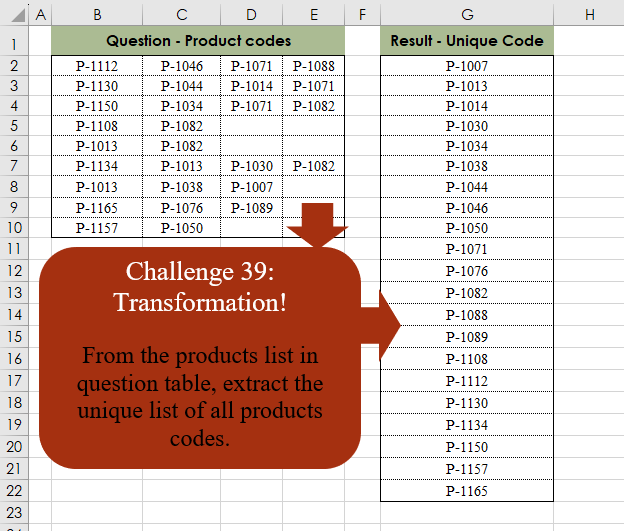
Challenge No. 39: From the products list in the question table, extract the unique list of all product codes.
Solved using:Excel (SORT, TOCOL, UNIQUE), Power Query (List.Distinct, Table.Distinct, Table.Sort), Python, and R.