Challenge No. 76: In challenge 58, we aimed to find an efficient way to calculate the stepped tax based on the tax rates presented in the question table.
Solved using:Excel (IFERROR, INDEX, LAMBDA), Power Query (Table.AddColumn), Python, Python in Excel, and R.
Text Processing
Handling text-based transformations.
Extract From Text! Part 1
Challenge No. 71: Extract all the emails from the text provided in the question table.
Solved using:Excel (FILTER, LEN, LET), Power Query (List.Transform, Text.Contains, Text.Split), Python, and R.
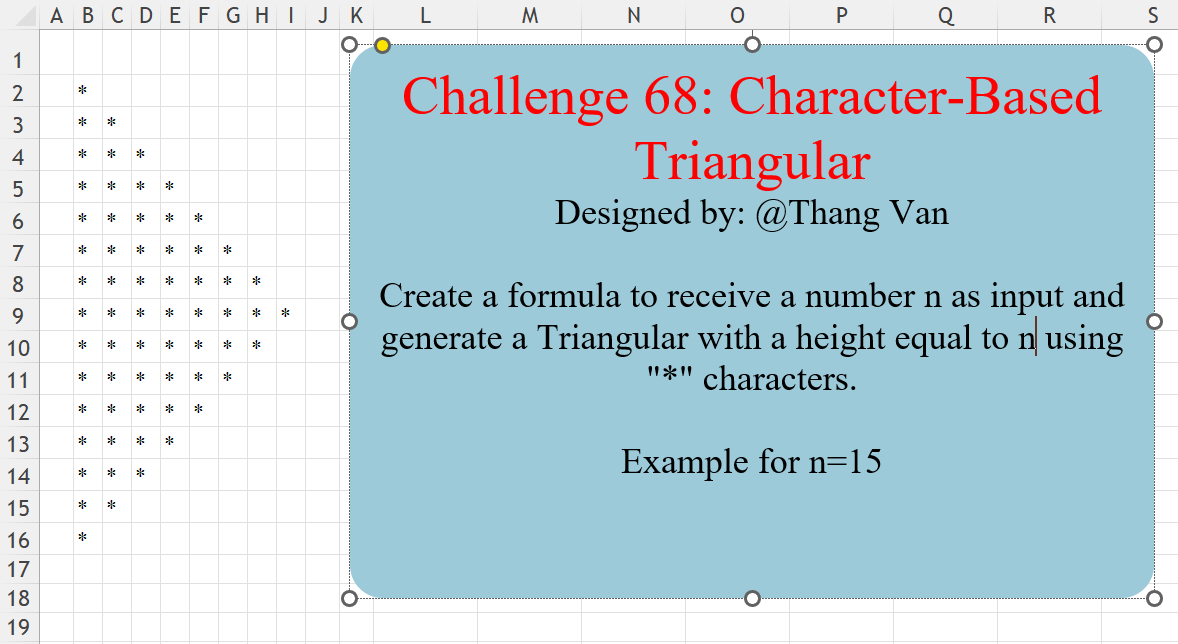
Character-Based Triangular
Challenge No. 68: Create a formula to receive a number n as input and generate a Triangular with a height equal to n using “*” characters.
Solved using:Excel (IF, LAMBDA, LET), Power Query (List.Repeat, List.Transform, Table.FromColumns), Python, R, and VBA.
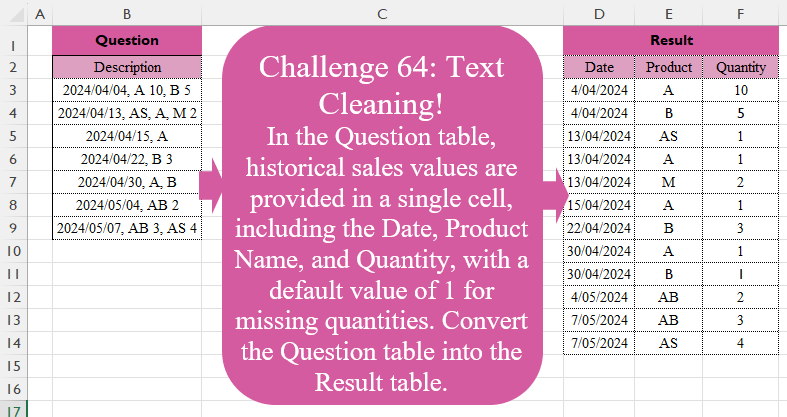
Text Cleaning!
Challenge No. 64: In the Question table, historical sales values are provided in a single cell, including the Date, Product Name, and Quantity, with a default value of 1 for missing quantities.
Solved using:Excel (DROP, HSTACK, IFERROR), Power Query (List.Transform, Text.Split, Table.Split), Python, R, and VBA.
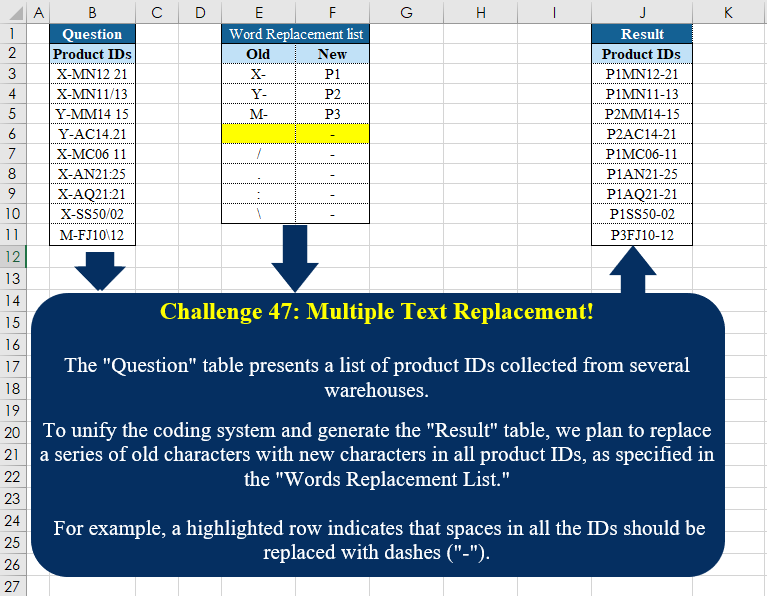
Multiple Text Replacement!
Challenge No. 47: The “Question” table presents a list of product IDs collected from several warehouses.
Solved using:Excel (INDEX, LAMBDA, LET), Power Query (Text.Replace), Python, Python in Excel, and R.
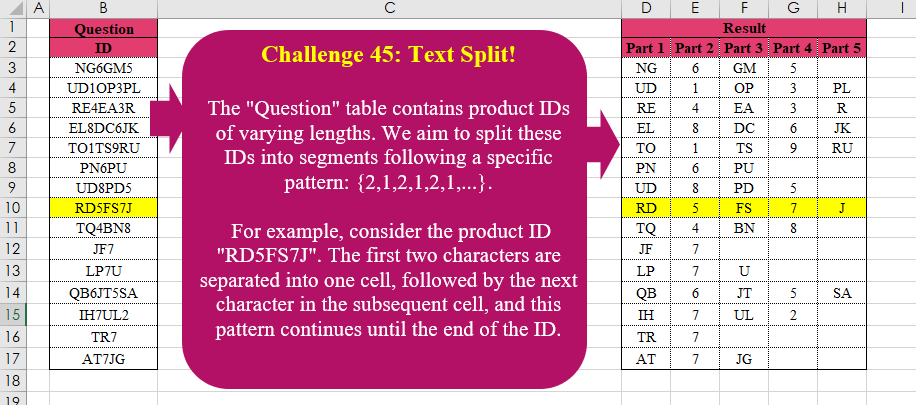
Text Split!
Challenge No. 45: The “Question” table contains product IDs of varying lengths.
Solved using:Excel (LAMBDA, LET, MID), Power Query (List.Transform, List.Zip, Table.AddColumn), Python, R, and VBA.
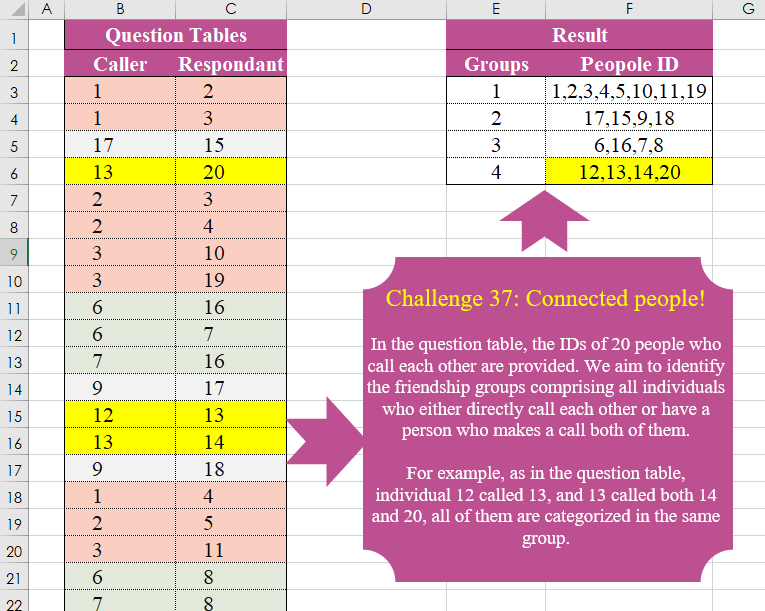
Connected People!
Challenge No. 37: In the question table, the IDs of 20 people who call each other are provided.
Solved using:Excel (FILTER, HSTACK, LAMBDA), Power Query (List.Transform, Text.Combine), Python, and R.
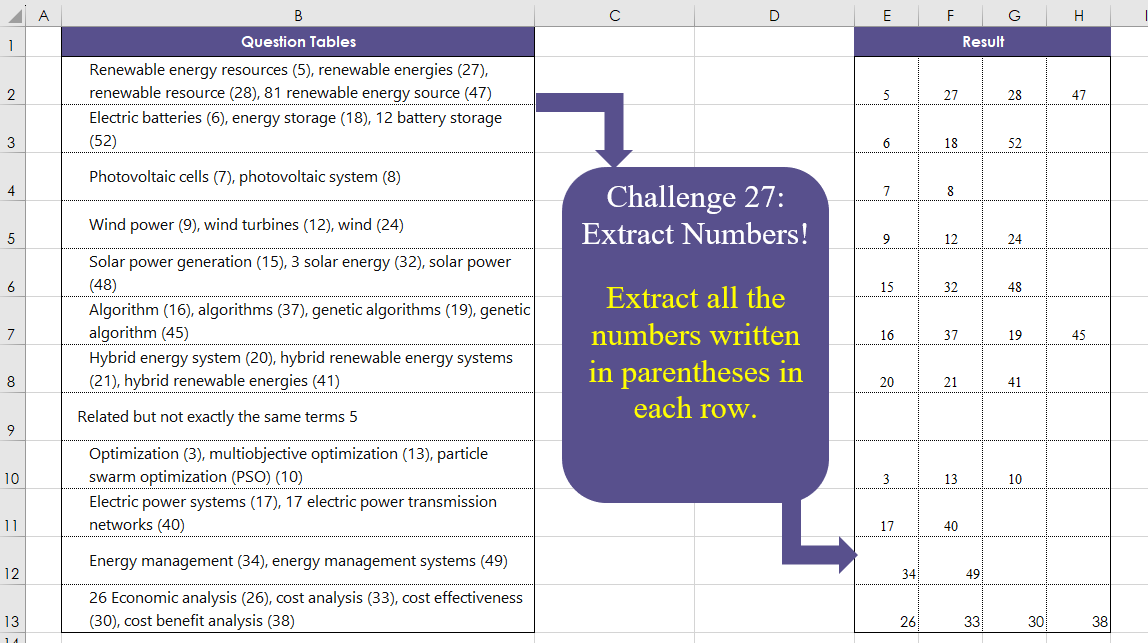
Extract Numbers!
Challenge No. 27: Extract all the numbers written in parentheses in each row.
Solved using:Excel (DROP, IFERROR, IFNA), Power Query (List.Transform, Text.BetweenDelimiters, Table.AddColumn), Python, and R.
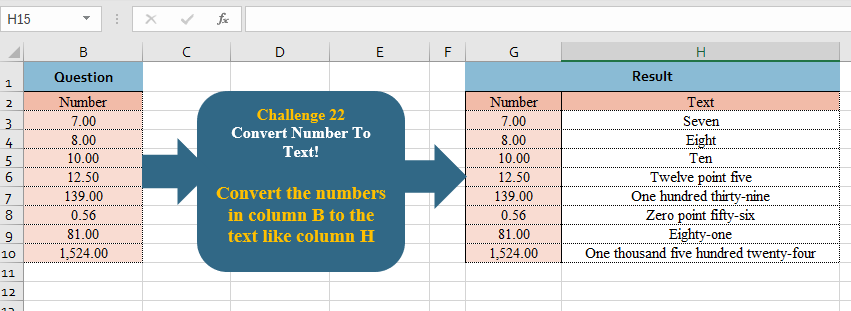
Convert Number To Text!
Challenge No. 22: Convert the numbers in column B to the text like column H
.
Solved using:Excel, Power Query, and R.
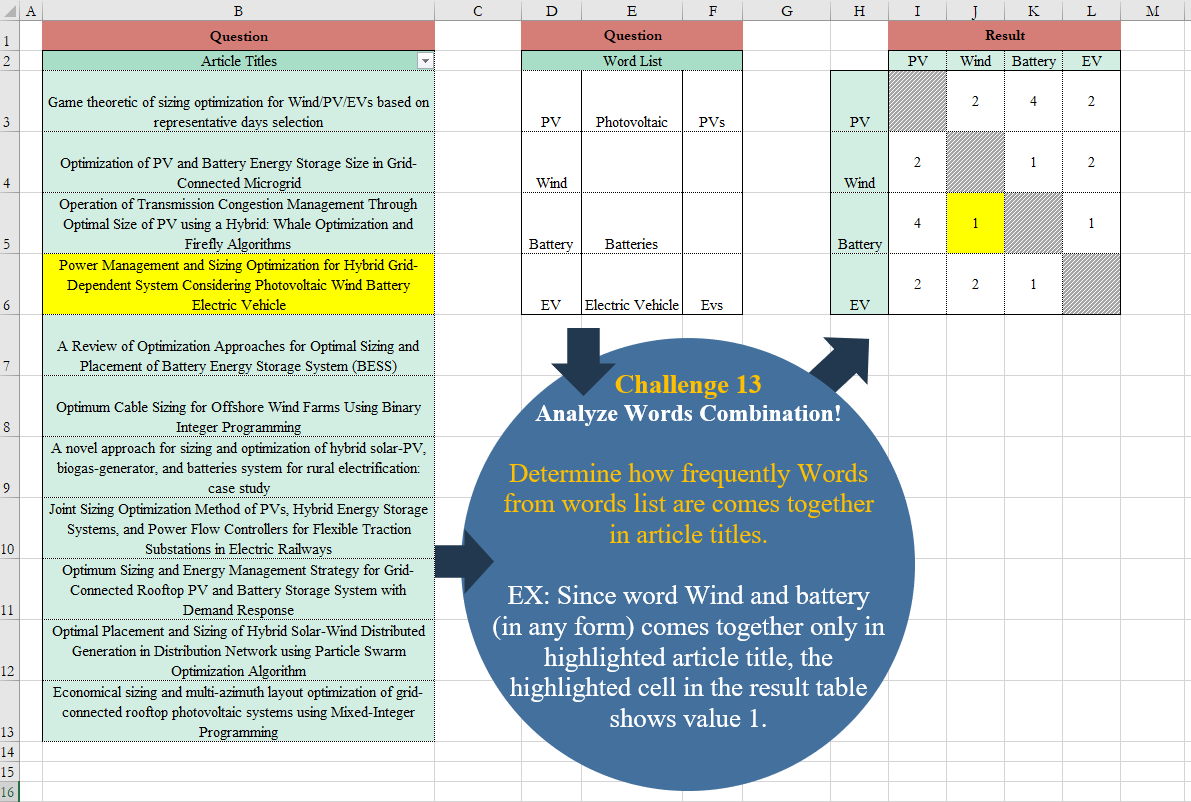
Analyze Words Combination!
Challenge No. 13: Determine how frequently Words from words list are comes together in article titles.
Solved using:Excel (CHOOSEROWS, IF, LAMBDA), Power Query (Table.AddColumn), and R.