
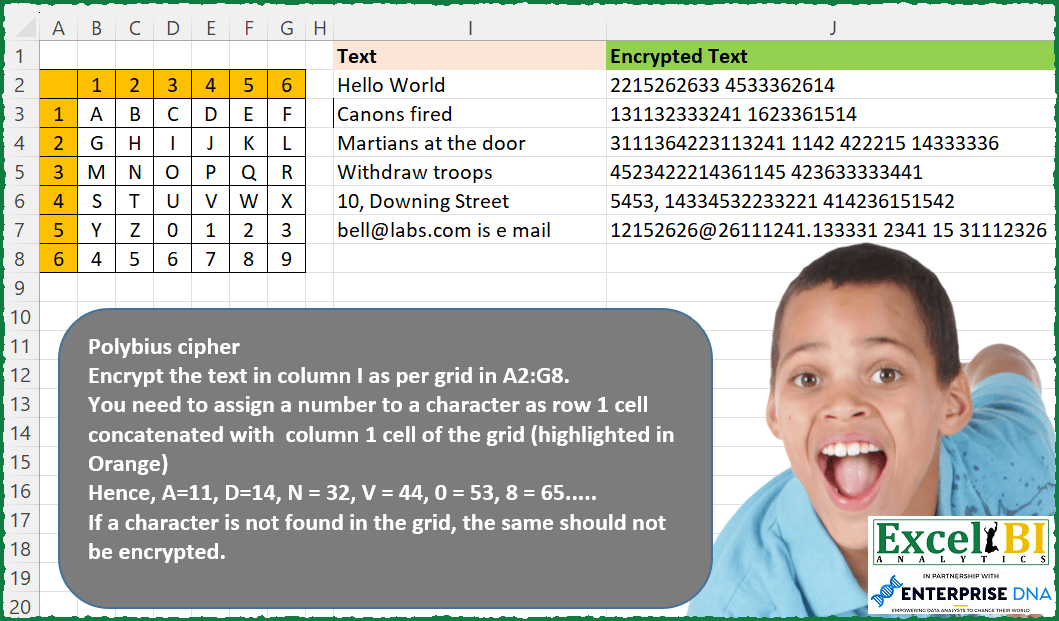
Challenge No. 155: Polybius cipher
Encrypt the text in column I as per grid in A2:G8.
Solved using: Python in Excel.
Handling text-based transformations.
Challenge No. 155: Polybius cipher
Encrypt the text in column I as per grid in A2:G8.
Solved using: Python in Excel.

Challenge No. 115:
Replace “q” and “000” in the Product ID and Customer ID columns with “-“.
Solved using:Excel (HSTACK, LAMBDA, LET), Google Sheets, Power Query (Text.Replace, Table.ReplaceValue, Table.TransformColumns), Python, Python in Excel, R, SQL, and VBA.
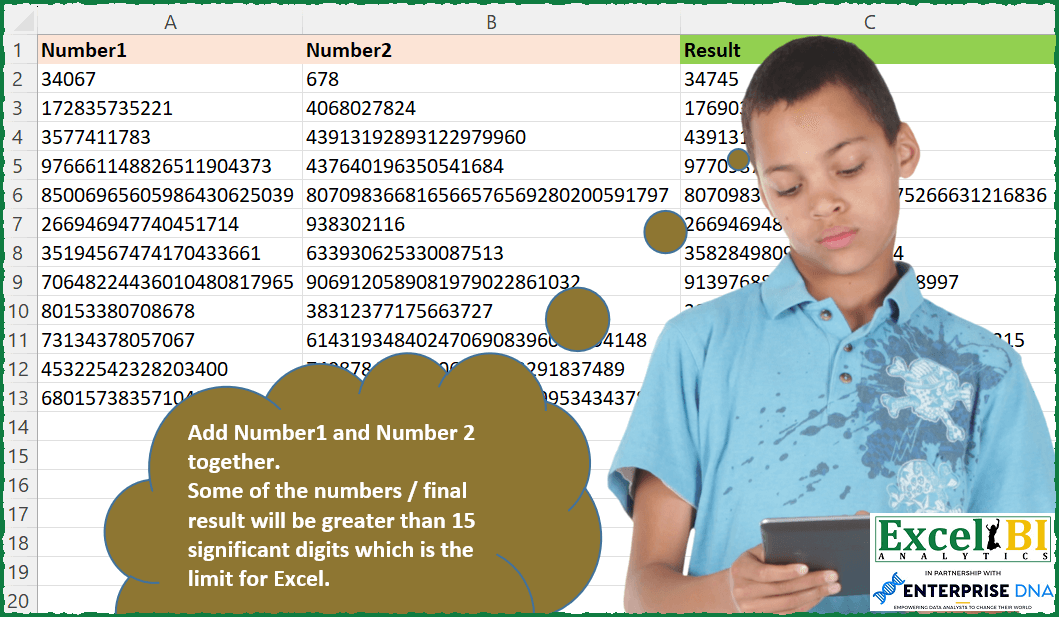
Challenge No. 122: Add Number1 and Number 2 together.
Solved using: Python in Excel.
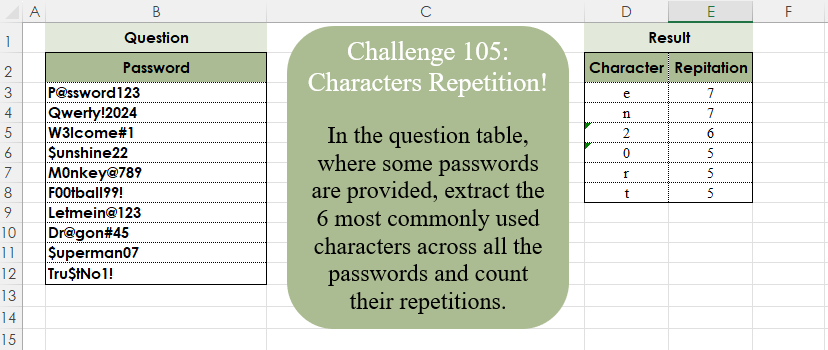
Challenge No. 105: In the question table, where some passwords are provided, extract the 6 most commonly used characters across all the passwords and count their repetitions.
Solved using:Excel (CONCAT, FILTER, GROUPBY), Google Sheets, Power Query (List.Combine, List.Distinct, List.Transform), Python, Python in Excel, and R.
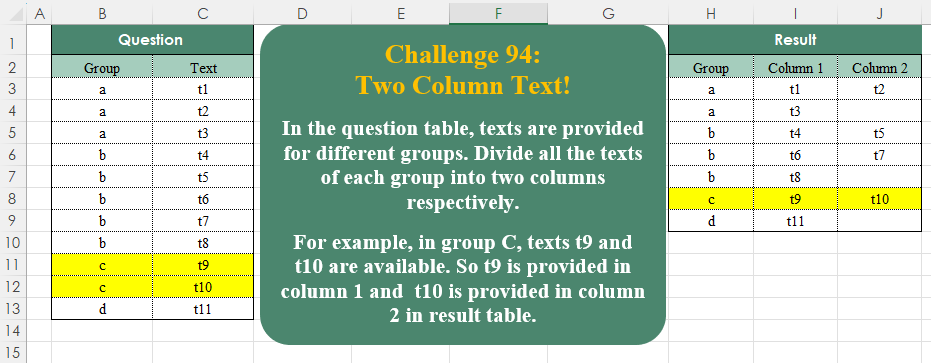
Challenge No. 94: In the question table, texts are provided for different groups.
Solved using:Excel (DROP, FILTER, HSTACK), Google Sheets, Power Query (List.Split, List.Transform, Table.ExpandTableColumn), Python, Python in Excel, and R.
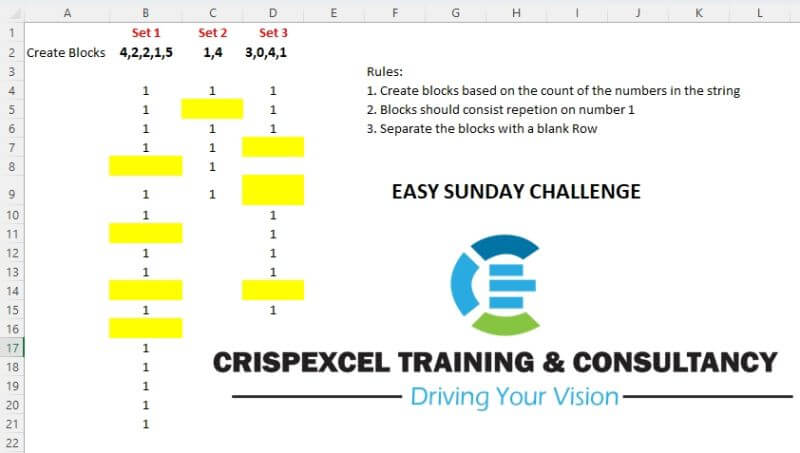
Challenge No. 11: Create blocks based on the sets of text number strings.
Solved using: Power Query.
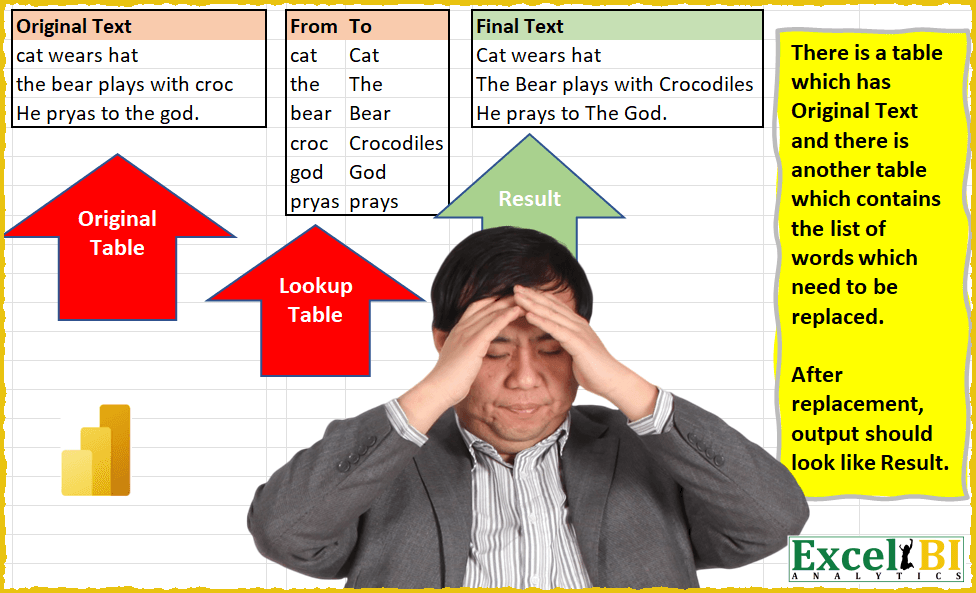
Challenge No. 9: (Excel formulas also welcome)
There is a table which has Original Text and there is another table which contains the list of words which need to be replaced.
Solved using: Power Query (List.Transform, Table.AddColumn, Table.ReplaceValue).

Challenge No. 15: Find the text of string following the last numeric digit in a string.
Solved using: Python in Excel.
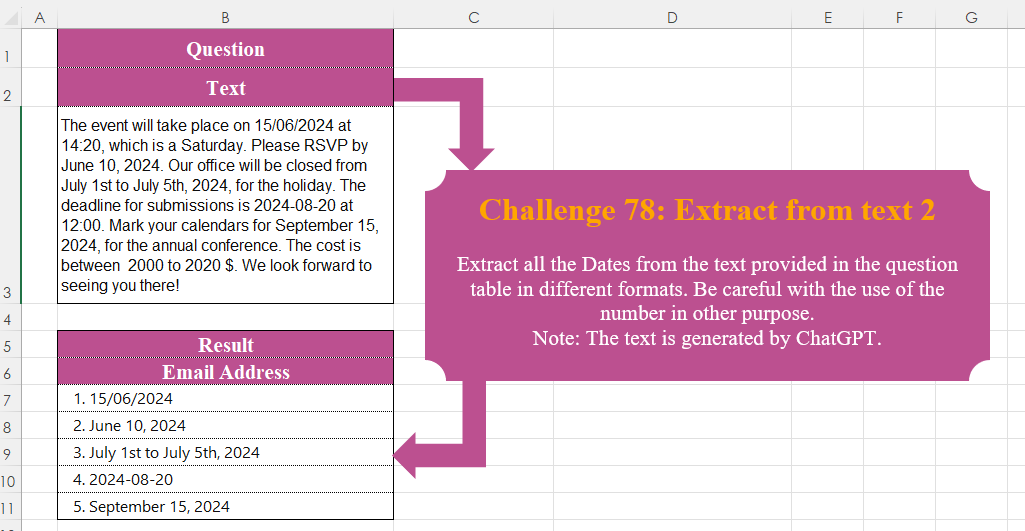
Challenge No. 78: Extract all the Dates from the text provided in the question table in different formats.
Solved using:Excel, Power Query, Python, R, and VBA.

Challenge No. 77: Create a formula to receive a number n as input and generate a rhombus with a diameter equal to n using “*” characters.
Solved using:Excel (DROP, IF, LAMBDA), Power Query (List.Transform), Python, R, and VBA.